
Finding a cheap 100 srgb monitor means balancing color coverage, image quality, useful features, and price without paying for professional equipment you do not need. Some affordable monitors offer 100% sRGB coverage and fast refresh rates, while creator-focused displays add factory calibration, better stands, and USB-C connectivity. The picks below cover both groups, with clearly identified alternatives that advertise 99% rather than 100% sRGB. That distinction matters when color accuracy is part of your work.
- Cheap 100 sRGB monitor picks worth considering
- How we selected these budget color monitors
- ASUS TUF Gaming VG249Q3R: Best budget gaming monitor
- ASUS TUF Gaming VG279Q3R: Best larger screen on a budget
- BenQ GW2490: Best basic office monitor
- ViewSonic ColorPro VP2456A: Best for color-focused office work
- ASUS ProArt PA248QFV: Best compact creative monitor
- ASUS ProArt PA278CV: Best 27-inch QHD workstation monitor
- ASUS ProArt PA278QGV: Best higher-refresh creative display
- What 100% sRGB coverage actually means
- How to choose a cheap 100 sRGB monitor
- Is a cheap 100 sRGB monitor accurate enough for creative work?
- Frequently asked questions
- Final verdict
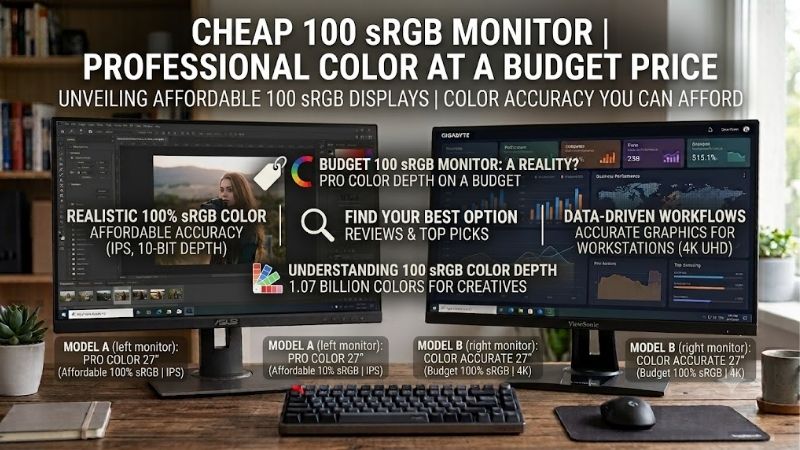
Quick answer: Our top pick in 2026 is the Monitor — our #1 rated choice. See the full ranked comparison, alternatives and buying advice below.
Cheap 100 sRGB monitor picks worth considering
The ASUS TUF Gaming VG249Q3R is the most affordable starting point among these recommendations because ASUS lists it at $109 in the US store during this research. It combines a 23.8-inch IPS panel, Full HD resolution, 180Hz refresh, and advertised 100% sRGB coverage. For users who prioritize color consistency for creative work, the ViewSonic ColorPro VP2456A and ASUS ProArt displays offer additional features worth considering.
| Monitor | Best for | Resolution | Refresh rate | Manufacturer-stated sRGB coverage |
|---|---|---|---|---|
| ASUS TUF Gaming VG249Q3R | Best budget gaming | 1920 × 1080 | 180Hz | 100% |
| ASUS TUF Gaming VG279Q3R | Best larger gaming screen | 1920 × 1080 | 180Hz | 100% |
| BenQ GW2490 | Best basic office monitor | 1920 × 1080 | 100Hz | 99% |
| ViewSonic ColorPro VP2456A | Best color-focused office display | 1920 × 1080 | Verify current specification | 100% |
| ASUS ProArt PA248QFV | Best compact creative monitor | 1920 × 1200 | 100Hz | 100% |
| ASUS ProArt PA278CV | Best 27-inch QHD workstation display | 2560 × 1440 | 75Hz | 100% |
| ASUS ProArt PA278QGV | Best higher-refresh creative display | 2560 × 1440 | 120Hz | 100% |
These recommendations span different budgets and uses. The first two favor gaming performance, whereas the ProArt and ColorPro models prioritize color consistency and practical creative-work features. The BenQ is included as a near-full-sRGB alternative, not as a model with an advertised 100% result.
Prices change frequently, so the current product listing should be checked before buying. Several creator displays approach $200–$280, which is a different spending category from a basic monitor near $100.
How we selected these budget color monitors
The main eligibility criterion was documented sRGB coverage from the manufacturer. We also considered resolution, panel type, refresh rate, ergonomics, connectivity, and whether each display offered a meaningful advantage for its intended audience.
Full sRGB coverage is useful for web graphics, social media content, general photo editing, and many everyday creative tasks. However, coverage is not the same as accuracy. A monitor can reproduce a broad range of sRGB colors while still displaying certain shades incorrectly.
Factory calibration, supported color modes, uniformity, and the ability to adjust brightness and color temperature help make a monitor more dependable for creative work. Gaming users have different priorities, including response behavior, variable refresh rate support, and the graphics card’s ability to produce high frame rates.
The specifications below are based on manufacturer documentation and available retailer information. No detailed research was conducted for this article, and advertised response times are not treated as independently measured results.
ASUS TUF Gaming VG249Q3R: Best budget gaming monitor
For buyers who want full-sRGB color coverage at a relatively low price, the ASUS TUF Gaming VG249Q3R is an appealing option. ASUS’s US store listed this monitor at $109 when checked on October 13, 2026. That price is a snapshot rather than a guaranteed future offer.
The monitor has a 23.8-inch Fast IPS panel with a resolution of 1920 × 1080. Its 180Hz refresh rate is considerably higher than the 60Hz rate found on many basic office displays. The combination makes it suitable for competitive games, action titles, and ordinary desktop use.
ASUS advertises 100% sRGB coverage, making the monitor relevant to buyers who want a color-capable display without investing in a professional creator model. Its IPS panel also provides wide viewing angles, which is useful when viewing images or documents from slightly different positions.
Gaming features include AMD FreeSync, Adaptive-Sync support, and ASUS Extreme Low Motion Blur technology. These features are designed to improve motion presentation and reduce screen tearing under supported conditions. Their actual benefit depends on the game, graphics card, refresh rate, and selected settings.
There are limitations. Full HD resolution is adequate for a 23.8-inch display, but it offers less desktop space and fine detail than a 1440p monitor. The included stand and connectivity are also more basic than the workstation features of the ProArt range.
Buy it if gaming is your main activity and you also want full-sRGB coverage for everyday graphics work. Skip it if your priority is factory-calibrated photo editing, high-resolution design work, or USB-C laptop docking.
ASUS TUF Gaming VG279Q3R: Best larger screen on a budget
The ASUS TUF Gaming VG279Q3R is worth considering when you want a larger screen without moving to a more expensive QHD monitor.
It uses a 27-inch Fast IPS panel with a native resolution of 1920 × 1080 and a refresh rate of 180Hz. ASUS specifies 100% sRGB coverage and advertises a 1ms gray-to-gray response time alongside its gaming features. ASUS’s US store listed the model at $169 during this research.
The extra screen area is useful for multitasking, casual photo adjustments, spreadsheets, and general desktop work. Its IPS panel and stated sRGB coverage make it more versatile than a display selected solely for basic office use.
However, Full HD resolution becomes more noticeable on a 27-inch screen. Individual pixels are larger than on a 23.8-inch 1080p monitor, so small text and fine image details may appear less sharp. If you spend hours reading documents or editing detailed photographs, a 27-inch QHD display may be a better investment.
The high refresh rate is useful for gaming, but it does not make this a dedicated professional color monitor. ASUS’s advertised gamut specification does not establish factory calibration accuracy, screen uniformity, or the quality of every color mode.
Buy it if you prefer a larger screen for gaming and general creative tasks. Skip it if you want the sharpest text at 27 inches or need advanced color-management features.
BenQ GW2490: Best basic office monitor
The BenQ GW2490 is a practical alternative for buyers who want an inexpensive everyday display with near-full sRGB coverage.
Its 23.8-inch IPS panel has a resolution of 1920 × 1080 and a refresh rate of 100Hz. BenQ specifies 99% sRGB coverage, 250 nits of typical brightness, and a native contrast ratio of 1300:1. The display also includes two HDMI inputs and a DisplayPort connection.
For web browsing, office applications, online learning, and casual photo editing, those specifications cover the main requirements. The 100Hz refresh rate produces smoother scrolling than a conventional 60Hz display, while the matte screen surface helps manage reflections from room lighting.
The near-full gamut makes it a reasonable budget choice for work involving web graphics and images prepared for the sRGB color space. Nevertheless, 99% sRGB is not the same manufacturer claim as 100% coverage, and the monitor is not marketed as a precision-calibrated professional display.
Its limitations are straightforward. The stand provides relatively basic tilt adjustment, and the display lacks the extensive USB-C docking and ergonomic controls available on more expensive creator monitors. BenQ’s specifications also list a 5ms gray-to-gray response time, so competitive players should compare independent motion testing before treating it as a gaming-focused alternative.
Buy it if you need an affordable office monitor with good everyday color reproduction. Skip it if exact full-sRGB coverage is a strict requirement or you need factory calibration and a height-adjustable stand.
ViewSonic ColorPro VP2456A: Best for color-focused office work
The ViewSonic ColorPro VP2456A is more suitable for a buyer who wants color-conscious productivity features rather than simply a screen with a wide color gamut.
The 23.8-inch IPS monitor has a Full HD resolution and is marketed for color-sensitive work. ViewSonic specifies 100% sRGB coverage, factory color calibration with Delta E below 2, and Pantone validation. These features provide more relevant evidence for creative use than a broad gamut percentage alone.
Its built-in USB-C connectivity is another advantage. The monitor is intended to support video, data, and laptop charging over a single connection, helping reduce cable clutter on a desk shared by a laptop and desktop peripherals. It also offers an ergonomic stand with height, tilt, and swivel adjustment, making it practical for a multi-hour working day.
There is an important specification issue to verify before buying. ViewSonic’s current US shopping overview lists a 60Hz refresh rate and 60W charging language, while another detailed specification page lists 120Hz and different USB-C power figures. Because those differences are material, confirm the exact VP2456A configuration with the seller before relying on its maximum refresh rate or charging capacity.
For this reason, the VP2456A is included primarily for its stated sRGB coverage and color-focused features, not as a guaranteed high-refresh-rate recommendation.
Buy it if you want a calibrated, color-oriented office display and can verify the exact specification of the unit for sale. Skip it if your purchase depends on a confirmed 120Hz mode or a specific laptop charging wattage that the seller cannot substantiate.
ASUS ProArt PA248QFV: Best compact creative monitor
The ASUS ProArt PA248QFV offers more workspace than a conventional 1080p office monitor while remaining compact enough for a smaller desk.
Its 24.1-inch IPS panel uses a 16:10 aspect ratio and a native resolution of 1920 × 1200. This provides additional vertical space for documents, editing timelines, and web pages compared with a standard 1920 × 1080 screen. ASUS lists a 100Hz refresh rate, 100% sRGB and Rec. 709 coverage, Calman Verified certification, and factory calibration to Delta E below 2.
Those specifications make it a useful choice for someone who alternates between graphic work, photo editing, writing, and gaming. The higher refresh rate than many traditional creator displays also improves the general desktop experience.
The monitor includes an ergonomic stand with height adjustment, tilt, swivel, and pivot. Its built-in USB hub and video connections help simplify a desktop setup, although it does not replace a full laptop dock.
The trade-off is price. ASUS listed the PA248QFV at $229 in its US store during this research, which puts it above entry-level office models. Its 1920 × 1200 resolution also falls short of the pixel density provided by a 27-inch QHD monitor.
Buy it if you value extra vertical workspace, verified full-sRGB coverage, and factory calibration in a compact display. Skip it if the budget is firmly below $150 or you want a larger 1440p canvas.
ASUS ProArt PA278CV: Best 27-inch QHD workstation monitor
The ASUS ProArt PA278CV is a sensible step up for people who want full-sRGB coverage and more workspace for editing, design, or office productivity.
Its 27-inch IPS panel offers a native resolution of 2560 × 1440 and a 75Hz refresh rate. ASUS specifies 100% sRGB and Rec. 709 coverage, Calman Verified factory calibration, and color accuracy of Delta E below 2.
The QHD resolution is a useful improvement over Full HD at this screen size. Text and interface elements appear sharper, and the additional pixels provide more room for editing applications, large spreadsheets, and multiple open windows.
The standout feature is USB-C connectivity with up to 65W power delivery. A compatible laptop can send video and data while receiving power over one cable. The monitor also has DisplayPort, HDMI, a USB hub, and DisplayPort daisy-chaining support. Its stand offers height, tilt, swivel, and pivot adjustments.
Its 75Hz refresh rate is adequate for everyday computing and casual gaming, but it is not designed to compete with high-refresh-rate gaming monitors. The conventional IPS backlight also does not provide the contrast performance of Mini LED or OLED displays.
ASUS listed the PA278CV at $229 during this research, although third-party retailer prices may differ.
Buy it if you want an ergonomic QHD display with full-sRGB coverage and a practical laptop connection. Skip it if competitive gaming or high-end HDR is the main priority.
ASUS ProArt PA278QGV: Best higher-refresh creative display
The ASUS ProArt PA278QGV is the step-up option for buyers who want full-sRGB coverage, more than basic office refresh rates, and professional-oriented color features.
This 27-inch IPS display has a native resolution of 2560 × 1440 and supports refresh rates up to 120Hz. ASUS specifies 100% sRGB coverage, 95% DCI-P3 coverage, factory calibration to Delta E below 2, and Calman Verified status.
Compared with the PA278CV, the PA278QGV offers a higher refresh rate and broader DCI-P3 coverage. Those features can benefit creators working with a wider range of color-rich content who also appreciate smoother desktop movement and more responsive casual gaming.
Its stand provides the usual ergonomic adjustments, and the monitor includes DisplayPort, HDMI, and a USB hub. ASUS also introduces Light Sync features, including an ambient light sensor designed to adjust brightness and color temperature according to the environment.
The limitation is cost. ASUS listed the monitor at $279 in its US store at the time of research, so it is not the first choice for someone who simply needs accurate-looking web graphics on a tight budget. It also lacks the 180Hz or higher refresh rates of gaming-focused TUF models.
Buy it if you want a single monitor for color-conscious creative work and reasonably fast gaming. Skip it if a basic 100% sRGB screen would satisfy your workload or you would rather spend the difference on other PC components.
What 100% sRGB coverage actually means
The sRGB color space is a common standard for web graphics, online photography, general desktop content, and many consumer applications. A monitor that advertises 100% sRGB coverage is designed to reproduce the full range of colors within that defined space.
This makes full-sRGB coverage a useful baseline for affordable creative work. It can help avoid monitors that display a narrower range of colors and make some images appear less saturated than intended.
However, coverage is not the same as accuracy. A display may cover the entire sRGB gamut while rendering certain shades too warm, too cool, or at the wrong brightness. Factory calibration, gamma behavior, white-point accuracy, and screen uniformity all influence the result.
A 99% sRGB rating is close to full coverage, but buyers should not treat it as an exact 100% specification. For general use, that difference may be insignificant. For work with strict delivery requirements, choose a display that explicitly lists full coverage and has credible independent testing or calibration documentation.
Also remember that sRGB is not the only color space. Video and some photography workflows may benefit from broader DCI-P3 or Adobe RGB coverage. A wide-gamut display is not automatically better for all work, particularly if the applications you use do not manage color correctly.
How to choose a cheap 100 sRGB monitor
Start with the tasks you perform most often. For basic web graphics, online images, and everyday productivity, a Full HD monitor with documented sRGB coverage can be sufficient. If you frequently edit detailed images, compare layouts, or work with several windows at once, 1440p provides more room and sharper text on a 27-inch screen.
Next, decide whether gaming matters. A 100Hz or 180Hz monitor can make movement and scrolling feel smoother than 60Hz, but higher refresh rates do not guarantee greater color accuracy. Prioritize calibration evidence if photo editing is more important than competitive gaming.
For laptop users, USB-C with video output and power delivery can eliminate the need for a separate dock. Check the monitor’s actual charging wattage and your laptop’s power requirement rather than assuming that every USB-C monitor can power the computer adequately.
Consider the stand as well. Height, tilt, swivel, and pivot adjustments are useful if you spend long hours at the desk. A cheap monitor with a tilt-only stand may still be a good deal, but a monitor arm adds to the total cost.
Finally, check the current price and precise model number. Product prices change, older versions may remain on sale, and similar model names can hide meaningful differences in refresh rate or connectivity. Read the return policy and confirm the color specifications before buying.
Is a cheap 100 sRGB monitor accurate enough for creative work?
For web graphics, social media assets, school projects, and casual photo editing, an affordable monitor with full-sRGB coverage and decent factory calibration can be a sensible starting point.
For paid work, print production, or color-critical delivery, consider a stronger verification process. Factory claims are helpful, but independent measurements or calibration using a suitable colorimeter provide better evidence of actual performance. You should also control room lighting and avoid excessively bright screen settings that make your edits look different on other displays.
If your budget is under $150, the ASUS TUF Gaming VG249Q3R offers full-sRGB coverage at a low listed price, but it is primarily a gaming display. If your budget is closer to $200, the ViewSonic VP2456A is more oriented toward color-sensitive work, provided its conflicting specifications are resolved before purchase. The ASUS ProArt PA248QFV costs more but combines factory calibration with a 16:10 screen.
The correct choice depends on how much color accuracy matters to your work. You do not need an expensive professional monitor for every task, but you should not confuse a manufacturer’s gamut claim with proof of calibrated accuracy.
Frequently asked questions
Is a 99% sRGB monitor good enough?
For most everyday tasks, yes. A 99% sRGB rating indicates near-full coverage of the sRGB space, and the practical difference from 100% may be small. If full coverage is a firm requirement, choose a model explicitly rated for 100% sRGB.
What is the cheapest monitor with 100% sRGB coverage?
Among the specific models in this roundup, the ASUS TUF Gaming VG249Q3R is the least expensive verified option by the displayed ASUS US price of $109 during research. It is a gaming-focused monitor, so users who need factory calibration and professional color controls should consider the creator-oriented alternatives.
Does 100% sRGB mean a monitor is color accurate?
Not necessarily. Gamut coverage describes the range of colors a monitor can reproduce, while accuracy describes how closely those colors match their intended values. Factory calibration, independent measurements, and consistent screen uniformity are important when editing images for delivery.
Is IPS better than VA for sRGB work?
IPS panels are popular because they generally provide wide viewing angles and dependable color presentation. VA panels can offer stronger native contrast, but the quality of color reproduction depends on the particular model. Choose based on measured coverage, accuracy, and intended use rather than panel type alone.
Should I buy a gaming monitor or a creator monitor?
Choose a gaming monitor if you prioritize refresh rate and motion handling while still wanting full-sRGB coverage. Choose a creator monitor if factory calibration, ergonomic adjustment, and color controls are more important. A hybrid model can be worthwhile if you regularly switch between editing and gaming.
Final verdict
For the lowest cost among the verified full-sRGB recommendations, the ASUS TUF Gaming VG249Q3R is an appealing choice for gaming and everyday tasks. The larger VG279Q3R offers similar color coverage at 27 inches. For color-focused productivity, the ViewSonic ColorPro VP2456A and ASUS ProArt PA248QFV offer more relevant calibration features, while the PA278CV provides QHD resolution and USB-C laptop connectivity.
The PA278QGV is the better step-up option when you want 120Hz alongside full-sRGB coverage and professional-oriented color features. The BenQ GW2490 remains a useful near-full-sRGB budget alternative, but its 99% rating should not be confused with an explicit 100% specification.
Compare the current price, exact model, color documentation, and intended workload before deciding. A monitor that matches your actual needs is a better investment than paying extra for features you will rarely use.
Research limitations: The article is based on manufacturer specifications and current US product listings where available, not firsthand testing. The product prices are dated snapshots rather than guaranteed future prices. Amazon US availability was not independently confirmed for every monitor. No measured color-accuracy results, owner consensus, or long-term reliability claims are invented. The ViewSonic VP2456A refresh-rate and power-delivery discrepancies should be resolved before publication if the editor intends to present those features as decisive buying criteria.
Ready to decide? Our #1 pick for 2026 is the Monitor.
Live price & availability on Amazon.









