
Best monitors for valorant help players balance refresh rate, motion clarity, price, and hardware limits. A 540Hz screen sounds ideal, but it only pays off when your PC can feed it frames. This guide compares four LCD picks for budget-conscious upgrades, ranked play, and premium esports setups without paying for speed you cannot use.
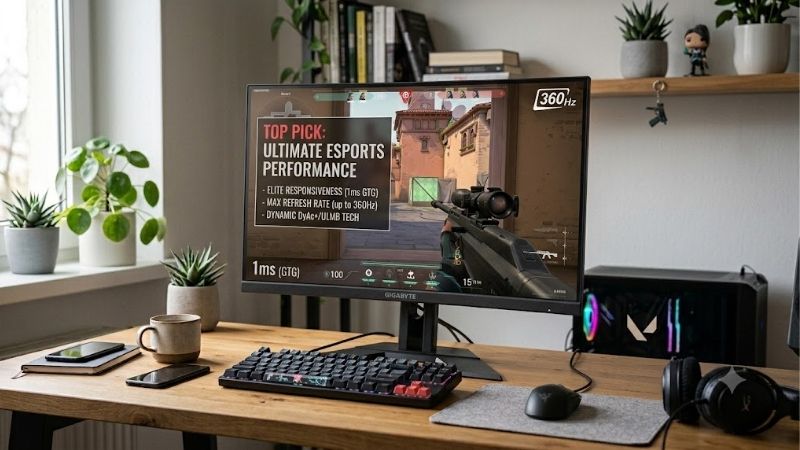
Quick answer: For most people in 2026, the best monitors for valorant is the ASUS ROG Strix XG259QNS — our #1 rated choice. See the full ranked comparison, alternatives and buying advice below.
How to Choose a Monitor for Valorant
The best monitors for valorant should make fast enemy movement easier to track without forcing overspending on specifications your PC cannot use. For most players, a 24- to 25-inch 1080p screen is a practical starting point; refresh rate, response behavior, panel quality, and stand adjustments separate sensible buys from costly overkill.
Refresh Rate and Your PC’s Frame Rate
Refresh rate determines how often a display updates each second, but the benefit depends on frames your PC renders. Moving from 144Hz to 300Hz feels smoother when Valorant runs at high-FPS, while a 540Hz panel is harder to justify if matches mostly stay below 300 FPS. This advantage is clearest during rapid, close-range duels.
Match the monitor to your system instead of buying the biggest number: MSI MAG 255XF offers 300Hz as a fast-value step, while ASUS ROG Strix XG259QNS reaches 380Hz with overclocking. Choose 400Hz or 540Hz only when your CPU, GPU, and settings sustain consistently high frame rates. Consistency matters more than peak numbers.
Response Behavior and Motion Clarity
Pixel response and refresh rate are related but not identical. A high-Hz screen can still show trails if pixels transition slowly, while backlight strobing can sharpen moving edges at the cost of brightness or variable-refresh compatibility. Manufacturer response-time figures are often best-case measurements, not guarantees in every mode.
For tracking strafing opponents, BenQ ZOWIE XL2566X+ pairs 400Hz with DyAc 2 strobing, a focused option for players prioritizing clean motion over rich colors. ASUS ROG Strix XG259QNS also offers ELMB Sync, giving competitive players another route to clearer movement without switching to a specialist TN panel. Check the active display mode first.
Panel, Size, and Resolution
Valorant benefits more from stable high frame rates and a quickly scannable screen than from 4K detail. At roughly 24 to 25 inches, 1920 × 1080 keeps the interface readable and asks less of the graphics card. IPS generally has stronger viewing angles; TN prioritizes esports speed but trades image richness. Test both options in actual matches.
MSI MAG 255XF and ASUS ROG Strix XG259QNS use 24.5-inch Full HD IPS panels for a clear, colorful view, while ZOWIE XL2566X+ and ROG Swift Pro PG248QP use 24.1-inch Full HD TN-family panels focused on competitive response. Choose IPS for mixed workloads; TN for millisecond-focused play. These trade-offs are visible during tracking.
Connectivity, Ergonomics, and Cost
Check which port supports the advertised refresh rate: these models use DisplayPort for maximum PC refresh, while HDMI limits vary. A stable stand matters during long sessions; height adjustment helps align the screen with your eyes, and adaptive sync can smooth frame-rate dips when FPS fluctuates. The difference is most obvious in motion.
ASUS XG259QNS and PG248QP offer esports-focused features and adjustable stands, while MSI MAG 255XF keeps costs down with a simple tilt-only stand. BenQ XL2566X+ adds height adjustment and S Switch controls; its higher price makes most sense for players who will use its motion-focused tools regularly. Both panel types remain viable choices.
Top Picks
These best monitors for valorant cover four distinct priorities: all-round speed, value, strobing-based motion clarity, and maximum refresh rate. The table summarizes each practical trade-off; remember that top refresh modes require a capable PC and the correct DisplayPort connection. Your viewing distance affects perceived sharpness.
| Product | Best For | Key Spec | Watch Out For |
|---|---|---|---|
| ASUS ROG Strix XG259QNS | Best Overall | 24.5-inch FHD IPS, up to 380Hz OC | Costly; 380Hz requires overclocking |
| MSI MAG 255XF | Best Value | 24.5-inch FHD Rapid IPS, 300Hz | Tilt-only stand; modest brightness |
| BenQ ZOWIE XL2566X+ | Best For Motion Clarity | 24.1-inch FHD TN, 400Hz, DyAc 2 | TN viewing angles; premium price |
| ASUS ROG Swift Pro PG248QP | Best For Maximum Refresh | 24.1-inch FHD E-TN, 540Hz OC | Expensive; needs very high FPS |
Best Overall: ASUS ROG Strix XG259QNS
ASUS ROG Strix XG259QNS is the strongest all-round pick for ranked players wanting very high refresh without giving up IPS color. Its 24.5-inch 1920 × 1080 panel reaches 380Hz when overclocked, with Adaptive-Sync and ELMB Sync for smooth, responsive visuals in fast rounds. Verify the DisplayPort bandwidth before purchase.
For the best monitors for valorant setup that also serves as an everyday PC display, XG259QNS balances esports speed with broad viewing angles and a height-adjustable stand. The drawback is premium pricing, and 380Hz is an overclocked ceiling rather than the default; value drops if your PC rarely exceeds 240 FPS. Keep comfort and stability in mind.
Best Value: MSI MAG 255XF
MSI MAG 255XF is the value pick for players wanting more than 240Hz without paying for rare esports hardware. Its 24.5-inch Rapid IPS panel runs at 1920 × 1080 and up to 300Hz through DisplayPort, with Adaptive-Sync and a quoted 0.5ms minimum GtG response for quick motion. A VESA arm can address this stand-height limitation.
For the best monitors for valorant on a tighter budget, 300Hz gives MSI a middle ground between mainstream 180Hz screens and premium 400Hz-plus models. IPS keeps colors lively for browsing and video, but 250-nit typical brightness is modest and its stand adjusts only for tilt, so check desk height. Avoid paying for unused specialist functions.
Best For Motion Clarity: BenQ ZOWIE XL2566X+
BenQ ZOWIE XL2566X+ is built for dedicated FPS players prioritizing moving-target clarity over richer colors or all-purpose polish. Its 24.1-inch 1080p TN panel reaches 400Hz over DisplayPort and includes DyAc 2 backlight strobing, plus an adjustable stand and S Switch for quick profile changes. Its strengths are deliberately specialized.
For the best monitors for valorant when aim tracking is the priority, DyAc 2 can make motion appear more defined during rapid mouse turns. The compromise is typical TN color and viewing-angle limitations, and DyAc 2 cannot work with variable refresh rate on this model. Specialist features cost more than a conventional 300Hz display.
Best For Maximum Refresh: ASUS ROG Swift Pro PG248QP
ASUS ROG Swift Pro PG248QP targets elite players with hardware capable of exceptionally high frame rates. Its 24.1-inch Full HD Esports-TN panel reaches 540Hz when overclocked, with quoted 0.2ms GtG response, a built-in NVIDIA G-SYNC processor, ULMB 2, and NVIDIA Reflex Analyzer support. Compare total system cost before upgrading.
For the best monitors for valorant at the extreme end, 540Hz delivers this group’s highest update ceiling, but improvement over 360Hz or 400Hz is incremental rather than magical. The monitor is expensive, uses TN technology with less-forgiving viewing angles, and needs a very fast PC to justify its specialist cost. Reserve it for elite play.
Frequently Asked Questions
The best monitors for valorant are not automatically the highest-refresh or most expensive esports displays. Actual FPS, tolerance for motion blur, budget, and non-gaming use all matter. These common questions explain when a premium screen makes sense and how to avoid paying for performance you cannot access. Treat speed claims cautiously.
Is 144Hz Enough for Valorant?
Yes, 144Hz is enough for casual and intermediate Valorant players, especially when upgrading from 60Hz and the PC holds stable frame rates. It makes camera movement and mouse input feel smoother, while leaving budget for a better mouse, reliable internet, or a graphics upgrade that may matter more. Check whether your PC sustains the rate.
A 240Hz or 300Hz screen is easier to justify for ranked players who consistently push high FPS and notice motion differences. MSI MAG 255XF is a strong step-up option, but a faster panel alone does not improve aim; practice, settings, and stable frame delivery still determine whether the upgrade feels worthwhile. Buy it only if your PC sustains it.
Do You Need 240Hz or 360Hz for Competitive Play?
No, neither 240Hz nor 360Hz is required to play competitively. Both can make movement look clearer than 144Hz at high FPS, but the advantage shrinks with each jump and varies by player. A strong 240Hz monitor can be a better purchase than an unaffordable premium screen. Perceived gains vary between players in actual matches.
If your system reliably exceeds 300 FPS, ASUS ROG Strix XG259QNS or MSI MAG 255XF can match that performance tier, while a 400Hz ZOWIE suits players who specifically value strobing. Before spending more, check average FPS during busy fights rather than trusting a maximum in an empty practice area. Frame consistency remains part of the equation.
Is IPS or TN Better for Valorant?
Neither panel type wins every category. TN esports monitors can deliver very fast response and are tuned for competitive play, while IPS usually provides more consistent color and wider viewing angles for daily use. At high refresh rates, actual response behavior matters more than broad assumptions based on panel labels.
ASUS XG259QNS and MSI MAG 255XF are sensible IPS choices if the monitor also serves school, work, or media. Choose BenQ XL2566X+ or ASUS PG248QP when their competitive features matter more than rich colors; compare independent tests for overshoot and blur at your preferred overdrive setting before buying. Results vary with settings and hardware.
What PC Specs Do You Need for a 500Hz Monitor?
You need a PC that renders Valorant at extremely high frame rates to make full use of a 500Hz-class monitor. Exact requirements vary with CPU, GPU, resolution, map, effects, and settings, so no single graphics card guarantees 500 FPS in every fight. Frame pacing matters alongside average performance. Balance image quality against tournament needs.
PG248QP’s 540Hz mode makes most sense when your system often produces well above 400 FPS and you notice subtle motion differences. If performance fluctuates heavily, invest in a balanced CPU and GPU upgrade first; a display cannot create frames the computer does not deliver. There is no universal minimum specification.
Final Thoughts
The best monitors for valorant depend on sustainable FPS and how much you value motion clarity over cost and color. ASUS XG259QNS is the all-round choice, MSI MAG 255XF the value pick, ZOWIE XL2566X+ prioritizes strobing, and PG248QP serves elite high-FPS play; buy for your real frame rate. Stable frame delivery should come first.
Ready to decide? Our #1 pick for 2026 is the ASUS ROG Strix XG259QNS.
Live price & availability on Amazon.









