
OLED portable monitors make the most sense when you want a travel display with deep blacks for movies, games, and visual work. However, panel technology alone should not decide your purchase. Resolution, screen shape, connection requirements, and the stand can matter more during everyday use.
For a laptop companion focused on documents and browsing, the ASUS ZenScreen OLED MQ16FC is the strongest starting point in this shortlist because its 1920 × 1200 screen provides more vertical space than a conventional 1080p display. Choose the ViewSonic VX1655-4K-OLED when higher pixel density matters more, or the ASUS ZenScreen OLED MQ13AH when a smaller screen fits your travel setup better.
These are specification-based recommendations, not hands-on test results. All six models have a maximum specified refresh rate of 60Hz, so readers seeking high-refresh competitive gaming should look beyond this selection.
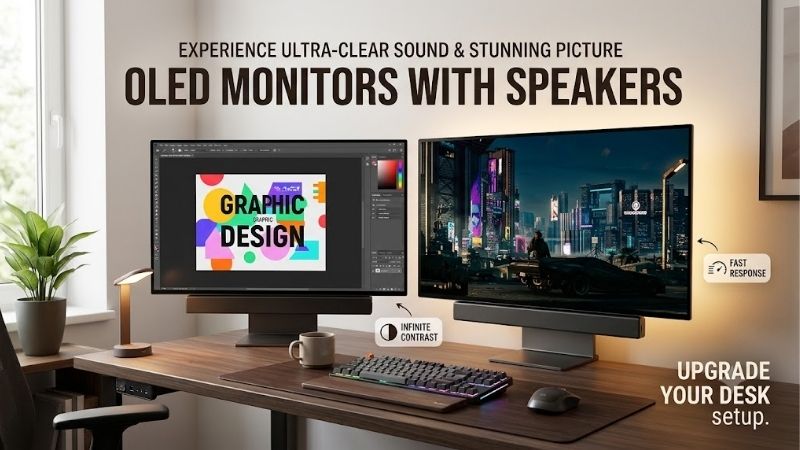
Quick answer: Our top pick in 2026 is the ASUS ZenScreen OLED MQ16FC — our #1 rated choice. See the full ranked comparison, alternatives and buying advice below.
OLED Portable Monitors at a Glance
| Model | Best-fit use | Screen and resolution | Main distinguishing feature | Main trade-off |
|---|---|---|---|---|
| ASUS ZenScreen OLED MQ16FC | Documents and general laptop work | 16-inch, 1920 × 1200, 60Hz | 16:10 format; up to 65W power pass-through | Lower pixel density than the 4K option |
| ViewSonic VX1655-4K-OLED | Detailed images and mixed work | 15.6-inch, 3840 × 2160, 60Hz | 4K resolution; integrated stand and speakers | Small text usually requires scaling |
| ASUS ZenScreen OLED MQ13AH | Compact travel setups | 13.3-inch, 1920 × 1080, 60Hz | Smaller screen footprint | Less room for multiple windows |
| ASUS ZenScreen OLED MQ16AHE | Flexible screen positioning | 15.6-inch, 1920 × 1080, 60Hz | 360-degree kickstand and tripod socket | Full HD rather than 4K |
| ASUS ZenScreen OLED MQ16AH | Conventional 15.6-inch second screen | 15.6-inch, 1920 × 1080, 60Hz | Smart Case support; USB-C and mini HDMI | Fewer vertical pixels than the MQ16FC |
| ASUS ZenScreen Fold OLED MQ17QH | Larger workspace that folds for transport | 17.3-inch, 2560 × 1920, 60Hz | Folding 4:3 OLED panel | Heavier and more mechanically complex |
Prices are omitted because a comparable set of current US offers was not verified. The recommendations therefore reflect features and intended use, rather than claims about the cheapest or best-value purchase.
How We Selected These Monitors
Eligibility required an actual OLED panel and a portable design. Manufacturer specifications were checked on October 10, 2026, with emphasis on resolution, refresh rate, connectivity, physical format, and power features.
The shortlist covers different buying decisions rather than six variations of the same recommendation. No measured input-lag, battery-runtime, durability, or color-accuracy results are claimed. Advertised gamut coverage and response times are manufacturer specifications, not independent test findings.
Amazon US listing verification remains incomplete for most models. Their inclusion does not imply current Amazon stock, a particular seller, or confirmed US warranty eligibility.
Recommended OLED Portable Monitors by Use Case
ASUS ZenScreen OLED MQ16FC: For Documents and Laptop Productivity
The MQ16FC’s main advantage is its 16-inch, 1920 × 1200 display. Compared with 1920 × 1080, it adds 120 vertical pixels while retaining the same horizontal resolution. That makes it a sensible option for readers who want more room for documents, browser pages, or editing panels.
ASUS specifies two USB-C ports with DisplayPort Alt Mode, mini HDMI, and power pass-through up to 65W. The charging arrangement needs attention: ASUS states that reaching maximum 65W delivery requires an adapter supplying up to 90W.
Its limitations are straightforward. This is a 60Hz screen, and it has no integrated speakers. Resolution also remains well below the ViewSonic’s 4K panel.
Buy if: You want a taller laptop workspace and useful charging flexibility.
Skip if: Your priority is fine image detail, integrated audio, or high-refresh gaming.
ViewSonic VX1655-4K-OLED: For Higher Pixel Density
The VX1655-4K-OLED combines a 15.6-inch OLED panel with 3840 × 2160 resolution. It is the clearest choice here for buyers prioritizing pixel density, especially when examining photographs or detailed graphics.
ViewSonic specifies a built-in stand, dual speakers, two USB-C ports, mini HDMI, and up to 60W power pass-through. Those features make it a practical mixed-use option without requiring separate speakers for basic audio.
The drawback is that 4K on a small screen does not automatically create a comfortable workspace. Operating-system scaling will usually be necessary, and available workspace depends on the selected scale. Rendering games at native 4K also places greater demands on the GPU than 1080p.
Buy if: Higher resolution is a priority and you are comfortable adjusting scaling.
Skip if: You mainly need a simple document screen or want gaming above 60Hz.
ASUS ZenScreen OLED MQ13AH: For a Smaller Travel Setup
The MQ13AH offers a 13.3-inch, 1920 × 1080 OLED screen. Its smaller format suits travelers who want a secondary display without committing to a larger panel.
Because it packs the same resolution as the 15.6-inch Full HD models into a smaller screen, pixel density is higher. The corresponding disadvantage is smaller text at the same scaling setting and less physical space for arranging windows.
ASUS lists USB-C and mini-HDMI connectivity, a Smart Case, and a proximity sensor. It also advertises 100% DCI-P3 coverage, although that specification alone does not establish accuracy in a particular editing workflow.
Buy if: A compact display is more useful than a larger workspace.
Skip if: You frequently compare documents side by side or need large, easily readable interface elements.
ASUS ZenScreen OLED MQ16AHE: For Flexible Positioning
The MQ16AHE is worth considering when the support mechanism matters as much as the screen. ASUS pairs its 15.6-inch, 1920 × 1080 OLED panel with a 360-degree kickstand and a rear tripod socket.
That gives it a distinct reason to appear beside the similarly named MQ16AH. Buyers should compare the exact support arrangement rather than assume the two models are interchangeable.
ASUS also provides orientation switching through DisplayWidget Center. Check software support for your operating system before relying on automatic rotation; physical rotation and automatic image rotation are separate capabilities.
The screen remains 60Hz and Full HD. Its positioning features do not increase detail or gaming refresh rate.
Buy if: You regularly change viewing angles or want tripod mounting.
Skip if: Higher resolution or a taller 16:10 workspace matters more.
ASUS ZenScreen OLED MQ16AH: For a Conventional Full HD Second Screen
The MQ16AH provides a 15.6-inch, 1920 × 1080 OLED panel, USB-C and mini-HDMI connections, and a Smart Case.
It is a reasonable candidate for users who prefer a conventional widescreen format for video playback and general secondary-screen duties. ASUS advertises 100% DCI-P3 coverage and Delta E below 2, but these claims should not replace calibration checks for color-critical work.
Its position in the shortlist depends on the actual offer. Without matched current prices, there is no basis for calling it better value than the MQ16AHE or MQ16FC. Compare the case, stand arrangement, accessories, and exact model suffix before ordering.
Buy if: You want a standard 15.6-inch Full HD OLED and prefer its case-based setup.
Skip if: You need the MQ16FC’s extra vertical pixels or the MQ16AHE’s kickstand.
ASUS ZenScreen Fold OLED MQ17QH: For a Larger Folding Workspace
The MQ17QH takes a different approach: a 17.3-inch folding OLED panel with 2560 × 1920 resolution and a 4:3 aspect ratio.
Its taller shape is useful for documents and applications that benefit from vertical room. Folding reduces its transport footprint, although ASUS lists a net weight of approximately 2.58 pounds, making it heavier than several conventional options here.
The folding design introduces another buying consideration: handling and hinge behavior. No long-term durability evidence was assessed for this guide, so portability should not be treated as proof of ruggedness.
ASUS’s US specification page explicitly lists a three-year warranty including panel burn-in. Confirm the applicable purchase and warranty terms before ordering.
Buy if: You need a larger workspace that can fold for transport.
Skip if: Low weight, simple construction, or widescreen video is your main priority.
How to Choose OLED Portable Monitors
Check USB-C Video Support First
A USB-C connector does not guarantee display output. Confirm that your laptop supports video through the intended port, and use a cable capable of carrying that signal.
ASUS specifically requires DisplayPort Alt Mode for the MQ16FC’s USB-C video connection. When using HDMI, that model needs separate USB-C power.
For a desktop PC, check the output you will actually use. A motherboard USB-C port should not be assumed to carry the graphics card’s video signal.
Choose Resolution Around Your Work
For browser pages, documents, and communication apps, screen shape and readable scaling can matter more than maximum resolution. The MQ16FC’s 1920 × 1200 format is a practical middle ground.
The ViewSonic’s 4K panel suits buyers who prioritize fine detail. Before purchasing, consider whether your applications handle scaling well and whether you need to run games at native resolution.
A smaller 1080p screen can also be useful, but higher pixel density does not compensate for limited physical workspace.
Separate Pixel Response From Refresh Rate
A low advertised response time does not turn a 60Hz monitor into a high-refresh display. These specifications describe different aspects of motion.
Likewise, a response-time claim does not establish measured input lag. If competitive gaming is the main purpose, prioritize independently verified latency, suitable refresh rate, and confirmed VRR support for the exact model.
Treat Color Gamut as One Part of the Decision
A wide advertised gamut describes the range of colors a monitor can reproduce. It does not, by itself, confirm accurate output for every application.
For editing work, check the relevant color mode, profile support, calibration options, and available measurements. Do not assume that two displays advertising the same DCI-P3 coverage will match visually.
Check Burn-In Coverage by Exact Model
OLED image persistence or burn-in can occur after prolonged display of static, high-contrast content. That matters for taskbars, application panels, and frequently repeated layouts.
Use appropriate display-sleep settings and follow the model’s care instructions. Do not transfer protection features or warranty coverage from one OLED product to another.
The MQ17QH has explicit burn-in coverage on its US specification page. Equivalent coverage was not established for the other models in this research.
FAQ
Are OLED portable monitors good for everyday office work?
They can be, particularly when you also use the display for visual content. However, a workload dominated by static spreadsheets and dashboards makes burn-in precautions and warranty terms more relevant. OLED is not automatically the best purchase for every office setup.
Can one cable provide both video and power?
Yes, with a compatible monitor, laptop port, and cable. Confirm video support and sufficient power delivery. Power pass-through to the laptop is a separate feature with its own adapter requirements.
Is a 4K portable monitor always better than 1080p?
No. It offers more pixels, but text size, scaling, GPU workload, and screen dimensions determine whether that benefits you. For general productivity, a comfortable 1920 × 1200 display may be more useful than a small 4K screen.
Do all these monitors include speakers?
No. ViewSonic specifies integrated speakers for the VX1655-4K-OLED. ASUS explicitly lists no speakers for the MQ16FC and MQ17QH. Verify audio features for the exact model; a headphone jack does not establish built-in speakers.
Final Verdict
Start with the ASUS ZenScreen OLED MQ16FC for a practical laptop workspace, the ViewSonic VX1655-4K-OLED for higher pixel density, or the ASUS ZenScreen OLED MQ13AH for compact travel.
The MQ16AHE and MQ16AH suit buyers choosing between different support arrangements for a conventional Full HD display. The MQ17QH is the specialist option for a larger folding workspace.
Before purchasing, confirm your video connection, power requirements, exact model, and applicable warranty. Those checks determine whether the monitor fits your setup.
Editorial Source Log
Access date: October 10, 2026. Manufacturer specifications support the product comparisons; no direct testing was performed.
| Product or claim | Supporting source | Verification notes |
|---|---|---|
| ASUS MQ16FC | ASUS US technical specifications and official product page | Verified OLED, 16-inch 1920 × 1200, 60Hz, ports, no speakers, and maximum 65W pass-through. Product page specifies up to 90W adapter input for maximum charging output. Matching Amazon US offer not confirmed. |
| ViewSonic VX1655-4K-OLED | ViewSonic US product page | Verified 15.6-inch 4K OLED, 60Hz, integrated stand, speakers, USB-C and mini HDMI. Official page and older online manual differ on HDMI version and surface description; those disputed details were omitted. |
| ViewSonic Amazon listing | Amazon US exact-model page | Matching listing identified. Current seller, condition, delivery availability, and price were not established for publication. |
| ASUS MQ13AH | ASUS US specifications and product page | Verified 13.3-inch Full HD OLED, 60Hz, advertised gamut, connection options, Smart Case, and proximity sensor. Amazon US offer and US burn-in coverage not confirmed. |
| ASUS MQ16AHE | ASUS official specifications and product page | Verified 15.6-inch Full HD OLED, 60Hz, kickstand, tripod socket, and software-dependent rotation. Amazon US offer and applicable US burn-in coverage not confirmed. |
| ASUS MQ16AH | ASUS US specifications and product page | Verified 15.6-inch Full HD OLED, 60Hz, advertised color specifications, connectivity, and Smart Case. Amazon US offer and US burn-in coverage not confirmed. |
| ASUS MQ17QH | ASUS US specifications and official product page | Verified folding OLED format, 17.3-inch 2560 × 1920 panel, 60Hz, weight, no speakers, and stated three-year warranty including panel burn-in. Amazon US offer not confirmed. |
| General OLED burn-in explanation | ASUS official monitor support FAQ | Supports the static-image risk explanation. Model-specific protection features and regional warranty terms were not generalized. ASUS Philippines |
Ready to decide? Our #1 pick for 2026 is the ASUS ZenScreen OLED MQ16FC.
Live price & availability on Amazon.









