
Photographers who edit RAW files, prepare fine-art prints, or deliver images to demanding clients need more than a sharp display. The best adobe rgb 4k monitor combines broad color coverage with dependable calibration, consistent brightness across the panel, and enough resolution to inspect fine details. The ASUS ProArt PA279CRV is the most accessible recommendation for serious editing, while the BenQ PhotoVue SW272U and ViewSonic ColorPro VP2786-4K provide more specialized tools for color-managed workflows. At the premium end, the ASUS ProArt PA32UCXR adds advanced Mini-LED HDR capabilities for professionals who need both wide-gamut photography and HDR production.
- Quick verdict: the best Adobe RGB 4K monitor for your workflow
- How we selected the best Adobe RGB 4K monitors
- ASUS ProArt PA279CRV: best overall value
- ViewSonic ColorPro VP2786-4K: best for calibration-focused workflows
- BenQ PhotoVue SW272U: best professional 27-inch option
- BenQ PhotoVue SW321C: best for a larger print-editing workspace
- ASUS ProArt PA32UCXR: best for Adobe RGB and HDR production
- How to choose an Adobe RGB monitor
- FAQs
- Final verdict: choosing the best Adobe RGB 4K monitor
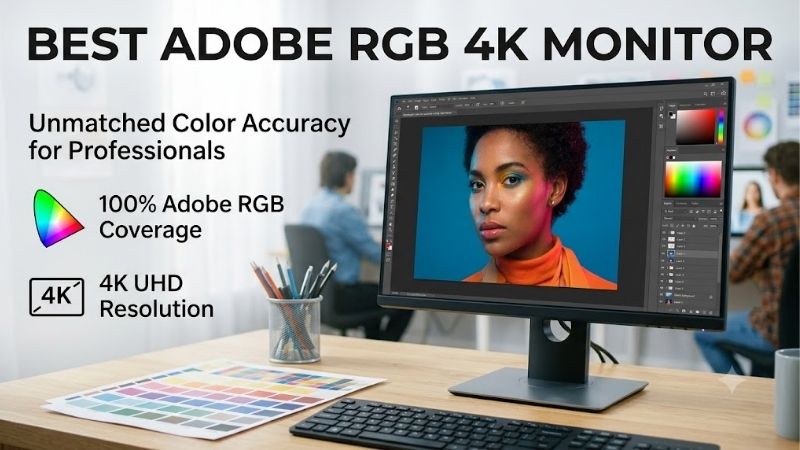
Quick answer: For most people in 2026, the best adobe rgb 4k monitor is the Monitor — our #1 rated choice. See the full ranked comparison, alternatives and buying advice below.
Quick verdict: the best Adobe RGB 4K monitor for your workflow
The ASUS ProArt PA279CRV offers the strongest balance of price, Adobe RGB coverage, factory calibration, and connectivity. Its advertised 99% Adobe RGB gamut coverage and 96W USB-C power delivery make it a practical upgrade from a conventional office monitor without requiring a four-figure investment.
For photographers who want more dedicated color-management controls, the ViewSonic ColorPro VP2786-4K adds a ColorPro Wheel, a shading hood, and advertised 100% Adobe RGB coverage. The BenQ SW272U is the more specialized 27-inch alternative, with hardware calibration and a fine-coated panel intended to reduce reflections. For a larger working area, the BenQ SW321C offers a 32-inch 4K panel designed around screen-to-print workflows.
| Monitor | Best suited for | Advertised Adobe RGB coverage | Standout feature | Observed US price |
|---|---|---|---|---|
| ASUS ProArt PA279CRV | Best overall value | 99% | Factory calibration and 96W USB-C | $429 |
| ViewSonic ColorPro VP2786-4K | Calibration-focused editing | 100% | ColorPro Wheel and included hood | $999.99 |
| BenQ PhotoVue SW272U | Professional 27-inch editing | 99% | Hardware calibration and fine-coated panel | $1,499.99 |
| BenQ PhotoVue SW321C | Large-screen print preparation | 99% | 32-inch panel and Paper Color Sync | $2,099.99 |
| ASUS ProArt PA32UCXR | Wide-gamut HDR production | 99% | Mini-LED backlight and built-in colorimeter | $2,999 |
Prices reflect US retailer or manufacturer listings checked on October 13, 2026, before tax. They are not guaranteed future prices. ViewSonic’s own US store indicated limited availability during the research period, so confirm stock with an authorized retailer before making a decision.
The recommendations prioritize advertised Adobe RGB coverage, relevant calibration features, resolution, connectivity, and independent test evidence where available. The five models cover different professional needs; spending more does not automatically produce more accurate photographs.
How we selected the best Adobe RGB 4K monitors
The first requirement was a native resolution of 3840 × 2160 and explicit Adobe RGB coverage information from the manufacturer or another credible technical source. We then compared factory calibration claims, hardware calibration support, brightness and color uniformity information, useful color presets, ergonomic adjustment, and connections relevant to desktop and laptop editing.
Specifications alone cannot establish how accurately a monitor renders every color. An advertised 99% Adobe RGB rating describes the portion of that color space the display can reproduce, not a promise that every reproduced color is correct. Calibration and uniformity matter because a monitor can cover a wide gamut yet still show a color cast or varying brightness across the screen.
Independent reviews from TechRadar, Digital Camera World, and PCWorld informed the discussion of real-world performance and limitations. Where a direct independent laboratory review was not located for an exact model, the recommendation relies on documented specifications rather than invented measurement results. No detailed research by this article’s author is claimed.
The list also distinguishes ordinary color-managed SDR photography from advanced HDR production. Most photographers do not need a premium Mini-LED screen simply to edit images for the web or prepare standard photographic prints.
ASUS ProArt PA279CRV: best overall value
The ASUS ProArt PA279CRV is the first monitor to consider when Adobe RGB coverage matters but the budget does not justify a dedicated high-end print display. ASUS specifies a 27-inch IPS panel with 3840 × 2160 resolution, 99% Adobe RGB coverage, 99% DCI-P3 coverage, and 100% sRGB coverage. It also supports multiple color-space presets, including Adobe RGB and sRGB, and is factory calibrated to a stated Delta E below 2.
The combination is useful for photographers who move between RAW processing, web exports, and print-oriented editing. Its approximately 163 pixels per inch provide clear fine detail and crisp interface elements. A factory calibration report gives buyers a useful starting point rather than forcing them to begin with an entirely uncalibrated display.
Connectivity is another strength. The monitor includes USB-C with up to 96W power delivery, DisplayPort, HDMI, a USB hub, and DisplayPort output for compatible daisy-chained monitor setups. The adjustable stand supports height, tilt, swivel, and portrait rotation, making it practical for laptop-based workflows and vertical images.
TechRadar’s independent review praised its color accuracy and factory calibration, while noting the limitations of its conventional IPS backlight. Its typical native contrast is around 1,000:1, and its entry-level DisplayHDR 400 certification does not make it a convincing reference HDR monitor. Dark scenes will not have the black depth available from OLED or well-implemented Mini-LED technology.
The model appeared at $429 in TechRadar’s linked Amazon price panel when checked. At that price, it delivers the most balanced combination of 4K detail and professional color-space support in this roundup.
Buy it if you need broad gamut coverage, a useful set of editing presets, and a monitor that also serves as a laptop workstation. Skip it if you need hardware calibration stored in the display itself or advanced HDR performance. For many photographers, those are reasonable compromises at this price.
ViewSonic ColorPro VP2786-4K: best for calibration-focused workflows
The ViewSonic ColorPro VP2786-4K takes a more specialized approach to color management. Its 27-inch IPS panel provides 3840 × 2160 resolution and manufacturer-rated coverage of 100% Adobe RGB, 100% sRGB, and 98% DCI-P3. ViewSonic specifies factory calibration to Delta E below 2, true 10-bit color, and Pantone validation.
Its physical accessories are a major attraction. The monitor includes a detachable shading hood that helps reduce ambient reflections, plus a ColorPro Wheel for adjusting monitor settings and working with supported creative applications. ViewSonic describes the wheel as a tool for fine-tuning color and calibration workflows. Those controls are particularly helpful when you regularly switch between image editing and print preparation.
The display also supports USB-C with up to 90W power delivery, along with DisplayPort and HDMI connections. Its ergonomic stand supports height adjustment, swivel, tilt, and portrait rotation. These features make it a more complete creative workstation than a basic monitor with wide-gamut specifications alone.
Independent testing published by Digital Camera World found strong color accuracy in its sample but also reported disappointing brightness and color uniformity. The reviewer measured substantial differences between parts of the panel, and enabling uniformity correction did not eliminate them. That caveat is particularly relevant to photographers who judge gradients, vignetting, and subtle tonal transitions across a large image.
Digital Camera World listed the VP2786-4K at $999.99 through Staples. ViewSonic’s US product page showed availability uncertainty during this research, so the displayed price should not be treated as confirmation of current inventory.
Buy it if you value the included hood and dedicated control wheel and want full advertised Adobe RGB coverage. Skip it if uniformity is your highest priority or if the price approaches that of a more consistently measured alternative. Its accessory package is attractive, but the independent uniformity findings deserve careful consideration.
BenQ PhotoVue SW272U: best professional 27-inch option
The BenQ PhotoVue SW272U is designed for photographers who need a more dedicated color-management workflow. Its 27-inch IPS panel delivers native 4K resolution, with manufacturer-rated coverage of 99% Adobe RGB, 99% DCI-P3, and 100% sRGB. BenQ also specifies a 16-bit 3D lookup table, factory calibration to Delta E of 1.5 or lower, and hardware calibration support.
Hardware calibration is an important distinction. Rather than relying entirely on corrections stored in the computer’s graphics output, a supported calibration workflow can write corrections to the monitor’s internal lookup table. A compatible colorimeter is still required for meaningful measurement; the monitor’s factory calibration does not make repeated calibration unnecessary.
The SW272U also has a fine-coated panel intended to produce a paper-like appearance and reduce reflections. Its included shading hood, Hotkey Puck, and 90W USB-C power delivery make it suitable for dedicated editing desks and compatible laptop setups. The Puck provides a convenient way to switch presets and navigate monitor controls without repeatedly reaching for small buttons.
Digital Camera World’s independent review measured an average Delta E of 1.07 on its test sample, outperforming the manufacturer’s stated threshold. Its uniformity tests found brightness differences of approximately 7–8% between the brightest and dimmest screen regions under the reported test conditions. That result provides useful context: a strong average color-accuracy measurement does not mean every point on the screen has identical output.
The main drawback is cost. BenQ’s US store displayed $1,499.99, with a separately displayed regular price of $1,549.99. That is a substantial premium over the ASUS PA279CRV, so the decision should rest on the calibration features and physical design rather than the assumption that the higher price guarantees better-looking images.
Buy it if you need hardware calibration, extensive color-space control, and a panel designed specifically for photographic work. Skip it if a good factory-calibrated monitor already meets your requirements and you rarely need to recalibrate or soft-proof prints.
BenQ PhotoVue SW321C: best for a larger print-editing workspace
The BenQ PhotoVue SW321C is the choice for photographers who prefer a larger 32-inch editing surface. Its native resolution is 3840 × 2160, and BenQ specifies 99% Adobe RGB, 100% sRGB, and 95% DCI-P3 coverage. That combination keeps it relevant to print-oriented photography while providing enough desktop space for a full-resolution image, adjustment panels, and reference material.
Its design focuses on the transition from screen to print. The Nano Matte Pro panel reduces reflections, while Paper Color Sync is intended to help simulate print appearance on screen. BenQ also includes a shading hood and Hotkey Puck G2, plus a 16-bit 3D lookup table, factory calibration to Delta E of 2 or lower, and support for hardware calibration.
Uniformity control is another advertised feature. It is intended to maintain more consistent brightness and color across the display, reducing the risk that edge areas of a photograph look different from the center. This is useful when editing images with subtle gradients or when checking the edges of a print layout.
USB-C provides video, data, and up to 60W power delivery. That is enough for some lightweight laptops, but it may not supply the full power requirements of a high-performance workstation laptop. Check your computer’s charging requirements before relying on one-cable operation.
BenQ’s US store listing showed $2,099.99. That makes the SW321C an investment in workspace and print-oriented features rather than a value alternative to the ASUS model. A larger panel can make long editing sessions and complex layouts more comfortable, but its size requires a suitable desk and viewing distance.
Buy it if you prefer a 32-inch 4K workspace and regularly prepare prints or work with large image collections. Skip it if desk space is limited or a 27-inch panel already gives you enough room. If hardware calibration is your main priority rather than screen size, compare the SW272U before paying extra for the larger display.
ASUS ProArt PA32UCXR: best for Adobe RGB and HDR production
The ASUS ProArt PA32UCXR targets professionals who need wide-gamut SDR work alongside advanced HDR workflows. Its 32-inch IPS panel has native 3840 × 2160 resolution and a Mini-LED backlight with 2,304 local-dimming zones. ASUS specifies 99% Adobe RGB, 97% DCI-P3, 100% sRGB, and peak HDR brightness of up to 1,600 nits.
Unlike the conventional IPS monitors in this list, the PA32UCXR can use local dimming to control brightness in multiple screen regions. That gives it a stronger foundation for HDR highlights and contrast than an ordinary edge-lit display without local dimming. ASUS also lists DisplayHDR 1400 certification, support for Dolby Vision, HDR10 and HLG, and a typical brightness rating of 1,000 nits.
Color-management features are equally advanced. The monitor supports hardware calibration and includes a motorized colorimeter for supported self-calibration workflows. ASUS specifies color accuracy below Delta E 1. Its Thunderbolt 4 connections support daisy chaining, while USB-C power delivery reaches 90W. The monitor also includes multiple image presets and picture-in-picture or picture-by-picture functionality.
The major disadvantage is price. ASUS listed the PA32UCXR at $2,999 on its US store. Its cost is difficult to justify for someone who primarily edits photographs for websites or standard prints. Most of those workflows benefit more from strong color management and a consistent viewing environment than from advanced HDR brightness.
Buy it if your work genuinely includes HDR photo or video production, you need advanced calibration, and you can justify the investment. Skip it if your delivery target is standard dynamic range. The PA279CRV or a dedicated photography monitor will leave substantially more money available for lenses, lighting, storage, or calibration tools.
How to choose an Adobe RGB monitor
Understand coverage versus accuracy
Adobe RGB coverage tells you how much of the Adobe RGB color space the monitor can reproduce. It does not tell you whether a displayed green, cyan, or skin tone is numerically correct. Two displays can both advertise 99% coverage yet differ in white balance, gamma, uniformity, and actual color errors.
For print work, broad Adobe RGB coverage is useful because some printable colors fall outside sRGB. However, your printer, ink, paper, and color-management settings determine whether those colors can actually be reproduced. A wide-gamut monitor helps you inspect the image; it does not expand the capabilities of the printer itself.
For web delivery, reliable sRGB performance remains essential. A wide-gamut monitor should have a useful sRGB mode or work correctly with color-managed applications so that ordinary web images are not displayed with exaggerated saturation.
Decide whether hardware calibration is necessary
Factory calibration is a helpful starting point, especially when a manufacturer supplies a calibration report and specifies the intended color mode. Delta E is a measure of color difference; lower values indicate closer agreement with the target, although the reported number depends on the measurement method and test conditions.
Hardware calibration can be worthwhile in print studios and client-facing environments where repeatability matters. It usually requires a supported colorimeter and compatible software. Software calibration can also work well, but its corrections depend more heavily on the computer’s color-management pipeline and graphics output.
If you primarily edit personal photography, do not spend hundreds of extra dollars on calibration features you will never use. A well-chosen factory-calibrated monitor may be sufficient, especially when paired with correct ICC profiles and a sensible working environment.
Match resolution, screen size, and connectivity
A 27-inch 4K display provides approximately 163 pixels per inch. That helps reveal fine textures and makes high-resolution photographs look detailed, but menus can become small unless you use operating-system scaling. A 32-inch model gives the interface more physical room while retaining the same pixel count.
USB-C can simplify a laptop workstation by carrying video, data, and power through one cable. Check the monitor’s power-delivery rating against the laptop’s charging requirements. Thunderbolt support, daisy chaining, and extra USB ports are worthwhile only when they fit the way you connect your devices.
Refresh rate is much less important for conventional photo editing than color accuracy, gamut coverage, and uniformity. A 60Hz monitor can be entirely appropriate for this work.
Control the lighting and viewing environment
Even an accurately calibrated display can mislead you when the surrounding light changes dramatically. Avoid direct sunlight and strong reflections, and choose a stable ambient-light level. Use a repeatable brightness setting rather than adjusting the monitor to look impressive in a brightly lit retail environment.
For print matching, consistent lighting around both the monitor and the physical print is especially important. A colorimeter helps maintain the display’s output, but it cannot compensate for arbitrary changes in room lighting or an unsuitable printer profile.
FAQs
Is 99% Adobe RGB good enough for professional photography?
For many professional workflows, yes. A display with 99% Adobe RGB coverage can show nearly all of that color space, making it useful for photo editing and print preparation. However, coverage alone is not a guarantee of perfect color accuracy or uniformity. Calibration, panel consistency, application color management, and printer profiles also affect the final result.
Is Adobe RGB better than DCI-P3 for photo editing?
Neither is universally better. Adobe RGB is particularly relevant to print-oriented photography because of its coverage in certain cyan and green regions. DCI-P3 is useful for digital cinema and wide-gamut digital delivery. Choose based on your output workflow, and avoid comparing percentages from different color spaces as if they were interchangeable.
Can I use a 4K Adobe RGB monitor without a colorimeter?
Yes. A monitor with reliable factory calibration and a suitable color preset can be useful straight out of the box. A colorimeter becomes more valuable when you need consistent results over time, need to match several monitors, or prepare work for demanding clients and print output. Calibration tools provide an additional level of verification rather than replacing good color-management practices.
Does a higher-priced monitor guarantee better color?
No. A higher price may buy hardware calibration, a shading hood, better workflow controls, a larger panel, or advanced HDR features. Those advantages matter for particular jobs, but they do not guarantee that every screen area will be more accurate. Compare independent testing and relevant features before assuming a premium model is the best fit.
Should I buy a 4K monitor or a wider-gamut 1440p monitor?
If your main priority is color fidelity for printing, a well-calibrated 1440p display with verified Adobe RGB coverage may be more useful than a 4K monitor with limited gamut. If you frequently inspect large, high-resolution images and want more desktop workspace, 4K is attractive. Choose the combination of resolution, gamut, and measured accuracy that supports your actual workflow.
Final verdict: choosing the best Adobe RGB 4K monitor
The ASUS ProArt PA279CRV is the most sensible starting point for many photographers because it combines 99% advertised Adobe RGB coverage, factory calibration, useful presets, and 96W USB-C connectivity at a comparatively accessible price. The BenQ SW272U is a stronger fit for professionals who need hardware calibration and a dedicated photography-oriented design, while the SW321C provides more room for print-focused editing.
The ViewSonic VP2786-4K has a useful integrated control ecosystem, but its measured uniformity limitations and stock uncertainty deserve attention. The ASUS PA32UCXR is the specialist choice for people who genuinely need both wide-gamut accuracy and advanced HDR production.
Choose according to your output, not the longest specification list. For most photographers, a suitable gamut, dependable calibration, and consistent working conditions will matter more than expensive HDR features that the workflow never uses.
Editorial Source Log
Research date: October 13, 2026. Price observations exclude tax and shipping. Product recommendations distinguish manufacturer specifications, retailer listing information, and independent review measurements.
Amazon verification
The PA279CRV’s $429 price was visible in TechRadar’s Amazon-linked price panel. The other price observations came from the named manufacturer stores or retailer price panels. No unverified ASINs are included, and the article does not claim confirmed Amazon prices for every featured product.
Build-PC-Guide.com duplication precheck
A targeted search for closely related indexed Build-PC-Guide.com content did not surface a clearly matching Adobe RGB 4K monitor roundup. This is not a complete sitewide duplication audit. The article is differentiated by its focus on Adobe RGB coverage, hardware calibration, uniformity, print workflows, and the distinction between standard photo editing and HDR production.
Ready to decide? Our #1 pick for 2026 is the Monitor.
Live price & availability on Amazon.









