
Choosing an ASUS TUF vs ROG monitor comes down to the features you actually need, not just the branding on the bezel. TUF Gaming generally targets practical gaming performance across accessible LCD price points, while ROG spans everything from mainstream high-refresh IPS displays to premium OLED monitors with enthusiast-level specifications. However, the product lines overlap, and a newer TUF model can offer a higher refresh rate than an older ROG monitor. For most buyers, TUF is a sensible starting point; ROG becomes more compelling when a specific model offers upgrades worth paying for.
- Quick verdict: TUF for practical performance, ROG for premium options
- What separates ASUS TUF Gaming from ROG?
- ASUS TUF vs ROG monitor comparison table
- Performance and image quality: the panel matters more than the badge
- Refresh rate and response time: do not buy Hz alone
- Features, ports and ergonomics: what are you paying extra for?
- Price and value: when does ROG justify the premium?
- Which ASUS monitor should you choose?
- Common mistakes when comparing TUF and ROG
- FAQs
- Final verdict
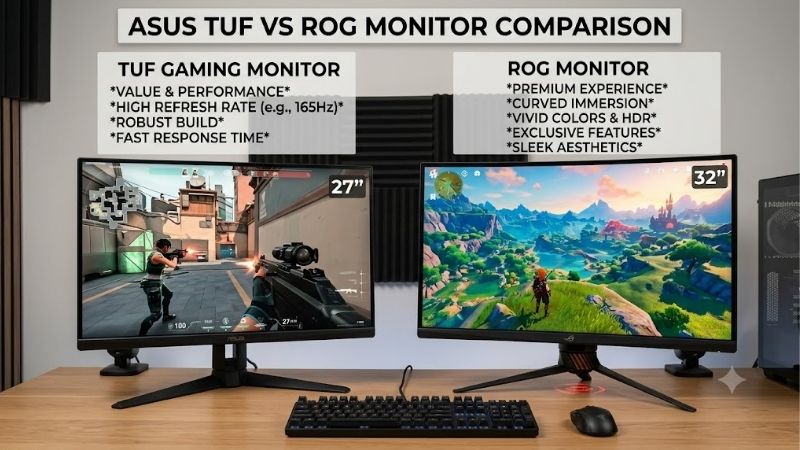
Quick verdict: TUF for practical performance, ROG for premium options
Choose ASUS TUF Gaming if you want a fast gaming monitor with a conventional LCD panel, adaptive-sync support and the features required for competitive or everyday gaming. You can find 1440p IPS displays, curved VA panels and newer models with unusual multi-mode refresh options within the range. The TUF Gaming VG27AQML1A, for example, is a 27-inch 1440p Fast IPS monitor with a native 240Hz refresh rate and an overclocked maximum of 260Hz.
Choose ROG if you want a particular enthusiast feature, such as an OLED panel, an exceptionally high refresh rate, a premium 4K display, or additional connectivity that suits your setup. The ROG Swift OLED PG27AQDP offers 1440p at 480Hz, while the ROG Swift OLED PG32UCDM Gen3 combines 4K resolution with a 240Hz QD-OLED panel. Those are fundamentally different products from a conventional TUF LCD monitor.
The important qualification is that ROG does not automatically mean better value, cleaner motion or superior image quality. ASUS sells ROG monitors at different performance levels, and measured results depend on the exact panel and model. Compare specifications and independent reviews before paying extra for the brand.
What separates ASUS TUF Gaming from ROG?
ASUS uses both names across a broad gaming-monitor portfolio, but they serve different product-positioning goals.
TUF Gaming emphasizes gaming capability across a wide range of configurations. Depending on the model, that can mean a straightforward 1080p screen, a high-refresh 1440p IPS monitor, a high-contrast VA display or a more specialized dual-mode design. Its appeal is the ability to choose the specifications that matter without automatically moving into an enthusiast-focused product tier.
ROG, short for Republic of Gamers, covers a wider premium-oriented portfolio. ROG Strix models include relatively accessible LCD monitors, while ROG Swift includes high-end LCD and OLED options. The additional cost on a particular model may buy a better panel technology, higher refresh rate, more capable connectivity, advanced calibration features or more sophisticated display controls.
Neither name establishes the performance of an individual monitor. A TUF model with a faster panel may be a better competitive gaming purchase than a slower ROG model. Conversely, an OLED ROG display may provide substantially better contrast and pixel response than a conventional TUF LCD.
It is also important not to interpret TUF as a guarantee of greater physical durability or ROG as a guarantee of perfect factory calibration. Check the warranty, construction, stand, calibration information and test results for the exact model.
ASUS TUF vs ROG monitor comparison table
The following examples illustrate the range of products available rather than presenting an artificial one-to-one ranking. The models use different panel technologies and occupy different positions in the market.
| Model | Panel and resolution | Maximum refresh rate | Notable features | Main trade-off |
|---|---|---|---|---|
| ASUS TUF Gaming VG27AQML1A | Fast IPS, 27-inch, 1440p | 260Hz overclocked; 240Hz native | Adaptive-Sync, USB-A hub, adjustable stand | No OLED contrast; 260Hz requires overclock mode |
| ASUS TUF Gaming VG27WQ5F | Curved Fast VA, 27-inch, 1440p | 220Hz QHD; higher refresh in lower-resolution modes | Triple-mode operation, HDMI 2.1, speakers | VA motion behavior and limited stand adjustment |
| ASUS ROG Strix XG27ACS | Fast IPS, 27-inch, 1440p | 180Hz | USB-C, Adaptive-Sync, ELMB Sync, adjustable stand | Modest contrast and limited HDR impact |
| ASUS ROG Swift OLED PG27AQDP | WOLED, 26.5-inch viewable, 1440p | 480Hz | HDMI 2.1, OLED Care, USB hub | Premium pricing and OLED-related trade-offs |
| ASUS ROG Swift OLED PG32UCDM Gen3 | Tandem QD-OLED, 31.5-inch, 4K | 240Hz | DisplayPort 2.1, HDMI 2.1, USB-C with 90W power delivery | High purchase cost and demanding 4K gaming workload |
Specifications are taken from the respective ASUS product pages. Maximum refresh rates and supported modes depend on the connection, resolution and configuration; the table does not imply that every model delivers the same motion clarity or real-world performance.
Performance and image quality: the panel matters more than the badge
When comparing two monitors, start with panel technology and independent testing rather than assuming a higher product tier guarantees a better picture.
IPS monitors for versatile gaming
IPS is a practical choice for players who want a clear image, broad viewing angles and responsive motion without OLED’s permanent burn-in risk. Many TUF and ROG LCD models use IPS or Fast IPS panels, so the panel category alone does not distinguish the product families.
The TUF VG27AQML1A targets high-refresh 1440p gaming. Its native 240Hz rate and overclocked 260Hz ceiling give it substantial refresh-rate headroom. The ROG Strix XG27ACS, by comparison, tops out at 180Hz. That makes the TUF model more attractive on refresh-rate specifications alone, although specifications cannot establish which monitor has better response-time tuning across every refresh rate.
RTINGS’ testing of the XG27ACS found low input lag, sharp motion and strong SDR color accuracy. It also found limited contrast and HDR performance, with black areas appearing gray in dark rooms. This illustrates why ROG branding should not be mistaken for a guarantee of premium HDR.
VA monitors for deeper native contrast
VA panels often offer stronger native contrast than typical IPS displays, which can help dark scenes look more substantial. The TUF VG27WQ5F uses a curved Fast VA panel with a listed 5,000:1 typical contrast ratio.
The trade-off is that some VA panels have slower dark-pixel transitions, producing visible smearing in certain scenes. Response behavior varies between models, so a quoted minimum response time is not enough to predict motion clarity. Look for independent measurements rather than assuming that every Fast VA monitor performs identically.
VA may suit players who prioritize contrast over extremely consistent dark-transition performance. If you play fast competitive shooters, examine the measured response-time behavior at the refresh rates you are likely to use.
OLED for contrast and pixel response
OLED is where premium ROG models can offer a more substantial visual difference from conventional TUF LCD displays.
Each OLED pixel produces its own light, allowing individual pixels to turn off completely for black. This creates excellent contrast and very fast pixel transitions. It is particularly attractive for dark games, cinematic single-player titles and HDR content.
The ROG Swift OLED PG27AQDP combines a 1440p WOLED panel with a 480Hz refresh rate. RTINGS found excellent motion clarity and image contrast in its testing, but also documented VRR flicker and software issues. OLED still has potential burn-in risk, and the highest refresh rate is useful only when your PC can produce enough frames.
If picture quality is the priority, ROG’s OLED range can justify a substantial premium. If your budget favors a conventional IPS monitor, that extra expenditure may be better directed toward a graphics card or another component that improves your overall gaming experience.
Refresh rate and response time: do not buy Hz alone
Refresh rate is one of the easiest specifications to compare, but it is only part of gaming performance.
A 180Hz monitor can display up to 180 refreshes per second, while a 260Hz monitor can refresh more frequently. At sufficiently high frame rates, that can improve motion presentation and reduce the interval between display updates. The benefit depends on the system’s actual frame output and the panel’s response behavior.
Consider the games you play. For demanding single-player titles where your PC usually produces less than 120 FPS, spending substantially more for 480Hz is unlikely to be the best use of your budget. For competitive esports titles that run at several hundred frames per second, higher refresh rates can make more sense.
Response time is separate from refresh rate. A panel advertised with a 1ms response time does not necessarily transition cleanly between all colors in 1ms. Overdrive settings can introduce overshoot, and backlight-strobing features may reduce perceived blur while creating other artifacts.
Variable refresh rate (VRR) is also useful because it allows the display to synchronize its refresh with fluctuating frame rates within its supported range. Confirm the monitor’s Adaptive-Sync, FreeSync or G-SYNC compatibility and the input required to access the desired mode.
A newer TUF monitor may therefore be a better competitive gaming choice than an older ROG model. Compare the exact refresh rates, response-time measurements, VRR behavior and input lag instead of assuming ROG is faster simply because of its branding.
Features, ports and ergonomics: what are you paying extra for?
A monitor’s practical features can matter as much as its panel.
The TUF VG27AQML1A provides DisplayPort 1.4, two HDMI 2.0 connections and a USB-A hub. Its stand offers height adjustment, tilt, swivel and pivot. It also includes speakers, which are useful for basic audio if you do not already have speakers or a headset. According to ASUS’s specifications, the full 260Hz mode is available over DisplayPort; HDMI is limited to a lower maximum refresh rate.
The ROG Strix XG27ACS includes DisplayPort 1.4, HDMI 2.0 and USB-C with DisplayPort Alt Mode. That USB-C connection makes it convenient to connect a compatible laptop for video output, but its 7.5W power delivery is not enough to fully charge most laptops under load. The monitor also has a height-adjustable stand, swivel, pivot and a tripod socket.
Higher-end ROG models add features according to the model. The PG27AQDP has HDMI 2.1, DisplayPort 1.4 with DSC and a USB hub. The PG32UCDM Gen3 offers DisplayPort 2.1, HDMI 2.1 and USB-C with up to 90W power delivery, a far more capable option for a compatible laptop-and-desktop setup.
Ergonomics deserve careful attention. A monitor that cannot be positioned comfortably may be less suitable for your desk than a model with a better stand, even when the latter has lower headline specifications. If you already use a VESA-compatible monitor arm, the supplied stand may matter less.
Do not assume every ROG monitor has USB-C, a KVM switch, speakers or the same stand adjustments. Features vary by model, and a more expensive monitor is not automatically better equipped for your desk.
Price and value: when does ROG justify the premium?
The fairest value comparison is between models with similar screen size, resolution, panel technology and connectivity. Comparing a TUF LCD monitor directly with a flagship ROG OLED can make ROG look expensive without showing whether the premium matters for your needs.
Official ASUS US listings checked on October 12, 2026, showed the ROG Strix XG27ACS at $229, the ROG Swift OLED PG27AQDP at $799 and the ROG Swift OLED PG32UCDM Gen3 at $1,299. These are listing prices observed during research, not guaranteed street prices or a direct price comparison against every TUF model. Retailer discounts and availability can change.
The XG27ACS example is particularly useful because it demonstrates that ROG is not exclusively a luxury category. It is a conventional 1440p IPS monitor that can be a reasonable option for mainstream gaming. Its strengths include responsive motion and useful ergonomics, while its limitations include contrast and HDR capability.
At the high end, the PG27AQDP and PG32UCDM Gen3 offer panel technology, refresh rates and connectivity beyond what a basic LCD monitor provides. Those features can justify the cost for the right buyer, but they do not automatically improve every game or productivity task.
Use the following rule when making a purchase:
-
Choose TUF if it delivers the resolution, motion performance and connections you need at a lower total cost.
-
Choose ROG if its specific panel, high-refresh mode, USB-C capabilities, image quality or other features solve a problem the TUF alternative does not.
-
Consider an older ROG model only when its actual specifications and current price make sense against newer alternatives.
-
Do not pay extra for a premium model if your PC cannot make meaningful use of its resolution or refresh rate.
The money saved by choosing TUF may deliver a greater overall improvement when invested in a GPU upgrade, additional storage or other parts of your setup.
Which ASUS monitor should you choose?
Choose TUF for a mainstream gaming PC
The TUF VG27AQML1A is an example of a practical high-refresh 1440p monitor. Its Fast IPS panel, 240Hz native refresh rate and 260Hz overclocked mode suit players who want speed without moving to OLED.
The TUF VG27WQ5F illustrates another approach. Its curved VA panel, high contrast and multi-mode capability give buyers different trade-offs, including higher refresh in lower-resolution modes. However, it lacks height adjustment, making desk ergonomics a more important purchase consideration.
Choose the individual TUF model that best fits your hardware and games. Do not assume that every TUF screen is inexpensive, low-refresh or entry-level.
Choose ROG Strix for a well-equipped mainstream monitor
The ROG Strix XG27ACS is an example of a conventional 1440p IPS monitor with a useful feature set. Its USB-C video input, adjustable stand and tested motion performance may make it a better match for someone sharing a gaming desk with a laptop.
However, an ROG name does not automatically mean that the display has OLED, exceptional HDR or a refresh rate above 240Hz. This model is limited to 180Hz, so a faster TUF monitor can be more appropriate for players whose priority is refresh rate.
Choose ROG Swift OLED for premium image quality or competitive performance
The PG27AQDP is best considered by buyers who specifically want 1440p OLED, very high refresh and fast pixel transitions. Its 480Hz ceiling can suit competitive gaming with a sufficiently powerful PC, while OLED contrast provides an image-quality benefit that goes beyond the refresh-rate number.
The PG32UCDM Gen3 targets a different audience. Its 32-inch-class 4K QD-OLED panel, 240Hz refresh rate and USB-C connectivity are more appealing to enthusiasts who want high-resolution gaming and a versatile workstation display.
Neither is a universal recommendation. The 4K model requires considerably more rendering work than 1440p at comparable settings, and the 480Hz model is difficult to justify if your game rarely approaches its maximum refresh rate.
Common mistakes when comparing TUF and ROG
The first mistake is treating the family name as a performance specification. Always check the exact model number, because refresh rates, panel technologies and ports differ substantially within each family.
The second is comparing quoted response times without independent testing. A minimum advertised response time does not describe the complete transition behavior across the monitor’s operating range.
The third is paying for OLED without considering your usage. OLED delivers outstanding contrast and response, but static desktop content can create burn-in risk over time. Review the exact warranty terms and the manufacturer’s OLED care features before buying.
The fourth is ignoring input bandwidth. The highest advertised refresh rate may require DisplayPort rather than HDMI, and certain resolutions or modes may be limited by the source device. Verify the connection that supports the settings you intend to use.
Finally, avoid choosing a monitor based only on HDR labels. Basic HDR compliance does not guarantee strong highlight brightness, deep blacks or an effective local-dimming system.
FAQs
Is ASUS ROG better than ASUS TUF for gaming?
Not universally. ROG includes premium OLED and high-refresh models, but TUF also offers fast LCD gaming monitors. Compare exact models, measured response times, refresh rates and image quality to determine which is better for your use case.
Is a TUF monitor good enough for competitive gaming?
Yes. A suitable TUF model can provide high refresh rates, adaptive sync and responsive motion. The VG27AQML1A, for example, supports 240Hz natively and up to 260Hz with overclocking. Its actual gaming performance still depends on the game, settings and PC hardware.
Are ROG monitors worth the extra money?
They can be when the particular model offers a meaningful upgrade, such as OLED contrast, a 480Hz refresh rate or advanced connectivity. They are less compelling when a similarly capable, less expensive monitor already meets your requirements.
Which is better for a 1440p gaming PC?
Either can be suitable. A TUF 1440p IPS model makes sense when you want strong performance from a conventional LCD. A ROG Strix IPS monitor may suit a setup that benefits from its connectivity or ergonomics, while a ROG Swift OLED model is worth considering when image quality or very high refresh is a priority.
Do ROG monitors last longer than TUF monitors?
The product name alone cannot establish long-term reliability. Compare the exact warranty, service coverage, panel technology and independent evidence. OLED displays also have different long-term considerations from conventional LCD panels.
Final verdict
For most mainstream gaming PCs, ASUS TUF Gaming is the sensible starting point: it offers a broad range of fast LCD monitors without requiring you to move into premium OLED pricing. ROG becomes worthwhile when a specific model delivers a feature or measurable performance advantage that matters to you.
The TUF VG27AQML1A shows that TUF can offer higher refresh-rate specifications than a mainstream ROG Strix model such as the XG27ACS. The ROG Swift OLED PG27AQDP and PG32UCDM Gen3, meanwhile, demonstrate what the enthusiast end of the ROG lineup can deliver in panel technology, refresh rate and connectivity.









