
Finding the best 4k monitor under 300 starts with deciding whether you need sharper text, smoother gaming, or a larger workspace. The Dell S2725QS is the most balanced choice for a shared work-and-entertainment desk, while the MSI MAG 275UPD E14 offers stronger gaming specifications. Less expensive 60Hz alternatives make sense when documents and browsing matter more than motion. These six options have verified US price evidence below $300, with important differences in refresh rate, screen size, ergonomics, and seller availability.
- Best 4K monitor under 300: Quick verdict
- Quick comparison table
- How these monitors were selected
- Dell S2725QS: The balanced mixed-use pick
- MSI MAG 275UPD E14: The gaming-focused pick
- ASUS VY27UQ: A lower-cost option with speakers
- LG 27US500-W: A straightforward IPS workspace
- Samsung ViewFinity S7 S70H: An office-first alternative
- LG 32UR500K-B: The larger-screen option
- How to choose the best 4K monitor under 300
- Frequently asked questions
- Final verdict
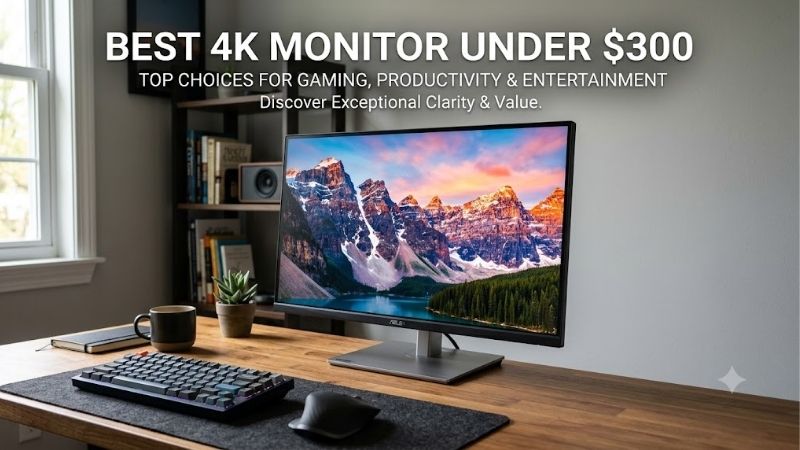
Quick answer: For most people in 2026, the best 4k monitor under 300 is the Dell S2725QS — our #1 rated choice. See the full ranked comparison, alternatives and buying advice below.
Best 4K monitor under 300: Quick verdict
Choose the Dell S2725QS for mixed office work, movies, and casual gaming. Its adjustable stand, integrated speakers, and 120Hz refresh rate form a practical package without requiring separate desktop accessories. Dell USA
Choose the MSI MAG 275UPD E14 if gaming drives your decision. It supports 4K at 144Hz and a separate 1080p mode at 288Hz. The trade-off is relatively modest specified brightness, and those headline refresh rates do not establish measured motion quality. MSI Global
Choose the ASUS VY27UQ when a lower-priced 27-inch screen with speakers is enough. The Samsung ViewFinity S7 S70H is another straightforward office option. The LG 27US500-W suits an uncomplicated IPS workspace, while the LG 32UR500K-B provides a larger canvas.
Prices were checked on October 13, 2026. The budget covers the monitor before sales tax and any shipping charges. Offers depend on seller and condition; a listing below $300 does not guarantee an under-$300 checkout total.
Quick comparison table
All six monitors have a native resolution of 3840 × 2160. Category recommendations reflect their documented features and intended use rather than hands-on comparative testing.
| Monitor | Screen and panel | Maximum refresh at 4K | Recommended use | Main drawback |
|---|---|---|---|---|
| Dell S2725QS | 27-inch IPS | 120Hz | Mixed work and entertainment | No USB-C docking |
| MSI MAG 275UPD E14 | 27-inch IPS | 144Hz | Gaming and dual-mode flexibility | Modest 250-nit specified brightness |
| ASUS VY27UQ | 27-inch IPS | 60Hz | Office use with integrated speakers | No height adjustment |
| LG 27US500-W | 27-inch IPS | 60Hz | Simple desktop productivity | Tilt-only stand |
| Samsung ViewFinity S7 S70H | 27-inch IPS | 60Hz | Basic document and browsing setup | Lower refresh than Dell or MSI |
| LG 32UR500K-B | 31.5-inch VA | 60Hz | Larger workspace and media | More desk space; limited stand adjustment |
How these monitors were selected
Eligibility required an exact identifiable model, native 4K resolution, and US price evidence below the stated ceiling. Manufacturer documentation supplied the technical basis. Retailer pages helped establish purchasable variants, seller information, and budget eligibility.
This is a research-based shortlist. No original laboratory measurements or detailed research were supplied, so there are no invented response-time results, calibration measurements, or gameplay benchmarks.
The ranking favors useful differences. High refresh, a larger panel, built-in audio, and practical positioning can justify different recommendations even when resolution is identical. A manufacturer response-time figure alone cannot settle which display looks clearest during motion.
Budget status also has limits. The ASUS and larger LG were available through marketplace listings, while some manufacturer pages showed restricted availability. Check the named seller, exact model, condition, shipping, and return terms before purchasing. A familiar retailer’s website does not necessarily mean that retailer sells the item directly.
Dell S2725QS: The balanced mixed-use pick
The Dell S2725QS combines a 27-inch IPS panel with 4K at up to 120Hz, FreeSync Premium, and two 5W speakers. Its stand supports height, tilt, swivel, and pivot adjustments, making it easier to place correctly for a full working day. Dell USA
The combination is its main attraction. You can prioritize readable documents during work, then use the higher refresh ceiling for games without replacing the monitor or adding basic speakers.
It includes HDMI and DisplayPort inputs, but the QS model does not provide USB-C docking. Do not confuse it with the S2725QC when planning a one-cable laptop setup.
Dell’s US page listed it below $300 during research. That makes it eligible, although the recommendation rests on the overall feature package rather than a claim that it is always cheapest.
Buy if you want one display for several tasks and value stand adjustment.
Skip if laptop charging through the monitor is essential. Consider the MSI instead when higher refresh rates matter more than integrated audio.
MSI MAG 275UPD E14: The gaming-focused pick
The exact model here is the MAG 275UPD E14. MSI documents a 27-inch IPS panel, a 144Hz ceiling at native 4K, and a dual mode that switches to 1920 × 1080 at up to 288Hz. MSI Global
That distinction matters: 288Hz is not available at 4K. The two modes address different priorities, allowing detailed desktop work and a lower-resolution gaming option.
MSI lists HDMI 2.1 and DisplayPort 1.4a inputs, an adjustable stand, and 250-nit SDR brightness. Its US store showed a new unit below $300 with stock indicated during the check. MSI Global
The low specified brightness deserves consideration in a bright room. The advertised 1ms MPRT figure also does not establish average pixel response, overshoot, or input lag. Those require measurements.
Buy if switching between resolution and refresh rate fits your games.
Skip if bright-room use or convincing HDR is your main goal. The Dell offers a different balance with speakers; the MSI’s stronger refresh specifications alone do not prove superior motion handling.
ASUS VY27UQ: A lower-cost option with speakers
The ASUS VY27UQ is a 27-inch IPS monitor with native 4K resolution and a maximum refresh rate of 60Hz. ASUS documents Adaptive-Sync, two 2W speakers, two HDMI inputs, and one DisplayPort input. Tech Specs|Monitors|ASUS Global
This combination suits a document-focused desk that also handles video calls and casual entertainment. Built-in audio can avoid an immediate speaker purchase, although separate speakers remain a sensible upgrade for music.
Its stand tilts but does not adjust in height. A supported 100 × 100mm VESA mount offers another positioning option, with the mount adding to the setup cost.
ASUS labels the HDMI inputs as version 2.1 using TMDS. That label does not make this a 4K 120Hz monitor: the documented refresh ceiling remains 60Hz.
Buy if modest audio, digital inputs, and sharp office text cover your needs.
Skip if you want high-refresh gaming or stand height adjustment. The Dell addresses those priorities more directly, while the LG 27US500-W is another simple IPS alternative.
LG 27US500-W: A straightforward IPS workspace
The LG 27US500-W provides a 27-inch 4K IPS display at up to 60Hz. LG lists HDR10 support and up to 90% DCI-P3 coverage, plus Reader Mode and a tilt-adjustable stand. 27US500-W
Its role is uncomplicated desktop productivity. If your work involves documents, browser windows, and occasional photo adjustments, native 4K resolution is the relevant upgrade; a gaming-oriented feature set may be unnecessary.
The color-gamut specification describes coverage, not verified accuracy. It does not establish professional calibration or consistent color across the screen. Buyers doing paid color-critical work should require stronger evidence.
LG’s US listing showed a price below the budget ceiling. However, compare the final offer with the ASUS, Samsung, and Dell rather than assuming the simpler monitor must offer better value.
Buy if you want a basic IPS display and already have suitable audio and positioning.
Skip if an adjustable stand, smoother motion, or laptop docking would solve a daily problem. Spending more on a needed feature can be more useful than buying resolution alone.
Samsung ViewFinity S7 S70H: An office-first alternative
The 27-inch Samsung ViewFinity S7 S70H covered here uses US model code LS27H70DEANXZA. It is a native 4K IPS office display with a 60Hz refresh ceiling and HDR10 support. Samsung US
Exact identification is important. ViewFinity S7 names appear across several generations and sizes; a review or offer for another suffix may describe different equipment.
The Samsung fits buyers who mainly need a sharper document, spreadsheet, or browser workspace. HDMI and DisplayPort provide conventional desktop connections without requiring a gaming-oriented setup.
US price evidence placed the model below $300. Its appeal depends on the final offer: a substantial saving over the Dell can justify 60Hz for an office-only desk, while a small gap makes the Dell’s additional features more attractive.
Buy if the verified new-unit offer is competitive and your work does not need high refresh.
Skip if gaming, sophisticated laptop connectivity, or professional HDR is central. Compare the ASUS if included audio matters, and confirm the Samsung’s exact connection and accessory requirements before ordering.
LG 32UR500K-B: The larger-screen option
The LG 32UR500K-B uses a 31.5-inch VA panel with native 4K resolution and a 60Hz refresh ceiling. LG identifies built-in speakers and a tilt-adjustable stand. LG India
Its main advantage is physical size. The larger canvas can make spreadsheets, reference windows, and media easier to view without leaning toward the screen. It contains the same pixel count as the 27-inch options, however, so it does not automatically show more information.
A larger display also requires more attention to placement. Measure the available space and consider whether you can sit comfortably far enough away to scan the full screen.
US marketplace price evidence qualified it below $300, but availability was uneven across sellers. Check the exact seller rather than relying on a manufacturer product page alone.
Buy if a larger single screen matters more than refresh rate or compactness.
Skip if your desk is shallow, you need flexible stand positioning, or you prefer a smaller IPS display. The Dell is the more versatile compact alternative.
How to choose the best 4K monitor under 300
Choose size around your desk and scaling preferences
A 27-inch 4K monitor concentrates its pixels into a smaller area than a 31.5-inch model. That helps fine text and interface detail, but native-size text can be too small for comfortable use.
Windows scaling enlarges text and interface elements while retaining native resolution. Start with the recommended setting, then adjust it while viewing your actual spreadsheets, browser tabs, and work applications. Microsoft Support
At 150% scaling, 3840 × 2160 corresponds mathematically to approximately 2560 × 1440 logical workspace. At 200%, it corresponds to approximately 1920 × 1080. Applications can handle scaling differently, but the calculation explains why 4K does not guarantee four times the usable workspace of Full HD.
A larger screen can make lower scaling easier to read. Choose it because the physical size improves your workflow, not because it contains additional pixels.
Decide whether 60Hz, 120Hz, or 144Hz serves your workload
A 60Hz screen can refresh 60 times per second. That is sufficient for many office tasks, video playback, and slower games. Higher refresh rates offer more frequent updates and can make scrolling and movement appear smoother.
The Dell reaches 120Hz at 4K, and the MSI reaches 144Hz. Their benefit depends on the source device, connection, settings, and content. A monitor cannot make a demanding game run faster than the PC renders it.
Competitive players should consider both resolution and performance. If your graphics card struggles at native 4K, a good 1440p gaming setup may better match your priorities. Buyers mainly reading documents do not need an expensive graphics card merely to benefit from sharp desktop text.
Check the complete connection path
Confirm the capabilities of your computer’s output, the monitor’s input, and any dock or adapter between them. A chain is limited by the device that cannot support the required mode.
For a laptop, USB-C does not automatically mean video output. Even a video-capable port can encounter restrictions through a dock, especially when several displays share bandwidth.
For a desktop, use an appropriate output on the graphics card when that is the intended display source. A motherboard video connector may not work if the processor lacks integrated graphics.
After connecting, check both resolution and refresh rate in the operating system. A correct 4K picture at 60Hz does not prove you have enabled the monitor’s higher-refresh mode.
Treat HDR support as a starting point
HDR10 compatibility indicates that a display can handle that signal format. It does not, by itself, establish impressive highlight brightness or detailed dark scenes.
Do not choose a budget monitor primarily because HDR appears in its title. Convincing HDR requires more than resolution and signal acceptance; brightness, contrast control, and the content all matter.
These models should be evaluated primarily for their documented desktop features. None is recommended here as a professional HDR grading display. If HDR is your main purchase reason, seek measured evidence for the exact monitor rather than relying on a generic feature badge.
Include ergonomics and accessories in the cost
A lower monitor price can become less attractive if you immediately need a riser, monitor arm, speakers, or adapter. Compare the complete setup you will actually use.
Height adjustment is particularly practical when a desk must accommodate several users. Tilt alone cannot compensate for every mismatch between chair height and screen position.
Before buying an arm, confirm the monitor’s mounting pattern and weight without its stand, plus the arm’s capacity and the desk’s mounting requirements. Do not assume any VESA-compatible arm fits every screen.
Marketplace purchases also deserve a seller check. Verify new condition, the supplied accessories, return arrangements, and final checkout cost. Those details can matter more than a small advertised discount.
Frequently asked questions
Is a budget 4K monitor suitable for gaming?
Yes, but its refresh rate and your system’s performance determine the experience. The Dell and MSI offer higher-refresh 4K options in this shortlist. A 60Hz model can still suit slower games, casual play, or users prioritizing desktop clarity. Resolution alone does not establish gaming responsiveness.
Do I need a high-end graphics card for office work at 4K?
Not necessarily. Displaying documents and browser windows is different from rendering demanding games at native 4K. Check your computer’s supported resolution and refresh rate, including its output and any adapter. The relevant requirement is reliable support for the display mode you intend to use.
Should I choose 27 inches or 32 inches?
Choose 27 inches when desk space is limited or you prefer a compact screen with dense text detail. Choose the 31.5-inch LG when a larger physical workspace is easier to read and fits your seating position. Try your preferred scaling before assuming either size delivers more practical workspace.
Can I use these monitors with a MacBook?
A compatible video connection can work, but these recommendations do not guarantee one-cable charging or docking. Check the MacBook’s display support and the adapter’s supported mode. A cable that fits physically may still limit resolution or refresh rate, and charging requires a separate supported power path.
Are cheaper marketplace offers always better?
No. Compare condition, seller, shipping, included accessories, and return terms. A slightly higher direct-store price can be preferable when the cheaper listing creates uncertainty or adds costs. Keep the exact model suffix consistent throughout the comparison; related models are not automatically equivalent.
Final verdict
The Dell S2725QS is the most balanced recommendation for a desk that handles work and entertainment. The MSI MAG 275UPD E14 is the gaming-focused alternative, especially when its separate 4K and 1080p modes match your needs.
For office-only use, compare the ASUS VY27UQ, LG 27US500-W, and Samsung ViewFinity S7 S70H by final price and required accessories. Choose the LG 32UR500K-B when larger physical size improves your workspace.
Buy the features that solve your daily problem, then confirm the exact variant, seller, and checkout total. A sharp 4K panel is useful only when its refresh rate, connections, and positioning fit the rest of your setup.
Editorial Source Log
Access date for all records: October 13, 2026. Prices below are observed US page prices before tax and any shipping charges, not guaranteed checkout totals.
| Exact model | Price evidence | Technical sources and editorial notes |
|---|---|---|
| Dell S2725QS | Dell US: $279.99; Add to Cart shown | Dell product page. Confirms 4K 120Hz, IPS, FreeSync Premium, adjustable stand, speakers, and video inputs. |
| MSI MAG 275UPD E14 | MSI US store: $249.99; new; In Stock shown | MSI US store and manufacturer specifications. Confirms 4K 144Hz versus 1080p 288Hz and 250-nit SDR brightness. |
| ASUS VY27UQ / 90LM09U3-B011B0 | Best Buy marketplace: $195.85; Beach Audio Inc; new offers shown | Retailer listing and ASUS specifications. Retailer structured highlights incorrectly reported Full HD/144Hz; manufacturer specifications establish 4K/60Hz. |
| LG 27US500-W | LG US: $249.99; fulfillment not established | LG US product page and LG Canada specifications. Matching model documentation supports 60Hz and tilt-only adjustment; no calibration results supplied. |
| Samsung S70H / LS27H70DEANXZA | Best Buy: $189.99; Sold by Best Buy; new listing | US manufacturer page and exact US retailer listing. Exact US listing confirms IPS, 4K, and 60Hz. |
| LG 32UR500K-B | Best Buy marketplace: $299.99; Beach Camera; Add to Cart shown | US manufacturer page, LG model specifications, and US marketplace listing. Manufacturer US page showed Notify Me; marketplace availability must be reconfirmed. |
Windows scaling guidance: Microsoft display resolution and layout. Logical-workspace examples are mathematical calculations, not application benchmarks.
Amazon verification: No live Amazon price, seller, condition, or checkout availability was established for these recommendations. No Amazon availability claims or affiliate identifiers are included.
Research limitations: No hands-on tests, measured motion comparisons, uniformity measurements, or calibration results were supplied. Recommendations are editorial judgments based on documented features. The targeted Build-PC-Guide.com search did not establish an overlapping article; a complete sitewide duplication audit was not performed.
Ready to decide? Our #1 pick for 2026 is the Dell S2725QS.
Live price & availability on Amazon.









