
Choosing the best monitor for fighting games means prioritizing responsive controls, consistent motion, and a screen size that lets you track both characters comfortably. Unlike many first-person shooters, major fighting games often lock actual matches to 60 frames per second, so spending extra on a 360Hz or 300Hz monitor will not automatically improve your gameplay. The ASUS TUF Gaming VG249Q1A is a sensible starting point, the ASUS ROG Strix XG27ACS offers a stronger all-round experience, and the Gigabyte M28U suits players who want 4K gaming on a console. Premium OLED options can deliver outstanding motion clarity and contrast, but their benefits need to justify the additional cost.
- Best monitor for fighting games: quick verdict
- How we selected these fighting-game monitors
- ASUS TUF Gaming VG249Q1A: Best entry-level choice
- ASUS ROG Strix XG27ACS: Best overall balance
- Acer Nitro XV272U F3BMIIPRX: Best for a high-refresh PC setup
- AOC Q27G3XMN/BK: Best for contrast and HDR
- Gigabyte M28U: Best for 4K console gaming
- MSI MAG 271QPX QD-OLED: Best premium OLED experience
- How to choose the best monitor for fighting games
- Frequently asked questions
- Final verdict
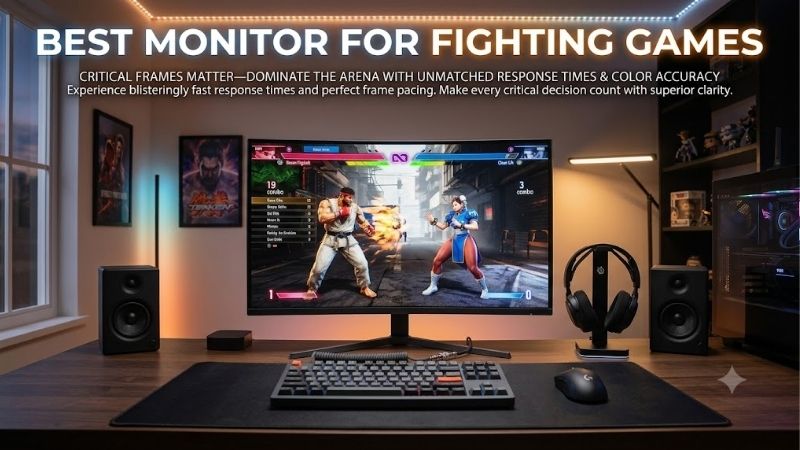
Quick answer: For most people in 2026, the best monitor for fighting games is the Monitor — our #1 rated choice. See the full ranked comparison, alternatives and buying advice below.
Best monitor for fighting games: quick verdict
The right display depends on your platform and whether fighting games are your only priority. For a dedicated setup, a 24-inch 1080p monitor with low input lag is perfectly capable. For a broader gaming setup, a 27-inch 1440p monitor offers a useful combination of image quality, responsiveness, and desktop space.
| Monitor | Best for | Main specifications | Main drawback |
|---|---|---|---|
| ASUS TUF Gaming VG249Q1A | Best entry-level PC and console option | 23.8-inch IPS, 1080p, 165Hz | Basic stand and no HDMI VRR |
| ASUS ROG Strix XG27ACS | Best overall balance | 27-inch Fast IPS, 1440p, 180Hz | Modest contrast and limited HDR |
| Acer Nitro XV272U F3BMIIPRX | Best high-refresh PC setup | 27-inch IPS, 1440p, 300Hz | Extreme refresh rate adds little to 60 FPS matches |
| AOC Q27G3XMN/BK | Best for contrast and HDR | 27-inch VA Mini LED, 1440p, 180Hz | Some dark smearing and VRR flicker |
| Gigabyte M28U | Best for 4K console gaming | 28-inch IPS, 4K, 144Hz | Basic HDR contrast |
| MSI MAG 271QPX QD-OLED | Best premium OLED experience | 26.5-inch QD-OLED, 1440p, 360Hz | Expensive and requires OLED care |
The ASUS models are the most sensible places to begin for many players. The Acer is attractive for a PC used across several competitive genres, while the Gigabyte is useful for a console-focused setup. The AOC and MSI make more sense when image quality and contrast matter alongside fighting-game responsiveness.
How we selected these fighting-game monitors
The selection prioritizes input lag, response behavior, supported console signals, resolution, and practical use. Manufacturer specifications establish the native refresh rate, panel type, and connection limits. Independent evaluations from RTINGS and Tom’s Hardware provide additional context for motion handling, responsiveness, contrast, and variable refresh rate.
There is no claim that these six monitors were tested side by side, and no invented fighting-game benchmark results are used.
The most important distinction is between input lag and pixel response time. Input lag describes the delay before a monitor displays an incoming signal, while pixel response time describes how quickly pixels change from one color or brightness level to another. Both affect the experience, but a manufacturer’s advertised 1ms figure does not establish the complete controller-to-screen delay.
Fighting games also have different rendering rules from many shooters. Street Fighter 6, for example, locks Fighting Ground, online fights, and Game Center gameplay to 60 FPS, even though certain other modes support higher frame rates. Consequently, a higher monitor refresh rate is not a direct way to raise the match’s frame rate. The goal is to choose a display that handles the game’s actual output cleanly, with as little additional delay as practical.
ASUS TUF Gaming VG249Q1A: Best entry-level choice
The ASUS TUF Gaming VG249Q1A is a sensible choice for players who want a straightforward display rather than an expensive gaming upgrade. It features a 23.8-inch IPS panel with a native resolution of 1920 × 1080 and a maximum refresh rate of 165Hz. ASUS also specifies Adaptive-Sync, AMD FreeSync Premium, and its GameFast Input technology.
The compact size is a practical advantage for fighting games. Sitting reasonably close to the monitor makes it easier to keep the entire play area in view without moving your eyes excessively between the health bars, characters, and interface elements. Full HD is also easy for most gaming PCs to render, leaving more graphics performance available for other games.
RTINGS reviewed this exact model and found low input lag, fast response times, and a strong gaming experience. The review also identified limitations: contrast is mediocre, the stand only tilts, and variable refresh rate does not work over HDMI. Those weaknesses are important if you play in a dark room or expect every adaptive-sync feature to work through every connection.
For consoles, ASUS specifies Full HD output at 120Hz for supported PS5 and Xbox Series X|S signals. That gives the monitor useful compatibility beyond PC gaming, although the capabilities of the game and console still determine the actual gameplay frame rate.
Buy it if you want a compact IPS display with established independent gaming results and practical console support. Skip it if you need HDMI-based VRR, QHD resolution, or a highly adjustable stand. It is not the most impressive display in this roundup, but it offers a sensible foundation for players who do not need premium image quality.
ASUS ROG Strix XG27ACS: Best overall balance
The ASUS ROG Strix XG27ACS is a strong all-round choice for a gaming desk shared between fighting games, action titles, and everyday PC use. Its 27-inch Fast IPS panel offers 2560 × 1440 resolution, an 180Hz maximum refresh rate, and a typical brightness rating of 350 nits.
The extra resolution makes the monitor more versatile than the entry-level ASUS. Character art, menus, text, and other game details look sharper, while the larger screen gives you a more spacious desktop for browsing and other tasks. You still get a refresh rate well beyond what the core matches of many fighting games require.
RTINGS’ review, retested in March 2026, found fast response behavior, low input lag, and support for common variable-refresh-rate formats. The monitor also offers ELMB-Sync, which combines backlight strobing with VRR, though RTINGS noted that the strobing feature creates image duplication. It is therefore a feature worth experimenting with rather than enabling automatically.
Connectivity includes DisplayPort and USB-C with DisplayPort Alt Mode. ASUS specifies limited USB-C power delivery, so do not expect it to charge most laptops adequately. For full 1440p refresh capability on a PC, DisplayPort is the sensible connection; HDMI is limited to 144Hz at QHD according to the model’s supported signal specifications.
ASUS listed this monitor at $229 on its US store during research. That makes it an accessible step up from a basic 1080p screen, though it is not the cheapest possible purchase.
Buy it if you want a responsive, versatile monitor for a wide range of games. Skip it if deep blacks and high-impact HDR are priorities. For players who want one display for fighting games and virtually everything else, the XG27ACS is a more balanced investment than an expensive esports-only screen.
Acer Nitro XV272U F3BMIIPRX: Best for a high-refresh PC setup
The Acer Nitro XV272U F3BMIIPRX is aimed at PC players who want a high refresh rate without dropping to Full HD. It uses a 27-inch IPS panel with a native resolution of 2560 × 1440 and a maximum refresh rate of 300Hz. Acer also specifies AMD FreeSync Premium, HDMI and DisplayPort connectivity, and VESA mounting.
The main attraction is flexibility across different gaming genres. If fighting games are one part of your setup and you also play very fast PC shooters, the 300Hz panel offers far more refresh headroom than the 165Hz or 180Hz alternatives. The QHD resolution preserves sharpness for desktop applications and other games, while the monitor’s 400-nit brightness rating is useful for bright rooms.
Acer listed this exact model at $229.99 on its US store during research, down from a stated regular price of $449.99. The listing showed it in stock, but prices and availability can change.
For fighting games, however, the 300Hz headline needs perspective. If your game renders its actual matches at 60 FPS, the monitor cannot make the gameplay run at 300 FPS. A high-refresh monitor can still be worthwhile in a multi-genre setup, but it should not be the primary reason to pay more specifically for fighting games.
The included stand supports tilt, and the monitor has integrated speakers. The advertised response-time figures are manufacturer claims rather than independently established measurements of every pixel transition. Buyers who care about motion clarity should avoid assuming that a 0.5ms or 1ms label guarantees a better result than every slower-rated competitor.
Buy it if you regularly play high-frame-rate PC games beyond the fighting-game genre. Skip it if fighting games are your only serious competitive interest and the money could be better spent elsewhere. The Acer is a capable multipurpose gaming display, but its refresh-rate headroom is more valuable in some genres than others.
AOC Q27G3XMN/BK: Best for contrast and HDR
The AOC Q27G3XMN/BK is an interesting option for players who want an atmospheric picture without buying an OLED monitor. It combines a 27-inch 1440p VA panel with Mini LED backlighting, a maximum refresh rate of 180Hz, and 336 local-dimming zones. AOC lists VESA DisplayHDR 1000 certification and a native contrast ratio of 4000:1.
The combination of VA contrast and local dimming helps the monitor display darker regions next to bright highlights. That can improve the appearance of stage lighting, colorful backgrounds, and other visual effects. Its 1440p resolution is also a good match for a 27-inch screen used for both gaming and general computing.
RTINGS found low input lag and good response behavior across its variable-refresh-rate range. It also identified a few drawbacks: dark smearing remains visible in some transitions, and changing frame rates can trigger distracting VRR flicker. Those issues may be less important in a stable 60 FPS fighting game than in a variable-frame-rate PC game, but they are still part of the display’s behavior.
The monitor has one DisplayPort 1.4 input and two HDMI 2.0 ports. RTINGS notes that it cannot fully take advantage of modern consoles’ HDMI 2.1 capabilities, although it can still deliver a responsive experience at supported 60Hz and 120Hz modes. If full 4K/120 console signal support is a priority, the Gigabyte M28U is a better fit.
AOC listed the Q27G3XMN from $299.99 on its US product page during research. Its adjustable stand is another benefit, offering height adjustment, swivel, pivot, and tilt.
Buy it if you value contrast and HDR as much as responsiveness. Skip it if you want spotless dark-motion clarity or full HDMI 2.1 console bandwidth. Its picture quality is the reason to choose it, not a promise of a competitive advantage in every fighting game.
Gigabyte M28U: Best for 4K console gaming
The Gigabyte M28U is best suited to players who want a monitor for fighting games alongside a broader console library. Its 28-inch IPS panel has a native resolution of 3840 × 2160 and supports refresh rates up to 144Hz. More importantly for console owners, it has HDMI 2.1 bandwidth for 4K/120Hz signals from compatible consoles.
For fighting games, 4K is not necessary for responsive play, but it does provide a sharper picture. Character artwork, stage backgrounds, and menus look detailed, and the display remains useful for other games, streaming, and desktop work. The IPS panel also offers wide viewing angles.
RTINGS evaluated the M28U and found low input lag, fast response behavior, and useful variable-refresh-rate support. The review also notes that its contrast is limited and that some overshoot appears with its tested overdrive settings. Firmware matters too: RTINGS advises updating the monitor to the latest firmware for its gaming experience.
HDR is not the M28U’s strongest feature. Its ordinary IPS contrast and limited local-dimming implementation mean it cannot deliver the deep blacks of OLED or the strongest local-dimming displays. If you mainly play in a dark room and prioritize contrast, the AOC or MSI options are more compelling.
The M28U is also a sensible console display because HDMI 2.1 is useful beyond the fighting-game genre. While a particular fighting game may operate at 60 FPS, the monitor can support higher refresh rates in compatible titles that offer those output modes. That makes it a wider gaming investment rather than a purchase justified solely by fighting games.
Buy it if you want a sharp 4K display for a PS5, Xbox Series X, and other games. Skip it if 4K detail is unimportant or your budget favors a simpler 1080p or 1440p monitor. Its value comes from versatility and console compatibility more than from high-refresh fighting-game performance.
MSI MAG 271QPX QD-OLED: Best premium OLED experience
The MSI MAG 271QPX QD-OLED is a premium choice for players who want excellent motion clarity and image quality. The exact model has a 26.5-inch QD-OLED panel, a native resolution of 2560 × 1440, and a maximum refresh rate of 360Hz. MSI specifies a 0.03ms GtG response-time claim, VESA DisplayHDR True Black 400, and FreeSync Premium Pro.
OLED pixels produce their own light and can turn off individually, allowing near-perfect black levels without the backlight blooming associated with many LCD monitors. The combination of deep contrast, vivid color, and rapid pixel transitions makes the MSI suitable for fighting games with stylized animation and for visually demanding games outside the genre.
Console support is a particular strength. MSI specifies two full-bandwidth HDMI 2.1 ports supporting QHD at up to 240Hz, along with DisplayPort 1.4a for PC gaming up to the monitor’s 360Hz maximum. USB-C supports DisplayPort Alt Mode, although its 15W power delivery is not enough to charge most laptops adequately.
The monitor also includes OLED Care 2.0 features intended to reduce burn-in risk. MSI’s US store listed the model at $579.99 and showed it in stock during research. MSI states a three-year warranty that includes OLED burn-in coverage for the specified product and purchase conditions; read the regional warranty terms before buying.
The caveat is cost. The 360Hz refresh rate is unnecessary for a 60 FPS-capped fighting-game match, and a good IPS monitor can provide responsive play for much less. OLED also needs reasonable care, especially if the desktop or game interface remains static for extended periods.
Buy it if you also play high-refresh PC games and want premium contrast and motion. Skip it if fighting games are your only reason for upgrading. This is a premium all-round gaming monitor, not a requirement for playing competitively.
How to choose the best monitor for fighting games
Prioritize input lag over the biggest refresh-rate number
Input lag is a key specification for responsive fighting games. RTINGS identifies its native-resolution input-lag test as relevant to games that depend on responsiveness, including fighting games. The monitor’s own delay is only one part of the full controller-to-screen path, so no monitor specification guarantees a particular number of milliseconds for the complete setup.
A 165Hz monitor with low input lag and clean response behavior can be a better purchase than a 360Hz screen with features you do not use. If the game itself runs at 60 FPS during matches, focus on how the monitor behaves at 60Hz and at the output modes you actually use.
Understand the 60 FPS fighting-game limit
Many major fighting games maintain fixed-rate gameplay because timing, animation, and frame data need to remain consistent. Street Fighter 6 is a clear example: its Fighting Ground and online matches are locked to 60 FPS, even though other modes may support higher frame rates.
That means a 360Hz monitor cannot make those matches run at 360 FPS. It can still have other advantages, such as fast pixel transitions or useful performance in other PC games, but refresh rate alone is not a guarantee of faster fighting-game response.
Choose the right size and resolution
A 24-inch Full HD monitor is a practical choice for a desk dedicated to fighting games. It keeps the full play area within a comfortable viewing zone and does not demand much graphics performance. A 27-inch 1440p monitor offers more detail and better desktop versatility without the same pixel load as 4K.
A 28-inch 4K display is useful if sharp image quality and console compatibility matter across a wider library. It is not automatically better for fighting games, so choose the extra resolution for its broader benefits rather than expecting it to improve character timing.
Consider HDMI 2.1 and OLED carefully
For PS5 and Xbox Series X, HDMI 2.1 can enable higher-bandwidth signals such as 4K/120Hz when the monitor and console support the required mode. If you only play fighting games that are capped at 60 FPS, full 4K/120 output may not be necessary, but it can be valuable for the rest of your gaming library.
OLED offers deep blacks and fast pixel transitions, yet costs more and requires some attention to static-image care. Mini LED is a useful LCD alternative when contrast and HDR are important, although local-dimming behavior and dark-motion performance vary by model.
Frequently asked questions
Is 240Hz worth it for fighting games?
It depends on the game and what else you play. A 240Hz monitor can be excellent for general PC gaming, but it does not make a fighting game locked to 60 FPS render more frames during a match. Choose it for its overall panel quality, low lag, and benefits in other titles rather than for the number alone.
Is a 24-inch monitor better than a 27-inch monitor for fighting games?
A 24-inch screen is convenient for a dedicated setup because it keeps the whole interface within a compact viewing area. A 27-inch display offers a larger picture and can feel more immersive, especially at 1440p. Neither size is universally superior; desk distance and personal preference matter.
Do I need OLED to play fighting games competitively?
No. A well-performing IPS monitor with low input lag can be entirely suitable for competitive fighting games. OLED mainly adds excellent contrast and very fast pixel transitions. Those benefits can be appealing, but they are not a prerequisite for playing well.
Can a monitor fix controller or network lag?
No. Monitor input lag is only one source of delay. Controller connection, game processing, system performance, and online network conditions can also affect the experience. If you experience delay online, changing displays will not eliminate server or connection-related latency.
Final verdict
For most players, the ASUS ROG Strix XG27ACS is the strongest all-round choice because it combines low input lag, QHD sharpness, and useful performance across many games. The ASUS TUF Gaming VG249Q1A is a sensible entry point, while the Acer Nitro XV272U F3 is worth considering for a broader high-refresh PC setup. The AOC offers stronger contrast, the Gigabyte M28U suits 4K console gaming, and the MSI MAG 271QPX QD-OLED is the premium option. Match the screen to your platform and priorities, and do not spend extra on refresh rate alone when your fighting game cannot use it.
Ready to decide? Our #1 pick for 2026 is the Monitor.
Live price & availability on Amazon.









