
Best non oled 1440p monitor shoppers want fast gaming, crisp text, and dependable color without OLED burn-in concerns or premium pricing. Yet “1440p” alone says little about motion, contrast, ports, or ergonomics. These four IPS options serve distinct needs, with realistic trade-offs instead of inflated HDR promises.
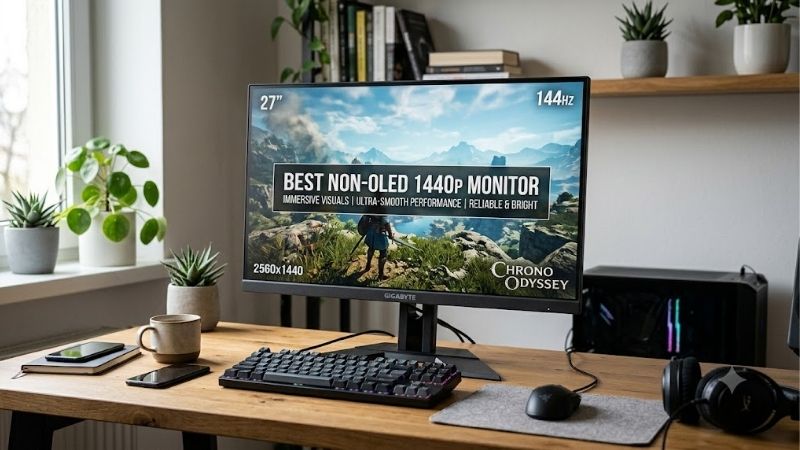
Quick answer: For most people in 2026, the best non oled 1440p monitor is the ASUS ROG Strix XG27ACS — our #1 rated choice. See the full ranked comparison, alternatives and buying advice below.
How to Choose a Non-OLED 1440p Monitor
A 27-inch 2560 × 1440 screen is a practical sweet spot, but panel behavior and connectivity matter more than a headline specification. This guide compares refresh-rate performance, color handling, desk flexibility, and real-world compromises, helping you choose the best non oled 1440p monitor for your actual daily routine.
27-Inch QHD Resolution
At 27 inches, 2560 × 1440 makes text and game detail sharper than 1080p without 4K’s graphics burden. Scaling usually remains manageable for everyday applications. The best non oled 1440p monitor for mixed work and play often starts here, rather than with a larger panel that overwhelms a shallow desk or compact workstation.
Check stand ergonomics and viewing distance as carefully as pixel count: sharp displays can feel cramped when menus appear tiny or the desk is shallow. ASUS ROG Strix XG27ACS and Dell G2724D pair 27-inch QHD resolution with a flat 16:9 format, making them foundations for gaming, document editing, and everyday desktop work.
Panel Type and Color Quality
IPS delivers broad viewing angles and strong color, but native contrast rarely matches OLED. Quantum-dot layers expand gamut, not black depth. For punchier color, the best non oled 1440p monitor here is MSI MAG 274QRF QD E2; Dell’s accurate sRGB mode better suits restrained office content and general browsing needs in ordinary use.
Gamut figures describe the range a display can show, not whether every shade is accurate initially. Wide-gamut panels can make web images look overly vivid without an sRGB mode. Gigabyte M27Q adds broad color coverage for multitasking, while ASUS lists 97% DCI-P3 coverage; color-critical work benefits from calibration.
Refresh Rate and Response Time
The best non oled 1440p monitor needs refresh matched to GPU output: 165Hz, 170Hz, and 180Hz look smoother than 60Hz when frame supply is adequate. Response-time figures use different methods, so “1ms” and “0.5ms MPRT” are not directly comparable. Choose for clear motion at your actual frame rate, not the largest label today.
For competitive shooters, prioritize a stable high refresh rate and variable refresh support over a flashy HDR badge. ASUS ROG Strix XG27ACS reaches 180Hz with Adaptive-Sync; Dell G2724D’s 165Hz remains responsive for most players and can be the smarter purchase when street pricing makes it a stronger value than newer alternatives.
Connectivity and Ergonomics
Ports matter when switching between a gaming desktop, work laptop, and console. USB-C video does not guarantee laptop charging, and HDMI may cap refresh rates. Gigabyte M27Q includes a KVM switch for two computers; MSI MAG 274QRF QD E2 adds USB-C with up to 65W power delivery for a one-cable setup with supported work laptops.
Check height, tilt, swivel, and pivot before paying for an arm. ASUS XG27ACS has USB-C video but modest power delivery, while Dell G2724D has no USB hub. Those limits rarely hurt a simple gaming setup, but Gigabyte M27Q or MSI MAG 274QRF QD E2 works better when one display handles both office work and gaming throughout the day.
Top Picks
These four non-OLED IPS monitors target distinct buyers instead of pretending one model wins every category. The best non oled 1440p monitor balances motion clarity, useful controls, and realistic image quality; each pick below has a defined purpose and a genuine limitation to weigh before ordering for your particular desk.
| Product | Best For | Key Spec | Watch Out For |
|---|---|---|---|
| ASUS ROG Strix XG27ACS | Best Overall | 27-inch QHD, 180Hz Fast IPS | Limited contrast and 7.5W USB-C power |
| Dell G2724D | Best Value | 27-inch QHD, 165Hz IPS | No USB-C or USB hub |
| MSI MAG 274QRF QD E2 | Best for Color-Rich Gaming | 27-inch QHD, 180Hz Rapid IPS, 65W USB-C | Wide-gamut oversaturation and modest blacks |
| Gigabyte M27Q (rev. 1.0) | Best for Multi-Device Work | 27-inch QHD, 170Hz IPS, KVM | BGR text clarity and limited USB-C power |
ASUS ROG Strix XG27ACS — Best Overall
ASUS ROG Strix XG27ACS is the best overall fit for players seeking a balanced 27-inch display without OLED. Its Fast IPS panel runs at 2560 × 1440 and up to 180Hz, with rated 1ms GtG response, Adaptive-Sync, HDR10, and USB-C DisplayPort Alt Mode for flexible connections across gaming and productivity setups throughout a full workday.
The ASUS is versatile, but its 1000:1 typical contrast means dark scenes can look gray in dim rooms, and DisplayHDR 400-class brightness cannot replace local dimming. USB-C power delivery is just 7.5W, so it carries video but will not meaningfully charge most laptops. Treat HDR as a bonus, not the buying reason in most laptop workflows.
Dell G2724D — Best Value
Dell G2724D is the value pick for PC gamers who want strong fundamentals instead of extra ports. This 27-inch Fast IPS display offers 2560 × 1440 resolution, 165Hz refresh, and a height-adjustable stand. Its accurate sRGB mode and capable motion handling suit gaming, schoolwork, and desktop use without unnecessary extras.
Its main compromise is minimal connectivity: no USB hub or USB-C input means laptops and accessories need separate connections. Like most IPS panels, it cannot produce OLED-like blacks, and HDR is limited. Availability and pricing can shift as models age, so buy only when the listing is clearly cheaper than newer rivals.
MSI MAG 274QRF QD E2 — Best for Color-Rich Gaming
The best non oled 1440p monitor for color-forward gaming is MSI MAG 274QRF QD E2. Its 27-inch Rapid IPS display delivers 2560 × 1440 resolution at a maximum 180Hz refresh rate, with rated 1ms GtG response, DisplayHDR 400, quantum-dot wide-gamut color, and USB-C delivering up to 65W to a compatible laptop, plus 98% DCI-P3 coverage.
That vivid gamut suits colorful games but can oversaturate standard SDR content in wide-gamut mode. Its rated 1000:1 contrast limits dark-room depth, and HDR lacks full-array local dimming. Select an sRGB mode for more restrained desktop color, and do not pay a premium solely for the HDR label when editing photos or documents.
Gigabyte M27Q (Rev. 1.0) — Best for Multi-Device Work
Gigabyte M27Q (rev. 1.0) is the productivity pick for sharing one monitor between two computers. Its 27-inch 2560 × 1440 IPS panel reaches 170Hz and includes USB-C video, a KVM switch, and USB-A ports. One keyboard and mouse can control both systems without a separate hardware switch, with easy button-based switching between devices.
Check the exact revision before ordering: the original rev. 1.0 uses a BGR subpixel layout that can make small text look less clean than on a standard RGB display, and USB-C provides only 10W of laptop power. Contrast is modest too, so blacks look gray. Choose it when KVM convenience outranks text perfection or deep HDR for work.
Frequently Asked Questions
Key questions concern screen size, panel trade-offs, and whether a non-OLED display can still feel premium. The best non oled 1440p monitor is rarely the biggest marketing number; it is the model whose refresh rate, color behavior, and connections fit your setup across multiple devices during sustained everyday use, too.
Is 1440p Worth It on a 27-Inch Monitor?
Yes. 1440p fits most 27-inch desks because it delivers sharper text and game detail than 1080p without 4K’s heavier rendering load. A high-performance graphics card can still push high frame rates at this resolution, making these monitors a strong match for mainstream gaming PCs without forcing aggressive scaling in demanding titles.
Viewing distance and eyesight can change the answer: some users prefer larger text, while highly competitive players may value frame rate over detail. Check your GPU performance in the games you play, and confirm the stand positions the screen comfortably at eye level before choosing a 27-inch model for daily use at home.
Is 1440p Better Than 4K for Gaming?
For mixed use, 1440p is easier to run at high frame rates than 4K and sharper than 1080p at 27 inches. 4K favors dense text, detailed creative work, and large panels, but demands more graphics power for gaming. The sensible choice depends on whether resolution or sustained frame rate matters more in supported games today.
Console owners should check input limits: MSI MAG 274QRF QD E2 supports QHD up to 144Hz over HDMI, while DisplayPort and USB-C support up to 180Hz. PC gaming through DisplayPort is usually the simplest path to full refresh, provided the graphics card and cable support the required bandwidth for compatible sources and devices.
Is IPS Better Than OLED for Long-Term Use?
No. IPS avoids OLED’s pixel-level burn-in mechanism, but it cannot switch individual pixels fully off for perfect black. IPS usually provides wide viewing angles and clear color; OLED leads on black levels and near-instant pixel response. Your room, content habits, and tolerance for static interfaces should guide the trade-off.
For bright rooms, long desktop sessions, or static interfaces, IPS can be a sensible LCD choice. If you watch films in darkness and want deep blacks, these picks reveal their contrast limits. VA can deliver stronger native contrast than IPS, although viewing angles and motion clarity vary by model and panel tuning in practice.
Is DisplayHDR 400 Good Enough?
Only to a limited degree. DisplayHDR 400 is an entry-level certification, not proof of dramatic contrast; these IPS panels lack precise local dimming or pixel-level control for bright highlights beside dark areas. Expect extra brightness and color range, not the impact of a high-end mini-LED or OLED screen for demanding viewers.
For everyday desktop use, SDR is often more consistent unless a particular game or video handles HDR well. Set brightness for the room, choose a suitable color mode, and update graphics drivers if HDR looks washed out. Treat the HDR badge as secondary to refresh rate, contrast, and ergonomic adjustment during daily viewing.
Final Thoughts
The safest buy depends on your setup: ASUS ROG Strix XG27ACS is the best-rounded option, Dell G2724D is the value-conscious option when discounted, MSI MAG 274QRF QD E2 favors vivid color and laptop charging, and Gigabyte M27Q suits dual-computer desks. The best non oled 1440p monitor is the one whose trade-offs matter least every day.
Ready to decide? Our #1 pick for 2026 is the ASUS ROG Strix XG27ACS.
Live price & availability on Amazon.









