
A budget thin bezel monitor can make a desk feel less crowded, especially when you pair two screens or want a simple, modern setup without spending much. For most people, the sweet spot is a 23.8- or 24-inch Full HD IPS display with slim side bezels and a refresh rate above 60Hz. The Acer KB242Y G0BI is the lowest-cost option in this shortlist based on the manufacturer’s current US listing, while the ASUS VA249HG adds 120Hz and Adaptive-Sync. If you want a larger screen or sharper gaming image, the 27-inch Acer models cover those needs at different resolutions. Look beyond the bezel: resolution, ports, stand adjustment, and panel quality matter more over time.
- Quick verdict: the best budget thin bezel monitor for most buyers
- Quick comparison table
- How we selected these monitors
- Acer KB242Y G0BI: best low-cost everyday monitor
- ASUS VA249HG: best balanced 24-inch choice
- HP Series 3 Pro 324pf: best for office connectivity
- Acer KB272 G0BI: best larger Full HD screen
- ASUS VA249QGS: best for ergonomics and a clean multi-monitor setup
- Acer Nitro VG272U W3BMIIPX: best gaming upgrade under the current promotion
- How to choose a budget thin bezel monitor
- Common mistakes to avoid
- Frequently asked questions
- Final verdict: which budget thin bezel monitor should you buy?
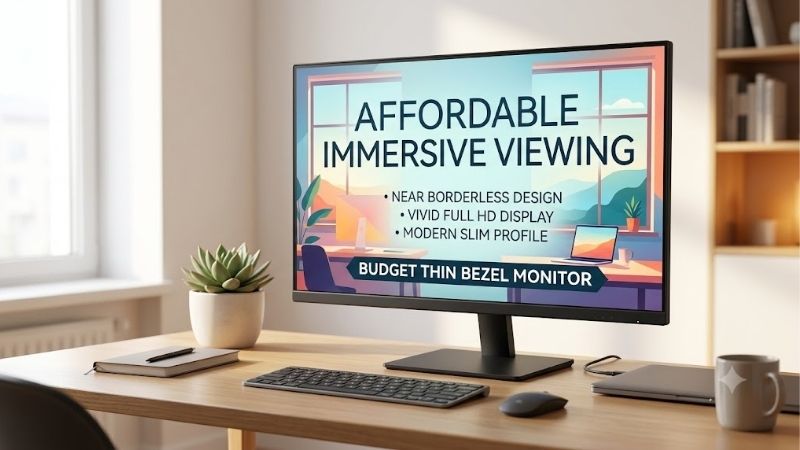
Quick answer: Our top pick in 2026 is the Monitor — our #1 rated choice. See the full ranked comparison, alternatives and buying advice below.
Quick verdict: the best budget thin bezel monitor for most buyers
For a compact everyday desk, start with the Acer KB242Y G0BI. It combines a 23.8-inch IPS panel, Full HD resolution, a 120Hz maximum refresh rate over HDMI, and Acer’s Zero Frame design. The ASUS VA249HG is a good alternative if you want a frameless 120Hz screen with Adaptive-Sync and headphone output. For office use with more connection choices, the HP Series 3 Pro 324pf offers HDMI, DisplayPort, and VGA. For a larger screen, the Acer KB272 G0BI gives you 27 inches at Full HD, though text clarity is less crisp than on a 24-inch panel. If gaming detail matters more than getting the biggest screen for the lowest outlay, the Acer Nitro VG272U W3BMIIPX is the most ambitious option, with QHD resolution and 240Hz refresh when the current manufacturer promotion is available.
The listed budget ceiling for this guide is roughly $150 before taxes and shipping, based on current US manufacturer listings and recent price-tracker results checked on October 14, 2026. Prices and stock can change, and a temporary price should not be treated as a permanent deal.
Quick comparison table
| Monitor | Best fit | Display and refresh | Thin-bezel design | Main trade-off |
|---|---|---|---|---|
| Acer KB242Y G0BI | Lowest-cost everyday pick | 23.8-inch, 1080p IPS, up to 120Hz over HDMI | Zero Frame | Basic ports and tilt-only stand |
| ASUS VA249HG | Best balanced 24-inch option | 23.8-inch, 1080p IPS, 120Hz | Frameless | No DisplayPort or height adjustment |
| HP Series 3 Pro 324pf | Office and mixed-device use | 23.8-inch, 1080p IPS, 100Hz | 3-sided micro-edge | Stand only tilts; basic SDR screen |
| Acer KB272 G0BI | Larger budget screen | 27-inch, 1080p IPS, up to 120Hz over HDMI | Zero Frame | Full HD is less sharp at 27 inches |
| ASUS VA249QGS | Ergonomic workstation | 23.8-inch, 1080p IPS, 120Hz | Frameless | Costs more than simple tilt-stand models |
| Acer Nitro VG272U W3BMIIPX | Gaming upgrade when discounted | 27-inch, 1440p IPS, 240Hz | Zero Frame | Only a budget pick at the current sale price |
How we selected these monitors
We prioritized models with an explicitly slim-bezel or frameless design, a specific model number, an official US product page, and a reasonable current price basis. The picks span office and gaming uses, which are not interchangeable: high refresh is unnecessary for many spreadsheets, while a basic office model may not suit competitive gaming. Manufacturer pages establish resolution, panel type, refresh rate, ports, and adjustment features. No hands-on tests or independent side-by-side measurements were performed. Budget labels reflect observed prices, not a claim that each model is always the cheapest or best value.
Acer KB242Y G0BI: best low-cost everyday monitor
The Acer KB242Y G0BI is the straightforward choice when you want a modern-looking screen without spending much. Acer’s US store lists the 23.8-inch monitor with a 1920 × 1080 IPS panel, a 120Hz refresh rate over HDMI, a Zero Frame design, 250-nit rated brightness, and a price of $79.99 at the time checked. It includes HDMI and VGA inputs, a tilt stand, and 100 × 100 mm VESA mounting compatibility. For basic home-office work, web browsing, school tasks, and casual games, that is a useful combination without paying for extras you may never use.
The slim frame works for a minimal desk or a dual-monitor setup, while IPS viewing angles help when you shift position. Its main limitations are basic connectivity and ergonomics. HDMI is the input to use for the full 120Hz rate; the VGA connection supports a lower maximum refresh rate. The stand provides tilt rather than height or swivel adjustment, so a riser or monitor arm may be needed to position the screen properly.
Buy it if your priority is a low-cost Full HD display with a slim-frame appearance and smoother-than-60Hz refresh. Skip it if you need DisplayPort, a height-adjustable stand, built-in speakers, or a sharper 1440p image. The ASUS VA249HG is a close alternative with Adaptive-Sync and a headphone jack, while the HP 324pf is more practical for a computer with DisplayPort output.
ASUS VA249HG: best balanced 24-inch choice
The ASUS VA249HG pairs a 23.8-inch 1920 × 1080 IPS panel with a 120Hz refresh rate, Adaptive-Sync, a frameless design, and 99% sRGB coverage listed by ASUS. The connections include HDMI, VGA, and a headphone jack, and the monitor supports VESA mounting. ASUS’s US store listing showed a price of $109, and its retailer page listed Amazon and several other US sellers as in stock when checked. Confirm the price, exact model, and delivery status on the retailer page before ordering.
The VA249HG suits a mixed work-and-gaming desk. Its 120Hz refresh rate can smooth scrolling and supported games, while Adaptive-Sync can reduce tearing when the frame rate changes within its supported range. The frameless design works well in a dual-monitor arrangement. Its “1ms MPRT” figure is a motion-picture response-time claim, not a guarantee that every pixel transition completes in one millisecond, and should not be compared directly with all gray-to-gray ratings.
The compromise is the stand and input selection. The supplied stand is basic, and there is no DisplayPort input for a desktop that needs one. It is Full HD, not a high-resolution creative monitor. Buy it if you want a balanced, inexpensive 120Hz IPS monitor with minimal-looking borders. Skip it if you need height adjustment or several modern inputs; the ASUS VA249QGS offers more ergonomic movement and DisplayPort, though at a higher price.
HP Series 3 Pro 324pf: best for office connectivity
The HP Series 3 Pro 324pf is a work-oriented 23.8-inch Full HD IPS monitor with a 100Hz refresh rate, 250-nit rated brightness, and a three-sided micro-edge bezel. HP lists DisplayPort 1.2, HDMI 1.4, and VGA, making it easier to connect to business desktops and older systems than a monitor with just one HDMI input. HP Eye Ease provides a low-blue-light setting designed not to shift the image toward yellow, and the screen is specified as flicker-free. A tilt adjustment and on-screen settings controlled by a joypad keep everyday operation simple.
The 324pf suits documents, spreadsheets, browser windows, and general administration. A 100Hz refresh rate makes scrolling smoother, and the three-sided micro-edge design is useful if you later add another display. Price trackers recently placed it near the lower end of this shortlist, but they do not guarantee today’s Amazon offer; confirm seller, condition, shipping, and returns before buying.
Its limitation is ergonomics. The 324pf’s stand primarily offers tilt, so it does not provide the flexibility of a height-adjustable office monitor. It also lacks the contrast, resolution, and HDR behavior of more specialized displays. Buy it if DisplayPort plus HDMI and VGA are useful on your desk. Skip it if a height-adjustable stand or built-in speakers are essential; those features require checking another model, not assuming all HP Series 3 displays are identical.
Acer KB272 G0BI: best larger Full HD screen
The Acer KB272 G0BI is the larger sibling to the KB242Y: a 27-inch Full HD IPS monitor with Zero Frame styling and up to 120Hz over HDMI. Acer’s US store listed it at $109.99 and in stock during research. Its 250-nit brightness, 178-degree viewing-angle specification, HDMI 1.4 and VGA connections, tilt adjustment, and 100 × 100 mm VESA mounting make it a simple larger-screen option. The low-profile edges help the display feel less bulky on a desk and are helpful if you plan to place it beside another monitor of similar size.
Choose 27 inches for physical scale rather than extra detail. At 1920 × 1080, pixel density is lower than on a 23.8- or 24-inch Full HD screen, so text can look less crisp at close range. Content appears larger, but the screen does not provide the extra workspace that 2560 × 1440 does.
Buy it if you want a spacious-looking display for video, browser content, and casual gaming and prefer larger text. Skip it if sharp typography, detailed photo editing, or compact desktop layouts matter more; a 24-inch Full HD screen or a 27-inch QHD model is likely to be more suitable. The KB242Y is the cheaper desk-fit option, while the Nitro VG272U is the sharper gaming upgrade when its sale price is active.
ASUS VA249QGS: best for ergonomics and a clean multi-monitor setup
The ASUS VA249QGS is aimed at office users who want the frameless look but do not want to rely on a fixed-height stand. Its 23.8-inch Full HD IPS panel supports 120Hz and Adaptive-Sync. The manufacturer lists HDMI, DisplayPort, VGA, a headphone jack, and VESA mounting, along with height adjustment up to 130 mm, swivel, tilt, and 90-degree pivot. That lets you raise the display to eye level, turn it for a second person, or rotate it vertically for code, long documents, and chat windows. ASUS’s US store listing showed $149 during this check, placing it near the upper edge of this budget roundup.
For dual-screen desks, matching screen height and angle can matter more than shaving off a few bezel millimeters. The VA249QGS makes adjustments easier without requiring a separate monitor arm. DisplayPort adds a useful input beside HDMI and VGA. Its 120Hz panel suits desktop use and casual games, although resolution remains 1080p and the monitor is not a high-end color-critical display.
Buy it if you work for long stretches, switch between portrait and landscape, or need a flexible stand and better input selection. Skip it if your screen will remain in one position and price matters most; the Acer KB242Y or ASUS VA249HG delivers the basic slim-bezel experience for less. Check live stock before publishing or purchasing because a manufacturer’s indexed store price can differ from its final checkout price.
Acer Nitro VG272U W3BMIIPX: best gaming upgrade under the current promotion
The Acer Nitro VG272U W3BMIIPX is the standout option for someone who wants thin bezels without accepting basic Full HD specifications. Acer’s US store listed the 27-inch monitor at $149.99 and in stock during research. The verified listing identifies a 2560 × 1440 IPS panel, 240Hz refresh, 400-nit rated brightness, AMD FreeSync Premium, DisplayPort, HDMI, and Zero Frame styling. That brings more desktop detail than Full HD and a much higher refresh ceiling than the office-oriented choices.
QHD at 27 inches makes text, windows, and fine details more defined than on a 27-inch 1080p screen. A 240Hz maximum is most useful in competitive games when the PC produces high frame rates; office apps gain little, and the monitor cannot raise game FPS by itself. Confirm which input and cable support the desired refresh rate. Because its sale price is central to this pick, recheck the offer before publication.
Buy it if you can use QHD resolution, a high refresh rate, and FreeSync Premium and the current price remains near $150. Skip it if you only use spreadsheets and video calls, or if the price returns substantially higher. The basic Acer models are more economical for office tasks, while a QHD panel offers a more meaningful image-quality upgrade than a slim bezel by itself.
How to choose a budget thin bezel monitor
Look closely at the real bezel design
“Frameless,” “Zero Frame,” and “three-sided micro-edge” are design terms, not a promise that the picture touches the outer edge of the monitor. Many LCD screens still have a narrow black border inside the frame that becomes visible when the display is on. The bottom edge is commonly thicker to accommodate controls and internal hardware. For a multi-monitor setup, compare photos of the screen switched on rather than relying only on product renders. Mismatched screen heights or color settings can be more distracting than a few millimeters of bezel.
Choose 24 inches for sharp Full HD, 27 inches for size
A 23.8- or 24-inch 1920 × 1080 monitor is a good default for documents, browsing, and everyday gaming. At around 92 pixels per inch, it provides a reasonable balance of size and clarity from a normal desk distance. A 27-inch Full HD monitor has fewer pixels per inch, so it is useful when you prefer larger images or sit farther away, but text can look less refined. If you want a 27-inch screen for dense spreadsheets, photo work, or a large desktop workspace, look for QHD (2560 × 1440) when the budget allows. Higher resolution means more work for the graphics card in games, but text and fine details generally benefit.
Prioritize panel type and refresh for your tasks
IPS is a safe choice for low-cost all-purpose use because its viewing angles are generally broad and colors remain more consistent when viewed from the side. VA panels may provide stronger native contrast, although dark transitions can be slower on some models. A 100Hz or 120Hz refresh rate gives smoother motion than 60Hz when the computer or console supplies enough frames; it is useful for scrolling and gaming but not essential for static spreadsheets. Adaptive-Sync can help reduce tearing, but supported refresh range and input compatibility vary by model. Do not treat a marketing “1ms” rating as proof of the monitor’s measured response across all transitions.
Check ports, stand, and mounting before you buy
Make sure the monitor accepts the output available on your laptop, desktop, dock, or console. HDMI is common, DisplayPort is useful on PCs, and VGA mostly serves older devices. A monitor with only HDMI and VGA may be fine for one computer but limiting if you need multiple modern sources. Budget stands often offer tilt only; check for height adjustment if the screen will be used for many hours. VESA support allows a third-party arm or wall mount, but confirm the hole pattern and the arm’s supported weight. Add the cost of an arm, adapter, or longer cable to your budget if the monitor cannot meet your setup needs by itself.
Common mistakes to avoid
Do not buy based on bezel photos alone. Size, resolution, brightness, refresh rate, and warranty support affect everyday use. A 27-inch Full HD screen may be a poor choice if you read small text close up; 24 inches often looks sharper at the same resolution. Conversely, 120Hz alone does not make a display ideal for competitive gaming, because motion behavior and variable-refresh support matter. Check the exact model code: similar names can have different ports, stands, and regional specifications.
Frequently asked questions
Are thin bezel monitors better?
They can look cleaner, especially in a dual-monitor arrangement, because less frame separates the visible images. They do not automatically offer better color, contrast, response time, or reliability. Compare panel specifications and stand features as well.
Is 24 inches or 27 inches better for a budget monitor?
For Full HD, 24 inches is usually the safer choice if you sit close and read text. A 27-inch screen makes the image larger but has lower pixel density at the same resolution. Choose 27 inches with QHD if you want a larger workspace and sharper detail, assuming the budget and PC support it.
Is 100Hz or 120Hz worth it for office work?
It is a nice quality-of-life feature because scrolling and moving windows can appear smoother. It is not essential for word processing and spreadsheets, so a higher refresh rate should not outweigh the need for a good stand or the right connections.
Can I use two budget thin-bezel monitors together?
Yes, provided your computer has the necessary video outputs or a compatible dock. Matching monitor sizes and resolutions makes windows easier to move between screens. If the bezels are slim but the two screens sit at different heights, the mismatch can be more distracting than the remaining border.
Should I buy a 27-inch 1080p monitor?
Choose one if you value larger text and images or sit farther from the screen. If you sit close and want sharper text, a 24-inch Full HD display is often preferable, or consider 27-inch 1440p if a current sale brings it into budget.
Final verdict: which budget thin bezel monitor should you buy?
The Acer KB242Y G0BI is the value-led starting point for a small desk, and the ASUS VA249HG adds a balanced 120Hz IPS experience with Adaptive-Sync. Choose the HP Series 3 Pro 324pf for its practical HDMI, DisplayPort, and VGA combination. The Acer KB272 G0BI gives you a larger 27-inch screen, while the ASUS VA249QGS is worth the extra expense if you need height, swivel, and pivot adjustments. For gaming and sharper detail, the Acer Nitro VG272U W3BMIIPX is the strongest specification upgrade at its current manufacturer-listed promotion, but recheck the live price before publishing or ordering. A thin bezel makes the desk look cleaner; choosing the right panel and stand is what makes the screen a good purchase.
Ready to decide? Our #1 pick for 2026 is the Monitor.
Live price & availability on Amazon.









