
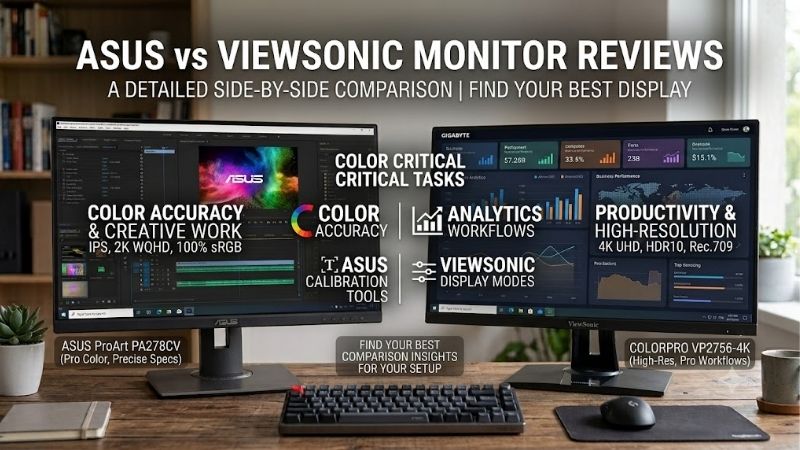
Choosing between ASUS and ViewSonic requires more than comparing brand reputations or advertised refresh rates. In this ASUS vs ViewSonic monitor reviews comparison, the ASUS TUF Gaming VG27AQ3A and ViewSonic OMNI VX2728J-2K provide a useful starting point because both target 27-inch, 1440p gaming setups. ASUS emphasizes gaming-specific controls, while ViewSonic offers a highly adjustable stand and competitive gaming specifications. However, independent testing of the ViewSonic reveals important performance considerations, and its advertised 180Hz mode requires closer verification. The better choice depends on your PC, desk setup, gaming preferences, and the actual price and availability of each model.
- ASUS vs ViewSonic monitor reviews: the quick verdict
- A direct comparison of the ASUS and ViewSonic gaming monitors
- Product ranges: ASUS and ViewSonic serve different buyers
- What independent ASUS vs ViewSonic monitor reviews reveal
- Picture quality: brightness, contrast, and HDR
- Ergonomics: ViewSonic has a meaningful advantage
- Connectivity and everyday use
- Warranty and long-term ownership
- Price and value for a US gaming setup
- Which monitor should different buyers choose?
- Final verdict
ASUS vs ViewSonic monitor reviews: the quick verdict
ASUS is the stronger starting point for buyers who prioritize documented gaming features and straightforward support for high-refresh-rate PC gaming. ViewSonic deserves serious consideration when ergonomic adjustment, measured image quality, and the final purchase price matter more than having the largest selection of gaming enhancements.
The distinction becomes clearer when comparing two similar monitors rather than entire product ranges.
-
Choose ASUS TUF Gaming VG27AQ3A if you value ELMB Sync, Variable Overdrive, and a clearly specified 180Hz operating mode with adaptive-sync support.
-
Consider ViewSonic OMNI VX2728J-2K if you want a height-adjustable stand, QHD resolution, broad variable-refresh-rate support, and a well-documented three-year US warranty.
-
Compare the actual prices before deciding. The ASUS US Store lists the VG27AQ3A at $209, while the ViewSonic US product page displays $169.99 but was marked out of stock when checked. The ViewSonic education store has displayed the same price with availability, so the two figures do not establish a guaranteed, directly comparable purchase opportunity.
-
Look beyond response-time marketing. Independent testing of the ViewSonic found low input lag, competent motion performance at 165Hz, and limitations involving its 180Hz overclock mode. Those findings deserve more weight than a headline claiming a 0.5ms response time.
Neither brand wins every category. ASUS offers additional gaming controls, while ViewSonic offers more convenient physical adjustment on the two selected models. The right decision comes down to which advantages you will actually use.
A direct comparison of the ASUS and ViewSonic gaming monitors
The ASUS TUF Gaming VG27AQ3A and ViewSonic OMNI VX2728J-2K are comparable in screen size, resolution, panel technology, and intended gaming use. Their differences become more meaningful when you examine the details.
| Feature | ASUS TUF Gaming VG27AQ3A | ViewSonic OMNI VX2728J-2K |
|---|---|---|
| Screen size | 27 inches | 27 inches |
| Native resolution | 2560 × 1440 | 2560 × 1440 |
| Panel type | Fast IPS | IPS |
| Published maximum refresh rate | 180Hz | 180Hz via DisplayPort, with documentation and review caveats |
| Advertised response time | 1ms GTG | 2.5ms typical GTG; 0.5ms MPRT |
| Variable refresh rate | AMD FreeSync Premium, NVIDIA G-SYNC compatible, VESA AdaptiveSync | AMD FreeSync Premium, NVIDIA G-SYNC compatible |
| Typical brightness | 250 cd/m² | 250 cd/m² |
| Typical static contrast | 1000:1 | 1000:1 |
| HDR support | HDR10 | HDR10 |
| Video connections | 1 × DisplayPort 1.4, 2 × HDMI 2.0 | 1 × DisplayPort 1.2, 2 × HDMI 2.0 |
| Height adjustment | No | Yes, 130mm |
| Swivel and pivot | Swivel; no pivot listed | Swivel and 90-degree pivot |
| VESA mounting | 100 × 100mm | 100 × 100mm |
| Built-in speakers | 2 × 2W | 2 × 2W |
| US warranty reference | ASUS lists 36 months in its general LCD monitor warranty FAQ | Three-year limited warranty listed by ViewSonic |
The table uses official specifications, except where the ViewSonic entry explicitly identifies independent-review qualifications. These are not equivalent to measurements from a controlled side-by-side test.
There is also an important distinction between GTG and MPRT response times. Gray-to-gray measures pixel transitions, while moving picture response time is associated with a motion-blur reduction technique. A 0.5ms MPRT figure should not be interpreted as proof that ViewSonic’s pixels respond faster than ASUS’s 1ms GTG specification.
Product ranges: ASUS and ViewSonic serve different buyers
ASUS offers more gaming-oriented feature choices
ASUS divides its monitors into several product families. TUF Gaming targets mainstream and enthusiast gaming, ROG focuses on premium gaming features, and ProArt serves users whose priorities include creative work and color-focused workflows.
That range makes ASUS a useful brand to investigate if you expect to move from conventional gaming to higher refresh rates, OLED technology, or specialized productivity features. It also means that brand reputation alone can be misleading. An entry-level TUF monitor should not automatically be expected to deliver the performance of a premium ROG OLED model.
The VG27AQ3A illustrates ASUS’s feature-oriented approach. It includes ELMB Sync, Variable Overdrive, GamePlus, GameVisual, Shadow Boost, and DisplayWidget Center. Some features are more useful than others, but their purpose is to give users additional ways to adjust the display for different games.
These features have practical value only when they solve a problem. A competitive player may appreciate motion-blur reduction, for instance, while someone who primarily plays turn-based games may prefer a better stand or a lower price.
ViewSonic combines gaming displays with practical ergonomics
ViewSonic also has multiple monitor families, including OMNI gaming monitors and ColorPro displays aimed at creative work. Its broader lineup is not limited to budget gaming, so evaluating the entire brand through a single inexpensive monitor would be misleading.
The OMNI VX2728J-2K places particular emphasis on high refresh rates, adaptive sync, and physical adjustment. Its stand supports height adjustment, tilt, swivel, and portrait pivot. This is useful for people who switch between games, spreadsheets, documents, and vertical programming or reading layouts.
The main trade-off is that its feature set needs to be evaluated alongside its operating modes. Independent testing of the VX2728J-2K found that using its 180Hz overclock mode disabled Adaptive-Sync on the reviewed unit. That is a meaningful limitation for a player who wants both maximum refresh rate and variable refresh rate at the same time.
ViewSonic’s current US product page advertises 180Hz over DisplayPort, while a detailed specification field gives a 165Hz vertical-frequency ceiling. Its manual and regional materials should therefore be checked for the exact unit being sold. Do not assume every listing, firmware version, or production revision operates identically.
What independent ASUS vs ViewSonic monitor reviews reveal
Manufacturer specifications establish the features a monitor is designed to support, but independent reviews help explain what those features mean in everyday use.
The available evidence for these two exact models is not equally extensive. PC Monitors published a detailed test of the ViewSonic OMNI VX2728J-2K, while Tech4Gamers published a in-depth review of the ASUS TUF Gaming VG27AQ3A. Neither source provides a matched laboratory comparison using identical equipment and test procedures.
That limitation matters. Results from different laboratories, test settings, units, and dates should not be combined into a numerical winner.
How to interpret ASUS vs ViewSonic monitor reviews without confusing response times
PC Monitors tested the VX2728J-2K at 165Hz for its main responsiveness evaluation. Using an SMTT 2.0 utility and more than 30 repeat readings, the reviewer calculated 1.95ms of input lag. The review characterized the display’s input lag as exceptionally low for the tested 165Hz operating mode.
However, the review also found that the monitor’s 180Hz overclock mode disabled Adaptive-Sync on the reviewed unit. It therefore recommended that most users prioritize 165Hz with variable refresh rate rather than treating the extra 15Hz as a meaningful improvement.
The ASUS specification sheet lists a native maximum refresh rate of 180Hz, with FreeSync Premium, G-SYNC compatibility, and VESA AdaptiveSync. This makes ASUS’s published operating-mode information more straightforward for shoppers who expect to use variable refresh rate alongside high refresh rates. It does not establish that ASUS has lower measured input lag than ViewSonic, because a directly comparable test was not available.
Tech4Gamers’ hands-on ASUS review also highlights a practical compromise: ELMB can reduce brightness significantly. That behavior is worth considering if you play in a brightly lit room. Blur-reduction technologies can improve motion clarity, but they do not offer the same result as simply increasing refresh rate, and they may introduce brightness or flicker trade-offs.
The key lesson is to check what a review measured, how it measured it, and which operating mode was active. An advertised response time by itself is not a complete assessment of gaming performance.
Picture quality: brightness, contrast, and HDR
Both displays use IPS-family technology and list a typical brightness of 250 cd/m² with a typical static contrast ratio of 1000:1. Those specifications place them in a familiar category of versatile LCD gaming monitors rather than premium HDR displays.
IPS panels generally provide wide viewing angles and useful color performance for mixed workloads. They are well suited to gaming, web browsing, office applications, and general desktop use. However, conventional IPS monitors usually cannot reproduce the deep blacks of OLED or offer the precise highlight control possible with a capable local-dimming mini-LED display.
What ViewSonic’s measured picture quality tells us
PC Monitors recorded peak SDR brightness of 293 cd/m² on its tested VX2728J-2K sample after changing the color-channel settings. Its average contrast ratio with brightness adjusted was approximately 955:1, while a different color-temperature adjustment produced a maximum measured ratio of 1127:1.
These figures illustrate why measured results matter. The manufacturer’s 250 cd/m² brightness specification is a typical figure rather than a hard ceiling, and changes to color settings can affect contrast and brightness.
The reviewer also measured 95% DCI-P3 color-gamut coverage. That is useful for colorful games and media, but a wide gamut alone does not guarantee accurate colors. The review noted a lack of a native sRGB emulation mode and some oversaturation when displaying standard sRGB content without additional correction.
The ASUS VG27AQ3A advertises 130% sRGB gamut coverage. That is a gamut-volume specification, not an accuracy rating. A value above 100% sRGB does not mean that every color is reproduced more faithfully, particularly in applications that are not color managed.
Because the available tests do not use the same instruments and protocols on both displays, they do not establish which monitor has more accurate colors or more uniform backlighting. Buyers who need dependable color for photography or video editing should look for direct calibration measurements and a useful color-space emulation mode rather than relying on gamut percentages alone.
HDR10 support does not guarantee convincing HDR
Both monitors accept HDR10 content, but neither should be purchased primarily for high-impact HDR performance.
PC Monitors measured approximately 270 cd/m² in its HDR test of the ViewSonic VX2728J-2K and found no meaningful contrast advantage because the monitor lacks local dimming. With a conventional backlight illuminating the screen as a whole, bright highlights cannot be raised independently of dark areas to the same extent as on a monitor with effective local dimming.
ASUS also lists HDR10 support for the VG27AQ3A. That confirms format compatibility, not OLED-like blacks or premium HDR output.
For ordinary SDR gaming, both may be reasonable choices. If your main interest is cinematic games, realistic nighttime scenes, or spectacular highlights, compare a good mini-LED or OLED monitor before spending more on either of these IPS models.
Ergonomics: ViewSonic has a meaningful advantage
The stand is one of the clearest differences between these two monitors.
ASUS provides tilt and swivel adjustments on the VG27AQ3A, but it does not list height adjustment or portrait pivot. ViewSonic provides 130mm of height adjustment, swivel, tilt, and a 90-degree pivot option on the VX2728J-2K.
For a typical desktop setup, these adjustments can make a difference. A height-adjustable stand lets you position the screen without stacking it on books or purchasing a separate monitor arm. Pivot is useful for viewing long documents, code, and certain reference materials, even if it is not essential for gaming.
Both monitors support a 100 × 100mm VESA mounting pattern, so a compatible monitor arm can overcome many of the ASUS stand’s limitations. That solution adds cost, however, and the arm must support the display’s weight and mounting requirements.
Consider the total setup cost rather than the monitor price alone. If an ASUS display requires a $30–$50 arm to achieve the positioning you want, that expense narrows the difference between the two products. The exact arm cost will vary, so confirm it before making a price-based decision.
Ergonomics also include the monitor’s physical footprint, stability, cable routing, and access to its controls. A display that can be positioned comfortably is more useful than one with slightly more gaming features but a stand that does not fit the desk.
Connectivity and everyday use
The ASUS VG27AQ3A includes one DisplayPort 1.4 connection and two HDMI 2.0 inputs. The ViewSonic VX2728J-2K has one DisplayPort 1.2 input and two HDMI 2.0 inputs. Both list 3.5mm audio output and built-in 2W speakers.
For a single gaming desktop, either display has sufficient basic connectivity. A desktop GPU can connect through DisplayPort, leaving the HDMI ports available for a console, streaming device, or second computer. The maximum refresh rate through HDMI is lower than the headline maximum on both products, so DisplayPort is the sensible choice for PC gaming at the highest supported refresh rate.
The ASUS DisplayPort version is newer on paper, but a connector’s version alone does not determine the entire experience. Bandwidth, timing support, color depth, compression requirements, and actual monitor operating modes all matter.
Neither model lists USB-C video input, a USB hub, or a KVM switch. If you regularly switch between a laptop and desktop, look at monitors that support USB-C Power Delivery and KVM functionality. Those features can simplify a workspace more meaningfully than a small difference in maximum refresh rate.
The built-in speakers are convenient for basic sounds and calls, but their small size makes them a secondary feature rather than a major buying reason. A headset or dedicated speakers will generally be preferable for gaming audio and music.
Warranty and long-term ownership
Warranty coverage is close enough on paper that buyers should compare the details rather than assume a brand has a universal reliability advantage.
ViewSonic’s US product page lists a three-year limited warranty covering parts, labor, and backlight, subject to its conditions. The company’s US warranty policy also describes an LCD pixel-performance guarantee for monitors. For resolutions below 4K, that policy permits no more than three improperly operating pixels, with further limits for bright and dark pixels. The precise wording and applicability should be checked before purchase.
ASUS’s US LCD monitor warranty FAQ lists a 36-month product warranty as its general policy. Its support documentation warns that warranty terms can vary by region, so buyers should confirm the coverage applying to the exact model and seller.
A warranty period does not tell the whole story. The process for arranging service, the availability of replacement units, shipping responsibility, and the seller’s return window all affect the actual ownership experience.
Check the retailer’s dead-pixel and return policies before ordering either monitor. Keep the original packaging until the return period expires, and inspect the display for stuck pixels, uneven backlighting, and visible damage soon after delivery.
Neither isolated owner reports nor an individual review can establish which brand has the lower failure rate. There is no matched reliability dataset here that justifies declaring either ASUS or ViewSonic inherently more reliable.
Price and value for a US gaming setup
Prices can change quickly, so a useful comparison needs a dated reference and a clear distinction between listed pricing and an available retail offer.
As checked on October 13, 2026, the ASUS US product support page showed a store price of $209 for the VG27AQ3A. ViewSonic’s US product page displayed $169.99 for the VX2728J-2K but was marked out of stock when opened. A separate ViewSonic education page displayed the same figure and availability, which means the listed price alone does not establish a current purchase option for every buyer.
The nominal $39.01 difference is therefore only a reference, not proof that ViewSonic is currently cheaper in a directly comparable transaction. Before ordering, verify stock, seller, shipping, returns, and the exact product code.
The practical value decision is straightforward:
-
If ViewSonic is genuinely cheaper and you value the adjustable stand, it is an attractive option for gaming and productivity.
-
If prices are close, ASUS’s gaming-specific controls and clearer published 180Hz adaptive-sync configuration can make it the more appealing choice.
-
If you already own a monitor arm, ViewSonic’s stand advantage becomes less important.
-
If you mainly play slower-paced games, neither monitor’s gaming enhancements should outweigh better ergonomics, reliable warranty coverage, or a significant price difference.
Avoid buying the more expensive monitor simply because its branding sounds more premium. Spend extra only when the added functionality addresses a real need.
Which monitor should different buyers choose?
Competitive PC gamers
The ASUS VG27AQ3A is the more straightforward option for a buyer seeking 180Hz gaming with variable refresh rate and dedicated motion controls. Its ELMB Sync and Variable Overdrive features provide additional settings to explore, although independent testing is needed to determine their exact benefit for a given game.
If you prefer ViewSonic, verify how the exact VX2728J-2K unit behaves at 180Hz with Adaptive-Sync enabled. The independent review found the overclocked 180Hz mode restricted variable refresh rate on its tested sample.
Gamers who also work at a desk
ViewSonic gets an important practical advantage from its height-adjustable and pivot-capable stand. It is worth considering for someone who spends hours working, reading, and gaming at the same desk.
ASUS can still be a good choice when paired with a suitable monitor arm. Compare the combined cost of the display and arm against the ViewSonic’s actual delivered price before deciding.
Buyers focused on image quality
Neither should be the automatic choice for color-critical creative work. The available ViewSonic test provides useful measured data, but there is no matched measurement set proving that it has better color accuracy than the ASUS.
For content creation, check calibrated sRGB performance, color uniformity, gamut coverage, and whether the monitor has an effective sRGB mode. For HDR gaming, investigate displays with measured local-dimming performance or OLED technology instead.
Final verdict
ASUS and ViewSonic both offer compelling reasons to consider their monitors, but the TUF Gaming VG27AQ3A is the stronger starting point for a buyer focused on documented gaming controls and a clear high-refresh-rate specification. The OMNI VX2728J-2K is particularly appealing for its adjustable stand, general-purpose usability, and three-year US warranty.
The independent evidence also gives buyers a reason to look past the ViewSonic’s headline 0.5ms MPRT claim and investigate its 165Hz and 180Hz operating modes carefully. That does not make it a poor monitor; it means the operating mode matters as much as the advertised maximum.
Choose ASUS when its gaming features are worth the difference to you. Choose ViewSonic when the stand, warranty, and actual available price are more valuable. For either brand, verify the exact model, test results, operating modes, and retail terms before buying.









