
Best gaming monitors for under 150 can deliver smooth PC and console play, but the right choice depends on motion clarity, image quality, and useful extras. This guide compares four real 1080p IPS models, explains their practical trade-offs, and highlights what matters most before checkout, helping you avoid paying for features your setup may not use.
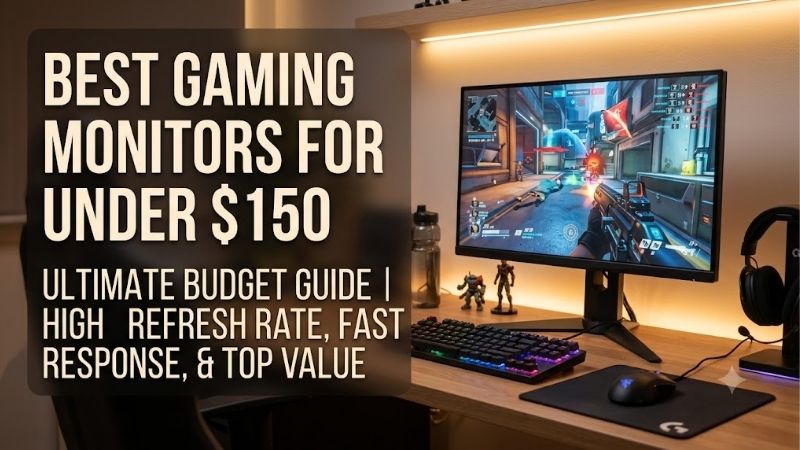
Quick answer: For most people in 2026, the best gaming monitors for under 150 is the AOC 24G4 — our #1 rated choice. See the full ranked comparison, alternatives and buying advice below.
How to Choose a Gaming Monitor
To choose among the best gaming monitors for under 150, start with the games you play and the PC or console you own. At this budget, 1080p resolution and high refresh rates are sensible priorities; flashy HDR labels matter less than adaptive sync, useful connections, and a stand that suits your desk.
Refresh Rate and Response Time
Refresh rate measures how often a screen updates each second, while response time describes how quickly pixels change between colors. For competitive shooters and racing games, the MSI MAG 244F reaches 200Hz, while the AOC 24G4, Acer Nitro KG241Y M3BIIP, and ASUS TUF Gaming VG249Q3A offer refresh rates up to 180Hz.
Choose the highest rate your computer can sustain instead of paying for a specification you rarely reach. A stable frame rate matters more than a headline number alone, and the advertised response time is not a complete measure of motion clarity. The MSI suits speed-focused players, while the AOC remains a strong all-round alternative.
Resolution, Panel Quality, and Screen Size
A 23.8-inch, 1920 × 1080 display keeps games sharp enough for everyday play without demanding as much graphics power as 1440p. All four picks use IPS-based panels, making them sensible choices for gamers who value viewing angles and color reproduction alongside speed, especially on a desk with limited space.
IPS panels generally deliver weaker native contrast than VA alternatives, so dark rooms can reveal grayish blacks. Brightness also matters near a window, and all four models have a 250–300-nit brightness rating range depending on the model. The AOC 24G4 and ASUS TUF Gaming VG249Q3A are good starting points for balanced color and motion.
Adaptive Sync and Connectivity
Variable refresh rate technology helps synchronize the display with compatible graphics output, reducing tearing when frame rates fluctuate. AMD FreeSync support is available on these picks, with FreeSync Premium specified for the MSI MAG 244F and ASUS TUF Gaming VG249Q3A. Check the exact model’s supported connection and settings before assuming every feature works over HDMI.
Port selection affects daily convenience as much as gaming performance. The ASUS provides two HDMI inputs plus DisplayPort, which is useful if you alternate between a PC and console. The MSI has one HDMI and one DisplayPort connection, while the AOC and Acer also provide common PC display inputs. For multiple devices, favor the ASUS.
Stand, Brightness, and Everyday Extras
A good stand keeps the display comfortable during long sessions, while built-in speakers can spare you the cost of external audio. The ASUS includes two 2W speakers, whereas the AOC 24G4 does not have built-in speakers. The Acer Nitro is a value-focused option, and the MSI prioritizes speed over elaborate stand adjustments.
Check ergonomics before buying: several budget gaming monitors provide tilt adjustment but no height adjustment, so your desk setup may need a separate monitor riser. Brightness figures also describe typical output, not guaranteed performance in every mode. If desk comfort matters most, compare the stand details carefully; if price matters most, the Acer is compelling.
Top Picks
For the best gaming monitors for under 150, these four models offer distinct advantages rather than four versions of the same recommendation. Retail prices fluctuate, so verify the exact model and checkout price before buying. The comparison below highlights refresh rate, ideal use, and important compromises that could affect your experience.
| Product | Best For | Key Spec | Watch Out For |
|---|---|---|---|
| AOC 24G4 | Best Overall | 23.8-inch IPS, 1080p, 180Hz | No built-in speakers |
| Acer Nitro KG241Y M3BIIP | Best Value | 23.8-inch IPS, 1080p, 180Hz | 250-nit brightness; basic stand |
| MSI MAG 244F | Best For Competitive FPS | Rapid IPS, 1080p, 200Hz | One HDMI input; tilt-only stand |
| ASUS TUF Gaming VG249Q3A | Best For Console and Multi-Device Play | IPS, 1080p, 180Hz | 250-nit brightness; tilt-only stand |
AOC 24G4 — Best Overall
The AOC 24G4 is my top all-round recommendation among the best gaming monitors for under 150 because its 23.8-inch Fast IPS panel combines Full HD resolution with a 180Hz refresh rate and a 1ms GtG response rating. It suits mixed gaming, from shooters to story-driven adventures, without demanding a premium graphics card.
Its 100% sRGB coverage, Adaptive Sync, and DisplayPort 1.4 help balance color and motion, but the monitor lacks built-in speakers, so headphones or external audio are necessary. HDR10 support should not be confused with premium HDR performance. At this price, that compromise is reasonable for a fast, versatile IPS display.
Acer Nitro KG241Y M3BIIP — Best Value
For budget-conscious buyers, the Acer Nitro KG241Y M3BIIP is among the best gaming monitors for under 150, pairing a 23.8-inch Full HD IPS panel with a 180Hz refresh rate and a 1ms response rating. Its appeal is straightforward: spend less while keeping motion smooth for competitive games and everyday desktop use.
Acer lists typical brightness at 250 nits, making this model better suited to a room without strong direct sunlight. Its stand offers tilt rather than extensive ergonomic adjustment, and resolution remains at 1080p. Anyone wanting more desktop space or height control should compare alternatives before ordering. This is a value pick, not a resolution upgrade.
MSI MAG 244F — Best for Competitive FPS
The MSI MAG 244F is the speed-focused choice among the best gaming monitors for under 150, thanks to its 23.8-inch Rapid IPS panel, Full HD resolution, and 200Hz maximum refresh rate. Its advertised 0.5ms GtG figure is a minimum rather than a guarantee of real-world performance, so prioritize the refresh-rate advantage.
FreeSync Premium, 300-nit typical brightness, and one HDMI plus one DisplayPort connection round out the specifications. The compromise is a simple tilt-only stand and a single HDMI input, which is less convenient for multi-console setups. It is best for fast PC play rather than a flexible workstation. Use a compatible connection to reach its top refresh rate.
ASUS TUF Gaming VG249Q3A — Best for Console and Multi-Device Play
The ASUS TUF Gaming VG249Q3A earns its place among the best gaming monitors for under 150 for players who want color, smooth motion, and flexible connectivity. Its 23.8-inch IPS screen runs at 1920 × 1080 and up to 180Hz, with a 1ms GtG rating and 99% sRGB color-space coverage.
Two HDMI 2.0 inputs and DisplayPort make switching between devices easier, while integrated 2W speakers handle basic audio when a headset is unavailable. The limits are 250-nit typical brightness and a tilt-focused stand without height adjustment. Buy it only if the checkout price stays below $150; its balanced feature set suits a shared desk.
Frequently Asked Questions
Before settling on the best gaming monitors for under 150, consider how your games, graphics hardware, and display settings work together. A strong budget choice should deliver smooth motion without sacrificing everyday usability. These answers clarify refresh rates, panel types, console compatibility, and HDR claims that can otherwise complicate a straightforward purchase.
Is 180Hz Enough for Gaming?
Yes, 180Hz is more than enough for most budget gaming setups, especially competitive play when your PC can deliver high frame rates. Compared with 60Hz, it can make motion and mouse tracking appear smoother, provided your hardware and settings support the higher rate. The AOC, Acer, and ASUS all target 180Hz.
A higher refresh rate does not automatically eliminate every type of blur, and a monitor cannot create frames your system does not render. Enable the maximum supported refresh rate in your operating system, then consider a frame-rate cap if pacing becomes inconsistent. In demanding games, stable output often matters more than peak specifications.
Is IPS Better Than VA for Gaming?
Neither IPS nor VA is universally better: IPS generally offers more consistent viewing angles, while VA panels typically deliver deeper native contrast. For bright-room gaming and mixed desktop use, the IPS panels in these four picks are sensible choices, particularly when several people view the screen or share it for work.
VA remains worth considering if you mainly play atmospheric single-player games in a dark room and prefer stronger blacks. However, some VA displays exhibit noticeable dark-scene smearing, depending on the model. Compare independent motion tests rather than judging panel technology alone, and remember that contrast, pixel transitions, and refresh rate each affect the experience differently.
Can I Use These Monitors With a PS5 or Xbox?
Yes, these monitors connect through HDMI and support Full HD gaming, but the available refresh rate depends on the console, game, and supported input mode. The MSI MAG 244F lists 1080p at 120Hz for compatible consoles, while its 200Hz maximum primarily benefits PC gaming rather than console output.
For a PS5 or Xbox, confirm that the exact monitor supports the resolution and refresh rate you intend to use. Choose a suitable HDMI cable, enable the console’s supported high-refresh mode, and check the game’s settings. A monitor advertised at 180Hz or 200Hz will not make a console produce frames beyond the console’s own capabilities.
Does HDR Matter on a Gaming Monitor Under $150?
Usually, HDR should not be your deciding factor at this price. Labels such as HDR10 or HDR Ready indicate support for relevant signals or features, but they do not guarantee impressive highlights, deep blacks, or convincing contrast. Typical brightness around 250–300 nits limits the impact of HDR in many brightly lit scenes.
Prioritize refresh rate, adaptive sync, motion handling, and sensible brightness before paying extra for an HDR badge. HDR can still work for compatible content, but expectations should stay realistic. If cinematic image quality matters more than competitive speed, compare contrast and real-world reviews rather than assuming an inexpensive display delivers a premium HDR experience.
Final Thoughts
The best gaming monitors for under 150 don’t need to win every specification contest; they need to match your games and hardware. Choose the AOC 24G4 for balanced play, Acer for lower cost, MSI for 200Hz PC gaming, or ASUS for multiple devices. Confirm current pricing and connection limits before placing your order, and keep expectations realistic about HDR.
Ready to decide? Our #1 pick for 2026 is the AOC 24G4.
Live price & availability on Amazon.









