
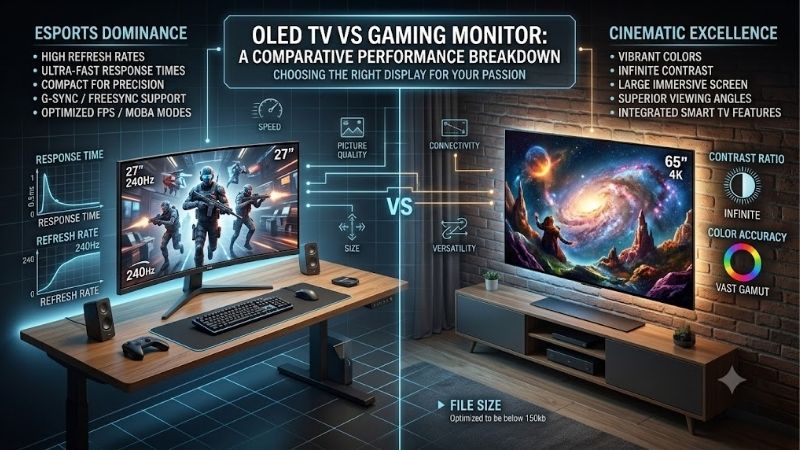
Choosing between an oled tv vs gaming monitor comes down to how you play, where you sit, and what else you do with your display. Both offer outstanding contrast, near-instantaneous pixel response, and impressive HDR potential, but their designs serve different needs. An OLED TV generally makes more sense for large-screen gaming, movies, and couch-based setups, while a dedicated gaming monitor typically offers higher refresh rates, sharper text at desk distances, and more convenient PC connectivity. Neither is automatically faster or better-looking in every situation. This guide explains the meaningful differences and helps you select the right display without paying for features you will rarely use.
- Quick verdict: OLED TV or gaming monitor?
- OLED TV vs gaming monitor: Quick comparison
- Screen size and viewing distance: The biggest practical difference
- Resolution and pixel density: Which looks sharper?
- Refresh rate and competitive gaming performance
- Input lag and response time: Are gaming monitors always faster?
- HDR performance and image quality
- Connectivity and desktop convenience
- Burn-in and long-term ownership
- Which display offers better value?
- Which should you choose for different gaming setups?
- Frequently asked questions
- Final verdict
Quick verdict: OLED TV or gaming monitor?
For most dedicated desk-based PC gamers, an OLED gaming monitor is the better choice. A 27-inch 1440p or 32-inch 4K model offers manageable dimensions, high pixel density, and refresh rates that can exceed those of mainstream OLED TVs.
An OLED TV is the stronger option for players who prefer a larger picture, sit farther from the screen, watch movies frequently, or use a console in a living room.
Current products demonstrate that distinction. The 42-inch LG C6 OLED TV supports 4K gaming at up to 165Hz, while the 32-inch ASUS ROG Swift OLED PG32UCDM gaming monitor supports 4K at 240Hz. Both are OLED displays, but they emphasize different experiences.
Choose an OLED TV if you prioritize immersion, entertainment versatility, and a screen large enough for shared viewing. Choose an OLED gaming monitor if you prioritize competitive responsiveness, close-range viewing, desktop convenience, and flexible PC connectivity.
There is also a third possibility: keep your existing display. If you already own a responsive, high-quality monitor and your graphics card struggles to maintain satisfactory frame rates, upgrading the GPU or improving the overall system may provide greater practical value.
OLED TV vs gaming monitor: Quick comparison
| Feature | OLED TV | OLED gaming monitor |
|---|---|---|
| Common screen sizes | 42–83 inches and larger | 27–34 inches, plus larger models |
| Typical resolution choices | Primarily 4K | 1440p, ultrawide, and 4K |
| Refresh rate | Commonly 120–165Hz | Commonly 240Hz or higher on performance models |
| Pixel response | Extremely fast | Extremely fast |
| Input lag | Low in Game Mode | Often lower, model-dependent |
| HDR experience | Often stronger on premium TVs | Excellent contrast, variable brightness |
| Desktop text clarity | Lower pixel density at larger sizes | Generally sharper at normal desk distances |
| PC connections | Primarily HDMI | DisplayPort, HDMI, sometimes USB-C |
| Smart TV applications | Usually included | Usually absent |
| Ergonomic adjustment | Limited without additional mounting | Often adjustable stand |
| OLED burn-in risk | Present | Present |
| Best environment | Living room or deep desk | Traditional desktop setup |
These are category-level tendencies, not universal specifications. A premium OLED TV can outperform a particular OLED monitor in brightness or input lag, and an individual gaming monitor may have fewer useful features than expected.
Independent comparisons from RTINGS similarly find that monitors generally favor desk gaming and responsiveness, while TVs offer large screens and stronger entertainment-oriented processing.
Screen size and viewing distance: The biggest practical difference
Screen size often matters more than an additional 60Hz of refresh rate.
A 42-inch OLED TV can deliver a striking experience in cinematic games, but its physical dimensions require more planning than a typical 27-inch monitor.
Why OLED TVs feel more immersive
A larger display occupies more of your field of view when viewed from the same distance.
That can make racing games, flight simulators, open-world adventures, and visually detailed single-player games feel more involving.
A 42-inch television also provides considerable workspace for arranging multiple desktop windows, assuming your desk depth and viewing distance are appropriate.
However, sitting too close may require frequent head or eye movements to inspect interface elements near the corners.
A large screen is not automatically more comfortable simply because it shows more content.
Why smaller gaming monitors work better on desks
A 27-inch or 32-inch display fits more naturally into conventional computer arrangements.
The smaller dimensions make it easier to keep health bars, minimaps, inventory elements, and other interface information within a comfortable viewing area.
Many monitors also include adjustable stands supporting height, tilt, and sometimes rotation.
Televisions usually provide fewer ergonomic adjustments without an additional wall mount or monitor arm.
Before purchasing a large OLED TV, measure the available desk depth and determine whether your preferred seating position leaves enough viewing distance.
For shallow desks, a 32-inch gaming monitor is generally the more manageable option.
Resolution and pixel density: Which looks sharper?
Resolution describes the total number of pixels, while pixel density describes how tightly those pixels are packed.
Both affect image quality, but pixel density becomes particularly important at close viewing distances.
A 32-inch 4K display has approximately 138 pixels per inch. A 42-inch 4K OLED TV has approximately 105 pixels per inch.
That difference helps explain why smaller 4K gaming monitors often display desktop text and fine interface details more sharply.
| Display configuration | Approximate pixel density |
|---|---|
| 27-inch 1440p monitor | 109 PPI |
| 32-inch 4K monitor | 138 PPI |
| 42-inch 4K OLED TV | 105 PPI |
| 48-inch 4K OLED TV | 92 PPI |
| 55-inch 4K OLED TV | 80 PPI |
Pixel density is not the only consideration. OLED subpixel structure, operating-system text rendering, scaling settings, and viewing distance also influence clarity.
OLED subpixels and text fringing
Unlike many conventional LCD displays, OLED panels do not necessarily use a standard RGB subpixel arrangement.
Some WOLED and QD-OLED implementations can produce colored fringes around text or high-contrast interface elements.
This effect is particularly relevant when using Windows applications for extended periods.
Newer panel designs have improved text rendering in some configurations, but the concern has not disappeared universally.
RTINGS’ March 2026 display-technology analysis identifies text clarity as an area where conventional RGB-layout LCD monitors can retain an advantage.
Why 4:4:4 chroma support matters
For PC use, the display should ideally accept full chroma 4:4:4 at the desired resolution and refresh rate.
Reduced chroma information can make fine colored text and desktop edges appear less defined.
Many modern OLED TVs support full chroma presentation in a suitable PC mode, but configuration requirements vary.
For example, RTINGS documents PC-label and chroma-passthrough settings for the LG C5.
For productivity-heavy use, verify these details instead of assuming that every 4K television behaves exactly like a computer monitor.
Refresh rate and competitive gaming performance
Refresh rate is one of the clearest differences between mainstream OLED televisions and high-performance OLED monitors.
A display running at 120Hz updates every 8.33 milliseconds. At 240Hz, that interval drops to approximately 4.17 milliseconds.
| Refresh rate | Time between refreshes |
|---|---|
| 120Hz | 8.33ms |
| 144Hz | 6.94ms |
| 165Hz | 6.06ms |
| 240Hz | 4.17ms |
| 360Hz | 2.78ms |
| 480Hz | 2.08ms |
These values describe refresh intervals, not complete input latency.
A faster refresh rate can improve motion smoothness and reduce the delay before a newly rendered frame appears, but only when the PC supplies sufficient frames.
When a gaming monitor has the advantage
Fast-paced PC games benefit from high refresh rates when the system delivers consistently high performance.
Competitive shooters, rhythm games, and esports titles are common examples.
A 240Hz OLED monitor can display more unique frames per second than a 120Hz OLED TV, assuming the game and graphics hardware support those rates.
Some specialized OLED monitors operate at much higher refresh rates.
However, upgrading to 360Hz or 480Hz offers diminishing benefits if the game rarely exceeds 150 FPS.
When an OLED TV is fast enough
For many single-player games and current-generation console titles, a high-quality 120Hz OLED television is already an excellent option.
Its rapid pixel transitions can produce very clear motion, while its large screen adds immersion.
Modern premium televisions also offer variable refresh rate and low-latency gaming modes.
The LG C5, for example, supports 4K at up to 144Hz with variable refresh rate and low input lag when configured appropriately.
The most useful question is not which display has the largest refresh-rate number, but which one matches the frame rates you actually achieve.
Input lag and response time: Are gaming monitors always faster?
Input lag and pixel response time describe different parts of the viewing experience.
Input lag measures the delay between receiving an input signal and displaying the corresponding visual result.
Pixel response time describes how quickly pixels transition between colors or brightness levels.
Both affect gaming responsiveness, but neither should be confused with the complete latency between moving your mouse and seeing a game react.
OLED response times are excellent on both devices
OLED televisions and OLED monitors share a major advantage: self-emissive pixels can transition extremely quickly.
That helps limit the ghosting commonly associated with slower LCD panels.
Consequently, a 120Hz OLED television may deliver cleaner pixel transitions than some higher-refresh LCD monitors.
However, response performance alone cannot eliminate the motion blur associated with how long each frame remains visible.
Higher refresh rates can still provide clearer perceived movement.
Game Mode makes a major difference on televisions
Televisions often apply image-processing features intended for movies and broadcast content.
Those features can increase delay when gaming.
Game Mode generally reduces unnecessary processing and enables lower-latency operation.
RTINGS’ November 2025 comparison found that monitors had lower average input lag than TVs in its tested samples, but the differences were not universal and individual televisions could outperform individual monitors.
A properly configured premium OLED TV can therefore feel highly responsive.
Avoid purchasing based solely on advertised 0.03ms or 0.1ms response-time figures. Those values do not represent total input lag and cannot establish the winner between two displays.
HDR performance and image quality
Both OLED TVs and OLED monitors can produce excellent HDR images because their pixels emit light individually.
Unlike conventional LCDs, OLED displays do not need a separate backlight to illuminate dark and bright regions.
This allows near-perfect blacks and very precise contrast between illuminated and unlit pixels.
However, HDR performance is not identical across OLED products.
Why OLED TVs can deliver stronger HDR
Premium OLED televisions often prioritize large-screen cinematic presentation and advanced image processing.
Some high-end televisions deliver brighter HDR highlights than typical OLED monitors.
This can make explosions, reflections, bright skies, and other high-contrast scenes more impactful.
Nevertheless, OLED brightness varies significantly by model, size, panel generation, and picture mode.
The 42-inch LG C6, for example, should not be assumed to match the peak brightness of larger premium models simply because they share a series name. RTINGS identifies size-specific panel and brightness differences within the C6 family.
Where gaming monitors remain competitive
A 32-inch 4K QD-OLED monitor can produce excellent HDR color, precise highlights, and impressive dark-room contrast.
Its smaller size also makes image details easier to inspect from a typical desk.
The ASUS PG32UCDM, for example, combines a 4K QD-OLED panel with 240Hz refresh capability and VESA DisplayHDR True Black 400 certification.
The monitor does not necessarily achieve the same peak brightness as a premium living-room television, but the difference may be less important in a controlled gaming environment.
When comparing HDR performance, prioritize independently measured brightness, color volume, tone mapping, and performance in Game Mode.
Manufacturer peak-brightness numbers alone do not tell the full story.
Connectivity and desktop convenience
Connection options are another practical distinction.
OLED TVs usually emphasize HDMI ports, while dedicated gaming monitors often provide HDMI, DisplayPort, and sometimes USB-C.
Why DisplayPort and USB-C matter for PC gaming
DisplayPort is particularly useful for desktop computers supporting very high refresh rates.
USB-C can simplify laptop connections when the monitor supports DisplayPort Alternate Mode, USB data, and sufficient power delivery.
Some premium monitors also include USB hubs and KVM switches.
A KVM lets users share compatible keyboard and mouse peripherals between connected computers.
The ASUS PG32UCDM includes DisplayPort 1.4 with Display Stream Compression, HDMI 2.1, USB-C connectivity, and a KVM switch.
These features are valuable for someone using one display with a gaming desktop and work laptop.
An OLED TV generally lacks comparable desktop-oriented connectivity.
Why TVs are more convenient for entertainment
OLED televisions normally include smart operating systems, streaming applications, remote controls, and integrated speakers.
Many also support HDMI eARC for compatible audio systems.
That makes them convenient for households that want one screen for gaming, movies, television, and shared entertainment.
A traditional OLED monitor generally requires a connected PC, console, or external device for most entertainment functions.
The distinction is especially relevant if the display will be used when your gaming computer is turned off.
Burn-in and long-term ownership
Both OLED televisions and OLED monitors are vulnerable to permanent uneven pixel aging, commonly called burn-in.
The risk is influenced by content, brightness, usage patterns, panel technology, and protective features.
Which is safer for static desktop work?
Neither OLED category is inherently immune.
Static taskbars, application menus, browser elements, and game interfaces can remain in the same positions for extended periods.
Modern OLED displays include protections such as pixel shifting, compensation cycles, and automatic brightness management.
These features reduce risk but cannot eliminate it.
If your normal workday involves many hours of spreadsheets, code editors, or fixed-interface applications, an LCD monitor may be the more appropriate purchase.
Warranty terms require careful checking
Warranty coverage varies between manufacturers, models, regions, and purchase conditions.
Some OLED monitor manufacturers explicitly provide burn-in coverage for qualifying products, while television warranties may treat image retention differently.
Never assume that a standard multi-year warranty automatically covers permanent burn-in.
Read the applicable US warranty document for the exact model and confirm exclusions before purchasing.
For owners who use OLED primarily for varied games and movies, sensible protective habits can help manage the risk without making everyday use inconvenient.
Which display offers better value?
An OLED television can deliver a larger screen for a competitive price, while a gaming monitor may offer higher refresh rates and more useful desktop features.
However, screen size alone is not a meaningful measure of value.
A large 4K television and a smaller 4K gaming monitor serve different needs.
Compare the actual US selling prices for the exact models under consideration, including taxes, shipping, mounting hardware, and any required accessories.
Also consider the hardware necessary to drive the display.
A 4K OLED TV may demand a GPU upgrade if your current system cannot achieve satisfactory performance at the target resolution.
A 1440p OLED monitor may deliver an equally satisfying experience with less graphics processing power.
If your budget is limited and HDR is not essential, a fast IPS gaming monitor may offer better practical value than either OLED option.
Which should you choose for different gaming setups?
Competitive desktop gaming
Choose a dedicated OLED gaming monitor, preferably a 27-inch 1440p or 32-inch 4K model matched to your GPU.
Its compact dimensions, high refresh rate, and desktop controls generally suit competitive use better.
Single-player and cinematic gaming
Consider a 42-inch OLED TV if your desk or entertainment area provides adequate viewing distance.
The larger image, strong contrast, and integrated entertainment features can create a more immersive experience.
PlayStation 5 and Xbox Series X gaming
A modern 4K OLED TV with HDMI 2.1, 120Hz support, and VRR is an excellent choice.
Neither console requires a 240Hz monitor to use its normal maximum 120Hz display output.
Choose a monitor instead when desk space, competitive play, or shared PC usage matters more than screen size.
Gaming and professional productivity
A 32-inch 4K OLED monitor is usually easier to integrate into a traditional workstation.
However, users who spend most of their time on static documents or programming should also consider high-quality IPS or Mini LED LCD alternatives.
Frequently asked questions
Can an OLED TV replace a gaming monitor?
Yes. A modern OLED TV can work as a PC display when it supports the necessary resolution, refresh rate, low-latency mode, and chroma settings.
Its practical limitations are generally size, ergonomic adjustment, desktop pixel density, and connectivity rather than an inability to handle games.
Is an OLED gaming monitor better for FPS games?
Usually, particularly for competitive PC players seeking high refresh rates and a manageable screen size.
However, a high-quality OLED TV running at 120Hz or 165Hz can still provide excellent responsiveness.
Does a 240Hz OLED monitor look better than a 120Hz OLED TV?
Not necessarily. The monitor can show smoother motion when receiving sufficiently high frame rates, but the television may offer stronger HDR brightness or a more immersive picture.
The overall image-quality winner depends on the exact models.
Are OLED TVs better for 4K gaming?
OLED TVs are particularly attractive for large-screen 4K gaming, but dedicated 4K OLED monitors provide higher pixel density and potentially higher refresh rates.
Neither category is universally superior.
Should I choose WOLED or QD-OLED?
Both can provide excellent gaming performance.
Differences in ambient-light black levels, color reproduction, text rendering, surface finish, and brightness vary by implementation.
Compare actual models rather than choosing solely by panel subtype.
Final verdict
For most desktop PC gamers, an OLED gaming monitor is the better long-term fit. Its smaller footprint, higher available refresh rates, useful PC connectivity, and greater pixel density at 4K make it particularly practical for daily computer use.
An OLED TV is the stronger choice for large-screen immersion, shared entertainment, and couch-based gaming. A model such as the 42-inch LG C6 demonstrates how modern televisions can combine excellent OLED picture quality with 4K, 165Hz, low-latency gaming capabilities.
Neither category eliminates burn-in concerns, and neither guarantees better performance simply because it uses OLED technology.
Choose according to viewing distance, gaming habits, GPU capability, and whether the display needs to function primarily as a computer workstation or entertainment centerpiece.
Editorial Source Log — Editor only, not part of the published article
Research date: October 12, 2026.
| Research topic | Source and verification |
|---|---|
| TV versus monitor gaming performance | RTINGS, November 10, 2025. Category comparison covering refresh rates, responsiveness, motion clarity, image processing, and desktop usability.
RTINGS.com
|
| LG C6 OLED 2026 | LG USA specifications and RTINGS’ April 20, 2026 review, updated September 18, 2026. Confirmed 4K, 165Hz, HDMI 2.1, VRR and panel differences by size.
LG USA
+1
|
| ASUS ROG Swift OLED PG32UCDM | Manufacturer specifications confirming 31.5-inch 4K QD-OLED, 240Hz, DisplayPort 1.4 DSC, HDMI 2.1, USB-C and KVM.
Republic of Gamers|ROG Việt Nam
+1
|
| OLED text rendering and burn-in | RTINGS’ March 4, 2026 explanation of OLED versus LCD panel performance.
RTINGS.com
|
| WOLED versus QD-OLED | RTINGS’ August 3, 2026 technology comparison.
RTINGS.com
|
| OLED TVs used as PC monitors | RTINGS’ September 23, 2026 recommendations, including LG C6 performance and desktop limitations.
RTINGS.com
|
| LG C5 gaming and chroma settings | RTINGS’ LG C5 review and calibration guidance for PC mode, input lag, and chroma 4:4:4.
RTINGS.com
+1
|
Editorial limitations: No original detailed research was performed. Price-based value judgments were kept conditional because comparable current US prices were not verified across the specific television and monitor models. Amazon availability was not verified. Warranty coverage should be checked using the exact US model documentation before publication. A complete sitewide duplication audit was not established.









