
Choosing the best fighting game monitor starts with your actual signal, viewing position, and games. A compact IPS display makes sense for a dedicated practice station, while a 1440p or 4K model can serve a broader gaming setup. The BenQ EX240 is a practical starting point for local play, the LG 27GR83Q-B suits mixed PC gaming, and the ASUS ROG Strix OLED XG27ACDNG targets buyers who prioritize picture quality.
- Quick verdict: which best fighting game monitor fits your setup?
- Quick comparison table
- How we selected these monitors
- BenQ MOBIUZ EX240: a practical compact local-play pick
- ASUS TUF Gaming VG249Q3A: a straightforward 1080p option
- ViewSonic XG2431: for buyers who want motion-blur controls
- LG UltraGear 27GR83Q-B: for a mixed gaming PC
- LG UltraGear 27GR93U-B: for native 4K detail
- ASUS ROG Strix OLED XG27ACDNG: for picture-focused buyers
- How to choose the best fighting game monitor
- Frequently asked questions
- Final verdict
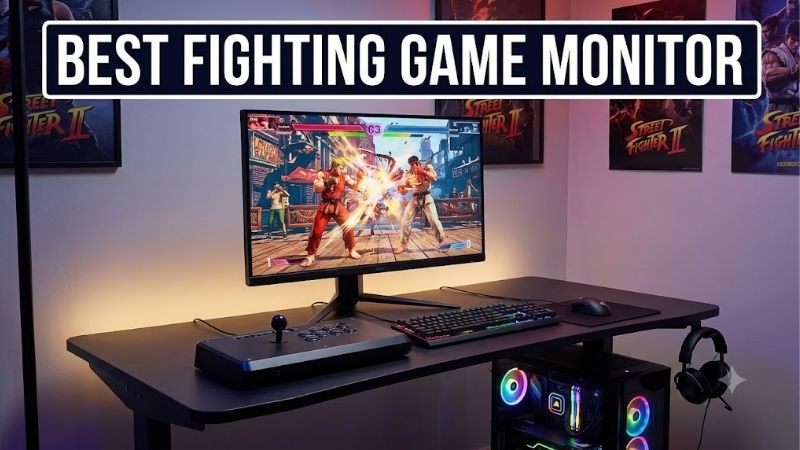
Quick answer: For most people in 2026, the best fighting game monitor is the BenQ MOBIUZ EX240 — our #1 rated choice. See the full ranked comparison, alternatives and buying advice below.
Quick verdict: which best fighting game monitor fits your setup?
Start with the BenQ EX240 if you want a compact screen, an adjustable stand, and built-in speakers for casual offline sets. Choose the ASUS TUF Gaming VG249Q3A when a straightforward 1080p display fits your desk and you can accommodate its simpler stand.
The ViewSonic XG2431 offers more motion-blur adjustment for enthusiasts who also play high-frame-rate games. Move to the LG 27GR83Q-B for a larger 1440p workspace and 240Hz capability, or the LG 27GR93U-B when native 4K detail matters more than maximum refresh rate. The ASUS OLED is the picture-focused option, with additional care requirements.
These are recommendations for different setups, rather than a measured latency leaderboard. A monitor’s advertised maximum refresh rate and minimum pixel response time cannot establish which model is fastest when receiving a 60Hz console signal.
Quick comparison table
| Model | Best suited to | Panel and native resolution | Maximum advertised refresh | Main drawback |
|---|---|---|---|---|
| BenQ MOBIUZ EX240 | Compact local-play station | 23.8-inch IPS, 1920 × 1080 | 165Hz | Limited resolution for desktop multitasking |
| ASUS TUF Gaming VG249Q3A | Straightforward 1080p desk setup | 23.8-inch Fast IPS, 1920 × 1080 | 180Hz | Tilt-only included stand |
| ViewSonic XG2431 | Motion-blur adjustment enthusiasts | 24-inch-class IPS, 1920 × 1080 | 240Hz | Strobing needs suitable settings and tolerance for flicker |
| LG UltraGear 27GR83Q-B | Fighting games plus fast PC games | 27-inch IPS, 2560 × 1440 | 240Hz | High refresh alone does not prove excellent 60Hz behavior |
| LG UltraGear 27GR93U-B | Native 4K gaming and desktop use | 27-inch IPS, 3840 × 2160 | 144Hz | Native 4K increases GPU workload |
| ASUS ROG Strix OLED XG27ACDNG | Picture quality and mixed gaming | 26.5-inch-viewable QD-OLED, 2560 × 1440 | 360Hz | Static-image burn-in risk and panel maintenance |
Maximum rates depend on the source, connection, and selected display mode. A console does not inherit a monitor’s PC refresh-rate ceiling.
How we selected these monitors
This shortlist uses manufacturer specifications and documentation for exact models, checked on October 14, 2026. Selection emphasizes screen size, resolution, panel technology, connection options, ergonomics, and meaningful differences between buying scenarios. It does not claim detailed research.
Fighting games deserve a different decision process from competitive shooters. Check the battle frame rate of your specific title and mode before deciding that 240Hz or 360Hz is necessary. A display can have useful headroom for other games without changing a fighting game’s animation timing.
No matched, independently verified 60Hz latency dataset was available for all six products during this research. Consequently, none receives an absolute “fastest fighting monitor” claim. The categories describe documented features and practical fit.
Prices are omitted because a consistent set of comparable current US offers was not established. There is no unsupported budget or value winner. Before ordering, compare the exact model, condition, return policy, and delivered cost, particularly for older products that may appear through different sellers.
BenQ MOBIUZ EX240: a practical compact local-play pick
The EX240 combines a 23.8-inch 1080p IPS panel with a 165Hz maximum refresh rate. Its distinguishing features for local play are the included height-adjustable stand, two HDMI inputs, and two built-in 2.5-watt speakers.
Those features address everyday setup problems. Two people can sit beside each other without needing a separate audio system for casual sets. Height adjustment helps position the screen above a controller or fight stick, while separate HDMI inputs let a PC and console stay connected.
The speakers are a convenience feature; their presence does not establish sound quality or make them a replacement for your preferred headphones. Likewise, BenQ’s listed 2ms gray-to-gray response time and 1ms MPRT describe different measurements. Neither represents complete button-to-screen delay.
At 1080p, the EX240 suits a dedicated gaming station better than a large desktop workspace. If you spend considerable time reading frame-data spreadsheets, editing clips, and arranging several windows, the 1440p LG offers more room.
Buy if: You want a compact monitor with useful stand adjustment and integrated audio for a shared desk.
Skip if: You want native 4K, a larger viewing area, or verified superiority in 60Hz input lag.
Alternative: Choose the VG249Q3A for a simpler compact setup, or the XG2431 if motion-blur controls are a specific priority.
ASUS TUF Gaming VG249Q3A: a straightforward 1080p option
The VG249Q3A uses a 23.8-inch Fast IPS panel with 1920 × 1080 resolution and a 180Hz maximum refresh rate. ASUS also lists FreeSync Premium and Extreme Low Motion Blur, abbreviated ELMB.
Its appeal is a focused set of features for a small desk. You can run fighting games at their supported frame rate and use the additional refresh headroom in compatible PC games. The manual lists 1080p 60Hz among its supported timings, which matters more for basic signal compatibility than the headline maximum.
The included stand offers tilt rather than height adjustment. Before buying, check where the display will sit relative to your seated eye position. A separate mount or riser changes the total cost and the amount of desk space required.
ELMB should not be treated as an automatic improvement for every fighting game. Motion-blur reduction modes have operating restrictions, and the availability of a feature does not prove that it suits your intended 60Hz setup. Check the manual before planning around it.
Buy if: You want a compact 1080p monitor and the included stand fits your seating arrangement.
Skip if: Stand flexibility is essential, or your main reason for buying is an assumed ELMB benefit at 60Hz.
Alternative: The EX240 provides height adjustment. The LG 27GR83Q-B is the more relevant step up when resolution is the limitation.
ViewSonic XG2431: for buyers who want motion-blur controls
The XG2431 is a 24-inch-class 1080p IPS monitor rated for 240Hz. ViewSonic documents PureXP blur reduction, Blur Busters Approved 2.0 certification, and an optional Strobe Utility for custom adjustments.
This gives the XG2431 a distinct place in the shortlist: it is for someone who wants to understand and tune motion presentation. It also includes an adjustable stand, making it easier to set up for different seating positions.
However, backlight strobing is a separate choice from ordinary high-refresh gaming. Brightness, flicker, supported timings, and frame-rate matching all matter. Repeated game frames can produce multiple visible images under unsuitable strobing conditions.
Do not assume that the monitor’s 240Hz ceiling makes PureXP ideal for a 60fps game. Verify the supported strobe mode for your intended source, then decide whether its presentation is comfortable. Leaving strobing disabled is a valid choice.
The XG2431 remains a 1080p display, so it offers less desktop detail than either LG. Its tuning tools are a reason to investigate it, not evidence that it universally has the lowest fighting-game latency.
Buy if: You also play fast PC games and specifically want adjustable blur-reduction features.
Skip if: You want a setup requiring minimal display experimentation, dislike flicker, or primarily need sharper text.
Alternative: Choose the EX240 for simpler local sessions, or the 27GR83Q-B for a larger, higher-resolution display.
LG UltraGear 27GR83Q-B: for a mixed gaming PC
The 27GR83Q-B pairs a 27-inch 2560 × 1440 IPS panel with a 240Hz maximum refresh rate. LG lists two HDMI 2.1 inputs, DisplayPort, FreeSync Premium, G-SYNC Compatible support, and a stand with height, tilt, and pivot adjustments.
That combination makes sense when fighting games share your PC with shooters, racing games, or general desktop work. You gain more screen detail than 1080p and retain substantial refresh headroom for games that can use it.
LG specifies that reaching 240Hz requires a graphics card supporting the appropriate DisplayPort 1.4 or HDMI 2.1 connection. Check your GPU’s actual outputs rather than assuming every HDMI port delivers the same modes.
The larger screen needs an appropriate viewing distance. When you sit very close, consider whether you can comfortably monitor both characters, health bars, and other important cues without moving your head frequently.
A 240Hz IPS specification does not establish its best overdrive setting at 60Hz. If you switch between a PC and console, evaluate the lower-refresh mode separately instead of carrying over your fastest PC settings automatically.
Buy if: You want one 1440p monitor for fighting games, other competitive titles, and desktop tasks.
Skip if: You only need a compact dedicated station, or OLED contrast is your main upgrade goal.
Alternative: The 27GR93U-B prioritizes resolution. The XG2431 keeps the smaller 1080p format and adds more specialized blur-reduction controls.
LG UltraGear 27GR93U-B: for native 4K detail
The 27GR93U-B offers a 27-inch 3840 × 2160 IPS panel with a 144Hz maximum refresh rate. Its documented features include two HDMI 2.1 inputs, DisplayPort, FreeSync Premium, G-SYNC Compatible support, and height, tilt, and pivot adjustment.
Choose it because you want native 4K detail across your setup. That may include desktop text, recorded footage, other games, and the visual presentation of fighting-game stages. Higher resolution is a picture and workspace upgrade, rather than proof of a competitive advantage.
Native rendering resolution remains separate from output resolution. A game can send a 4K signal while rendering internally at a lower resolution, and selecting a 4K monitor does not change that automatically.
On PC, check whether your system sustains the target battle frame rate at your chosen settings. Rendering 4K involves substantially more pixels than 1080p. Preserve stable gameplay before increasing resolution or visual effects.
The 27GR93U-B also requires an audio plan: LG lists a headphone output, which should not be mistaken for included speakers. For local sessions, decide how both players will hear the game.
Buy if: You want a native 4K screen for gaming and everyday use, with flexible stand adjustment.
Skip if: Your GPU already struggles with the games you play, or maximum refresh in other PC games matters more than resolution.
Alternative: The 27GR83Q-B trades 4K detail for 1440p and a higher refresh ceiling.
ASUS ROG Strix OLED XG27ACDNG: for picture-focused buyers
The XG27ACDNG uses a 26.5-inch-viewable QD-OLED panel, marketed in the 27-inch class, with 2560 × 1440 resolution and a 360Hz maximum refresh rate. ASUS lists OLED Care+ features and a three-year warranty on its US product page.
OLED’s appeal here is its image presentation, including dark scenes and high contrast. The extra refresh headroom also suits a PC library extending beyond traditional fighters. It is unnecessary to claim that a 360Hz display changes a game’s underlying battle timing to justify that broader use.
ASUS advertises a 0.03ms gray-to-gray response time. This is a manufacturer pixel-transition specification, not an independently measured total input-lag result.
Static health bars, training overlays, and desktop elements make panel care relevant. Follow the model’s maintenance guidance and retain its protective features. Check applicable US warranty terms, including exclusions and coverage, before treating the advertised duration as comprehensive protection.
OLED also does not remove the motion persistence associated with displaying each game frame for its duration. Fast pixel transitions and motion clarity are related, but they are not interchangeable.
Buy if: You prioritize OLED picture quality, play a varied game library, and accept panel maintenance.
Skip if: Your screen will display static material for long unattended periods, or you want a straightforward dedicated practice display.
Alternative: The 27GR83Q-B provides the same native resolution in an IPS format.
How to choose the best fighting game monitor
Evaluate the signal you will actually use
Identify the platform, resolution, refresh rate, and game mode first. A PC configured for a high-refresh desktop and a console outputting 60Hz can exercise different display behavior, even on the same monitor.
For a 60fps game, a 120Hz screen can repeat each frame twice, while 240Hz can repeat it four times. Those repetitions do not create new animation frames. Higher refresh can affect presentation and scanout behavior, but the complete result depends on the game and display pipeline.
Confirm the active output mode through the system and monitor menus. Avoid spending extra solely because a specification seems faster on paper.
Separate input lag from pixel response
Input lag concerns how long a display takes to show a received signal. Pixel response concerns how quickly pixels transition between shades. Complete button-to-screen delay additionally includes the controller, game processing, rendering, and synchronization.
When comparing reviews, look for input-lag tests at the refresh rate and resolution you intend to use. Also check pixel behavior and overdrive recommendations at that rate. A result measured at maximum refresh is insufficient evidence for a console’s 60Hz mode.
Do not add advertised response-time numbers to game frame times and present the sum as measured latency.
Check overdrive and synchronization carefully
Overdrive accelerates LCD pixel transitions, but aggressive settings can create bright or dark trails. The strongest setting is not automatically the best, especially when switching to a lower refresh rate.
Use a familiar offline sequence to compare settings under consistent conditions. Look at character outlines against contrasting backgrounds. Change one option at a time, and consult trustworthy measurements when available.
Variable refresh rate can help compatible systems align display updates with frame delivery. It does not repair unstable game simulation, eliminate network delay, or guarantee the lowest latency with every synchronization setting.
Choose size around your playing position
A 24-inch-class display is a sensible starting point for a close desk setup. A 27-inch model can suit a deeper desk, a larger workspace, or a seating position farther from the screen.
For local play, consider both players’ sightlines and the physical room for their controllers. IPS viewing characteristics make it a practical panel category to consider when people share one screen.
Measure the stand footprint as well as screen width. Leave enough space for a fight stick, cables, and comfortable hand placement.
Keep display problems separate from network problems
Test a repeatable offline training sequence before attributing an online problem to the monitor. If the issue appears only during online matches, investigate the connection and game networking behavior.
If offline play also slows down, check system performance, graphics settings, and background applications. Bandai Namco’s official Tekken 8 troubleshooting guidance likewise emphasizes system requirements and background workloads.
A monitor purchase cannot guarantee stable game performance. Reusing a satisfactory display while fixing an underlying PC or network problem can be the better decision.
Frequently asked questions
Do fighting games require a 240Hz monitor?
No universal requirement applies. Check your title’s battle frame rate and supported output modes. High refresh is easier to justify when the same monitor also serves games that render many more unique frames per second. For a dedicated fighting setup, appropriate signal compatibility and verified low-refresh behavior deserve priority.
Will a faster monitor change combo timing?
It does not change the game’s documented move timing. A display can change how promptly you see an event, but it cannot rewrite startup, recovery, or cancel windows. Capcom publishes frame data for Street Fighter 6 characters; use game-specific information when practicing.
Should I choose 1080p, 1440p, or 4K?
Choose 1080p for a compact dedicated station, 1440p for a flexible PC desk, and 4K when detail across gaming and desktop use matters. Check system performance at the intended settings. A higher resolution is not automatically more competitive, especially if it compromises consistent frame delivery.
Should I replace a monitor that already feels responsive?
Only if you can identify a limitation, such as unsuitable size, poor motion presentation, missing inputs, uncomfortable positioning, or inadequate resolution. First confirm the current monitor’s output mode and settings. A focused setup adjustment may address the problem without buying another display.
Final verdict
The BenQ EX240 is a practical compact starting point for local play, while the ASUS VG249Q3A suits a simpler 1080p desk. Consider the ViewSonic XG2431 when motion-blur adjustment is a deliberate priority.
Choose the LG 27GR83Q-B for a mixed 1440p gaming PC, the 27GR93U-B for native 4K detail, and the ASUS XG27ACDNG for OLED picture quality. Let your actual platform, viewing position, and verified behavior at the intended refresh rate decide the purchase.
Ready to decide? Our #1 pick for 2026 is the BenQ MOBIUZ EX240.
Live price & availability on Amazon.









