
The best monitor for Dota 2 for most players is a 27-inch 1440p IPS display with a high refresh rate and adaptive sync. The MSI MAG 274QPF E20 is the starting point here: its 200Hz ceiling, adjustable stand, and reasonable verified US price suit a balanced gaming setup. Choose OLED for its display characteristics, 320Hz for a PC that can justify the extra refresh headroom, or 4K when desktop work matters alongside Dota. Your actual frame rate during crowded fights should guide the purchase.
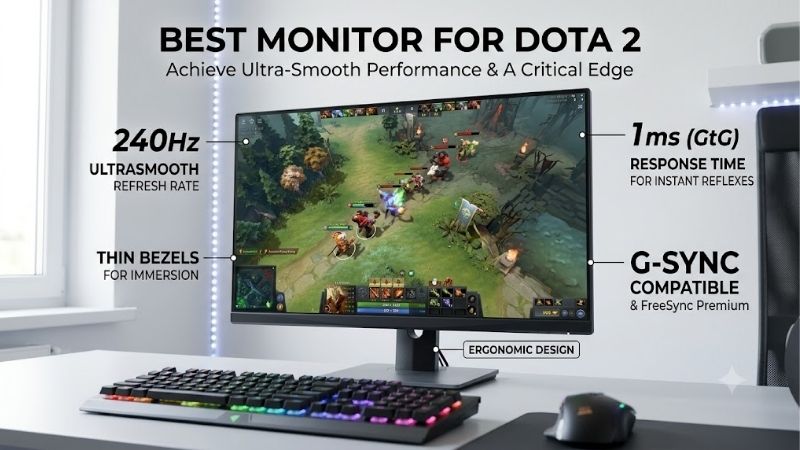
Quick answer: For most people in 2026, the best monitor for dota 2 is the MSI MAG 274QPF E20 — our #1 rated choice. See the full ranked comparison, alternatives and buying advice below.
Best monitor for Dota 2: the quick verdict
Choose the MSI MAG 274QPF E20 if you want one practical answer. A 27-inch 1440p screen provides room for readable interface details without moving to the much higher pixel count of 4K. Its 200Hz specification leaves useful headroom above conventional 144Hz displays.
The Alienware AW2726DM is the OLED option for players who also value contrast in other games. Its important catch is connectivity: getting 1440p at 240Hz requires DisplayPort; its HDMI inputs stop at 120Hz at that resolution.
The Acer Nitro XV275U F5biipprx offers native 320Hz and a Mini LED backlight. Consider it when you specifically want high refresh headroom and an LCD alternative to OLED. Those features do not establish superior measured Dota performance.
The MSI MAG 275UPD E14 suits a shared work-and-gaming desk. It offers 4K at 144Hz or a separate 1080p 288Hz mode. That flexibility comes with a resolution trade-off. us.msi.com
These are use-case recommendations, not a laboratory ranking. If your existing 144Hz or 165Hz monitor already feels clear and responsive, keeping it is reasonable. A new screen cannot correct network delay or long frame-time spikes.
Compare the shortlisted monitors
| Monitor | Recommended role | Size and panel | Resolution and refresh | Important limitation |
|---|---|---|---|---|
| MSI MAG 274QPF E20 | Default 1440p choice | 27-inch Rapid IPS | 2560 × 1440, 200Hz | HDMI reaches 144Hz; use DisplayPort or compatible USB-C for 200Hz |
| Alienware AW2726DM | OLED alternative | 26.5-inch QD-OLED | 2560 × 1440, 240Hz | HDMI reaches 120Hz; static-content exposure deserves consideration |
| Acer Nitro XV275U F5biipprx | High-refresh LCD alternative | 27-inch IPS, Mini LED | 2560 × 1440, native 320Hz | Extra refresh headroom needs suitable PC performance |
| MSI MAG 275UPD E14 | Work and gaming | 27-inch IPS | 3840 × 2160, 144Hz; 1920 × 1080, 288Hz mode | The 288Hz mode gives up 4K detail |
Specifications above are documented for the exact shortlisted models. us.msi.com
The maximum figures describe supported display modes, not guaranteed in-game frame rates. Check the exact model suffix before ordering. Closely named MSI and Acer displays can have different panels, refresh limits, or stands.
How these recommendations were selected
The shortlist prioritizes a flat 16:9 screen, a useful refresh ceiling, documented adaptive-sync support, and enough adjustment to position the display comfortably. Recommendations also account for resolution, connection limits, static interface elements, and mixed desktop use.
Manufacturer specifications establish the hardware capabilities. US manufacturer stores establish the observed prices for the MSI and Alienware models; Acer’s matched retailer listing confirms its exact variant. Research was completed on October 13, 2026. Taxes, shipping, and future discounts are outside the price comparisons.
No detailed research or matched Dota benchmarks underpin this article. Consequently, it does not assign measured input lag, average pixel response, or expected FPS to any model. Advertised “0.5ms” and “0.03ms” response figures are not treated as complete measurements of responsiveness.
Four models provide distinct buying paths. Adding older recommendations with uncertain new-product availability would make the list longer without improving the decision. Players who specifically want a compact 24-inch monitor should use the size guidance below rather than assume a 27-inch purchase is mandatory.
The monitor picks explained
MSI MAG 274QPF E20: the default 1440p choice
The MAG 274QPF E20 combines a 27-inch 2560 × 1440 Rapid IPS panel, a 200Hz maximum refresh rate, and documented FreeSync Premium and G-SYNC Compatible support. Its stand includes height, tilt, swivel, and pivot adjustment.
MSI lists 1440p at up to 200Hz through DisplayPort and USB-C video input, while HDMI is limited to 144Hz. USB-C provides 15W power delivery, which should not be mistaken for sufficient charging power for a gaming laptop. MSI’s US store showed a new unit in stock at $179.99 when checked. us.msi.com
For Dota, this combination makes sense as a move from a basic 60Hz screen: you gain refresh headroom and a sharper desktop than a similarly sized 1080p monitor. The adjustable stand also lets you position the minimap and interface within a comfortable view.
The limitation is evidence about actual motion behavior. Its specification sheet cannot tell us how clean every pixel transition looks, or which overdrive setting avoids distracting inverse ghosting across varying frame rates.
Buy if you want an affordable, broadly useful 1440p monitor and can connect through a suitable port. Skip if your computer only offers HDMI and you are buying specifically for 200Hz, or if you already own a satisfactory monitor in this class.
The Acer is the alternative for more refresh headroom; the Alienware changes the panel technology as well as the refresh ceiling.
Alienware AW2726DM: the QD-OLED option
The AW2726DM uses a 26.5-inch QD-OLED panel with 2560 × 1440 resolution and a 240Hz refresh ceiling. Dell lists FreeSync Premium and VESA AdaptiveSync support, plus height, tilt, swivel, and pivot adjustment.
Its DisplayPort 1.4 input supports 1440p at 240Hz with DSC. The two HDMI inputs support only 1440p at 120Hz, despite their HDMI 2.1 designation. There is no USB-C video input or USB hub. Dell’s US page showed $319.99 and an add-to-cart option. Dell USA
OLED is worth considering for its self-emissive display characteristics, especially if your gaming library extends beyond Dota. However, this is not a measured finding that the AW2726DM outperforms every LCD in motion or input lag.
Dota’s persistent interface also matters. Repeated exposure to static elements is a relevant OLED ownership consideration, especially when the same screen spends hours displaying desktop applications. Follow the panel-care instructions and avoid unnecessarily leaving static content displayed.
Dell lists a three-year limited warranty with Advanced Exchange that includes OLED burn-in coverage. Review the applicable terms for your purchase rather than assuming every issue automatically qualifies. Dell USA
Buy if you want QD-OLED, have a suitable DisplayPort connection, and accept its ownership considerations. Skip if your laptop is limited to HDMI or your priority is a straightforward LCD for extensive static desktop use. The Acer offers a different route to high refresh without an OLED panel.
Acer Nitro XV275U F5biipprx: the 320Hz LCD alternative
This recommendation is specifically the XV275U F5biipprx, Acer part UM.HX5AA.502. Acer documents a 27-inch 1440p IPS display with a native 320Hz refresh rate and FreeSync Premium. The matched retailer listing identifies a Mini LED backlight and an adjustable stand. Acer United States
The matched Best Buy listing confirms the exact F5biipprx suffix. Check its current checkout price and delivery availability before comparing it with the Alienware; the latest retrieved listing did not expose a purchase price reliably.
For Dota, the reason to consider it is refresh headroom at 1440p. Its Mini LED capabilities may also be relevant to other entertainment, but an HDR-related specification is not proof of a competitive advantage in this game.
The extra refresh rate has diminishing returns. Moving from 240Hz to 320Hz reduces the nominal refresh interval by roughly one millisecond. That calculation does not describe total input latency or prove that this model has cleaner motion than a particular 240Hz monitor.
Local dimming introduces another setting to evaluate. Inspect bright interface elements against dark backgrounds and decide whether the presentation suits you. No measured blooming, overdrive, or Dota latency results are claimed here.
Buy if your PC delivers consistently high frame rates and you specifically want a 320Hz LCD. Skip if you are stretching your budget merely to maximize the number on the box. The MSI MAG 274QPF E20 is the more economical starting point.
MSI MAG 275UPD E14: the 4K work-and-gaming choice
The MAG 275UPD E14 has a 27-inch IPS panel with two distinct operating modes: 3840 × 2160 at 144Hz and 1920 × 1080 at 288Hz. It supports FreeSync Premium and includes height, tilt, swivel, and pivot adjustment.
MSI’s US store showed a new unit in stock at $249.99. Its specifications list HDMI 2.1 and DisplayPort 1.4a connections; there is no USB-C video input. MSI Global
This is the most specialized recommendation. At a shared desk, 4K can make desktop text and detailed work more appealing, provided you use suitable scaling. You can then choose between native-resolution Dota and the lower-resolution high-refresh mode.
The compromise is straightforward: you cannot combine 4K detail with 288Hz on this monitor. Full HD on a 27-inch display has less pixel density than native 1440p, so decide whether the faster mode is visually acceptable before making it the centerpiece of your purchase.
A higher resolution also increases the number of pixels the GPU must render. That does not translate into a fixed FPS penalty across all systems, and lowering resolution will not necessarily solve every slowdown.
Buy if desktop clarity matters enough to justify 4K and you value the dual-mode option. Skip if Dota is the main purpose and you want a consistent balance of sharpness and refresh. In that case, start with the 1440p MSI or compare the Acer’s higher ceiling.
How to choose the best monitor for Dota 2
Start with your current screen and actual workload
First identify what bothers you. Is camera movement visibly choppy on a 60Hz display? Are interface details difficult to read? Does the screen feel too large at your desk? Each problem suggests a different purchase.
Next, observe performance during a demanding match or a representative replay. Look at crowded engagements, camera movement, and recurring frame-time spikes rather than relying on an empty lane. A replay is useful for repeatability, although it does not represent every aspect of live play.
Keep the same settings while comparing runs. Record your resolution and any frame cap so you do not mistake a settings change for a hardware limitation. One unusually easy scene should not decide whether you need 200Hz, 240Hz, or 320Hz.
If you already have a decent high-refresh monitor, changing resolution or panel type may matter more than adding a modest amount of refresh headroom.
Choose size around minimap visibility and desk depth
A 24-inch screen can suit a shallow desk or a player who prefers a compact viewing area. A 27-inch screen is a sensible starting point when there is enough distance to read the center and check the interface comfortably.
Do not assume a larger display automatically improves awareness. If the minimap sits awkwardly outside your comfortable view, increasing the diagonal may work against your preference. Adjust seating distance and display position before choosing size.
At 27 inches, 1440p is a useful compromise between detail and rendering demand. A 1080p monitor remains reasonable when reducing GPU workload or keeping a compact setup is the priority.
All four recommendations use 16:9 panels. Choosing an ultrawide requires a separate judgment about game presentation, desktop fit, and personal preference. No extra competitive field-of-view advantage is assumed here.
Understand what refresh rate can change
A monitor refreshes according to its selected display mode. A faster refresh cycle creates more frequent opportunities to show a newly rendered frame, but the PC still has to produce that frame.
| Refresh rate | Nominal time per refresh |
|---|---|
| 60Hz | 16.67ms |
| 144Hz | 6.94ms |
| 200Hz | 5.00ms |
| 240Hz | 4.17ms |
| 320Hz | 3.13ms |
These figures are calculated as 1,000 divided by refresh rate. They are not measured input lag, pixel response, network latency, or a guaranteed reduction in reaction time.
The large interval change from 60Hz to 144Hz helps explain why that upgrade deserves attention. Subsequent steps reduce the interval by progressively smaller amounts. Whether they are worthwhile depends on your sensitivity, PC performance, and budget.
A 320Hz display still works below 320 FPS. The question is whether its additional capacity earns its cost for your system and playing habits.
Separate refresh rate from pixel response
Refresh rate tells you how frequently the display updates. Pixel response concerns how quickly pixels change between states. Slow transitions can leave visible trails; excessively aggressive overdrive can create bright or dark halos.
This distinction matters during camera panning and when tracking units among overlapping effects. A high refresh specification alone cannot establish that those movements remain clear.
During a return window, compare the available overdrive settings in your usual game conditions. Watch movement at both high and lower frame rates rather than selecting the strongest setting automatically.
Manufacturer minimum response-time figures should not be compared as though they were standardized averages. Without matched independent tests, there is no sound basis here for declaring the Acer’s advertised figure faster in practice than the MSI’s.
Check adaptive sync and connection compatibility
Adaptive sync varies display refresh timing to follow compatible GPU output within supported conditions. It can help with tearing as frame rates fluctuate, but it does not create frames or repair network problems.
Verify support for your GPU, monitor input, and driver configuration. FreeSync Premium, G-SYNC Compatible, and VESA AdaptiveSync labels should be read for the exact model rather than borrowed from a similar product name.
Connection limits can outweigh headline specifications. An HDMI-only laptop connected to the AW2726DM will not obtain its 240Hz maximum. The MAG 274QPF E20 also has a lower HDMI ceiling than its DisplayPort and USB-C modes. Dell USA
If you use a dock, inspect the entire path: laptop output, dock capability, cable, and monitor input. A USB-C connector does not itself establish video support, available bandwidth, or adequate laptop charging.
Balance resolution against frame-time consistency
Moving from 1080p to 1440p increases rendered pixel count; moving to 4K increases it further. Higher resolution can improve detail, but the effect on frame rate depends on the rest of the system and the selected settings.
To investigate a slowdown, repeat a demanding scene at a lower resolution. A substantial improvement suggests that reducing graphics workload may help. Little improvement warrants further checks of CPU behavior, background tasks, temperatures, settings, and other possible limits.
That comparison is a diagnostic clue, not proof of a single bottleneck. Avoid universal claims that one CPU or GPU guarantees a particular Dota frame rate.
Prioritize performance during the scenes that interrupt play. A spectacular peak FPS number does little to explain recurring pauses in a crowded fight.
Set up the monitor before judging it
Connect through an input that supports the intended mode, then select the native resolution and desired refresh rate in the operating system. Confirm the monitor’s information screen reports the expected signal.
Enable the appropriate adaptive-sync options if you intend to use them. Check the game’s frame cap and synchronization settings as well; a deliberate cap can otherwise obscure whether your PC can reach higher frame rates.
Start with a moderate brightness and a conventional picture preset. Exaggerated sharpening, saturation, or shadow enhancement can make effects more distracting rather than improve readability.
For OLED, follow the manufacturer’s maintenance guidance. For Mini LED, compare local dimming behavior with your actual interface on screen. Keep packaging until you have evaluated the display and understood the seller’s return terms.
Frequently asked questions
Is 144Hz enough for Dota 2?
Yes. A functioning 144Hz monitor can remain a sensible choice, particularly when your PC cannot consistently exploit substantially higher refresh rates. Upgrade because you want a specific improvement in motion, detail, size, or panel behavior.
Should I choose 1440p 200Hz or 1080p 240Hz?
Choose 1440p when detail and general desktop use matter, especially at 27 inches. Choose 1080p when a compact screen or lower GPU rendering demand matters more. Compare demanding gameplay performance rather than expecting either combination to guarantee better results.
Is OLED automatically the best panel for Dota?
No. OLED offers distinctive display characteristics, but price, static-content exposure, connection limits, and desktop use still matter. An IPS monitor can be the more appropriate purchase even when OLED fits the budget.
Will a new monitor improve my rank?
There is no evidence here supporting that promise. A clearer, smoother display can improve the experience, but decisions, execution, practice, PC frame delivery, and network conditions remain separate factors.
Final verdict
The MSI MAG 274QPF E20 is the default recommendation for a balanced Dota setup. Choose the AW2726DM for QD-OLED, the Acer XV275U F5biipprx for a specific 320Hz LCD requirement, or the MAG 275UPD E14 when 4K desktop use helps justify the purchase. Match the monitor to demanding gameplay performance and the connection you actually have.
Editorial Source Log
Access date for the following sources: October 13, 2026.
| Exact model | Evidence and offer context | Sources |
|---|---|---|
| MSI MAG 274QPF E20 | Official specifications confirm 27-inch Rapid IPS, 1440p 200Hz, HDMI 144Hz, DisplayPort/USB-C 200Hz, 15W USB-C PD, adaptive sync, and stand adjustments. MSI US store showed new condition, $179.99, and in stock. | Manufacturer specifications; MSI US store |
| Alienware AW2726DM | Dell confirms 26.5-inch QD-OLED, 1440p 240Hz over DisplayPort, HDMI 120Hz, FreeSync Premium/VESA AdaptiveSync, and applicable three-year OLED burn-in coverage with Advanced Exchange. Observed Dell price: $319.99, with add-to-cart option. | Dell US product, specifications, and warranty summary |
| Acer XV275U F5biipprx, UM.HX5AA.502 | Acer confirms 27-inch IPS, 1440p, standard/native 320Hz, and FreeSync Premium. The matched Best Buy listing confirms F5biipprx, Mini LED, and stand adjustments. Latest retrieval did not reliably expose price or location-specific stock; no current price is published in the article. | Acer US specifications; Best Buy exact-model listing |
| MSI MAG 275UPD E14 | Manufacturer confirms IPS, 4K 144Hz and Full HD 288Hz modes, FreeSync Premium, HDMI/DisplayPort mode support, and stand adjustments. MSI US store showed new condition, $249.99, and in stock. | Manufacturer specifications; MSI US store |
Research and editorial limits:
- Recommendations are specification-based editorial judgments. No firsthand testing, matched Dota benchmarks, measured latency, or response-time averages were available. Refresh intervals are arithmetic calculations.
- Amazon US offers, ASINs, sellers, and availability were not verified. No Amazon availability or affiliate identifiers are asserted.
- Search results were inspected for monitor-selection intent; competitor FPS claims and rankings were not adopted.
- A related article was found and opened: Best gaming PC build for Dota 2. This roundup addresses display selection and connection compatibility; the existing article addresses system building. The limited search does not constitute a complete sitewide duplication audit.
- The keyword is capitalized as “best monitor for Dota 2” to preserve the game’s proper name. Its wording otherwise remains unchanged.
- Prices are observed US offers, excluding tax and shipping, and require rechecking before publication. Acer’s current checkout offer remains an editor verification item.
Ready to decide? Our #1 pick for 2026 is the MSI MAG 274QPF E20.
Live price & availability on Amazon.









