
Oled gaming monitor with speakers shopping often begins with one goal: clear the desk without losing convenient sound. A headphone jack does not confirm integrated speakers, and speaker wattage does not establish audio quality. Screen dimensions, graphics workload, and everyday listening requirements determine the suitable purchase.
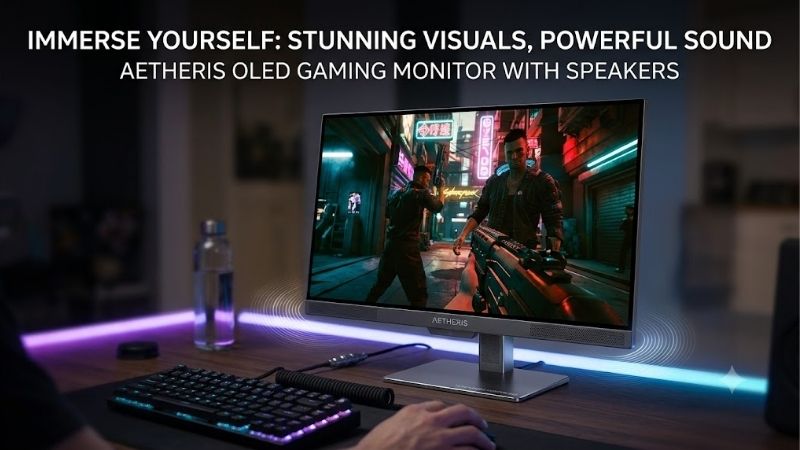
Quick answer: Our top pick in 2026 is the LG UltraGear 32GS95UE-B — our #1 rated choice. See the full ranked comparison, alternatives and buying advice below.
How to Choose an OLED Monitor with Built-In Speakers
This oled gaming monitor with speakers guide compares four models with verified integrated audio. Each recommendation serves a different setup: versatile 4K gaming, compact value, standalone streaming, or a larger screen. Published specifications inform the selections without implying firsthand listening tests or benchmark measurements.
Speaker Hardware and Listening Expectations
Integrated audio saves space, but its design matters beyond wattage comparisons. Small stereo drivers provide convenient playback without external equipment, while a dedicated woofer changes the available speaker arrangement. Ratings alone cannot establish dialogue clarity, bass extension, distortion, or perceived volume at your seating position.
Consider an oled gaming monitor with speakers for convenient everyday audio, especially for casual games and videos. Buyers prioritizing an integrated speaker system should examine alternatives to conventional stereo specifications. The ASUS ROG Swift OLED PG42UQ combines two 10W speakers with a 15W woofer, making it the distinct hardware option.
Resolution and Desktop Footprint
Resolution sets graphics workload as well as image detail. A 2560×1440 display reduces pixel workload compared with 3840×2160, helping less powerful systems maintain frame rates. A 27-inch format also requires less desktop clearance than the larger picks, although it offers less image detail and workspace than similarly positioned 4K alternatives.
Choose the smaller format when native 4K overwhelms your graphics hardware or desktop clearance excludes a 32-inch display. Avoid resolution upgrades that compromise preferred graphics settings. The Gigabyte AORUS FO27Q2 pairs 1440p at 240Hz with integrated stereo audio, making it this shortlist’s compact value candidate.
Refresh Rate and Gaming Flexibility
Refresh rate represents display update frequency rather than guaranteed gaming performance. A 240Hz panel needs sufficient frame delivery to exploit its capacity, while demanding games may underutilize it. A dual-mode display provides additional flexibility, prioritizing native detail in one setting and higher refresh capacity in another.
An oled gaming monitor with speakers can accommodate different gameplay priorities. Switching between detailed adventures and competitive shooters makes dual-mode operation useful, with reduced resolution during faster operation. For that flexibility alongside integrated Pixel Sound audio, choose the LG UltraGear 32GS95UE-B.
Standalone Streaming and Source Requirements
Standalone entertainment features matter if you want sound and video independently of your computer. Integrated streaming apps provide independent entertainment access, but internet access, account requirements, and subscriptions still apply. Conventional gaming monitors depend on a connected source rather than replacing its functions.
Consider smart features if you stream between gaming sessions and prefer one screen for both activities. Their additional interface can feel unnecessary with exclusively PC-based playback. For native entertainment apps, integrated speakers, and a standard 32-inch desktop format, choose the Samsung Odyssey OLED G8 G80SD.
Top Picks
Every oled gaming monitor with speakers below includes sound-producing hardware, rather than merely an audio output. The main differences concern resolution, display size, refresh flexibility, and entertainment features. Compare the practical fit first; spending more on the panel does not automatically establish superior speaker performance.
| Product | Best For | Key Spec | Watch Out For |
|---|---|---|---|
| LG UltraGear 32GS95UE-B | Best Overall | 32-inch class; 4K 240Hz or 1080p 480Hz; Pixel Sound | Faster mode sacrifices resolution |
| Gigabyte AORUS FO27Q2 | Best Value when discounted | 27-inch; 1440p 240Hz; two 5W speakers | USB-C power delivery limited to 18W |
| Samsung Odyssey OLED G8 G80SD | Gaming and Streaming | 32-inch; 4K 240Hz; integrated speakers and Smart TV apps | Smart-platform requirements and app-specific processing |
| ASUS ROG Swift OLED PG42UQ | Large-Screen Gaming | 41.5-inch; 4K up to 138Hz overclocked; two 10W speakers and 15W woofer | Large footprint and no stand height adjustment |
LG UltraGear 32GS95UE-B: Best Overall
The LG UltraGear 32GS95UE-B earns best overall for buyers alternating between detailed games and competitive play. Its 32-inch class OLED display supports 3840×2160 at 240Hz or 1920×1080 at 480Hz. Integrated Pixel Sound with DTS Virtual:X provides convenient everyday audio playback without separate desktop speaker placement.
The compromise is visible detail loss in the faster mode: 1080p sacrifices native 4K definition. Demanding 4K gameplay also requires substantial system performance. Choose this oled gaming monitor with speakers for its adaptable display modes and uncluttered setup, with realistic expectations about integrated audio capabilities.
Gigabyte AORUS FO27Q2: Best Value
The Gigabyte AORUS FO27Q2 is the best value candidate with checkout pricing substantially below the larger 4K picks. Its 27-inch QD-OLED panel combines 2560×1440 resolution with 240Hz and two 5W speakers. That balance suits well-equipped conventional desks and computers favoring high-refresh 1440p over demanding native 4K.
The trade-off is lower native detail than the 4K alternatives, while its USB-C power delivery reaches only 18W. That output cannot sustain most gaming laptops during demanding operation. This oled gaming monitor with speakers makes sense for a desktop setup, especially when discounted; laptop owners still require their standard charger.
Samsung Odyssey OLED G8 G80SD: Best for Gaming and Streaming
The Samsung Odyssey OLED G8 G80SD suits buyers combining PC gaming with independent entertainment. Its 32-inch 3840×2160 OLED panel supports 240Hz, while integrated speakers and Smart TV apps provide computer-independent playback. That combination distinguishes it from conventional monitors that require an external video source.
The drawback is smart-platform complexity: supported apps require internet access, and services need accounts or paid subscriptions. Samsung’s Active Voice Amplifier Pro applies to built-in Smart TV apps, rather than every PC input. Choose this model for its streaming features without assuming audio enhancements across every connected source.
ASUS ROG Swift OLED PG42UQ: Best for Large-Screen Gaming
The ASUS ROG Swift OLED PG42UQ is the large-screen choice, using a 41.5-inch WOLED panel at 3840×2160 with up to 138Hz through overclocking. Its two 10W speakers and separate 15W woofer provide this shortlist’s most elaborate integrated audio arrangement. The broad image suits supported controller games and viewing at increased distances.
Its drawback is physical fit: the supplied stand lacks height adjustment, and the large image can overwhelm a shallow desktop. Its refresh ceiling also trails the 240Hz alternatives. Consider the ASUS for adequate viewing distances and large-format integrated entertainment, rather than choosing it for maximum competitive speed.
Frequently Asked Questions
An oled gaming monitor with speakers can simplify daily listening, but connection settings and realistic expectations still matter. These answers explain how integrated playback differs from headphone output, silent-speaker troubleshooting, and situations favoring external audio equipment. They also address OLED care during routine desktop use.
Do All OLED Gaming Monitors Have Built-In Speakers?
No, OLED gaming monitors do not all include speakers. A headphone connection or advertised audio pass-through only confirms an output path, not integrated drivers. Manufacturers frequently omit speakers despite premium display specifications, so the exact model’s audio specification matters more than its OLED branding or price tier.
Check for an explicit speaker entry, such as the FO27Q2’s two 5W units, before completing checkout. Retailers sometimes group visually similar models within identical listings, making abbreviated titles unreliable. Match the product identifier to the specification sheet without assuming identical audio hardware throughout the manufacturer’s lineup.
Are Monitor Speakers Good Enough for Gaming?
Usually, built-in speakers are adequate for convenient everyday playback, but cannot automatically replace dedicated desktop audio. Cabinet dimensions, driver placement, and processing influence the result beyond rated power. For critical music listening or strong low-frequency effects, separate speakers allow greater purchasing flexibility.
Judge the monitor at your seating distance during the return period, with familiar dialogue and music at comfortable volume. For competitive matches, headphones can reduce game-sound leakage into voice-chat microphones. Decide whether you need casual room playback or precise personal listening before prioritizing integrated audio specifications.
Why Is There No Sound from My Monitor Speakers?
Silent monitor speakers frequently indicate the wrong playback device or muted monitor audio settings. HDMI and DisplayPort can carry audio, but correct computer routing remains necessary. Select the monitor in your operating system’s sound output menu, then check both system volume and the monitor’s own audio controls.
For persistent silence, confirm your cable or adapter supports audio and check that headphone connections are not redirecting playback. Test another application before adjusting advanced configuration. Streaming apps on the Samsung have their own playback context, so standalone sound does not prove the PC’s selected output device is correct.
Does Burn-In Still Matter with Built-In Audio?
Yes, OLED burn-in remains relevant despite expanded entertainment functionality. Repeated bright taskbars, logos, and fixed interfaces can contribute to uneven pixel aging. Built-in protection features manage that exposure, but adding audio cannot alter underlying display technology or eliminate maintenance requirements.
Leave panel-care features active, allow scheduled maintenance to finish following manufacturer instructions, and use automatic sleep during idle periods. Varying displayed content reduces repeated exposure in identical areas. If a fixed work interface occupies the screen throughout your workday, consider an LCD for all-day static-content work.
Final Thoughts
The right oled gaming monitor with speakers depends on your setup. Choose the LG 32GS95UE-B for display flexibility, the Gigabyte FO27Q2 for discounted 1440p value, the Samsung G80SD for standalone streaming, or the ASUS PG42UQ for larger-screen entertainment. Confirm desk clearance and audio specifications before choosing an integrated setup.
Ready to decide? Our #1 pick for 2026 is the LG UltraGear 32GS95UE-B.
Live price & availability on Amazon.









