
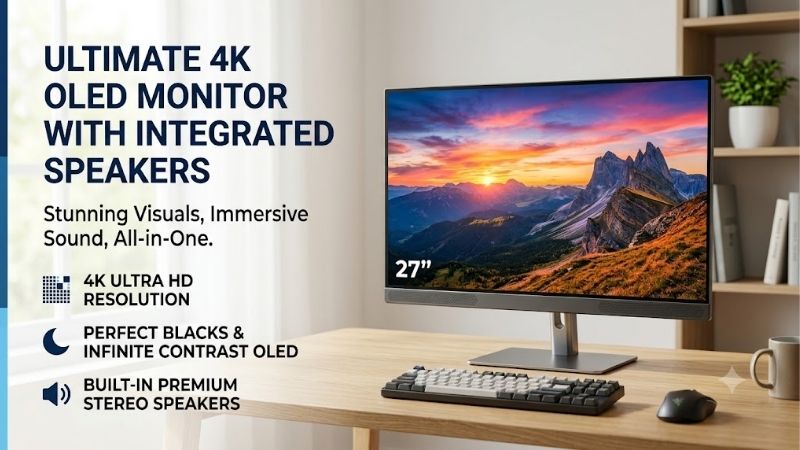
4K OLED monitor with speakers buyers want more than a beautiful panel: they need 4K detail, OLED contrast, smooth gaming, and usable audio without a separate soundbar. Yet sizes, speaker systems, ports, and refresh rates vary widely, so the right choice depends on your room, computer, and everyday listening habits.
How to Choose 4K OLED Monitors
A 4k oled monitor with speakers can make games and films look particularly impressive, but integrated audio ranges from basic convenience to systems with a dedicated woofer. This guide compares four monitors, explains their trade-offs, and matches each model to a practical use case before you spend premium-display money.
Match Screen Size to Your Desk
Screen size affects viewing distance, desk depth, and how comfortably you scan a game or timeline. A 42-inch panel suits a spacious desk or media setup; 48 inches feels closer to a television and requires considerably more space. Measure the stand footprint and seating distance before choosing, especially for close viewing.
For a 42-inch format, the ASUS ROG Swift OLED PG42UQ and Philips Evnia 42M2N8900 deliver 3840 × 2160 resolution without 48-inch scale. For couch gaming or a deep desk, the LG UltraGear 48GQ900-B and Acer Predator CG48 provide a larger 48-inch 4K OLED image, but need more placement room and can crowd smaller desks quickly.
Check Refresh Rate and Connections
A 4K panel is only as useful as the refresh rate and input your computer or console can deliver. These models reach up to 138Hz, although some use overclocking for that ceiling. Check HDMI 2.1 for modern consoles, DisplayPort for PC flexibility, and variable refresh rate support before buying across every intended device.
The ASUS PG42UQ, Philips Evnia 42M2N8900, and LG 48GQ900-B all target smooth 4K play, while Acer Predator CG48 adds multiple HDMI inputs. Refresh rate alone cannot guarantee high frame rates, so match the LG UltraGear 48GQ900-B for console use or the Acer Predator CG48 for several devices to your game’s supported modes and inputs.
Compare Speaker Power and Design
Speaker wattage helps compare systems, but enclosure size, tuning, placement, and room acoustics also shape clarity. Built-in audio handles dialogue, casual gaming, and everyday video well, yet compact monitor speakers rarely deliver deep bass or spacious sound as effectively as dedicated speakers or headphones for serious listening.
The ASUS ROG Swift OLED PG42UQ has two 10W speakers plus a 15W woofer, while the LG UltraGear 48GQ900-B lists two 20W speakers. Those picks prioritize richer integrated audio; the Philips Evnia 42M2N8900 and Acer Predator CG48 offer built-in stereo for everyday gaming without extra audio hardware, including casual streaming.
Consider Laptop Features and OLED Care
For laptop docking, confirm USB-C video and power delivery instead of assuming every USB-C port charges a computer. Review burn-in protections and warranty terms if static windows, editing timelines, or game HUDs stay onscreen for hours; protective features reduce risk but cannot eliminate uneven pixel wear over time or guarantee coverage.
The Philips Evnia 42M2N8900 offers USB-C with up to 90W delivery and KVM functions; the Acer Predator CG48 provides up to 65W for compatible laptops. A 4k oled monitor with speakers used mainly with desktop PCs or consoles may favor ASUS or LG instead, where audio and gaming connectivity take priority over docking every day.
Top Picks
The best 4k oled monitor with speakers is not automatically the largest screen or the highest wattage rating. ASUS balances gaming and audio, Philips adds laptop conveniences, LG emphasizes speaker output, and Acer accommodates several connected devices. Verify regional specs, stock, and warranty terms before checkout.
| Product | Best For | Key Spec | Watch Out For |
|---|---|---|---|
| ASUS ROG Swift OLED PG42UQ | Best Overall | 41.5-inch 4K, up to 138Hz; 10W × 2 plus 15W woofer | Large footprint; 138Hz is overclocked |
| Philips Evnia 42M2N8900 | Best Value | 41.54-inch 4K, up to 138Hz; USB-C 90W; 10W × 2 | Large for close desk work; max refresh is overclocked |
| LG UltraGear 48GQ900-B | Best for Built-In Sound | 47.53-inch 4K, 120Hz native / 138Hz OC; 20W × 2 | Requires substantial space; older feature set |
| Acer Predator CG48 | Best for Multi-Device Gaming | 48-inch 4K, up to 138Hz; USB-C 65W; stereo speakers | Only one HDMI 2.1 port; no height adjustment |
ASUS ROG Swift OLED PG42UQ — Best Overall
The ASUS ROG Swift OLED PG42UQ is a strong all-round choice for PC and console gamers seeking a large 4K image with audio beyond basic monitor speakers. Its 41.5-inch OLED panel runs at 3840 × 2160 and up to 138Hz, with two 10W Harman Kardon speakers plus a separate 15W woofer for added bass presence in cinematic games.
It includes two HDMI 2.1 ports, DisplayPort 1.4 with DSC, a USB hub, and a remote for easier menu access from a seat. For a 4k oled monitor with speakers, the main downside is its bulky footprint, while 138Hz requires overclocking. Choose it when gaming features and integrated sound both matter before committing desk space.
Philips Evnia 42M2N8900 — Best Value
The Philips Evnia 42M2N8900 suits buyers who want a feature-rich 4K OLED rather than a gaming-only display. Its 41.54-inch panel reaches 3840 × 2160 at up to 138Hz overclocked, with a typical 0.1ms gray-to-gray response, two 10W speakers, and three-sided Ambiglow lighting for extra room immersion rather than a smaller desktop panel.
Its standout feature is flexible connectivity: USB-C supports DisplayPort Alt Mode and up to 90W power delivery, while KVM and picture-by-picture help manage two sources. This benefits a laptop-plus-desktop workspace. The trade-off is the unusually large screen for close text work, and the maximum refresh rate uses overclocking.
LG UltraGear 48GQ900-B — Best for Built-In Sound
The LG UltraGear 48GQ900-B targets gamers prioritizing a 48-inch 4K OLED with substantial integrated audio. Its 47.53-inch panel supports 3840 × 2160, 120Hz natively with an overclocked mode up to 138Hz, and 0.1ms GtG response. LG rates its built-in speakers at 20W each, a strong audio specification by monitor standards.
Three HDMI ports, DisplayPort 1.4, optical audio out, and headphone connectivity suit PC or console rooms. A 4k oled monitor with speakers this large can dominate a typical desk, however, and the model lacks some newer conveniences. Pick it if onboard sound matters more than compact placement or newer productivity features.
Acer Predator CG48 — Best for Multi-Device Gaming
The Acer Predator CG48 fits serious gamers connecting a PC, console, and laptop to one display. Its 48-inch 4K OLED supports up to 138Hz and a rated 0.01ms pixel response, while AMD FreeSync Premium helps reduce tearing with compatible hardware. Acer includes stereo speakers rated at 10W each and a built-in USB hub at home.
One HDMI 2.1 port, three HDMI 2.0 ports, DisplayPort 1.4, and USB-C with up to 65W delivery make this panel versatile. The limitation is that only one HDMI input supports 2.1, and its stand offers little ergonomic adjustment. It works best when desk or wall placement is planned before installation around entertainment centers.
Frequently Asked Questions
For shoppers searching for a 4k oled monitor with speakers, the central question is whether integrated sound can replace separate audio gear. It can cover casual use, but the right answer depends on room size and listening habits, especially whether you care most about dialogue clarity, bass response, or keeping the desk uncluttered.
Are built-in speakers on a 4K OLED monitor good enough?
Yes, built-in speakers are usually adequate for system sounds, calls, tutorials, and casual video playback; stronger models can handle games without extra equipment. The ASUS PG42UQ adds a dedicated woofer, while the LG 48GQ900-B is rated for two 20W speakers, giving both a useful hardware advantage for fuller playback daily.
No monitor speakers should be expected to replace a soundbar or headphones for detailed music, strong bass, or clear audio at high volume. A 4k oled monitor with speakers may be enough for a small room or shared workspace; cinematic impact and competitive positional cues still benefit from separate audio gear in offices.
Does every 4K OLED monitor include speakers?
No. Some premium gaming monitors omit speakers or provide only audio passthrough, so verify the exact model’s official specification sheet. All four picks here list built-in speakers, but their power ratings and sound designs differ despite offering 4K OLED imagery, high refresh rates, and deep-black contrast for entertainment.
Also confirm that audio routes correctly from your computer or console through HDMI, DisplayPort, or USB-C. A headphone jack or optical output is not a built-in speaker system, and audio output alone does not prove the monitor has its own speakers. Check the listing before ordering, and verify the active source and system output.
Can these monitors run 4K at 120Hz with a console?
Yes, these monitors are built for high-refresh 4K use, but actual output depends on console support, the game, the selected input, and cable. The LG 48GQ900-B specifies 4K at 120Hz through HDMI 2.1, while Acer documents 4K 120Hz on compatible consoles through its HDMI 2.1 connection, but only with supported games and settings.
For ASUS and Philips, check supported console modes and input settings too. A 138Hz specification does not mean a console will output 138Hz; that higher ceiling mainly benefits compatible PC configurations, and each game must support the desired resolution and refresh combination. Use a suitable HDMI cable for the intended mode.
Is a 42-inch or 48-inch OLED monitor better for a desk?
A 42-inch model is generally easier to accommodate at a desk, while 48 inches suits deeper desks, sofa-based gaming, or a personal gaming display. The ASUS PG42UQ and Philips Evnia 42M2N8900 use 42-inch-class panels; Acer and LG provide 48-inch-class screens with a broader physical footprint that may overwhelm compact desks.
Measure the width, stand depth, and eye distance before deciding; all four are 16:9 screens rather than compact desktop monitors. If small text dominates your day, a smaller 4K panel may be more comfortable. For movies and immersive games, the larger options can feel more engaging when viewed farther away, especially in darker rooms.
Final Thoughts
The best 4k oled monitor with speakers depends on whether you value richer onboard audio, laptop connectivity, or an expansive gaming image. Choose ASUS PG42UQ for balanced gaming and its woofer, Philips Evnia 42M2N8900 for USB-C docking, LG 48GQ900-B for stronger rated speaker output, or Acer Predator CG48 for multi-device flexibility.









