
Choosing between an ASUS and MSI monitor is less about finding the better brand and more about identifying which specific display delivers the features, image quality, and performance your setup actually needs. Both companies offer gaming monitors ranging from affordable IPS displays to high-refresh-rate OLED models, but their individual products differ significantly in motion clarity, connectivity, ergonomics, and price.
- ASUS vs MSI Monitor: Quick Comparison
- ASUS and MSI Gaming Monitor Lineups Explained
- Gaming Performance: Is ASUS or MSI Better?
- Picture Quality: ASUS vs MSI
- Features and Connectivity: Which Brand Is More Practical?
- ASUS vs MSI for Different Gaming Setups
- Price and Value: Is MSI Cheaper Than ASUS?
- Reliability, Warranty, and OLED Burn-In
- Common Mistakes When Comparing ASUS and MSI Monitors
- Frequently Asked Questions
- Final Verdict: Should You Buy an ASUS or MSI Monitor?
- Editorial Source Log
For competitive gaming, ASUS has compelling options in its ROG Swift and ROG Strix families, including high-refresh-rate displays with specialized motion-handling features. MSI competes with its MAG and MPG lines, offering alternatives with useful gaming and productivity features, including USB-C connectivity and KVM switching on selected models.
The short answer: choose ASUS when a particular ROG model delivers stronger motion performance, console compatibility, or the display features you prioritize. Choose MSI when its corresponding model offers the better combination of panel quality, connectivity, ergonomics, and actual selling price.
Neither brand wins every category. Published comparisons from RTINGS demonstrate that the outcome changes depending on the exact models being evaluated.
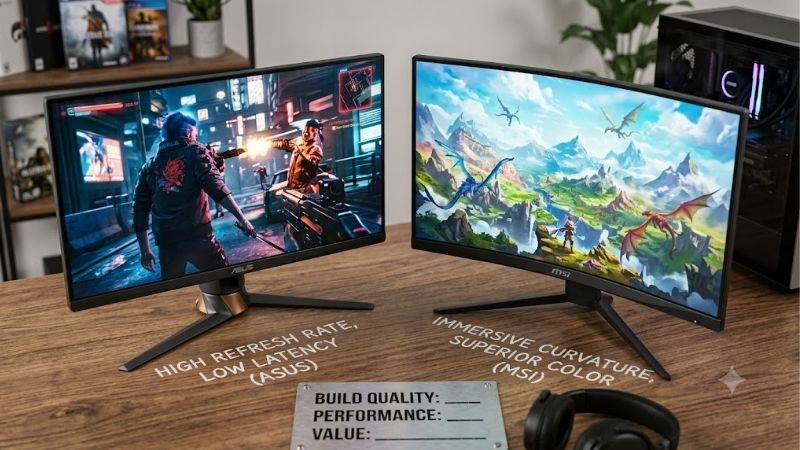
ASUS vs MSI Monitor: Quick Comparison
| Feature | ASUS monitors | MSI monitors |
|---|---|---|
| Gaming product lines | TUF Gaming, ROG Strix, ROG Swift | G Series, MAG, MPG |
| Common panel options | IPS, OLED, and other LCD technologies | IPS, VA, OLED, and other LCD technologies |
| High-refresh-rate gaming | Strong competitive gaming options | Strong competitive gaming options |
| Motion clarity | Model-dependent; some excellent tested results | Model-dependent; some excellent tested results |
| Color reproduction | Depends on panel and calibration | Depends on panel and calibration |
| OLED technology | Selected WOLED and QD-OLED models | Selected QD-OLED and other OLED models |
| Adaptive sync | Available on selected models | Available on selected models |
| USB-C connectivity | Available on selected models | Available on selected models |
| KVM functionality | Available on selected models | Available on selected models |
| Best reason to buy | A specific model excels at your gaming requirements | A specific model offers your preferred feature combination |
This is a comparison of product families rather than a guarantee that every monitor from either manufacturer includes these features.
ASUS and MSI Gaming Monitor Lineups Explained
ASUS TUF Gaming, ROG Strix, and ROG Swift
ASUS separates its gaming monitors into multiple product families serving different performance targets.
TUF Gaming monitors generally address mainstream gaming needs, with options for players seeking higher refresh rates without necessarily purchasing the most expensive display technology.
ROG Strix targets gaming enthusiasts who want stronger feature sets, high-refresh-rate panels, and additional gaming controls. The ROG Strix XG27ACS, for example, combines a 27-inch 1440p Fast IPS panel with a maximum 180Hz refresh rate.
ROG Swift includes premium gaming products, including OLED monitors intended for buyers who prioritize image quality, competitive response behavior, or exceptionally high refresh rates.
However, a ROG label alone does not guarantee superior performance. A specific ROG display must still be evaluated for overshoot, response consistency, brightness, input lag, and overall value.
MSI G Series, MAG, and MPG
MSI offers gaming monitors across several product families.
Its G Series includes accessible gaming displays that prioritize core features such as high refresh rates, adaptive synchronization, and practical screen resolutions.
MAG monitors address mainstream and enthusiast buyers, with specifications varying substantially across individual models.
MPG models include more feature-rich displays, particularly OLED gaming monitors with additional connectivity and multitasking capabilities.
For instance, the MSI MPG 271QRX QD-OLED combines a 1440p QD-OLED panel with a 360Hz maximum refresh rate, USB-C connectivity, and a KVM switch.
MSI’s lineup should not be assumed to provide better value simply because a model belongs to the MAG or MPG family. Panel quality, verified performance, and the actual price matter more than the series designation.
Gaming Performance: Is ASUS or MSI Better?
Refresh Rate and Competitive Gaming
Refresh rate determines how frequently a monitor can update its image.
A 144Hz monitor refreshes approximately every 6.94 milliseconds, while a 180Hz display refreshes approximately every 5.56 milliseconds. At 240Hz, that interval drops to approximately 4.17 milliseconds.
These differences can contribute to a smoother gaming experience when the computer delivers sufficiently high frame rates.
However, a monitor with a higher refresh rate does not automatically have clearer motion. Pixel transitions, overshoot, input processing, and motion-blur behavior are also important.
Consider two actual displays:
| Specification | ASUS ROG Strix XG27ACS | MSI G274QPF E2 |
|---|---|---|
| Screen size | 27 inches | 27 inches |
| Native resolution | 2560 × 1440 | 2560 × 1440 |
| Panel | Fast IPS | Rapid IPS |
| Maximum refresh rate | 180Hz | 180Hz |
| Advertised response time | 1ms GtG | 1ms GtG |
| Typical brightness | 350 nits | 400 nits |
| DisplayPort | 1.4 | 1.4a |
| USB-C video input | Yes | Yes |
| USB-C power delivery | 7.5W | 15W |
| Height adjustment | 120mm | 130mm |
Both offer similar core gaming specifications. MSI advertises higher typical brightness and stronger USB-C power delivery, while ASUS offers specific blur-reduction and gaming-control features.
These specifications do not establish which has better real-world response behavior. A reliable motion-performance conclusion would require comparable independent measurements on these exact two models.
Response Time and Motion Clarity
Manufacturers commonly advertise response times such as 1ms GtG, but these figures should not be interpreted as guaranteed performance across every refresh rate and overdrive setting.
Gray-to-gray response time measures how quickly pixels transition between certain shades. Different manufacturers can use different measurement conditions or select favorable transitions for their advertised figures.
Actual gaming performance depends on more than one transition result.
A useful independent review should examine response behavior across the supported refresh-rate range, whether aggressive overdrive introduces inverse ghosting, and whether the monitor maintains a suitable overdrive setting when variable refresh rate is active.
In RTINGS’ comparison of the ASUS ROG Strix XG27ACS and MSI G274QPF-QD, ASUS performed better for gaming overall because of superior motion handling and stronger console compatibility.
Importantly, the G274QPF-QD is not the same model as the G274QPF E2. Their performance results should not be treated as interchangeable.
Input Lag and Responsiveness
Input lag is the delay between a signal reaching the monitor and the resulting image appearing on screen.
For competitive gaming, lower input lag helps actions feel more immediate, particularly when the system consistently produces high frame rates.
Both ASUS and MSI sell monitors designed for low-latency gaming. Nevertheless, gaming branding, response-time advertisements, and maximum refresh rates are insufficient to establish actual input lag.
When comparing specific models, favor independent measurements made at the same refresh rate and resolution.
Avoid assuming that a 360Hz MSI display will always feel more responsive than every 240Hz ASUS monitor, or vice versa. The actual panel and signal-processing behavior must support that conclusion.
Picture Quality: ASUS vs MSI
IPS Panels for Everyday Gaming
IPS monitors remain practical for gamers who want sharp text, generally stable viewing angles, and reasonable performance for both gaming and daily work.
ASUS and MSI offer a variety of IPS models with 1080p, 1440p, and 4K resolutions.
For a typical 27-inch gaming setup, 2560 × 1440 provides a useful balance of desktop space and GPU demands.
At approximately 109 pixels per inch, a 27-inch 1440p monitor produces noticeably denser text and interface details than a 27-inch 1080p display, which has approximately 82 pixels per inch.
The ASUS XG27ACS and MSI G274QPF E2 both use 27-inch 1440p IPS-type panels, making them appropriate examples of this category.
Their stated 1000:1 typical contrast ratios also illustrate a common IPS limitation: black areas may appear grayish in dark environments compared with OLED displays.
Neither monitor should be purchased primarily for an exceptional HDR experience based only on its DisplayHDR 400 certification.
OLED Panels for Contrast and HDR Gaming
OLED technology changes the comparison substantially.
Unlike conventional LCD displays, OLED panels control light at the individual-pixel level. This allows black pixels to turn off, producing extremely deep blacks and excellent contrast in dark scenes.
OLED panels also generally deliver very fast pixel transitions, which can improve perceived motion clarity.
Consider two premium gaming displays:
| Specification | ASUS ROG Swift OLED PG27AQDP | MSI MPG 271QRX QD-OLED |
|---|---|---|
| Screen size | 27-inch class | 27-inch class |
| Resolution | 2560 × 1440 | 2560 × 1440 |
| Panel technology | WOLED | QD-OLED |
| Maximum refresh rate | 480Hz | 360Hz |
| Primary distinction | Higher refresh ceiling | QD-OLED color characteristics and productivity connectivity |
| Relevant buyer | Competitive gamer prioritizing refresh rate | Mixed-use gamer seeking connectivity and vibrant color |
Independent RTINGS comparisons found that ASUS offers the higher refresh rate and stronger brightness performance in well-lit environments, while MSI provides more vivid colors and additional productivity features, including USB-C and KVM functionality.
These are model-specific results, not conclusions about all WOLED and QD-OLED monitors.
Color Accuracy and Creative Work
Neither ASUS nor MSI can be declared the more color-accurate brand without model-specific testing.
Manufacturers frequently advertise color-gamut coverage using percentages of sRGB, DCI-P3, or Adobe RGB. These figures describe different color spaces and do not directly establish color accuracy.
For photo editing or design work, prioritize:
-
Measured color accuracy in an appropriate picture mode.
-
Reliable sRGB behavior for standard web content.
-
Adobe RGB coverage when relevant to a specific print workflow.
-
White-point consistency and grayscale accuracy.
-
Uniformity across the screen.
-
Calibration controls and support for appropriate color profiles.
Wide-gamut coverage is useful only when it matches the intended workflow.
For example, a monitor that covers a large DCI-P3 gamut but lacks a reliable sRGB mode can display some unmanaged SDR content with exaggerated saturation.
Both brands offer potentially suitable monitors for mixed creative work. Independent measurements should determine the final choice.
Features and Connectivity: Which Brand Is More Practical?
Adaptive Sync and Screen Tearing
Variable refresh rate (VRR) helps a monitor synchronize its refresh timing with the graphics card’s frame output.
This reduces tearing and can improve perceived smoothness when frame rates fluctuate.
Both ASUS and MSI offer monitors with Adaptive-Sync, AMD FreeSync, and selected NVIDIA G-SYNC compatibility certifications.
However, support varies by model, connection type, and firmware.
Before choosing a monitor, check whether VRR works through DisplayPort and HDMI, whether the desired refresh rate is supported, and whether independent reviewers report flickering or other issues.
ASUS offers ELMB Sync on selected gaming monitors, combining backlight strobing with VRR under supported conditions. This can improve motion clarity, but strobing may reduce brightness or introduce artifacts.
MSI also offers model-specific motion features. Neither manufacturer’s motion-processing modes should be assumed to perform equally across its lineup.
USB-C, KVM, and Multi-Device Setups
Connectivity can make a bigger difference than small gaming-specification advantages.
For example, the ASUS ROG Strix XG27ACS supports USB-C video input with 7.5W power delivery. The MSI G274QPF E2 also accepts video over USB-C but provides up to 15W power delivery.
Neither is an ideal one-cable charging solution for a typical performance laptop.
The MSI MPG 271QRX QD-OLED goes further by offering USB-C power delivery up to 90W and an integrated KVM feature.
A KVM switch allows a compatible keyboard and mouse setup to control multiple connected computers, which can be particularly useful when alternating between a gaming PC and work laptop.
For buyers who frequently switch devices, the presence of a KVM switch and sufficient USB-C charging power may be more valuable than a modest refresh-rate improvement.
Still, these features belong to specific models. Not every MSI MPG monitor includes identical USB capabilities, and ASUS also sells models with productivity-oriented connectivity.
Stand Adjustment and Desk Compatibility
Ergonomics should not be overlooked when purchasing a gaming monitor.
Height adjustment, tilt, swivel, and pivot functionality determine how easily the display can be positioned for comfortable viewing.
The MSI G274QPF E2 offers 130mm of height adjustment along with tilt, swivel, and pivot controls.
The ASUS ROG Strix XG27ACS provides 120mm of height adjustment and tilt functionality. Its official specification does not list swivel or pivot adjustment.
This gives the MSI an advantage for users who need a more flexible included stand.
Monitor arms are another option, but mounting compatibility must be checked before purchasing. The ASUS XG27ACS uses a 100 × 100mm VESA pattern, while the MSI G274QPF E2 uses 75 × 75mm.
Desk depth matters as well. A large stand can consume useful keyboard and mouse space, even when the screen size is identical.
ASUS vs MSI for Different Gaming Setups
Competitive FPS Games
For Counter-Strike 2, Valorant, Apex Legends, and other fast-paced multiplayer games, prioritize motion clarity, low input lag, and refresh-rate consistency.
ASUS offers strong competitive options, including the ROG Swift OLED PG27AQDP with its 480Hz refresh rate.
The MSI MPG 271QRX QD-OLED operates at up to 360Hz, which also places it well beyond conventional 144Hz and 180Hz gaming monitors.
At maximum refresh rates, the theoretical frame intervals are approximately 2.08ms for 480Hz and 2.78ms for 360Hz.
The difference is measurable, but its practical importance depends on game performance, player sensitivity, and actual monitor response behavior.
An esports player whose PC consistently produces extremely high frame rates may have a reason to prioritize 480Hz. Someone who usually plays at 150–200 FPS may find greater value in other features.
Single-Player and Story-Driven Games
For cinematic games, contrast, color performance, resolution, and HDR capability often matter more than extremely high refresh rates.
OLED displays from both companies are attractive choices because of their per-pixel lighting and strong contrast characteristics.
The MSI MPG 271QRX QD-OLED is especially interesting for buyers who want a QD-OLED gaming display with versatile connectivity.
An ASUS OLED monitor may be preferable when its measured brightness, panel coating, or motion characteristics better fit the user’s room and gaming preferences.
For visually detailed single-player gaming, paying substantially more solely to move from 360Hz to 480Hz is unlikely to be the most efficient allocation of a limited budget.
Gaming and Office Work
For mixed gaming and productivity, consider text clarity, USB connectivity, ergonomic adjustment, and the risk associated with displaying static content.
A 27-inch 1440p IPS monitor is a practical starting point for many users.
The MSI G274QPF E2 offers useful stand adjustments, while the ASUS XG27ACS provides comparable resolution and refresh rate with a different set of gaming features.
OLED can also work for mixed usage, but buyers who spend long periods viewing spreadsheets, code editors, browser interfaces, or other static elements should understand potential burn-in concerns.
Screen-care functions help reduce risk, but they do not eliminate it.
For productivity-focused buyers who do not specifically need OLED contrast, an IPS display may offer a more straightforward ownership experience.
PS5 and Xbox Gaming
Console compatibility requires more than checking a monitor’s maximum refresh rate.
Current-generation consoles generally target up to 120Hz output in supported games and display modes. A monitor’s 180Hz, 360Hz, or 480Hz specification does not mean the console will output at those rates.
Check the exact monitor’s supported HDMI resolution and refresh combinations, VRR compatibility, HDR behavior, and how it handles console output formats.
The MSI MPG 271QRX QD-OLED includes HDMI 2.1 connections and console-focused features.
RTINGS also found the ASUS ROG Strix XG27ACS offered better console compatibility than the MSI G274QPF-QD in their direct comparison.
That result demonstrates why brand-wide assumptions are unreliable. An MSI monitor can have stronger console connectivity than one ASUS alternative while another ASUS monitor can outperform a different MSI model.
Price and Value: Is MSI Cheaper Than ASUS?
There is no reliable rule that MSI monitors are always cheaper than ASUS monitors.
Both companies sell products across different market segments, and discounts can significantly change the value equation.
An ASUS monitor with better tested motion clarity may justify a higher price for competitive players.
An MSI alternative could be more attractive if it provides additional USB connectivity, a more adjustable stand, or comparable gaming performance at a lower verified selling price.
The correct approach is to compare equivalent models rather than brand names.
Use the following priorities:
| Buying priority | What to compare first |
|---|---|
| Budget gaming | Resolution, refresh rate, measured response performance |
| Competitive esports | Motion clarity, input lag, refresh rate |
| Single-player gaming | Contrast, HDR performance, resolution |
| Gaming and work | Text clarity, USB-C, KVM, ergonomic adjustments |
| Console gaming | HDMI modes, 120Hz support, VRR, HDR behavior |
| Premium OLED | Panel technology, brightness, coating, burn-in warranty |
| Long-term ownership | Warranty terms, support access, firmware history |
Static prices are intentionally omitted because a meaningful price comparison requires current US listings for the same purchase date, condition, and exact models.
An attractive specification sheet does not establish good value if the selling price is significantly higher than an equally capable alternative.
Reliability, Warranty, and OLED Burn-In
Neither ASUS nor MSI can be reliably declared the longer-lasting monitor brand without representative failure-rate data.
Product reliability can vary across panel generations, manufacturing revisions, operating conditions, and individual models.
Anecdotal reports about dead pixels, backlight bleeding, firmware issues, or premature failures may identify problems worth investigating, but they should not be treated as universal evidence against an entire manufacturer.
Warranty coverage is particularly important when considering OLED monitors.
MSI’s official specifications for the MPG 271QRX QD-OLED state a three-year warranty that includes panel burn-in coverage.
However, that statement should not be generalized to every MSI OLED product or every market.
For an ASUS OLED monitor, check the applicable US product warranty documentation rather than assuming it provides identical terms.
Before purchasing either brand, verify the warranty duration, covered defects, OLED burn-in conditions where applicable, exclusions, and whether the retailer is an authorized seller.
Buyers should also understand the store’s return policy. A favorable warranty does not necessarily provide the same flexibility as a convenient initial return period.
Common Mistakes When Comparing ASUS and MSI Monitors
Choosing by Brand Instead of Exact Model
A premium ASUS display should not be compared directly with an entry-level MSI monitor to establish which manufacturer is better.
Match resolution, screen size, panel type, refresh rate, and approximate price before evaluating performance differences.
Assuming Advertised 1ms Response Times Are Equal
Two monitors advertising 1ms GtG may exhibit significantly different real-world behavior.
Look for independent response-time testing, overshoot analysis, and motion clarity measurements across different refresh rates.
Paying for Refresh Rates the PC Cannot Use
A 360Hz or 480Hz monitor can be impressive, but buyers need a suitable CPU, GPU, and game workload to benefit fully.
For demanding single-player games, higher resolution or better HDR may offer a more noticeable improvement than an extreme refresh rate.
Confusing HDR Support With Good HDR Performance
HDR signal acceptance and basic HDR certification do not guarantee convincing highlights or deep black levels.
Panel contrast, local dimming performance, brightness behavior, and color capabilities determine the experience.
Ignoring Model Suffixes
Monitor names can differ by only a few letters while representing different panels, refresh rates, or feature sets.
The MSI G274QPF, G274QPF-QD, and G274QPF E2 should not be treated as identical.
Always verify the full product name before applying review results or technical specifications to a purchase decision.
Frequently Asked Questions
Is ASUS Better Than MSI for Gaming Monitors?
Not universally. Some ASUS monitors demonstrate stronger motion handling or console compatibility than specific MSI competitors, while some MSI displays offer better connectivity or more suitable features for mixed gaming and productivity.
Compare exact models using independent measurements and current prices.
Are MSI Monitors Good for Competitive Gaming?
Yes. MSI offers high-refresh-rate gaming monitors, including OLED models operating at 360Hz and beyond.
However, competitive suitability depends on actual response behavior, input lag, and the performance of the connected gaming PC.
Are ASUS Monitors Better for Color Accuracy?
Not automatically. Both manufacturers sell displays with wide color gamuts, but actual color accuracy depends on factory calibration, picture modes, panel characteristics, and the intended color space.
Measured accuracy is more useful than brand reputation or advertised gamut percentages.
Which Is Better for PS5, ASUS or MSI?
Either brand can be suitable. The most important considerations are supported HDMI output modes, 120Hz operation, variable refresh rate compatibility, and HDR performance.
Evaluate the exact monitor rather than assuming a high PC refresh rate guarantees equivalent console compatibility.
Are ASUS or MSI OLED Monitors Worth Buying?
OLED can be worthwhile for buyers prioritizing deep blacks, high contrast, and fast pixel transitions.
However, OLED monitors generally require greater consideration of static-content usage, panel-care features, warranty terms, and cost than conventional IPS displays.
Which Brand Offers Better Value?
Whichever exact monitor meets your requirements at the more attractive verified price.
For example, a lower-priced 1440p IPS monitor with adequate motion performance may be better value for a casual gamer than an expensive OLED model.
For an enthusiast who prioritizes HDR and contrast, the OLED upgrade may be worth the additional expense.
Final Verdict: Should You Buy an ASUS or MSI Monitor?
ASUS and MSI are both credible choices for gaming displays, but neither brand consistently wins across every monitor category.
Choose ASUS when a specific ROG or TUF model offers superior independently researched motion clarity, console behavior, or gaming features that matter to you. The ROG Strix XG27ACS demonstrates that ASUS can be particularly competitive in mainstream 1440p gaming.
Choose MSI when an equivalent model better satisfies your requirements for connectivity, ergonomic adjustment, panel characteristics, or purchase price. The G274QPF E2 offers a practical 1440p IPS feature set, while the MPG 271QRX QD-OLED is an example of a premium gaming monitor combining high refresh rates with productivity-oriented connectivity.
For most buyers, the smartest decision is to shortlist two or three monitors with similar screen sizes, resolutions, and prices, then compare their verified specifications and independent test results.
The better monitor is not the one with the more recognizable gaming logo. It is the one that delivers the right performance and features for your particular setup without requiring you to pay for capabilities you will rarely use.
Editorial Source Log
Editorial reference material only. This section is separate from the public article body. Sources were accessed October 11, 2026. Specifications and third-party test conclusions should remain associated with their exact model variants.
| Claim or model | Verified source and supporting information |
|---|---|
| ASUS ROG Strix XG27ACS | ASUS official specifications — 27-inch Fast IPS, 1440p, 180Hz, HDMI and DisplayPort modes, 7.5W USB-C power delivery, stand adjustments and VESA mounting. |
| MSI G274QPF E2 | MSI official specifications — 27-inch Rapid IPS, 1440p, 180Hz, typical brightness, 15W USB-C power delivery and ergonomic adjustment. |
| ASUS XG27ACS vs MSI G274QPF-QD | RTINGS independent comparison — ASUS advantage in tested motion handling and console compatibility. Updated February–March 2026 for the respective products. |
| ASUS PG27AQDP vs MSI MPG 271QRX | RTINGS OLED comparison — different refresh rates, panel types, brightness behavior, color characteristics, and productivity features. |
| MSI MPG 271QRX QD-OLED | MSI official OLED specifications — QD-OLED, 1440p, 360Hz, HDMI 2.1, 90W USB-C power delivery and stated three-year burn-in coverage. |
| MSI MPG 271QRX functionality | MSI official feature documentation — KVM functionality, OLED Care features and console-focused connectivity. |
| Older ASUS vs MSI comparison | RTINGS VG279Q vs Optix G272 — provides another illustration that ergonomic performance, brightness, reflections and motion clarity can favor different products. |
Verification Limitations
-
This article is based on manufacturer specifications and identified independent published testing, not original detailed research.
-
No live, matched Amazon US product listings, ASINs, selling prices, or retailer availability were verified. No claim of current Amazon availability is made.
-
The ASUS XG27ACS and MSI G274QPF E2 comparison is specification-based. Independent test findings for the MSI G274QPF-QD were not transferred to the E2 variant.
-
Manufacturer brightness and response-time figures are advertised specifications, not independently measured results.
-
US warranty terms should be checked against the specific model’s applicable warranty documentation before publication or purchase.
-
No brand-wide reliability ranking is claimed because representative failure-rate evidence was not established.









