
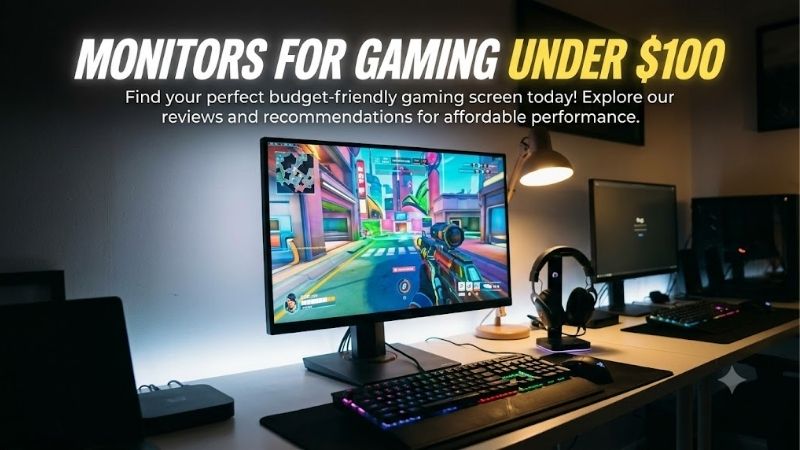
A limited monitor budget does not mean you have to settle for a basic 60Hz display. The monitors for gaming under $100 market includes Full HD screens with refresh rates of 120Hz, 144Hz, and even 200Hz, along with adaptive sync and useful connectivity. For a combination of responsiveness and gaming features, the onn. 25-inch 200Hz monitor is worth considering, while the Dell SE2426H offers an IPS panel and 144Hz refresh rate from a major manufacturer. Cheaper alternatives from MSI and Sceptre make sense when minimizing cost matters more than getting the highest refresh rate.
- Best monitors for gaming under $100 at a glance
- How we selected monitors for gaming under $100
- onn. 25-inch 200Hz gaming monitor: Best for high-refresh gaming
- Dell SE2426H: Best all-round gaming monitor
- MSI PRO MP243L E14: Best affordable IPS option
- Sceptre E225W-FW144 Series: Best inexpensive gaming display
- MSI PRO MP225 E12VL: Best low-cost VA monitor
- Sceptre C248W-FW100T: Best curved monitor under $100
- How to choose monitors for gaming under $100
- Frequently asked questions
- Final verdict
Quick answer: Our top pick in 2026 is the Monitor — our #1 rated choice. See the full ranked comparison, alternatives and buying advice below.
Best monitors for gaming under $100 at a glance
The best choice depends on whether you prioritize competitive gaming, picture contrast, a compact desk, or everyday productivity alongside games. These six options were associated with US prices below $100 during the research period. Prices exclude applicable taxes and may change.
| Monitor | Best for | Resolution and refresh rate | Main drawback |
|---|---|---|---|
| onn. 25-inch 200Hz Gaming Monitor | Best for high-refresh gaming | 24.5-inch, 1080p, 200Hz | Panel technology and measured motion performance need further verification |
| Dell SE2426H | Best all-round choice | 23.8-inch IPS, 1080p, 144Hz | Basic stand and no DisplayPort |
| MSI PRO MP243L E14 | Best affordable IPS option | 23.8-inch IPS, 1080p, 144Hz | Limited connectivity and stand adjustment |
| Sceptre E225W-FW144 Series | Best inexpensive gaming display | 22-inch-class, 1080p, up to 144Hz | Smaller screen and limited independent testing |
| MSI PRO MP225 E12VL | Best low-cost VA option | 21.45-inch VA, 1080p, 120Hz | Smaller viewing area |
| Sceptre C248W-FW100T | Best curved monitor | 23.6-inch VA, 1080p, 100Hz | Less suitable for demanding competitive play |
The onn. is the strongest specification-led choice for refresh rate, but that does not automatically make it the best monitor for every gamer. The Dell and MSI options offer more conventional IPS configurations, while the Sceptre C248W-FW100T prioritizes curved viewing and contrast over maximum refresh rate.
How we selected monitors for gaming under $100
This roundup focuses on exact product variants with documented Full HD resolution and refresh rates suitable for gaming. Manufacturer pages were used to check core specifications, while US retailers provided price and availability context. The shortlist includes both dedicated gaming displays and affordable multipurpose monitors that offer adaptive sync or higher-than-standard refresh rates.
The distinction matters because a monitor’s marketing label does not establish its real-world motion quality. A 200Hz screen may refresh more frequently than a 144Hz model, but response times, overdrive behavior, frame-rate consistency, and input lag also influence the experience.
No detailed research or head-to-head laboratory measurements are claimed. The recommendations are based on documented specifications and practical differences, not invented FPS results or unsupported response-time rankings. Prices were checked on October 14, 2026, and are treated as snapshots. Some offers come from marketplace retailers, so confirm the exact seller, condition, warranty, and return terms before paying.
onn. 25-inch 200Hz gaming monitor: Best for high-refresh gaming
The onn. 25-inch FHD Gaming Monitor offers one of the more ambitious refresh-rate specifications available within this budget. Walmart lists a 24.5-inch display with a native resolution of 1920 × 1080 and a maximum refresh rate of 200Hz. It supports AMD FreeSync Premium and includes two HDMI ports, one DisplayPort, a headphone jack, and built-in speakers.
Walmart listings showed prices ranging from $89 to $99 during the research period, keeping this model within the target budget. The available offers and seller details can vary, so check the specific listing rather than assuming every option has the same condition or return policy.
The main reason to consider it is the refresh rate. A compatible PC can send up to 200 frames per second to the display, allowing smoother motion than a 60Hz monitor when the game can sustain a sufficiently high frame rate. FreeSync Premium can also help reduce tearing when the frame rate fluctuates within its supported range.
The supplied DisplayPort and HDMI cables are useful extras because reaching a high refresh rate depends on the correct connection and display settings. Its height-adjustable stand also provides more flexibility than the tilt-only stands found on many entry-level monitors. The stand supports height adjustment, tilt, swivel, and portrait rotation.
There is one important limitation: the accessible product information does not establish the exact panel technology or provide independent laboratory measurements of response time, ghosting, or input lag. Walmart’s advertised 1ms response-time claim should not be treated as a verified measurement of every pixel transition. The built-in speakers are convenient, but they should not replace headphones or dedicated speakers if sound quality matters.
Buy it if you want the highest refresh-rate specification in this group and your PC can deliver high frame rates. Skip it if you prioritize independently measured motion performance, a well-documented panel design, or a manufacturer-direct buying experience. Its specifications are impressive for the price, but shoppers should verify the exact retail offer before treating it as the automatic winner.
Dell SE2426H: Best all-round gaming monitor
The Dell SE2426H is a balanced choice for someone who wants a gaming-capable display without buying from an unfamiliar marketplace brand. Dell’s US store listed the monitor at $99.99 during research and showed an add-to-cart option.
The monitor uses a 23.8-inch IPS panel with a native resolution of 1920 × 1080 and a maximum refresh rate of 144Hz. Dell lists 300-nit brightness, a 1000:1 native contrast ratio, AMD FreeSync, and two HDMI 1.4 inputs. Both HDMI ports support Full HD at up to 144Hz, making the display convenient for a desktop and a second compatible source.
Its IPS panel is a practical match for mixed gaming and productivity. Viewing angles are broad, and Full HD at approximately 24 inches provides reasonable text clarity for browsing, documents, and everyday applications. The 144Hz refresh rate is suitable for competitive games and fast camera movement, provided the PC can supply enough frames.
The compromise is ergonomics and connectivity. Dell’s standard stand supports tilt but does not provide height adjustment. There is no DisplayPort or USB-C input, so it is less flexible than monitors that support those interfaces. Its 1000:1 contrast ratio is also typical of entry-level IPS displays rather than a strength for dark-room gaming.
Dell lists response-time modes including an advertised 1ms MPRT option, but this is not equivalent to a guaranteed 1ms gray-to-gray result in every refresh mode. Buyers should avoid treating that headline number as proof that motion blur will disappear.
Buy it if you value an IPS panel, 144Hz refresh rate, two HDMI ports, and a direct manufacturer purchase. Skip it if you need DisplayPort, USB-C, extensive stand adjustment, or deep blacks. At a $100 ceiling, the Dell offers a straightforward combination of everyday usability and entry-level gaming performance.
MSI PRO MP243L E14: Best affordable IPS option
The MSI PRO MP243L E14 is a useful alternative when you want 144Hz and an IPS panel while spending less than the Dell’s observed price. Best Buy and MSI’s US store showed the monitor at $79.99 during the research period.
MSI specifies a 23.8-inch IPS display with 1920 × 1080 resolution and a maximum refresh rate of 144Hz. The listed native contrast ratio is 1500:1, and the monitor is rated at 250 nits of brightness. It supports Adaptive-Sync and provides HDMI 2.0 and VGA connections.
The IPS panel makes it suitable for both gaming and everyday desktop use. At 23.8 inches, Full HD is a sensible resolution for a budget system, and the high refresh rate gives fast games more headroom than a 60Hz display. Adaptive-Sync can help reduce tearing when the frame rate varies within the supported operating range.
The main limitation is the simplified physical design. The stand offers tilt adjustment from -5 to 20 degrees, without the full height, swivel, and pivot adjustment available on more expensive monitors. VESA 100 × 100 mm mounting provides another option if you already own a compatible arm.
MSI lists a 1ms MPRT claim and a 4ms gray-to-gray specification. Those figures represent different response-time methods and should not be compared as if they measured the same thing. The display is also described as HDR Ready, but its brightness and typical IPS contrast do not establish premium HDR performance.
Buy it if you want an affordable IPS monitor for casual gaming, everyday tasks, and occasional fast-paced play. Skip it if the budget already stretches to a monitor with a more adjustable stand or better connectivity. Its appeal is the combination of 144Hz, IPS, and a sub-$80 observed price, not an exceptional HDR or ergonomic feature set.
Sceptre E225W-FW144 Series: Best inexpensive gaming display
The Sceptre E225W-FW144 Series is designed for buyers who want a dedicated gaming monitor without spending most of the budget on the display. Walmart listed this 22-inch-class Full HD monitor at $64.97 during research, with a DisplayPort input, HDMI connectivity, and built-in speakers.
Sceptre advertises a refresh rate of up to 144Hz and a 105% sRGB color-gamut specification. These features make the display more suitable for gaming than a conventional 60Hz office monitor, while the smaller screen size can help it fit on a shallow desk or in a compact gaming setup.
The DisplayPort connection is especially useful for PC users who want to reach the highest supported refresh rate. Unlike models that rely only on HDMI, this monitor offers another digital connection option. Built-in speakers also provide basic audio without requiring separate speakers immediately, although dedicated gaming headphones will generally be more appropriate for competitive play.
The size is the primary trade-off. A 22-inch-class display offers less physical screen area than a 23.8- or 24.5-inch alternative, although Full HD remains appropriate for its viewing size. The product’s retailer listing also does not provide enough independently verified detail to establish how its response times compare with the Dell or MSI displays.
The observed price was attached to a Walmart marketplace offer sold by Genesis Official Store. That makes seller verification important. Check whether the exact unit is new, confirm the return conditions, and verify how warranty support is handled before purchasing.
Buy it if you want a low-cost gaming monitor with DisplayPort and integrated speakers. Skip it if you prefer a larger panel, a directly documented manufacturer support channel, or extensive independent test data. It makes the most sense for a first gaming setup where keeping total spending low is more important than premium image quality.
MSI PRO MP225 E12VL: Best low-cost VA monitor
The MSI PRO MP225 E12VL is the least expensive option in this roundup from a major monitor manufacturer. Best Buy displayed it at $64.99 during the research period. MSI’s own specification page identifies a 21.45-inch VA panel with Full HD resolution, a 120Hz maximum refresh rate, and Adaptive-Sync support.
VA technology is the main reason to consider this model over an IPS alternative. MSI specifies a 4000:1 native contrast ratio, substantially higher than the typical 1000:1 figure associated with many entry-level IPS monitors. This can make dark scenes look deeper and can suit games with nighttime environments, moody lighting, or extensive shadow detail.
The 120Hz refresh rate is still a meaningful upgrade over a standard 60Hz monitor. It provides smoother updates when the game supplies enough frames, while Adaptive-Sync can help reduce tearing. The 300-nit brightness rating and anti-glare surface are appropriate for ordinary indoor use.
The small screen is the clearest compromise. At 21.45 inches, the display provides less space for game interfaces and productivity windows than a standard 23.8-inch monitor. The available inputs are one HDMI 1.4b port and one VGA connection. HDMI supports Full HD at up to 120Hz, while VGA is limited to 60Hz.
The stand supports tilt adjustment, and the monitor has a VESA 100 × 100 mm mounting pattern. It does not have a USB-C connection or DisplayPort. Buyers should also remember that VA contrast does not guarantee perfect motion clarity; panel response varies by transition, and the product’s advertised 1ms MPRT claim is not a substitute for independent motion testing.
Buy it if you want to keep spending low, prefer stronger native contrast, and can live with a smaller screen. Skip it if you play fast competitive games where high-refresh IPS performance is a higher priority, or if you need a wider desktop workspace.
Sceptre C248W-FW100T: Best curved monitor under $100
The Sceptre C248W-FW100T is worth considering if you prefer a curved display rather than the flat panels used by most inexpensive monitors. Sceptre lists a 23.6-inch viewable VA panel with Full HD resolution, 1500R curvature, and a maximum refresh rate of 100Hz. Walmart displayed it at $78.97 during research.
Its main benefit is the combination of a curved panel and VA contrast. Sceptre specifies a 3000:1 native contrast ratio, which can help dark areas look deeper than on many entry-level IPS screens. The curve provides a more enveloping viewing presentation, though its effect is subtle at this screen size and viewing distance.
The monitor supports FreeSync and offers two HDMI inputs and one DisplayPort connection. Sceptre also lists built-in speakers and an audio output. These are practical additions for a low-cost desktop, particularly if you want to connect more than one video source or avoid buying speakers straight away.
The refresh rate is the limitation. Its maximum of 100Hz is smoother than 60Hz but falls short of the 120Hz, 144Hz, and 200Hz options elsewhere in this guide. Sceptre specifies a 5ms response time, so the model should not be treated as a direct competitor to a thoroughly tested, high-refresh esports monitor. It is aimed more at casual gaming and mixed entertainment.
The brightness rating is 250 nits, and the basic stand lacks the adjustment range found on higher-end displays. Walmart’s observed price came from a marketplace seller, so confirm the new-versus-used condition, shipping details, and return terms carefully.
Buy it if you enjoy curved screens, value VA contrast, and mostly play casual or single-player games. Skip it if you need the quickest motion, prefer a flat screen, or want extensive ergonomic adjustment. The Sceptre makes sense because of its particular viewing style, not because a curved monitor is inherently better for gaming.
How to choose monitors for gaming under $100
Prioritize refresh rate without ignoring panel quality
A 120Hz or 144Hz display is a sensible starting point for gaming on a tight budget. Higher refresh rates can make camera movement smoother and reduce the time between screen updates, but the benefit depends on the game and PC. A 200Hz screen will not turn a game running at 70 FPS into a 200 FPS experience.
Response time is another consideration. Manufacturers may advertise 1ms MPRT, 1ms GtG, or different overdrive modes. These figures are not directly interchangeable. If motion clarity is your main priority, independent testing is more informative than comparing the advertised numbers alone.
Match the resolution and panel to your PC
At this price, Full HD is the realistic target. A 1920 × 1080 display is easier for many budget gaming systems to drive than a 1440p monitor, leaving more room to target higher frame rates. At 23–25 inches, Full HD also provides reasonable sharpness for normal desktop use.
IPS is the more versatile option for viewing angles and general color consistency. VA is attractive if darker scenes and stronger native contrast matter more. However, some VA displays have slower dark transitions, so a higher contrast ratio does not automatically make a monitor better for competitive shooters.
Check inputs, cables, and adaptive sync
The highest refresh rate only works if the monitor, connection, cable, and graphics output support the required signal. DisplayPort is often convenient for PC gaming, while HDMI capability depends on the monitor’s version and implementation. After connecting the display, select the appropriate refresh rate in Windows or your operating system’s display settings and confirm the graphics control panel recognizes it.
Adaptive-Sync, FreeSync, or compatible variable-refresh-rate support can reduce tearing as the frame rate fluctuates. It is useful but not a cure for performance problems. A monitor cannot fix server lag, network latency, or stuttering caused by a CPU or graphics card.
Budget for the complete setup
A monitor’s advertised price does not include every possible cost. Tax, shipping, monitor arms, and separate speakers may push the total above $100. A model with built-in speakers can reduce initial spending, although the sound quality will usually be basic. Similarly, a VESA mounting option is only useful if you already have a compatible arm or can afford one without exceeding your budget.
For the safest purchase, favor a listing with a clearly identified seller, a straightforward return process, and documentation for the exact model. A small saving is not worth much if the product arrives damaged or the listing describes a different variant.
Frequently asked questions
Is 100Hz enough for gaming?
Yes. A 100Hz monitor can provide smoother motion than a 60Hz display and works well for casual gaming. Players focused on fast competitive games may prefer 144Hz or higher, provided their PC can deliver sufficient frame rates.
Is a 144Hz monitor worth it under $100?
It can be. Models such as the Dell SE2426H and MSI PRO MP243L E14 combine Full HD resolution with 144Hz refresh rates at observed prices below $100. Their main limitations are basic stands and modest HDR performance, rather than a lack of refresh-rate capability.
Should I choose IPS or VA for budget gaming?
Choose IPS if viewing angles and general-purpose use matter most. Choose VA if you want stronger native contrast and darker-looking blacks. Actual motion handling depends on the specific panel, so do not assume every IPS monitor is faster or every VA monitor has unacceptable smearing.
Can I use these monitors with a gaming console?
Many can connect through HDMI, but check each console’s supported resolution and refresh rate against the monitor’s specifications. A 144Hz monitor does not guarantee a console will output 144Hz, and some models have different refresh limits across their inputs.
Final verdict
For the highest refresh-rate specification within this budget, the onn. 25-inch 200Hz gaming monitor is worth checking first. The Dell SE2426H is a balanced IPS alternative, while the MSI PRO MP243L E14 offers 144Hz at a lower observed price. The Sceptre E225W-FW144 and MSI PRO MP225 E12VL make sense when minimizing spending is the priority, and the Sceptre C248W-FW100T is a reasonable curved-screen alternative. Choose the model that fits your games, PC performance, and desk—not simply the one with the biggest number printed on the box.
Ready to decide? Our #1 pick for 2026 is the Monitor.
Live price & availability on Amazon.









