
The best monitor for Battlefield 6 should make fast-moving enemies easier to track, keep controls feeling responsive, and display enough detail to recognize threats across large multiplayer maps. For most PC players, a 27-inch 1440p monitor with a refresh rate of 180Hz to 360Hz offers an excellent balance of image clarity, smooth motion, and practical GPU requirements.
- Best Monitors for Battlefield 6 at a Glance
- How We Selected These Battlefield 6 Monitors
- 7 Best Monitors for Battlefield 6
- How to Choose the Best Monitor for Battlefield 6
- Best Monitor Settings for Battlefield 6
- Common Mistakes When Buying a Battlefield 6 Monitor
- Frequently Asked Questions
- Final Verdict: Which Battlefield 6 Monitor Should You Buy?
- Editorial Source Log
Our overall recommendation is the Alienware AW2725DF. Its 1440p QD-OLED panel, 360Hz refresh rate, and exceptionally fast pixel response make it a strong match for competitive Battlefield 6 gameplay. It combines the visual benefits of OLED with the speed needed for chaotic firefights, rapid camera movements, and close-range engagements.
Players who prefer an LCD monitor should consider the Gigabyte M27Q X, which combines 1440p resolution with a 240Hz IPS panel. The AOC Q27G3XMN is another appealing option for gamers who want strong contrast and HDR performance without moving to OLED.
Battlefield 6 supports uncapped frame rates on PC, ultrawide displays, and several modern graphics technologies. However, buying a 360Hz or faster monitor does not guarantee that your system can produce enough frames to benefit fully from its maximum refresh rate. The right choice depends on your GPU, graphics settings, typical frame rate, and whether you prioritize competitive responsiveness or visual immersion.
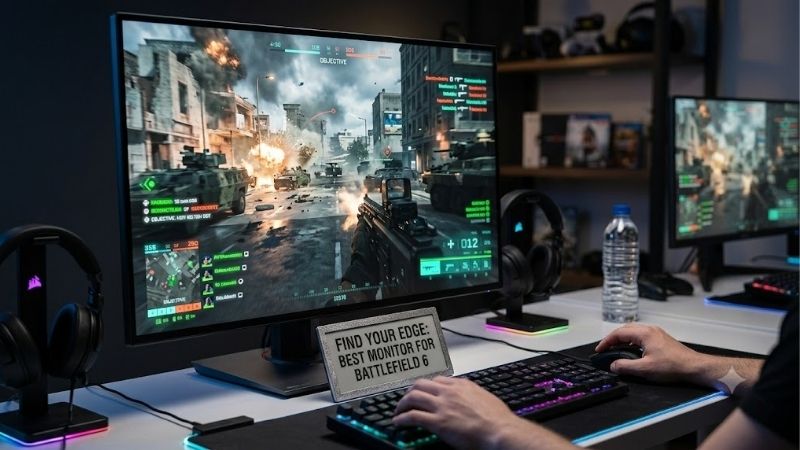
Quick answer: For most people in 2026, the best monitor for battlefield 6 is the Monitor — our #1 rated choice. See the full ranked comparison, alternatives and buying advice below.
Best Monitors for Battlefield 6 at a Glance
| Monitor | Resolution | Refresh rate | Panel | Best for |
|---|---|---|---|---|
| Alienware AW2725DF | 2560 × 1440 | 360Hz | QD-OLED | Best overall |
| Gigabyte M27Q X | 2560 × 1440 | 240Hz | IPS | High-refresh LCD gaming |
| AOC Q27G3XMN | 2560 × 1440 | Up to 180Hz | Mini LED VA | HDR and dark scenes |
| LG UltraGear 27GX790B-B | 2560 × 1440 | 540Hz native | Tandem OLED | Extreme competitive speed |
| Alienware AW2725Q | 3840 × 2160 | 240Hz | QD-OLED | Premium 4K gameplay |
| ASUS ROG Strix XG27ACS | 2560 × 1440 | 180Hz | IPS | Accessible 1440p gaming |
| BenQ ZOWIE XL2546X | 1920 × 1080 | 240Hz | TN | Dedicated 1080p esports |
These monitors suit different types of Battlefield players. A higher refresh rate can improve motion smoothness, but pixel response, overshoot, frame-rate consistency, variable refresh rate support, and overall image quality are also important.
How We Selected These Battlefield 6 Monitors
Our selections are based on published specifications and independent monitor testing rather than personal detailed research.
The main evaluation criteria include:
-
Refresh rate and motion handling for fast camera movements.
-
Pixel response behavior and input lag across practical refresh rates.
-
Resolution and screen size for spotting distant objects.
-
VRR support for reducing tearing when frame rates fluctuate.
-
Contrast, HDR performance, and visibility in dark environments.
-
Display connectivity and compatibility with modern gaming PCs.
-
Meaningful trade-offs involving OLED burn-in, LCD motion blur, and GPU demands.
Independent measurements from RTINGS help distinguish actual motion performance from manufacturer response-time claims. Product rankings reflect suitability for Battlefield 6 rather than a claim that every monitor was tested specifically with the game.
7 Best Monitors for Battlefield 6
1. Alienware AW2725DF — Best Overall Monitor for Battlefield 6
Best for: Competitive players who want excellent motion clarity without sacrificing 1440p image quality.
The Alienware AW2725DF stands out as an exceptionally capable all-around display for Battlefield 6. It combines a 27-inch QD-OLED panel with a 2560 × 1440 resolution and a native 360Hz refresh rate.
This combination addresses two important needs in Battlefield: recognizing small details across expansive maps and maintaining sharp motion during rapid movement.
OLED technology is a significant advantage. Unlike conventional LCD displays, OLED pixels can transition extremely quickly, minimizing the visible blur caused by slow pixel responses.
RTINGS’ testing identifies the AW2725DF as an outstanding PC gaming monitor with excellent responsiveness and motion clarity.
The 1440p resolution is also a sensible match for competitive gaming. It delivers a sharper image than 1080p without the substantially greater rendering workload of 4K.
Players with powerful GPUs can pursue high frame rates while retaining useful visual detail. Those with slower systems can still benefit from OLED response behavior at refresh rates below 360Hz.
Key specifications
| Feature | Specification |
|---|---|
| Screen size | 27 inches |
| Resolution | 2560 × 1440 |
| Panel | QD-OLED |
| Refresh rate | 360Hz |
| Adaptive sync | FreeSync Premium Pro and VRR |
| HDR | OLED HDR support |
The display’s excellent contrast is another advantage. Dark interiors, nighttime environments, and shadowed areas can appear more convincing than on conventional IPS monitors.
However, deeper blacks do not automatically guarantee better enemy visibility. Excessively dark settings can obscure detail, and monitor calibration remains important.
The AW2725DF also has limitations. Its QD-OLED panel can show raised black levels under strong ambient lighting, and OLED technology carries a risk of permanent image retention from prolonged static content.
Its connectivity is less advanced than newer premium monitors with full-bandwidth DisplayPort 2.1, although it can support its intended high-refresh gaming modes.
Pros:
-
Excellent OLED pixel response and motion clarity.
-
360Hz refresh rate.
-
Sharp 1440p resolution.
-
Excellent contrast.
-
VRR support.
Cons:
-
Potential OLED burn-in with prolonged static use.
-
Raised blacks in bright environments.
-
Premium pricing relative to conventional LCD monitors.
-
Requires high game frame rates to exploit 360Hz fully.
Buy if: You primarily play competitive shooters, want OLED image quality, and have a capable 1440p gaming PC.
Skip if: You use your display mainly for static desktop applications or want to avoid OLED maintenance considerations.
2. Gigabyte M27Q X — Best 240Hz IPS Monitor for Battlefield 6
Best for: Players who prefer a fast LCD panel for mixed gaming, work, and everyday use.
The Gigabyte M27Q X is a practical alternative to premium OLED gaming monitors. Its 27-inch IPS panel delivers 1440p resolution at up to 240Hz, giving players a useful combination of smooth motion and high image detail.
For Battlefield 6, the 240Hz refresh rate can provide a substantial improvement over conventional 60Hz or 75Hz displays.
A refresh rate of 240Hz means the screen can refresh every 4.17 milliseconds. That does not mean its total input latency is 4.17 milliseconds, but it illustrates how frequently the display can present a new frame.
RTINGS found that the M27Q X has low input lag and fast response behavior at high refresh rates. These characteristics make it suitable for quick aiming adjustments and tracking moving opponents.
The monitor also includes a KVM switch, which allows connected peripherals to be shared between compatible computers. This is especially useful for gamers who use the same desk for work and entertainment.
Gigabyte offers multiple revisions of the M27Q X. Buyers should identify the exact revision before purchasing, rather than assuming every retail listing describes identical hardware.
Its greatest weakness is contrast. Like many IPS displays without effective local dimming, it struggles to produce deep blacks in dark environments. Motion clarity also becomes less impressive at lower refresh rates.
Pros:
-
1440p resolution with 240Hz refresh.
-
Responsive performance at high refresh rates.
-
IPS viewing angles.
-
Useful KVM functionality.
-
No OLED burn-in concerns.
Cons:
-
Limited native contrast.
-
Unimpressive HDR impact.
-
More motion blur at lower refresh rates.
-
Revision differences require attention.
Buy if: You want a 240Hz monitor that works well for Battlefield 6, other games, and productivity.
Skip if: Deep blacks, cinematic HDR, and OLED-level pixel response matter more than LCD practicality.
3. AOC Q27G3XMN — Best Mini LED Monitor for Battlefield 6
Best for: Players who want 1440p gaming with stronger HDR and dark-scene image quality.
The AOC Q27G3XMN offers an interesting alternative to conventional IPS monitors. It combines a 27-inch 1440p VA panel with Mini LED backlighting and 336 local dimming zones.
Its native refresh rate is 165Hz, with support for up to 180Hz.
The Mini LED system helps the display achieve much stronger contrast than typical edge-lit IPS gaming monitors. In Battlefield 6, this can make nighttime environments, illuminated explosions, and dark interiors look more convincing.
RTINGS found the Q27G3XMN impressive for PC gaming, with low input lag and generally strong response performance across refresh rates. However, its VA panel can exhibit dark-level smearing during motion.
This distinction matters in a fast shooter. A monitor can have excellent contrast while still producing trails behind moving dark objects.
Another concern is VRR flicker. RTINGS observed distracting flicker when frame rates changed quickly. Players with inconsistent frame rates should consider this limitation carefully.
The Q27G3XMN is particularly appealing for those who enjoy Battlefield’s visual presentation alongside its competitive multiplayer gameplay.
Pros:
-
Strong native contrast.
-
Mini LED local dimming.
-
Impressive HDR capability for its category.
-
1440p resolution.
-
Up to 180Hz refresh.
-
Low input lag.
Cons:
-
Some dark-level motion smearing.
-
VRR flicker during significant frame-rate changes.
-
Narrower viewing angles than IPS.
-
Does not match 240Hz or 360Hz displays for maximum refresh rate.
Buy if: You want an immersive Battlefield 6 experience with impressive HDR and deep blacks.
Skip if: Motion consistency across rapidly changing frame rates is your overriding priority.
4. LG UltraGear 27GX790B-B — Best Extreme High-Refresh OLED Monitor
Best for: Competitive enthusiasts with extremely high frame-rate targets.
The LG UltraGear 27GX790B-B pushes refresh rates far beyond what most Battlefield 6 players need.
Its 27-inch Tandem OLED panel supports a native 2560 × 1440 resolution at 540Hz. A dual-mode feature also enables up to 720Hz at a reduced 720p resolution.
That distinction is important: the monitor does not display 1440p at 720Hz.
For competitive gaming, the native 540Hz mode provides extraordinary theoretical refresh opportunities. A display refreshing at 540Hz has a refresh interval of approximately 1.85 milliseconds.
However, actual perceived responsiveness depends on the entire system, including game-engine behavior, GPU rendering, frame pacing, input devices, and monitor processing.
Battlefield 6 is more demanding than many lightweight esports games. Even a powerful gaming PC may not sustain frame rates that fully utilize this monitor across large multiplayer battles.
RTINGS praised the LG’s near-instantaneous pixel response, sharp motion, and low input lag in gaming modes. Its Tandem OLED construction also delivers excellent contrast and improved brightness characteristics compared with certain older OLED panels.
The monitor includes HDMI 2.1 and DisplayPort 2.1 connectivity, making it a flexible option for modern hardware.
Its limitations include a high-end purchase cost, OLED burn-in considerations, and VRR flicker when frame rates vary sharply.
Pros:
-
Native 1440p at 540Hz.
-
Optional 720p at 720Hz.
-
Excellent OLED motion clarity.
-
Outstanding contrast.
-
HDMI 2.1 and DisplayPort 2.1.
Cons:
-
Extremely demanding frame-rate targets.
-
Reduced resolution in 720Hz mode.
-
VRR flicker in certain conditions.
-
OLED burn-in risk.
-
Limited practical benefit for slower gaming PCs.
Buy if: You play competitive shooters extensively and want an exceptionally fast display for both Battlefield 6 and less demanding esports titles.
Skip if: Your Battlefield frame rates are normally below 200 FPS or your budget would be better spent upgrading the GPU.
5. Alienware AW2725Q — Best 4K OLED Monitor for Battlefield 6
Best for: High-end players who prioritize sharpness, premium image quality, and fast gaming.
The Alienware AW2725Q takes a different approach from the AW2725DF. Instead of emphasizing the highest possible refresh rate, it combines 4K resolution with a 240Hz QD-OLED panel.
Its 27-inch screen has a resolution of 3840 × 2160, resulting in very high pixel density.
For Battlefield 6, that additional detail can make distant scenery, environmental textures, and fine visual elements look more defined.
The monitor also offers excellent OLED contrast and fast pixel response, making it suitable for players who want both competitive responsiveness and rich cinematic presentation.
The main drawback is GPU demand.
4K contains 8.29 million pixels, compared with 3.69 million at 1440p. In other words, a GPU must render approximately 2.25 times as many pixels per frame at native 4K, before accounting for other rendering differences.
This does not mean Battlefield 6 will run exactly 2.25 times slower. Actual performance depends on the graphics settings, rendering pipeline, hardware, and potential CPU limitations.
Nevertheless, 4K gaming at high frame rates is substantially more demanding than 1440p gaming.
Players with powerful graphics cards can use appropriate upscaling settings to improve performance, although image reconstruction and native rendering have different characteristics.
The AW2725Q is particularly attractive for gamers who split their time between Battlefield 6, visually demanding single-player games, and general desktop use.
Pros:
-
Extremely sharp 27-inch 4K image.
-
240Hz refresh rate.
-
Excellent QD-OLED contrast.
-
Fast OLED response.
-
Modern HDMI 2.1 connectivity.
Cons:
-
High GPU demands at native 4K.
-
More expensive than mainstream 1440p LCD alternatives.
-
OLED burn-in considerations.
-
Less practical for systems targeting maximum competitive frame rates.
Buy if: You own a high-end gaming PC and want Battlefield 6 to look exceptionally detailed while retaining a high refresh rate.
Skip if: You mainly play at low competitive graphics settings and prioritize consistent frame rates over pixel density.
6. ASUS ROG Strix XG27ACS — Best Affordable 1440p IPS Option
Best for: Players upgrading from a basic 1080p monitor who want responsive 1440p gaming.
The ASUS ROG Strix XG27ACS delivers many of the features that matter for Battlefield 6 without requiring a premium OLED display.
It uses a 27-inch IPS panel with 2560 × 1440 resolution and a maximum refresh rate of 180Hz. That combination makes it a practical choice for gamers who want noticeably sharper images and smoother gameplay than a conventional 1080p 60Hz display.
Its greatest strength is motion consistency. RTINGS found that the XG27ACS has fast response times, low input lag, and generally sharp motion across its refresh-rate range.
This matters when Battlefield 6 frame rates fluctuate during large-scale battles. A monitor that performs adequately across several refresh rates can be more useful than one optimized exclusively for its highest supported frequency.
The ASUS also supports common VRR formats, helping reduce tearing when the GPU’s frame output does not align with the monitor’s refresh cycle.
Additional features include ELMB-Sync backlight strobing, Dynamic Shadow Boost, Variable Overdrive, and USB-C connectivity with DisplayPort Alt Mode.
However, ELMB-Sync can produce image duplication, so players should compare it with normal VRR operation rather than assuming it always improves clarity.
The monitor’s main weakness is picture contrast. Dark environments can look gray rather than black, and HDR performance is limited by the absence of meaningful local dimming.
Pros:
-
Sharp 1440p IPS image.
-
180Hz refresh rate.
-
Low input lag.
-
Good motion handling across refresh rates.
-
Useful ergonomic adjustments.
-
VRR support.
Cons:
-
Low native contrast.
-
Limited HDR performance.
-
Some inverse ghosting at lower refresh rates.
-
Backlight strobing introduces artifacts in certain conditions.
Buy if: You want a responsive 1440p gaming monitor without paying for OLED technology.
Skip if: You frequently play in a dark room and prioritize HDR image quality over IPS viewing angles.
7. BenQ ZOWIE XL2546X — Best Dedicated 1080p Esports Monitor
Best for: Competitive FPS players who prioritize motion clarity and a compact display.
The BenQ ZOWIE XL2546X takes a specialized approach to competitive gaming.
Rather than offering higher resolution or cinematic HDR, it focuses on delivering clear motion and an esports-oriented playing environment.
Its 24.5-inch Fast TN panel supports 1920 × 1080 resolution at 240Hz. It also includes BenQ’s DyAc 2 backlight-strobing technology, designed to reduce perceived motion blur.
For players accustomed to small esports displays, the compact screen makes it relatively easy to monitor the entire image without large eye movements.
The lower 1080p resolution can also reduce GPU rendering demands compared with 1440p and 4K, potentially allowing higher frame rates when the game is GPU-limited.
However, Battlefield 6 includes expansive environments where additional resolution can help preserve fine detail. The XL2546X therefore represents a deliberate compromise rather than a universally superior competitive choice.
Another important consideration is that DyAc 2 and VRR cannot operate simultaneously on this model. Players must decide whether backlight strobing or adaptive synchronization is more appropriate for their actual frame-rate stability.
The Fast TN panel also has weaker viewing angles and overall picture quality than modern premium IPS or OLED alternatives.
The model has been marked discontinued in some regional BenQ catalogs, so US retail availability and product condition require particular attention.
Pros:
-
240Hz refresh rate.
-
Fast TN panel designed for competitive gaming.
-
DyAc 2 motion-blur reduction.
-
Compact 24.5-inch screen.
-
Esports-oriented controls and adjustments.
Cons:
-
Only 1080p resolution.
-
Limited image quality compared with OLED.
-
DyAc 2 and VRR cannot run together.
-
Lower versatility for productivity and immersive games.
-
Regional availability concerns.
Buy if: You specifically prefer a 24.5-inch 1080p esports monitor and can confirm a suitable new unit.
Skip if: You want a versatile display for Battlefield 6, single-player games, content creation, and daily productivity.
How to Choose the Best Monitor for Battlefield 6
1440p vs. 1080p vs. 4K
Resolution affects both image detail and GPU workload.
| Resolution | Pixels per frame | Main advantage | Main compromise |
|---|---|---|---|
| 1080p | 2.07 million | Lower GPU workload | Less fine detail |
| 1440p | 3.69 million | Strong clarity/performance balance | Higher demands than 1080p |
| 4K | 8.29 million | Excellent detail and sharpness | Much greater GPU workload |
For most Battlefield 6 PC players, 1440p is the most practical starting point.
A 27-inch 1440p display offers approximately 109 pixels per inch, compared with approximately 92 pixels per inch on a 24-inch 1080p monitor.
The higher pixel density can make edges and distant objects look better defined, although visibility also depends on anti-aliasing, game rendering, graphics settings, and display calibration.
4K is attractive for high-end systems, particularly when visual immersion matters as much as competitive performance.
Is 144Hz, 240Hz, or 360Hz Better for Battlefield 6?
Higher refresh rates allow the monitor to present new frames more frequently.
| Refresh rate | Refresh interval |
|---|---|
| 60Hz | 16.67 ms |
| 144Hz | 6.94 ms |
| 180Hz | 5.56 ms |
| 240Hz | 4.17 ms |
| 360Hz | 2.78 ms |
| 540Hz | 1.85 ms |
These are theoretical refresh intervals, not measurements of total input lag or system responsiveness.
Moving from 60Hz to 144Hz creates a major reduction in the time between display refreshes. Moving from 240Hz to 360Hz provides a smaller absolute improvement.
Players should choose a refresh rate based on the frame rates their PCs can actually deliver.
A reasonable decision framework is:
-
144–180Hz: A strong target for mainstream Battlefield 6 systems.
-
240Hz: A good option for powerful 1080p or 1440p PCs.
-
360Hz: Attractive for competitive players who also play less demanding esports games.
-
500Hz and above: Specialized equipment whose full benefit depends on exceptionally high frame rates.
A stable 160 FPS experience on a well-tuned 180Hz monitor may feel better than heavily fluctuating performance on an expensive 360Hz display.
IPS vs. OLED vs. VA: Which Panel Is Best?
No panel technology wins every category.
IPS panels generally provide good color consistency, wide viewing angles, and practical everyday versatility. Their weaknesses typically include lower native contrast and limited black depth.
OLED panels offer extremely fast pixel transitions, deep blacks, and impressive contrast. They are especially attractive for players who want both competitive responsiveness and immersive visuals.
However, OLED displays are generally more expensive and carry burn-in considerations. QD-OLED black levels may also appear raised under strong ambient lighting.
VA panels can deliver stronger native contrast than typical IPS panels, making them attractive for darker gaming environments. Some VA monitors produce visible smearing during dark transitions, although the severity depends on the exact model.
For Battlefield 6, measured motion performance is more important than selecting a panel solely from its technology label.
Does Battlefield 6 Support Ultrawide Monitors?
Yes. EA confirms that Battlefield 6 supports 21:9 ultrawide and 32:9 super-ultrawide displays on PC.
Ultrawide monitors can create an immersive experience by extending the displayed environment across a wider screen.
However, a wider display does not automatically provide an unconditional competitive advantage. Effective visibility depends on the game’s field-of-view behavior, HUD placement, player preferences, and rendering performance.
Ultrawide resolutions also increase GPU demands.
A 3440 × 1440 monitor, for example, requires rendering approximately 34% more pixels than a standard 2560 × 1440 display.
Players considering ultrawide should also verify their available desk space and preferred viewing distance.
Why VRR Matters in Battlefield 6
Variable refresh rate technology synchronizes the display’s refresh timing with the GPU’s frame delivery within the supported operating range.
This helps reduce screen tearing and can improve perceived smoothness when performance changes during gameplay.
Battlefield 6 includes large environments, complex visual effects, and multiplayer combat that may cause frame rates to fluctuate depending on the system and settings.
VRR is especially useful when frame output varies but remains within the monitor’s supported range.
It does not eliminate poor frame pacing, stuttering caused by CPU limitations, or long rendering delays.
Some monitors also experience VRR flicker during significant frame-rate fluctuations, particularly in darker scenes.
Best Monitor Settings for Battlefield 6
After purchasing a monitor, correct configuration is essential.
A high-refresh display running at 60Hz because of an operating-system setting cannot deliver its intended experience.
Start with these adjustments:
-
Set the monitor to its intended refresh rate in Windows display settings.
-
Use the correct DisplayPort or HDMI connection for the desired resolution and refresh rate.
-
Enable the appropriate VRR mode when supported.
-
Select a suitable response-time or overdrive setting, avoiding excessive inverse ghosting.
-
Use the monitor’s native resolution whenever practical.
-
Adjust in-game graphics settings to achieve a consistent frame rate.
-
Calibrate brightness and dark-scene visibility without excessively crushing shadows or washing out the image.
Battlefield 6 also supports NVIDIA Reflex on compatible hardware, which can help reduce system latency.
Upscaling technologies can improve performance, but players should distinguish actual rendered frames from generated frames. Frame generation can increase displayed frame output without proportionally improving input responsiveness.
For competitive play, prioritize stable native or upscaled rendering performance and low latency rather than relying entirely on a large displayed FPS number.
Common Mistakes When Buying a Battlefield 6 Monitor
One frequent mistake is purchasing a 360Hz or 480Hz monitor without considering the performance of the computer driving it.
A monitor can refresh at its maximum rate, but it cannot make the GPU produce additional rendered game frames.
Another mistake is comparing response-time numbers without understanding how they were obtained. A manufacturer’s 1ms or 0.03ms claim does not necessarily describe average pixel transitions under every setting.
Buyers should also check the exact model suffix and hardware revision. Similar product names may have different panels, ports, or refresh limits.
Finally, avoid overpaying for features that do not improve your experience. If a monitor upgrade would consume your entire budget while your GPU is already struggling, a less expensive display and a balanced PC upgrade may be the better decision.
Frequently Asked Questions
What is the best monitor size for Battlefield 6?
A 27-inch monitor is an excellent choice for most PC players, especially at 1440p. It provides useful screen space and detail without the footprint of a larger 32-inch display.
Players who strongly prefer compact esports setups may favor a 24.5-inch monitor, while those who prioritize immersion may prefer 32 inches.
Is a 240Hz monitor worth it for Battlefield 6?
A 240Hz monitor can be worthwhile if your gaming PC regularly produces high frame rates and you value smooth motion.
However, a 240Hz panel is not automatically better than a 180Hz model with superior pixel response behavior or more consistent performance across your actual frame-rate range.
Is OLED better than IPS for Battlefield 6?
OLED generally has a significant advantage in pixel response speed and contrast. This can provide clearer transitions and impressive image quality.
IPS remains an attractive alternative for players who want a versatile LCD display without OLED burn-in considerations.
Can Battlefield 6 run at 360 FPS?
Battlefield 6 supports uncapped frame rates on PC, but that does not guarantee 360 FPS on a particular system.
Achievable performance depends on the CPU, GPU, resolution, graphics settings, map complexity, and other conditions.
Measure actual gameplay performance before purchasing a monitor specifically to match an ambitious frame-rate target.
Should I buy a 4K or 1440p monitor for Battlefield 6?
Choose 1440p when competitive frame rates and efficient GPU utilization are your main priorities.
Choose 4K when you have sufficiently powerful hardware and care more about maximum image detail, high pixel density, and immersive visuals.
Does a better gaming monitor improve aiming accuracy?
A responsive monitor can make motion easier to follow and reduce display-related delays, potentially helping a player react more consistently.
However, the monitor does not directly improve aiming skill. Mouse sensitivity, input latency, frame pacing, practice, and player experience all contribute to performance.
Final Verdict: Which Battlefield 6 Monitor Should You Buy?
The Alienware AW2725DF is our overall recommendation for Battlefield 6 players who want a premium balance of competitive speed and image quality. Its 1440p resolution, 360Hz refresh rate, and QD-OLED response characteristics make it especially attractive for powerful gaming PCs.
The Gigabyte M27Q X is a practical choice for players seeking 1440p at 240Hz without OLED-related concerns. The ASUS ROG Strix XG27ACS is a sensible alternative when 180Hz is sufficient.
For those who prioritize cinematic visuals, the AOC Q27G3XMN offers compelling Mini LED contrast, while the Alienware AW2725Q delivers premium 4K OLED sharpness.
The LG 27GX790B-B is best reserved for enthusiasts who genuinely benefit from extreme refresh rates across multiple competitive games.
Ultimately, the best Battlefield 6 monitor is not necessarily the one with the highest refresh rate. It is the display that delivers clear motion, suitable resolution, reliable responsiveness, and a strong match for the performance of your gaming PC.
Editorial Source Log
For editorial verification only. Not part of the published article. Sources checked October 12, 2026. The article is based on published specifications and independent testing; no Battlefield 6-specific hands-on monitor tests were supplied.
| Product or claim | Source | Verification and limitations |
|---|---|---|
| Battlefield 6 PC features | EA PC features | Uncapped frame rates, ultrawide support, Reflex and upscaling |
| Battlefield 6 requirements | EA official game listing | Minimum and recommended PC configurations; not performance benchmarks |
| Alienware AW2725DF | RTINGS review | 1440p, QD-OLED, 360Hz; measured gaming behavior |
| Gigabyte M27Q X | Gigabyte specifications; RTINGS review | Manufacturer Rev. 2.0; RTINGS tested Rev. 1.0; do not assume revisions identical in every respect |
| AOC Q27G3XMN | RTINGS review | 165Hz native, 180Hz maximum; VRR flicker and dark smearing |
| LG 27GX790B-B | RTINGS review | 540Hz at 1440p; 720Hz requires 720p dual mode |
| Alienware AW2725Q | RTINGS review | 27-inch 4K 240Hz QD-OLED; do not confuse with AW2725DF |
| ASUS XG27ACS | RTINGS review | 1440p, 180Hz, IPS; ELMB limitations |
| BenQ ZOWIE XL2546X | BenQ specifications | 24.5-inch 1080p 240Hz; marked discontinued in a regional catalog; US availability unresolved |
Amazon US listing note: The independent review pages provide Amazon purchase references for several models, but current matching Amazon.com listings, sellers, prices, and inventory were not independently confirmed for all seven exact variants. No live prices, ASINs, or US-stock guarantees are therefore included. In particular, the BenQ XL2546X needs a fresh US availability check before inclusion in a live affiliate product widget.
No numerical Battlefield 6 FPS benchmarks were used. Refresh intervals and pixel counts are mathematical properties of the stated display modes, not game-performance measurements.
Ready to decide? Our #1 pick for 2026 is the Monitor.
Live price & availability on Amazon.









