
A cheap thin bezel monitor can make a desk look cleaner, create a more seamless dual-monitor setup, and provide a surprisingly capable screen without requiring a large budget. The best choice depends on whether you need a basic display for everyday tasks, a comfortable screen for work, or a faster panel for gaming. For buyers on a strict budget, the MSI PRO MP225 E12L is a particularly appealing starting point. If you want a larger screen, the Dell SE2726H offers 27 inches and a 144Hz refresh rate, while Acer’s Nitro KG271U N3BMIIPX steps up to QHD resolution and high-refresh gaming.
- Best cheap thin bezel monitor picks at a glance
- How we selected these thin bezel monitors
- MSI PRO MP225 E12L: Best for a very tight budget
- Dell SE2726H: Best 27-inch budget monitor
- BenQ GW2490: Best for everyday work and mixed use
- ASUS VA24EHF: Best simple frameless IPS option
- HP Series 5 527sh: Best for an ergonomic office setup
- Acer Nitro KG271U N3BMIIPX: Best for QHD gaming
- How to choose a cheap thin bezel monitor
- Frequently asked questions
- Final verdict
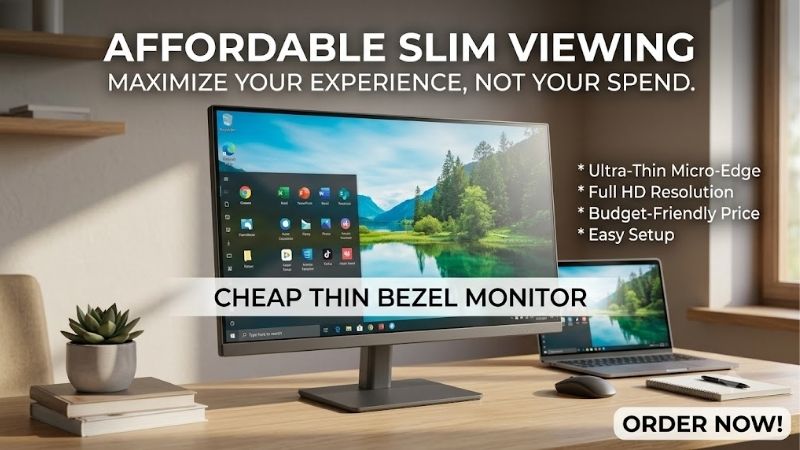
Quick answer: Our top pick in 2026 is the Monitor — our #1 rated choice. See the full ranked comparison, alternatives and buying advice below.
Best cheap thin bezel monitor picks at a glance
Most budget-conscious buyers should begin with a 21.5-inch or 23.8-inch Full HD monitor. These sizes keep costs down while offering enough resolution for browsing, schoolwork, office applications, and everyday gaming. A 27-inch display gives you more physical screen space, but QHD resolution is worth considering if you sit close to the screen and want sharper text.
| Monitor | Best for | Resolution and refresh rate | Main drawback |
|---|---|---|---|
| MSI PRO MP225 E12L | Tight budgets | 21.5-inch, 1080p, 120Hz | Basic stand and connectivity |
| Dell SE2726H | Large screen on a budget | 27-inch, 1080p IPS, 144Hz | Low pixel density at 27 inches |
| BenQ GW2490 | Everyday work and mixed use | 23.8-inch, 1080p IPS, 100Hz | Limited ergonomic adjustment |
| ASUS VA24EHF | Simple frameless setup | 23.8-inch, 1080p IPS, 100Hz | One HDMI input and no height adjustment |
| HP Series 5 527sh | Comfortable office setup | 27-inch, 1080p IPS, 100Hz | No VESA mounting support |
| Acer Nitro KG271U N3BMIIPX | Budget QHD gaming | 27-inch, 1440p IPS, up to 180Hz | More expensive than basic Full HD models |
Prices and availability can change between manufacturers and retailers. Among the checked US listings, the MSI and Dell offer particularly aggressive entry-level pricing, while the Acer is aimed at buyers who want a more substantial gaming upgrade.
How we selected these thin bezel monitors
The shortlist prioritizes actual bezel design, usable image quality, current manufacturer specifications, and practical limitations. It includes products that manufacturers explicitly describe as frameless, three-sided borderless, ultra-thin bezel, or ZeroFrame displays.
Other factors include native resolution, refresh rate, panel type, connectivity, stand adjustment, and suitability for common desk sizes. A high refresh rate can improve motion clarity when a computer supplies enough frames, but it does not automatically make a game faster. Likewise, a 27-inch monitor is not necessarily sharper than a 24-inch model if both use the same 1920 × 1080 resolution.
This is primarily a specification-based buying guide. Comparable independent laboratory tests were not available for every exact model in the shortlist, so the recommendations do not claim a measured head-to-head performance ranking. The conclusions distinguish documented hardware features from practical expectations and limitations.
MSI PRO MP225 E12L: Best for a very tight budget
The MSI PRO MP225 E12L is the most affordable option in this group for shoppers who want a slim-looking screen without paying for premium extras. It uses a 21.5-inch IPS panel with a native resolution of 1920 × 1080 and a refresh rate of up to 120Hz. MSI’s US store listed the monitor at $64.99 when checked on October 14, 2026, although the price and availability may change.
Its defining feature is the PerfectEdge design. MSI describes the display as a four-sided frameless monitor with a high screen-to-body ratio. This gives the monitor a cleaner appearance than traditional office displays with thick borders, making it particularly attractive for a compact desk or a side-by-side setup.
The 120Hz refresh rate is another useful advantage at this price. Scrolling through documents, moving windows, and playing compatible games can look smoother than on a conventional 60Hz display. The IPS panel also offers wide viewing angles, while the Full HD resolution is appropriate for a screen of this size.
The compromises are straightforward. The included stand offers tilt adjustment rather than full ergonomic positioning, and the monitor does not provide the connectivity or convenience features of more expensive displays. Its standard resolution and entry-level brightness also make it unsuitable for buyers seeking advanced HDR or high-resolution creative work.
Buy it if the priority is a low purchase cost, a compact footprint, and a modern-looking bezel design. Skip it if you need height adjustment, a large workspace, or multiple premium connectivity options. At this end of the market, spending less is sensible when the display’s job is simply to provide a clean, reliable everyday picture.
Dell SE2726H: Best 27-inch budget monitor
The Dell SE2726H is an appealing choice for buyers who want a considerably larger screen without moving into premium monitor pricing. Dell lists a 27-inch IPS panel with 1920 × 1080 resolution and a maximum refresh rate of 144Hz. Its product specifications describe ultra-thin bezels measuring 0.26 inches along the top and sides, with a 0.53-inch bottom bezel.
That design gives the monitor a relatively modern appearance, particularly on a desk where the display occupies a large part of the user’s field of view. Its 144Hz refresh rate also makes it more attractive for gaming than a typical 60Hz office monitor. AMD FreeSync support can help reduce tearing when compatible hardware and frame rates fall within the supported range.
Dell’s US product listing displayed $94.99 during the research, although other Dell listing views showed $119.99. Treat those figures as price snapshots rather than a guaranteed checkout price.
The main compromise is resolution. Full HD spread across 27 inches has lower pixel density than the same resolution on a 23.8-inch display. Text and fine interface elements may look less crisp when you sit close to the screen. The included stand offers tilt adjustment but not height adjustment, so you may need a riser to position the screen comfortably.
Buy it if a large display and high refresh rate matter more than maximum sharpness. Skip it if your priority is crisp text, detailed images, or an adjustable stand. For those needs, a smaller Full HD screen or a 27-inch QHD monitor is a better fit.
BenQ GW2490: Best for everyday work and mixed use
The BenQ GW2490 is a balanced choice for people who divide their computer time between documents, web browsing, media, and casual gaming. It combines a 23.8-inch IPS panel with 1920 × 1080 resolution and a 100Hz refresh rate. BenQ describes its design as an edge-to-edge slim-bezel display.
The 23.8-inch size is a good match for compact desks. Full HD keeps the image reasonably sharp at typical desktop viewing distances, and the IPS panel supports wide viewing angles. BenQ also advertises 99% sRGB coverage, which helps produce a broad range of common web and office colors. That specification is useful for general content, although it should not be mistaken for proof of professional-grade color accuracy.
The GW2490’s everyday features are more important than its gaming marketing. BenQ includes eye-care tools such as low-blue-light modes and flicker-free technology, along with Brightness Intelligence functionality intended to adjust brightness according to ambient lighting. These features can make the screen easier to adapt to different rooms, but they cannot guarantee that long sessions will never cause eye discomfort.
The monitor supports HDMI and DisplayPort connections, making it convenient when connecting a desktop and another compatible device. BenQ’s US store listed the GW2490 at $114.99, while a Best Buy listing showed $99.99 when checked for this guide.
Its main limitation is the stand. It does not provide the full ergonomic adjustment range offered by more expensive office displays, so check whether the included tilt adjustment is enough for your desk.
Buy it if you want a relatively complete everyday monitor with modern refresh and useful picture-adjustment features. Skip it if you need a height-adjustable stand, a USB-C docking connection, or a high-refresh competitive gaming panel.
ASUS VA24EHF: Best simple frameless IPS option
The ASUS VA24EHF is designed for buyers who want a straightforward monitor with a slim appearance and a refresh rate above the traditional 60Hz standard. Its 23.8-inch IPS display runs at 1920 × 1080 and up to 100Hz. ASUS explicitly markets the model as a frameless gaming monitor, with Adaptive-Sync support and a 1ms MPRT specification.
The appeal lies in its simplicity. Full HD is practical for everyday computing, and the IPS panel provides wide viewing angles for a screen that may be used for both work and entertainment. The 100Hz ceiling can make general desktop motion feel smoother, while Adaptive-Sync can help maintain a cleaner image when the frame rate varies.
The 1ms MPRT number needs context. MPRT describes motion-picture response time under particular conditions and is not interchangeable with a guaranteed 1ms gray-to-gray pixel transition. Buyers should not interpret the headline figure as proof that every kind of motion blur has been eliminated.
Connectivity is basic: ASUS lists one HDMI 1.4 input. The stand supports tilt but does not offer height adjustment. The monitor is VESA-mount compatible at 100 × 100 mm, which gives you another way to position it if you purchase a suitable arm separately.
Buy it if you want a simple, frameless 24-inch monitor for browsing, work, and casual games. Skip it if you routinely switch between multiple video sources or require a flexible stand straight out of the box. The ASUS is worth considering when its current retailer price is competitive, but compare it closely with the BenQ GW2490 because their image specifications and intended uses overlap.
HP Series 5 527sh: Best for an ergonomic office setup
The HP Series 5 527sh is aimed at buyers who want the physical convenience of a larger screen without jumping to a premium business display. It features a 27-inch IPS panel, 1920 × 1080 resolution, and a 100Hz refresh rate. HP describes its three-sided ultra-thin bezel as a design advantage for focused work and nearly seamless multi-monitor arrangements.
Ergonomics are the main reason to consider it over a basic budget monitor. The included stand supports height adjustment and tilt, making it easier to align the screen with your seated position. HP lists 300 nits of brightness, a 1500:1 contrast ratio, and 99% sRGB coverage. It also includes two HDMI 1.4 inputs and a VGA connection, useful for connecting multiple compatible devices or older equipment.
The 27-inch screen provides a larger physical canvas for spreadsheets, documents, and side-by-side windows. However, the 1080p resolution is a significant compromise at this size. The image has less pixel density than a 24-inch Full HD monitor, so small fonts and fine details are not as crisp as they would be on a 27-inch QHD panel.
The other concern is mounting flexibility. HP’s specifications and support responses indicate that the 527sh is not VESA-mount compatible. That rules out a conventional monitor arm unless you use a compatible third-party mounting solution. It also lacks built-in speakers and a headphone output.
Buy it if you want a height-adjustable stand and a larger screen primarily for office work. Skip it if a monitor arm, QHD resolution, or gaming-focused responsiveness is more important. Compare its current price against the Dell SE2726H before deciding; the Dell offers a higher maximum refresh rate, while HP’s stand is more adaptable.
Acer Nitro KG271U N3BMIIPX: Best for QHD gaming
The Acer Nitro KG271U N3BMIIPX is the upgrade choice for buyers willing to spend more on a sharp, fast display while keeping the budget below many premium gaming monitors. Acer’s US store lists a 27-inch WQHD IPS panel with a native resolution of 2560 × 1440, a maximum refresh rate of 180Hz through DisplayPort, and up to 144Hz through HDMI. It was listed at $159.99 when checked on October 14, 2026.
Acer identifies the design as ZeroFrame, intended to reduce the visible borders around the screen. This makes the display a natural candidate for a clean gaming setup or a multi-monitor workstation. The QHD resolution is the larger practical improvement over the Full HD options above: at 27 inches, it provides more desktop space and sharper text and interface details.
The 180Hz DisplayPort capability also makes the monitor more appealing for fast-paced gaming. Acer lists a 1ms gray-to-gray response-time claim, but buyers should treat advertised response times as manufacturer specifications rather than measured guarantees for all pixel transitions. AMD FreeSync support helps reduce tearing when used with compatible hardware.
There are compromises. The 250-nit brightness is modest compared with brighter premium displays, and the monitor’s HDR support should not be confused with the high-impact HDR performance offered by advanced Mini LED or OLED screens. The stand supports tilt rather than a full range of ergonomic adjustment, but the monitor supports a 100 × 100 mm VESA mount. Built-in speakers are available for basic audio, although dedicated speakers or headphones will generally be better for serious gaming.
Buy it if you want a thin-bezel QHD monitor with a high refresh rate for gaming and general desktop use. Skip it if you only need a basic office display or your graphics hardware struggles at 1440p. The Acer is the most substantial gaming upgrade in this list, not the cheapest way to get a frameless appearance.
How to choose a cheap thin bezel monitor
Choose the right screen size and resolution
Screen size and resolution should be considered together. A 21.5-inch Full HD monitor is compact and affordable, while a 23.8-inch Full HD display is a sensible standard for everyday computing. A 27-inch Full HD monitor creates a bigger image, but the larger pixels can make text look less refined at close viewing distances.
For a 27-inch monitor, QHD resolution is worth considering if your budget allows. It provides 2560 × 1440 pixels rather than 1920 × 1080, improving image density and giving you more usable workspace. The trade-off is cost and, for gaming, a greater demand on the graphics card.
Understand IPS and VA panels
IPS panels are common in inexpensive slim-bezel monitors because they offer wide viewing angles and generally consistent colors. They work well for productivity, browsing, and mixed-use setups.
VA panels typically provide stronger native contrast and darker blacks than ordinary IPS panels, although dark motion can look less clean on some models. If you primarily work with text and use multiple windows, IPS is an uncomplicated choice. If movie contrast matters more than responsiveness, a VA panel may be appealing.
Do not pay for refresh rate you cannot use
Refresh rate indicates how often the display can update its image each second. A 100Hz or 120Hz screen can make scrolling and compatible games feel smoother than 60Hz. A 144Hz or 180Hz panel gives more headroom for fast-paced gaming, but the PC must render enough frames to benefit.
Response time is a separate specification. A manufacturer may advertise 1ms MPRT or GtG, but those terms describe different measurements. Look for independent testing when motion clarity is a deciding factor, rather than comparing the headline numbers alone.
Check the bezel design, stand, and connections
A thin-bezel monitor is not necessarily borderless. Manufacturers may use terms such as “three-sided borderless,” “frameless,” “ultra-thin bezel,” and “ZeroFrame.” These generally describe a display with less visible framing, but none means there is literally no border around the image.
For a dual-monitor setup, the side and top bezels are usually most noticeable. Also check the bottom bezel, stand footprint, and whether the display supports VESA mounting. An adjustable stand can be more valuable for everyday comfort than an extra refresh-rate increment.
Confirm the ports before ordering. One HDMI input may be enough for a single PC, while multiple inputs are useful when sharing a monitor between a desktop, laptop, and console. If you want a 144Hz or 180Hz signal, confirm which input supports that rate at the monitor’s native resolution.
Frequently asked questions
Are thin bezel monitors cheaper than regular monitors?
Not automatically. Thin bezels are common on budget monitors, but the price is also influenced by panel type, size, resolution, refresh rate, and stand design. A $70 frameless Full HD screen can be a better buy than an expensive model with the same resolution if you do not need its additional features.
Is 1080p enough for a 27-inch monitor?
It is usable, particularly for casual gaming and general computing, but it is not as sharp as 1440p at the same size. If you read small text frequently or sit close to the display, consider a 24-inch Full HD monitor or a 27-inch QHD model.
Can I use two cheap thin bezel monitors together?
Yes, as long as your computer has the required video outputs and supports the displays’ resolutions and refresh rates. Thin side bezels help create a more continuous-looking workspace, but the central seam will remain visible. Matching screen sizes and similar heights generally produce the cleanest result.
Should I buy a monitor with 100Hz or 144Hz?
Choose 100Hz for everyday work, browsing, and casual gaming when cost is the priority. A 144Hz monitor is more attractive if you play fast-paced games and have hardware that can deliver higher frame rates. For most office use, a good stand and readable resolution are more important than the difference between these refresh rates.
Final verdict
For the lowest upfront cost, the MSI PRO MP225 E12L offers a four-sided frameless design and a 120Hz refresh rate in a compact Full HD package. The Dell SE2726H is a strong alternative if you want a large 27-inch screen and 144Hz, while the BenQ GW2490 balances everyday work and casual gaming. The HP 527sh is more appealing for height adjustment, and the Acer Nitro KG271U N3BMIIPX makes sense for QHD gaming. Compare each model’s live price, stand, and native resolution before buying; the best value is the monitor that fits your desk and actual workload, not simply the one with the thinnest advertised bezel.
Ready to decide? Our #1 pick for 2026 is the Monitor.
Live price & availability on Amazon.









