
Best monitor under $150 should balance sharpness, refresh speed, and practical connectivity without wasting money on features you rarely use. This guide compares four 23.8-inch Full HD IPS displays, from high-refresh gaming options to an office-friendly design, explaining the advantages, limitations, and specifications worth checking before checkout.
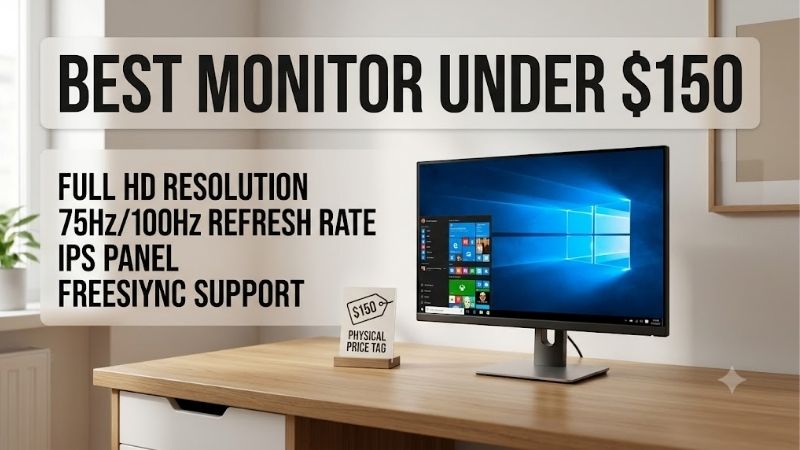
Quick answer: For most people in 2026, the best monitor under $150 is the AOC 24G4 — our #1 rated choice. See the full ranked comparison, alternatives and buying advice below.
How to Choose a Monitor Under $150
Street prices fluctuate, so compare lasting specifications instead of relying entirely on temporary discounts. The best monitor under $150 for your desk may prioritize competitive gaming, ergonomic office productivity, or everyday browsing. The following criteria connect each requirement to a specific recommendation and clarify the compromises you should expect before purchasing.
Screen Size and Resolution
A 23.8- to 24-inch Full HD display offers a balanced desk size. Its 1920 × 1080 resolution preserves legible text without imposing heavy graphics demands, while larger 27-inch 1080p screens can look softer at normal viewing distances. This distinction matters particularly when reading spreadsheets, inspecting small interface elements, or managing detailed documents.
Both the AOC 24G4 and MSI PRO MP243L E14W use 23.8-inch Full HD IPS panels, providing clear text and broad viewing angles in compact setups. Choose MSI to minimize spending, or select AOC for a higher refresh ceiling and a more flexible stand that simplifies positioning during long gaming or work sessions.
Panel Quality and Brightness
IPS technology is a sensible default at this price because it generally provides broad viewing angles and consistent colors. Brightness around 250 nits works well indoors, away from direct sunlight. Treat HDR labels cautiously: without effective local dimming, an affordable display cannot reproduce the highlights and deep blacks associated with premium HDR monitors.
The AOC 24G4 reaches 300 nits, while the MSI PRO MP243L E14W and Acer Nitro KG241Y M3 are rated at 250 nits. All three suit typical rooms, but AOC has more headroom near a bright window. Dell’s 99% sRGB coverage also makes the S2425HS a sensible office choice when dependable everyday color matters.
Refresh Rate and Response
Refresh rate describes how often a display updates each second. A 100Hz screen feels smoother than 60Hz during scrolling, while 144Hz or 180Hz can improve motion clarity in fast games when your computer produces enough frames. A quoted 1ms response time is usually a best-case setting, not a guarantee that every transition will be blur-free.
The AOC 24G4 and Acer Nitro KG241Y M3 both reach 180Hz, compared with 144Hz on the MSI PRO MP243L E14W and 100Hz on the Dell S2425HS. Choose Acer for affordable high-refresh gaming, or AOC if you also prioritize brighter output and more adjustable ergonomics.
Stand, Ports, and Ergonomics
Budget monitors frequently cut costs with tilt-only stands, so check whether the screen can reach a comfortable viewing position. Height adjustment helps with desk ergonomics, while HDMI accommodates consoles and laptops and DisplayPort commonly connects desktop PCs. Also verify the supported refresh rate for each input rather than assuming every port provides identical performance.
The Dell S2425HS offers height adjustment, tilt, swivel, and portrait pivot, plus two 5W speakers. AOC also provides height adjustment and pivot. MSI includes one HDMI 2.0 port and VGA, whereas Acer has two HDMI ports and DisplayPort but only tilt adjustment, making Dell and AOC stronger ergonomic choices.
Top Picks
Our shortlist focuses on 23.8-inch Full HD IPS displays because they balance price, text clarity, and broad viewing angles. The best monitor under $150 depends on your priorities: AOC delivers the strongest all-round gaming package, MSI emphasizes value, Dell suits extended office sessions, and Acer provides high-refresh performance at an appealing sale price.
| Product | Best For | Key Spec | Watch Out For |
|---|---|---|---|
| AOC 24G4 | Best Overall | 23.8-inch FHD IPS, 180Hz, 300 nits | No built-in speakers |
| MSI PRO MP243L E14W | Best Value | 23.8-inch FHD IPS, 144Hz | Tilt-only stand; one HDMI input |
| Dell S2425HS | Best for Office | 23.8-inch FHD IPS, 100Hz, 2 × 5W speakers | Near the $150 ceiling |
| Acer Nitro KG241Y M3 | Best for Budget Gaming | 23.8-inch FHD IPS, 180Hz | Tilt-only stand |
AOC 24G4 — Best Overall
For shoppers wanting one screen for gaming and everyday work, the AOC 24G4 is the strongest all-round recommendation here. Its 23.8-inch 1080p Fast IPS panel supports up to 180Hz, reaches 300 nits, and offers adaptive sync. Height, swivel, and pivot adjustments add flexibility, making it a compelling best monitor under $150 when the current price fits your budget.
Its major advantage is the combination of high refresh, extra brightness, and a more adjustable stand. The limitation is audio: AOC does not include built-in speakers, and Full HD is less detailed than 1440p for dense text. Budget for headphones or external speakers if sound matters, especially when using the monitor for entertainment.
MSI PRO MP243L E14W — Best Value
The MSI PRO MP243L E14W suits buyers wanting smoother desktop movement without paying for expensive gaming extras. Its 23.8-inch Full HD IPS panel supports up to 144Hz and is rated at 250 nits, creating an attractive best monitor under $150 option for mixed productivity and gaming when discounted.
The compromise is a tilt-only stand and one HDMI 2.0 input alongside VGA. It lacks the connection flexibility of AOC, and the modest brightness is less suitable for sunlit rooms. Nevertheless, 144Hz is sufficient for many games, making MSI a strong value candidate for buyers who prioritize refresh performance over extensive ergonomic adjustment.
Dell S2425HS — Best for Office
For office work, the best monitor under $150 is often one with a better stand rather than the highest refresh rate. The Dell S2425HS fits that brief with a 23.8-inch Full HD IPS panel, 100Hz refresh rate, 99% sRGB coverage, and a typical 1500:1 contrast ratio for everyday documents and video calls.
The ergonomic stand adjusts through 130mm and supports tilt, swivel, and portrait pivot. Two 5W speakers provide basic audio without extra desk clutter. The drawback is value: Dell lists this model at around $150 when available, leaving little budget for accessories, and its 100Hz ceiling is less attractive for competitive gaming than AOC or Acer.
Acer Nitro KG241Y M3 — Best for Budget Gaming
The Acer Nitro KG241Y M3 gives competitive players an affordable route to speed. Its 23.8-inch IPS panel runs at 1920 × 1080 and up to 180Hz, with a 1ms GtG rating, 250-nit brightness, and FreeSync Premium. At a sale price below $150, it can be the best monitor under $150 for fast-paced games.
Two HDMI 2.0 ports and DisplayPort let you keep a PC and console connected, while 99% sRGB coverage suits everyday gaming and work. The limitation is its tilt-only stand, which may justify a VESA arm. Its 250-nit rating also makes it less attractive for a sunlit room or window-facing desk.
Frequently Asked Questions
Before settling on the best monitor under $150, decide whether you need motion clarity, ergonomic adjustment, or a dependable screen for everyday tasks. All four recommendations use Full HD resolution, so refresh rate, stand flexibility, connections, and brightness distinguish them more than resolution alone. Check current pricing and availability before committing to a purchase.
Is 144Hz Worth It on a Budget Monitor?
Yes, 144Hz can make mouse movement and supported games appear smoother than 60Hz, especially in shooters, racing games, and rapid camera pans. The benefit depends on your computer delivering enough frames. For reading, writing, and spreadsheets, even 100Hz offers a pleasant improvement over older office displays.
A 144Hz panel does not make games run faster or compensate for a weak graphics card. MSI reaches 144Hz, while AOC and Acer reach 180Hz. Compare brightness and stand quality alongside refresh rate, and remember to select the correct refresh setting in your operating system after connecting the monitor.
Is 1080p Sharp Enough on a 24-Inch Monitor?
Yes, 1920 × 1080 is a sensible resolution for a 23.8- or 24-inch monitor viewed from a normal desk distance. It keeps text and interface elements clear for browsing, office applications, and gaming while allowing a modest graphics card to deliver higher frame rates than it might at 1440p.
The trade-off becomes more noticeable when sitting very close, editing detailed photographs, or using a 27-inch screen. At this budget, prioritize a good IPS panel and comfortable ergonomics over a larger but softer display. Windows scaling can enlarge small interface elements, but it cannot restore detail missing from the original image.
Is IPS Better Than VA for This Price?
For mixed productivity and gaming, IPS is a safe default because viewing angles and color consistency are generally strong. All four recommendations use IPS panels. VA alternatives can provide deeper native contrast at similar prices, benefiting dark scenes and movies, although response behavior varies significantly by model and can affect fast gameplay.
Do not judge image quality by panel technology alone. Examine brightness, contrast, refresh rate, and the retailer’s return policy. Affordable IPS screens can have weak black levels, while some VA models exhibit dark smearing during motion. Choose VA when dark-room contrast matters most, but favor a reviewed IPS model for balanced everyday use.
Can These Monitors Work With a PS5 or Xbox?
Yes. All four models have HDMI connectivity and support Full HD, making them compatible with PS5 or Xbox setups for supported games and video. Higher refresh rates help only when the console, game, and connection support the relevant mode; a 180Hz label does not mean a console outputs 180 frames per second.
Connect through HDMI and verify the console’s display settings. Adaptive-sync compatibility can vary by monitor and console mode, so confirm support before assuming every PC feature works. AOC has no built-in speakers, while Dell includes two 5W speakers; a headset or external audio system remains useful for gaming.
Final Thoughts
The best monitor under $150 for most mixed-use buyers is the AOC 24G4, provided its current price stays below the limit. Its 180Hz IPS panel, 300-nit rating, and adjustable stand create the most balanced package here. Choose MSI for value, Dell for office ergonomics, or Acer for affordable high-refresh gaming, and check the return policy before ordering.
Ready to decide? Our #1 pick for 2026 is the AOC 24G4.
Live price & availability on Amazon.









