
A budget 10 bit monitor can improve how suitable content displays subtle gradients, but the label needs careful interpretation. Affordable monitors often use 8-bit panels with frame rate control, or advertise 1.07 billion colors without confirming native panel depth. This roundup includes those clearly identified categories rather than pretending every option is native 10-bit. Start with the Dell S2725QS for a flexible 4K desktop, the LG 27US500-W for a simpler setup, or the ASUS PA279CRV when creative-work controls justify spending more.
- Budget 10 bit monitor: Quick recommendations
- Quick comparison of the six monitors
- What 10-bit means before you spend money
- How these monitors were selected
- LG 27US500-W: A straightforward 4K option
- Dell S2725QS: A flexible mixed-use starting point
- ASUS ProArt PA279CRV: For broader-gamut creative work
- ViewSonic VP2756-4K: For an sRGB-oriented workspace
- AOC Q27G3XMN: A conditional Mini-LED gaming pick
- Gigabyte M27UP: High-refresh 4K, subject to stock
- How to choose a budget 10 bit monitor
- Check the configuration after connecting
- Avoid upgrades that do not solve the problem
- Frequently asked questions
- Final verdict
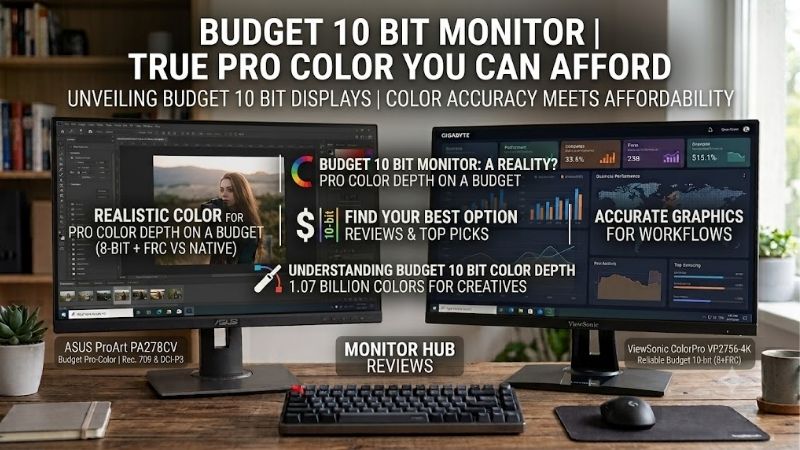
Quick answer: Our top pick in 2026 is the LG 27US500-W — our #1 rated choice. See the full ranked comparison, alternatives and buying advice below.
Budget 10 bit monitor: Quick recommendations
The Dell S2725QS is the practical starting point for mixed desktop use because it combines 4K resolution, a 120Hz refresh ceiling, and an adjustable stand. It makes sense when you want detailed text and smoother scrolling without building the entire purchase around professional color features.
The LG 27US500-W is worth comparing when a straightforward 4K screen meets your needs. Its included stand is less flexible, so account for placement before choosing it solely on price.
For creative work, shortlist the ASUS ProArt PA279CRV and ViewSonic ColorPro VP2756-4K. Their color-oriented features and USB-C connectivity offer different reasons to spend more.
For gaming, consider the AOC Q27G3XMN for its Mini-LED backlight, or the Gigabyte M27UP for high-refresh 4K. Both require attention to connection modes and current availability.
Here, budget means a shopping range of roughly $250–$400 before tax, shipping, and accessories. The AOC remains a conditional candidate because its direct checkout price was not verified. This is not a native-10-bit-only list.
Quick comparison of the six monitors
All models below are 27-inch class displays. Color-depth wording reflects what the inspected documentation establishes.
| Model | Resolution and refresh ceiling | Color-depth evidence | Suitable use | Important limitation |
|---|---|---|---|---|
| LG 27US500-W | 4K, 60Hz | LG documents 8-bit + FRC | Straightforward 4K desktop | Tilt-only stand; no USB-C docking |
| Dell S2725QS | 4K, 120Hz | 1.07 billion colors; native depth unconfirmed here | Work and occasional gaming | No USB-C laptop connection |
| ASUS ProArt PA279CRV | 4K, 60Hz | ASUS lists 10-bit color; native versus FRC unconfirmed here | Broader-gamut creative workflows | Limited refresh ceiling |
| ViewSonic VP2756-4K | 4K, 60Hz | 8-bit + A-FRC documented | sRGB-oriented creative work | 60W laptop charging may be insufficient |
| AOC Q27G3XMN | 1440p, up to 180Hz | 8-bit + FRC documented | HDR-oriented gaming | Lower resolution; checkout price needs confirmation |
| Gigabyte M27UP | 4K, 160Hz; separate FHD mode at 320Hz | 1.07 billion colors; native depth unconfirmed here | High-refresh 4K gaming | Inspected retailer temporarily out of stock |
The specifications above come from model-specific manufacturer documentation. LG UK
Observed advertised US prices on October 13, 2026 were $249.99 for the LG through LG, $279.99 for the Dell through Dell, $399 for the ASUS through B&H, $379.99 for the ViewSonic through ViewSonic, and $329.99 for the Gigabyte through B&H. 27US500-W
Those are page observations, not checkout guarantees. The Gigabyte listing was temporarily out of stock, and no verified AOC checkout price is included. Recheck seller, condition, tax, and delivery before ordering.
What 10-bit means before you spend money
An 8-bit RGB signal provides 256 levels per channel, producing approximately 16.7 million combinations. A 10-bit RGB signal provides 1,024 levels per channel, producing approximately 1.07 billion combinations.
More available levels can help represent gradual tonal changes. However, the source image, software, processing, and display pipeline determine whether the additional precision reaches the screen.
Native 10-bit versus 8-bit + FRC
A native 10-bit panel produces its channel levels without relying on the same temporal dithering approach used by an 8-bit + FRC panel.
FRC rapidly alternates pixel values to approximate intermediate shades. It is a legitimate display technique, but it should not be described as proof of native 10-bit hardware. BenQ US
A manufacturer’s “1.07 billion colors” specification alone does not resolve that distinction. This roundup leaves native status unconfirmed where the inspected sources do not establish it.
If your work contract specifically requires native 10-bit hardware, do not select from this list without obtaining model-specific confirmation.
Color depth is separate from color accuracy
More tonal steps do not guarantee accurate colors, a wider gamut, strong HDR, or consistent brightness across the panel.
An appropriately configured display with good accuracy can be more useful than an inaccurate screen with a more impressive bit-depth label.
For ordinary office work, readable text and comfortable positioning may have greater practical value. For editing, assess the complete workflow rather than buying only for the billion-color claim.
How these monitors were selected
The shortlist required manufacturer evidence of billion-color capability, a distinct practical use, and specifications relevant to an affordable desktop purchase.
The six options cover basic productivity, smoother mixed use, creative workflows, and gaming. They are not ranked as interchangeable displays, and none is promoted because of an affiliate listing.
Price evidence comes from the stated manufacturer or retailer pages. The AOC is included conditionally, while the Gigabyte requires renewed stock verification.
Recommendations are based on documented capabilities and buyer fit. No detailed research, measured color-error comparison, input-lag ranking, or benchmark result is claimed.
Exact names matter. The Gigabyte M27UP is not the older M27U, and the ViewSonic VP2756-4K is not the VG2756-4K.
LG 27US500-W: A straightforward 4K option
The LG suits a buyer who wants a detailed 27-inch desktop without paying for extensive docking hardware or a specialized creative feature package.
Its 3840 × 2160 IPS screen runs up to 60Hz. LG’s regional specification page explicitly describes the color implementation as 10-bit using 8-bit + FRC. That supports its inclusion while avoiding a native-panel claim. LG UK
The practical benefit is a high-resolution workspace for documents, web content, and general use. Configure comfortable scaling rather than leaving interface elements too small.
The included stand adjusts tilt, so inspect your seating position and desk arrangement. If you need an arm, include its cost when comparing the LG with an adjustable alternative.
Buy if: You already have suitable computer outputs, do not need USB-C charging, and want a simple 4K setup.
Skip if: You need high refresh rates, extensive stand adjustment, or a monitor that replaces a laptop dock.
The Dell is the natural alternative when smoother desktop movement and stand flexibility matter more than the LG’s lower observed price. The ASUS is more relevant when color-oriented controls drive the purchase.
Dell S2725QS: A flexible mixed-use starting point
The S2725QS combines 27-inch 4K IPS, a 120Hz refresh ceiling, an adjustable stand, and integrated speakers. Dell documents support for 1.07 billion colors, but this research does not establish the native panel implementation. Dell USA
Its appeal is the balance of detailed text and smoother desktop movement. A higher refresh rate can make scrolling and window movement more fluid, even when competitive gaming is not the main task.
However, the specification does not prove that every pixel transition is fast or that it outperforms a dedicated gaming display. No measured response comparison is asserted here.
The main connectivity limitation is the absence of USB-C docking. Plan a direct video connection and retain the laptop charger where needed.
Buy if: You want a general-purpose desktop display and your computer supports the desired 4K timing.
Skip if: One-cable laptop charging is essential or you require verified native 10-bit hardware.
Compared with the LG, the Dell offers a different refresh and ergonomic package. Compared with the ViewSonic, it emphasizes smoother desktop operation rather than a documented creative-work certification package.
ASUS ProArt PA279CRV: For broader-gamut creative work
The PA279CRV is the creative-oriented step-up option when your workflow can use its documented color spaces and controls.
ASUS specifies a 27-inch 4K IPS panel, 60Hz, 99% Adobe RGB coverage, 99% DCI-P3 coverage, Calman verification, and USB-C power delivery up to 96W. Its specification lists 10-bit color, but this article does not equate that wording with verified native panel depth. www.asus.com
The reason to spend more is the combined workflow package. A compatible laptop can receive video, data, and charging through the appropriate USB-C connection.
That convenience does not remove compatibility checks. Confirm the laptop’s video capability and charging needs, then use a suitable cable.
Buy if: Your editing process benefits from the documented gamut options, presets, and higher charging capacity.
Skip if: You mainly need office software or high-refresh gaming and would leave those creative features unused.
The ViewSonic is worth comparing for an sRGB-oriented workflow. The Dell is a stronger alternative when refresh flexibility matters more than wide-gamut creative features. Neither alternative should be judged by color depth alone.
ViewSonic VP2756-4K: For an sRGB-oriented workspace
The VP2756-4K offers a 27-inch 4K IPS display at 60Hz, documented 100% sRGB coverage, Pantone validation, and a factory-calibration claim of Delta E below 2.
ViewSonic also identifies its billion-color implementation as 8-bit + A-FRC. This makes the panel-depth qualification explicit rather than inferred from marketing terminology. www.viewsonic.com
Its USB-C connection supplies up to 60W, while the adjustable stand provides useful placement flexibility. It deserves consideration for web graphics, business visuals, and other workflows suited to the documented color capabilities.
The important compromise is charging capacity. A laptop with higher requirements may still need its original adapter, especially during demanding work.
Buy if: You want the documented sRGB-oriented features and your laptop’s requirements fit the connection.
Skip if: You need high-refresh gaming or expect 60W to replace a substantially more powerful charger.
Compare it with the ASUS according to your required color spaces and charging needs. Factory calibration and validation remain starting points; neither guarantees accurate results after arbitrary picture-setting changes or in every application.
AOC Q27G3XMN: A conditional Mini-LED gaming pick
The Q27G3XMN takes a different approach: a 27-inch 1440p VA display with a Mini-LED backlight, 336 local dimming zones, and a maximum refresh rate of 180Hz.
AOC explicitly documents 8-bit + FRC and DisplayHDR 1000 certification. Its reason for inclusion is the backlight and gaming feature combination, not a claim of native 10-bit hardware. aoc.com
Local dimming can help a display handle bright and dark areas together. Its behavior still depends on content and settings; the zone count does not guarantee halo-free presentation.
Check actual motion and dimming behavior if those characteristics matter to you. Manufacturer response-time claims do not establish a measured competitive-gaming winner.
Buy if: HDR-oriented gaming matters more than 4K desktop detail and a verified current offer fits your budget.
Skip if: You require a 4K workspace, USB-C docking, or native 10-bit certification.
Treat this as conditional until seller, condition, checkout price, and availability are confirmed. The Dell offers a different balance for work, while the Gigabyte targets high-refresh 4K. Neither provides the same documented Mini-LED backlight arrangement.
Gigabyte M27UP: High-refresh 4K, subject to stock
The M27UP combines a 27-inch 4K IPS screen with up to 160Hz operation and a separate 1080p mode reaching 320Hz. GIGABYTE Global
These are distinct resolution modes. It cannot provide 4K at 320Hz simply because both numbers appear in the specification.
Gigabyte documents 1.07 billion colors, but the inspected specification does not confirm native panel depth. Also verify the desired combination of refresh rate, RGB output, and color depth against your graphics hardware before purchase.
Its USB-C power delivery is limited to 18W. That should not be treated as a replacement for an ordinary laptop charger.
Buy if: You want high-refresh 4K and can confirm a suitable available offer and connection mode.
Skip if: Immediate delivery is essential or substantial USB-C laptop charging is a priority.
The inspected B&H listing was temporarily out of stock. Its displayed price therefore supports price context rather than a purchase-ready recommendation. bhphotovideo.com
Choose the Dell when 120Hz meets your needs and the available offer is preferable. Choose the AOC when its different resolution and backlight priorities better match your games.
How to choose a budget 10 bit monitor
Start with your main task and the hardest requirement to compromise.
For documents and web use, compare resolution, scaling, stand adjustment, and connection convenience. For editing, identify the required color space and verification process. For gaming, examine motion, refresh modes, adaptive sync, and system performance.
Spend on the complete setup
Include tax, shipping, an arm if needed, and any required cable or adapter.
A lower-priced monitor can become less attractive after adding hardware to fix an unsuitable stand. A docking monitor can be worthwhile when it replaces equipment you otherwise need.
Do not pay more solely because a product says “10-bit.” Determine what useful improvement accompanies the claim.
Match the signal path
The computer, cable, monitor input, operating settings, and application must support the intended workflow.
Bandwidth depends on resolution, refresh rate, color depth, and output format. A monitor may support a particular setting through one input or mode but not another.
For desktop text, avoid accepting reduced chroma detail merely to expose a 10-bit setting. Verify RGB or an appropriate full-chroma configuration.
Display Stream Compression can enable demanding modes on compatible hardware. Its presence does not prove compatibility with every adapter or dock.
Keep HDR expectations separate
HDR10 acceptance and a billion-color specification do not establish strong HDR contrast.
Compare the backlight and dimming capabilities separately. A conventional IPS office screen and the AOC’s Mini-LED arrangement make different compromises.
Do not buy an affordable monitor as a professional HDR reference display without evidence that it meets the required workflow.
Check the configuration after connecting
Select the monitor’s native resolution and intended refresh rate. Then inspect the graphics driver’s output color-depth setting.
For NVIDIA systems, the documented controls include output color depth and output color format under Change Resolution. Select a supported 10-bpc setting where available. nvidia.com
If that option is missing, investigate the input, cable, adapter, and selected timing. Testing a lower refresh rate can help identify a bandwidth-related limitation.
A driver showing 10 bpc confirms the selected output setting, not native 10-bit panel construction.
Finally, inspect suitable gradients in the intended application. Banding can originate in compressed content, editing adjustments, software, or the display pipeline. A new monitor cannot restore information missing from the source.
Avoid upgrades that do not solve the problem
Before replacing a monitor because of visible banding, inspect the same file in another application and compare a high-quality source with the compressed version.
If the bands are embedded in the image, a billion-color display will not recreate the missing shades. If they appear only after a strong editing adjustment, revisit the working file and export settings.
For paid visual work, also budget for verification. A factory report does not establish how the screen behaves after you change modes or adjust controls. A suitable measurement device and an appropriate profile may be more valuable than spending the entire budget on panel-depth terminology.
Keep lighting reasonably consistent when evaluating color. Reflections and changing ambient brightness can make comparisons harder even when the monitor settings remain unchanged.
During the return period, test the tasks you perform daily: a document, a familiar photo, a gradient, and your main game. Check connection stability, comfortable brightness, and the intended refresh mode.
Return or exchange according to the seller’s policy if the display does not meet those practical requirements. Do not keep an unsuitable screen simply because one specification looks impressive.
Frequently asked questions
Is 8-bit + FRC acceptable for editing?
It can be suitable for many workflows. Native 10-bit may be required for particular professional tasks, but gamut, accuracy, uniformity, software, and calibration also matter.
Does 1.07 billion colors prove native 10-bit?
No. Manufacturers can advertise billion-color capability on FRC-based displays. Obtain explicit panel information if native construction is essential.
Will 10-bit make ordinary websites look better?
Not automatically. Standard content may contain limited color precision, and the application and output pipeline influence the result.
Should gamers prioritize 10-bit over refresh rate?
Choose according to the games and image characteristics you notice. Color depth alone cannot replace good motion behavior, suitable resolution, or strong contrast.
Final verdict
Start with the Dell S2725QS for a flexible 4K desktop, or compare the LG 27US500-W when a simpler setup is sufficient.
Choose between ASUS ProArt and ViewSonic ColorPro according to color-workflow and laptop needs. Consider the AOC conditionally for Mini-LED gaming and the Gigabyte when stock and connection requirements are confirmed.
Buy the complete feature set you need, and treat native 10-bit as a separate verification requirement.
Ready to decide? Our #1 pick for 2026 is the LG 27US500-W.
Live price & availability on Amazon.









