
Best monitor for valorant depends on whether you prioritize raw refresh rate, clean motion, or image quality beyond ranked matches. This roundup compares four real displays by resolution, panel type, and practical trade-offs, helping you match your PC’s steady frame rate and budget to a screen worth buying, without paying for speed you cannot use.
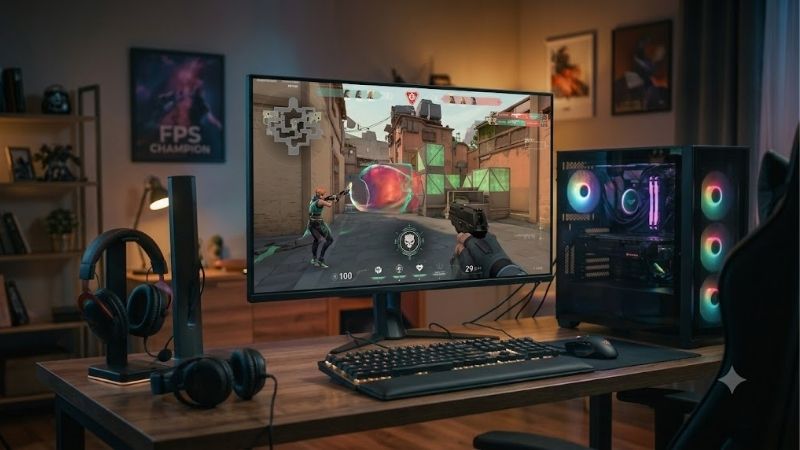
Quick answer: For most people in 2026, the best monitor for valorant is the Alienware AW2725DF — our #1 rated choice. See the full ranked comparison, alternatives and buying advice below.
How to Choose a Gaming Monitor for Valorant
Valorant rewards quick target reads, but a high refresh label cannot replace stable frames from your CPU and GPU. The best monitor for valorant is the one that matches your sustained FPS, desk distance, and priorities rather than a headline number alone; this guide balances speed, clarity, and everyday use during real matches.
Refresh Rate and Frame Rate
Refresh rate measures how often a display updates each second. A 180Hz, 360Hz, or 540Hz panel can show progressively more frequent updates, provided your PC supplies enough frames. Moving up from 60Hz is noticeable, while gains beyond 240Hz depend more heavily on consistently high FPS.
Choose a refresh rate your system can approach during actual ranked matches, not just the practice range. The AOC 24G4 targets affordable 180Hz gaming, while the Alienware AW2725DF and BenQ ZOWIE XL2566K offer 360Hz. The ASUS ROG Swift Pro PG248QP serves players chasing the highest refresh ceiling.
Resolution and Screen Size
Resolution affects fine details and text sharpness, while screen size determines how much of the battlefield you scan at once. A roughly 24-inch, 1080p monitor keeps competitive play compact and places less demand on your graphics card. A 27-inch, 1440p display gives sharper images and more desktop space.
Players prioritizing compact esports setups should consider the AOC 24G4, ASUS ROG Swift Pro PG248QP, or BenQ ZOWIE XL2566K, all offering 1080p formats. The Alienware AW2725DF takes a different approach with QHD resolution, making it attractive to players who also enjoy visually rich games and creative work.
Panel Type and Motion Clarity
Panel technology affects contrast, color, viewing angles, and moving-image clarity. The Alienware AW2725DF uses QD-OLED for deep blacks and fast pixel transitions, while the AOC 24G4 uses IPS for balanced color and broad viewing angles. TN panels prioritize competitive performance, although their color consistency is generally less impressive.
For motion clarity, the BenQ ZOWIE XL2566K offers DyAc+ backlight strobing that can make moving targets appear sharper under suitable settings. The ASUS ROG Swift Pro PG248QP emphasizes extreme refresh performance instead. Both are specialized esports choices, whereas the Alienware AW2725DF is better suited to mixed gaming and media.
Connectivity, Ergonomics, and PC Requirements
Check supported inputs before ordering. The Alienware AW2725DF reaches QHD at 360Hz through DisplayPort, while its HDMI mode tops out at QHD 144Hz. Cable quality, graphics-card output, and the selected display mode all matter; a connection limitation can prevent you from using the refresh rate advertised on the box.
Your PC matters just as much as your monitor because frame-rate consistency determines how much high refresh can help. The ASUS ROG Swift Pro PG248QP needs exceptionally high FPS to justify its 540Hz mode, while the AOC 24G4 is a sensible starting point for more modest systems. Confirm your hardware can support your intended setup before upgrading.
Top Picks
These four monitors cover distinct priorities: balanced QHD speed, affordable 180Hz gaming, maximum refresh, and strobe-assisted motion clarity. The best monitor for valorant is the one your PC can feed consistently, so treat peak refresh as a performance ceiling rather than a promise of better aim. Each pick also has a compromise worth considering before checkout.
| Product | Best For | Key Spec | Watch Out For |
|---|---|---|---|
| Alienware AW2725DF | Best Overall | 26.7-inch QHD QD-OLED, 360Hz | OLED care; HDMI limited to QHD 144Hz |
| AOC 24G4 | Best Value | 23.8-inch FHD IPS, 180Hz | Lower refresh ceiling |
| ASUS ROG Swift Pro PG248QP | Best for Maximum Refresh | 24.1-inch FHD E-TN, up to 540Hz OC | Requires very high FPS |
| BenQ ZOWIE XL2566K | Best for Motion Clarity | 24.5-inch FHD TN, 360Hz, DyAc+ | TN color limitations |
Alienware AW2725DF — Best Overall
The best monitor for valorant for players who want competitive speed and premium image quality is the Alienware AW2725DF. Its 26.7-inch QHD QD-OLED panel runs at 360Hz over DisplayPort and specifies a 0.03ms gray-to-gray response time, pairing fluid motion with rich contrast for games beyond ranked matches.
The trade-off is OLED upkeep and the need to check connection limits. Static interface elements make burn-in prevention worth considering during extended sessions, even with panel-care features. HDMI supports QHD at up to 144Hz, so use DisplayPort with a compatible PC to access the full 360Hz refresh rate.
AOC 24G4 — Best Value
The best monitor for valorant on a tighter budget is the AOC 24G4, a 23.8-inch Full HD Fast IPS display with a 180Hz refresh rate, a 1ms gray-to-gray rating, and a 0.5ms MPRT mode. Its compact size suits competitive setups, while IPS provides balanced colors for everyday desktop use.
Its main compromise is a lower refresh ceiling than the 360Hz and 540Hz alternatives. There is no USB hub for simplifying peripheral connections, either. Those limitations matter less if your PC cannot sustain much higher frame rates or you would rather put your money toward a stronger graphics card.
ASUS ROG Swift Pro PG248QP — Best for Maximum Refresh
The best monitor for valorant for players chasing the highest refresh rate is the ASUS ROG Swift Pro PG248QP. This 24.1-inch, 1080p esports display uses an E-TN panel and supports up to 540Hz overclocked, with a listed 0.2ms gray-to-gray response time for systems built around competitive performance.
This is a specialist purchase rather than the most balanced screen for every desk. Its TN panel has narrower viewing angles and less convincing color than modern OLED or IPS alternatives. The 540Hz mode also needs exceptionally high, stable FPS to make sense, so casual players may gain more from a less demanding upgrade.
BenQ ZOWIE XL2566K — Best for Motion Clarity
The best monitor for valorant for players prioritizing motion clarity is the BenQ ZOWIE XL2566K. It combines a 24.5-inch, 1080p TN panel with a 360Hz refresh rate and DyAc+ backlight strobing, a feature designed to reduce perceived blur during fast movement under supported settings.
The compromise is the TN image, with less appealing color and off-angle viewing than the Alienware AW2725DF. Its 1080p resolution also feels less spacious for creative work, and strobing is not comfortable for every player. Choose it for its focused esports features rather than expecting the richest all-purpose picture.
Frequently Asked Questions
If you are still deciding on the best monitor for valorant, the main questions usually concern whether 240Hz is enough, whether 360Hz or 540Hz is worth the upgrade, how large a screen should be, and whether OLED introduces extra maintenance. The answers below focus on practical trade-offs rather than impressive numbers alone.
Is 240Hz Enough for Valorant?
Yes, 240Hz is enough for highly competitive Valorant, particularly when your PC delivers stable frame rates. It is a substantial upgrade from 60Hz and can offer a smooth experience without the hardware demands of 360Hz or 540Hz. Consistent frame delivery often matters more than chasing the highest specification.
If you are upgrading from 144Hz, first consider motion performance, input response, and how reliably your system produces frames. The AOC 24G4 offers 180Hz for a more affordable entry point, while the 360Hz options provide additional headroom for stronger systems. You do not need 540Hz to play seriously.
Does 360Hz Make You Better Than 240Hz?
Not by itself. A 360Hz display refreshes more frequently than a 240Hz model, potentially improving motion clarity and responsiveness for practiced players. However, aim, positioning, latency, and stable frame delivery remain decisive. Treat 360Hz as a refinement to your setup, not a substitute for better mechanics.
Upgrade when your PC reliably approaches the display’s refresh target during real matches. A 360Hz monitor can still operate below its maximum rate, but you will not receive the full benefit without adequate frame output. Check performance in demanding fights as well as average FPS before paying for a higher ceiling.
Is a 27-Inch Monitor Too Large for Valorant?
No, 27 inches is not automatically too large for Valorant. A 27-inch, 1440p monitor offers sharper desktop text and more workspace without sacrificing smooth gameplay. However, players sitting close to the screen may prefer a 24- to 25-inch display because the full HUD and corners are easier to scan at once.
Choose according to your viewing distance and posture rather than copying another player’s setup. The Alienware AW2725DF is the 27-inch QHD option here, while the AOC 24G4, ASUS ROG Swift Pro PG248QP, and BenQ ZOWIE XL2566K focus on compact 1080p esports gaming where high frame rates take priority.
Is OLED Worth It for Valorant?
OLED can be worth it for Valorant, particularly if you want deep blacks, strong contrast, and rapid pixel transitions alongside competitive speed. However, static HUD elements and long daily sessions make burn-in a legitimate consideration. The Alienware AW2725DF combines QHD resolution with 360Hz performance, but its advantages come with extra care considerations.
For a screen that spends most of the day displaying static desktop apps, an IPS model such as the AOC 24G4 may feel lower-maintenance. For mixed gaming and media, OLED remains compelling. Review the current warranty, use built-in panel-care features, and vary displayed content rather than leaving fixed images unattended for extended periods.
Final Thoughts
For most players, the best monitor for valorant is not automatically the fastest model; it is the screen that fits their frame rate, preferred size, and budget. Choose the AOC 24G4 for value, the Alienware AW2725DF for premium all-round play, or a dedicated esports option when speed and motion clarity matter most.
Ready to decide? Our #1 pick for 2026 is the Alienware AW2725DF.
Live price & availability on Amazon.









