
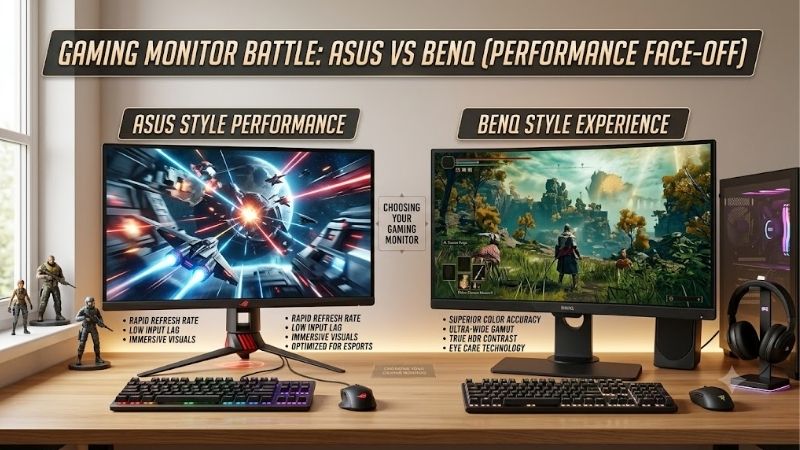
When comparing asus vs benq gaming monitor options, the better brand depends on whether you prioritize all-around gaming, premium image quality, or competitive esports performance. ASUS offers a broad lineup through its ROG and TUF Gaming families, while BenQ serves different audiences through MOBIUZ and ZOWIE. A mainstream 1440p IPS monitor from either manufacturer can be a sensible choice for everyday PC gaming, but their premium products take different approaches: ASUS offers high-refresh OLED options, while BenQ ZOWIE emphasizes motion clarity and competitive-focused controls. The best purchase depends on the exact model, your graphics card, the games you play, and the features you will actually use.
- ASUS vs BenQ gaming monitor: quick verdict
- ASUS vs BenQ gaming monitor: how the lineups differ
- The models worth comparing
- Refresh rate and motion clarity
- Image quality: IPS, TN, and OLED
- Features, connectivity, and everyday convenience
- HDR, brightness, and dark-scene performance
- Which ASUS vs BenQ gaming monitor fits your setup?
- Price and long-term value
- Frequently asked questions
- Final verdict
Quick answer: Our top pick in 2026 is the Priority — our #1 rated choice. See the full ranked comparison, alternatives and buying advice below.
ASUS vs BenQ gaming monitor: quick verdict
Choose ASUS if you want a broad selection of gaming monitors, including affordable high-refresh IPS screens, enthusiast OLED displays, and specialized features such as ELMB Sync. Its TUF Gaming and ROG lineups make it relatively easy to compare different performance levels within one manufacturer’s ecosystem.
Choose BenQ if you value the features of its MOBIUZ or ZOWIE families. MOBIUZ models emphasize immersive gaming, color presentation, and convenience features such as USB-C connectivity. ZOWIE targets competitive players with specialized motion-blur reduction, monitor presets, and very high refresh rates.
| Priority | Better starting point | Why |
|---|---|---|
| Everyday 1440p gaming | ASUS or BenQ MOBIUZ | Both offer 27-inch IPS options around 165–180Hz |
| Premium OLED gaming | ASUS ROG | Includes 1440p OLED models reaching 480Hz |
| Competitive esports | BenQ ZOWIE or ASUS ROG | Both offer fast competitive displays with different panel technologies |
| Laptop plus gaming desktop | BenQ MOBIUZ EX271Q | USB-C supports DisplayPort, data, and up to 65W power delivery |
| Dark-room image quality | ASUS ROG OLED | OLED provides per-pixel blacks and very fast transitions |
| Dedicated motion-blur reduction | BenQ ZOWIE | DyAc 2 is a major feature of its competitive-focused models |
| Practical mainstream gaming | ASUS TUF or BenQ MOBIUZ | Choose based on panel performance, connectivity, ergonomics, and price |
These are starting recommendations rather than universal brand rankings. The ASUS ROG Strix XG27ACS and BenQ MOBIUZ EX271Q, for example, offer broadly similar 1440p resolutions and 180Hz maximum refresh rates, but their connectivity and additional features differ.
ASUS vs BenQ gaming monitor: how the lineups differ
ASUS and BenQ are not organized around identical product categories, which is why comparing logos alone can be misleading.
ASUS has two widely recognized gaming families. TUF Gaming generally targets practical gaming performance across accessible and midrange product tiers. ROG, or Republic of Gamers, includes more enthusiast-oriented displays, from conventional IPS monitors to high-refresh OLED models. A TUF monitor can still provide a fast panel and adaptive sync, while a ROG model can carry a premium for more advanced display technology or connectivity.
BenQ’s gaming portfolio divides into MOBIUZ and ZOWIE. MOBIUZ focuses on a broader gaming and entertainment experience, with features such as HDRi picture modes, Color Vibrance adjustments, and productivity conveniences on selected models. ZOWIE is more specialized in competitive gaming, emphasizing motion clarity, player-adjustable image controls, and features designed around games such as Counter-Strike 2 and Valorant.
This matters when choosing a monitor for mixed use. A MOBIUZ monitor may suit someone who plays visually rich single-player games and also connects a work laptop. A ZOWIE display may make more sense for someone who plays competitive shooters almost exclusively. ASUS covers comparable use cases, but the exact ROG or TUF model still determines its strengths.
Neither manufacturer automatically produces more accurate colors, lower input lag, or better motion handling across its entire catalog. Those qualities depend on panel technology, firmware, overdrive tuning, refresh rate, and the model’s specific implementation.
The models worth comparing
The following models illustrate the different approaches without pretending that all five compete at the same price or performance level.
| Model | Native resolution | Maximum refresh rate | Panel | Distinguishing feature |
|---|---|---|---|---|
| ASUS TUF Gaming VG27AQE5A | 2560 × 1440 | 165Hz | IPS | Mainstream QHD gaming |
| ASUS ROG Strix XG27ACS | 2560 × 1440 | 180Hz | Fast IPS | USB-C video and ELMB Sync |
| BenQ MOBIUZ EX271Q | 2560 × 1440 | 180Hz via DisplayPort | IPS | USB-C with 65W power delivery and KVM |
| ASUS ROG Swift OLED PG27AQDP | 2560 × 1440 | 480Hz | WOLED | High-refresh OLED contrast |
| BenQ ZOWIE XL2566X+ | 1920 × 1080 | 400Hz | Fast TN | DyAc 2 motion-blur reduction |
These specifications come from the manufacturers’ product pages. Note that the TUF’s 165Hz and ZOWIE’s 400Hz figures are their stated maximum refresh rates, while the MOBIUZ EX271Q reaches 180Hz over DisplayPort but is limited to 144Hz through HDMI.
The table also shows why there is no simple overall winner. The ROG Swift OLED PG27AQDP is a 1440p OLED specialist, while the ZOWIE XL2566X+ uses a smaller 1080p TN panel designed around competitive motion clarity. One prioritizes high resolution and OLED image quality alongside very high refresh; the other targets players who prefer a dedicated esports display.
For a fair purchase comparison, start with monitors that share the same size, resolution, and general performance class. Then consider the more specialized models only if their distinct features match your needs.
Refresh rate and motion clarity
Refresh rate is one of the most visible gaming specifications, but the highest number is not automatically the best choice.
A 180Hz monitor updates approximately every 5.56 milliseconds, while a 400Hz screen updates every 2.5 milliseconds. A 480Hz panel reduces the interval to about 2.08 milliseconds. Higher refresh rates can make camera movement look smoother and reduce the time between display updates, provided your PC produces enough frames to take advantage of them.
ASUS offers very fast OLED options such as the ROG Swift OLED PG27AQDP, which combines 1440p resolution with 480Hz refresh. BenQ’s ZOWIE XL2566X+ instead reaches 400Hz at 1080p using a Fast TN panel and supports DyAc 2, a backlight-strobing technology designed to reduce perceived motion blur.
The two approaches solve different problems. OLED has exceptionally fast pixel transitions, which helps reduce trailing and gives moving objects a clean appearance. Backlight strobing reduces motion persistence by illuminating the display in brief intervals, potentially making moving targets easier to track. Its effectiveness depends on settings and the player’s sensitivity to flicker or image brightness.
BenQ specifies that variable refresh rate on the XL2566X+ is available with DyAc 2 turned off. This is an important trade-off: you cannot assume every specialized motion feature operates simultaneously with adaptive sync. Check the official operating conditions before choosing a competitive display.
Independent testing also shows why specifications alone do not settle the decision. RTINGS found that the ASUS ROG Strix XG27ACS has low input lag and generally sharp motion, although it can exhibit inverse ghosting at lower refresh rates and its backlight-strobing mode creates image duplication. Its 180Hz refresh rate makes it suitable for many players, but it is not designed to match the extreme refresh rates of specialist esports monitors.
For mainstream gaming, 165Hz to 180Hz is already a useful range. Consider 400Hz or 480Hz if you play competitive games, sustain high frame rates, and care more about response and motion clarity than resolution or cinematic image quality.
Image quality: IPS, TN, and OLED
Panel technology has a direct effect on how games look. Neither brand wins every category.
IPS for balanced performance
IPS is a sensible default for a gaming PC used for several purposes. It generally provides wide viewing angles, good color reproduction, and useful response behavior, without the OLED-specific risk of uneven pixel wear.
The ASUS TUF VG27AQE5A and ROG Strix XG27ACS use IPS panels, as does the BenQ MOBIUZ EX271Q. These 27-inch QHD screens offer enough resolution for detailed game environments and desktop work, while refresh rates between 165Hz and 180Hz cover a broad range of gaming styles.
Conventional IPS panels tend to have limited native contrast, so black areas may look gray in a dim room. HDR labels do not eliminate that limitation. A monitor’s peak HDR brightness also does not tell you how consistently it can display bright scenes or how effective its contrast is.
For many buyers, the best choice between these IPS models will therefore come from ergonomics and connectivity rather than their small difference in maximum refresh rate.
TN for competitive priorities
BenQ ZOWIE’s XL2566X+ uses a Fast TN panel. It targets competitive players who want a compact 24.1-inch display and very high refresh rates. Its 1920 × 1080 resolution is less demanding on the graphics card than 1440p, which can help a high-end gaming system maintain very high frame rates in esports titles.
The compromise is image quality. TN panels generally offer less compelling viewing angles and color presentation than a good IPS screen or OLED display. A 24.1-inch 1080p screen also provides less desktop detail than a 27-inch QHD monitor.
For a player focused on tournament-style shooters, these compromises may be acceptable. For someone who also enjoys cinematic games, watches videos, or works on the same screen, a mainstream IPS model is likely to be more versatile.
OLED for contrast and fast pixel response
The ASUS ROG Swift OLED PG27AQDP combines a 26.5-inch 1440p WOLED panel with a 480Hz maximum refresh rate and a manufacturer-rated 0.03ms gray-to-gray response time. Its OLED pixels can switch off individually, producing deep blacks without the halos associated with local-dimming LCD backlights.
Independent testing by RTINGS found very sharp motion and low input lag at most tested refresh rates, as well as strong contrast and bright small HDR highlights. The review also identifies noticeable variable-refresh-rate flicker as frame rates change and software bugs that may affect the settings experience. Input lag is notably higher with 60Hz signals than at higher refresh rates.
OLED is therefore a meaningful upgrade if contrast and fast pixel response matter to you, but it is not a universally safer purchase. Static desktop elements can contribute to burn-in over time, so protection features should remain enabled. ASUS lists a three-year warranty that includes panel burn-in for this model, a useful safeguard that buyers should verify against their region’s actual warranty terms.
Features, connectivity, and everyday convenience
Gaming monitors are not only about refresh rates. Ports, stand adjustments, software controls, and support for multiple devices can make a real difference.
The ASUS ROG Strix XG27ACS includes DisplayPort 1.4, HDMI 2.0, and USB-C with DisplayPort Alt Mode. The USB-C connection provides only 7.5W of power delivery, however, so it is suitable for video connectivity but should not be mistaken for a full laptop-charging connection. The monitor also offers adaptive sync, ELMB Sync, Shadow Boost, and adjustable height.
The BenQ MOBIUZ EX271Q takes a different approach to desk flexibility. It supports DisplayPort 1.4, HDMI 2.0, and USB-C with up to 65W power delivery. Its specification also lists a KVM switch, which allows compatible input devices to be shared between connected computers. That makes it particularly relevant if you alternate between a gaming desktop and a laptop.
These connections have practical limits. The MOBIUZ EX271Q supports 180Hz over DisplayPort but only 144Hz over HDMI. The ROG XG27ACS also has different refresh limits by input, so you should check its signal-frequency specifications rather than assume every port supports 180Hz. Use DisplayPort for a desktop PC if you want the full refresh rate on either of these examples.
BenQ ZOWIE offers more specialized controls on the XL2566X+, including Black eQualizer, Color Vibrance, an S Switch controller, and a shielding hood. Those are aimed at competitive players who want convenient access to specific gaming profiles and a controlled viewing environment. The monitor uses DisplayPort 1.4 for its full 400Hz mode; the manufacturer states that HDMI 2.0 supports up to 240Hz on this model.
If you use a console as well as a PC, verify the console’s supported resolution and refresh rate for the exact monitor. A 400Hz PC display is not a 400Hz console display, and a higher HDMI version label alone does not guarantee every display mode will be available.
HDR, brightness, and dark-scene performance
HDR performance is another area where model selection matters more than brand reputation. A monitor may accept an HDR signal without being able to display a dramatic range of brightness and contrast.
The ASUS ROG Strix XG27ACS carries a VESA DisplayHDR 400 certification, but RTINGS found limited contrast and weak HDR highlight impact. This is a reminder that a certification indicates certain requirements have been met; it does not guarantee a cinematic HDR experience.
The BenQ MOBIUZ EX271Q specifies a typical brightness of 350 nits and peak HDR brightness of 400 nits, along with HDR10 and DisplayHDR 400 support. Its additional HDRi modes and Light Tuner controls are intended to adjust the presentation for different content and viewing preferences. Those are useful controls, but they do not give a conventional IPS panel the per-pixel contrast of OLED.
The PG27AQDP’s OLED panel is better equipped to produce deep blacks and bright small highlights, although its HDR behavior still varies with the type and size of content displayed. It is a more compelling choice for HDR-focused gaming than a basic IPS display, but owners should consider its price, burn-in precautions, and reported firmware issues.
For a bright room, look beyond the peak HDR number. Typical SDR brightness, reflection handling, and screen finish can have a greater effect on daytime usability. For dark-room gaming, prioritize contrast and black-level performance. An OLED model may be worthwhile if that is your main use, while a well-chosen IPS screen can be a more practical all-rounder.
Which ASUS vs BenQ gaming monitor fits your setup?
The right choice depends on the kind of games you play and the performance of your PC.
For mainstream 1440p gaming
Compare the TUF VG27AQE5A, ROG Strix XG27ACS, and MOBIUZ EX271Q. All three target high-refresh QHD gaming, with the ASUS options offering 165Hz and 180Hz respectively and the BenQ reaching 180Hz over DisplayPort. The ASUS ROG XG27ACS is interesting if you want ELMB Sync and USB-C video input, while the BenQ EX271Q is more convenient if you need 65W USB-C charging and a KVM switch.
For competitive shooters
Choose between a high-refresh ROG model and a ZOWIE model based on your resolution and motion preferences. The XL2566X+ prioritizes 1080p at 400Hz and includes DyAc 2. The PG27AQDP pairs OLED contrast with 1440p at 480Hz. These products serve different competitive needs, and their refresh rates do not establish a universal winner.
For immersive single-player games
A 27-inch 1440p IPS model may already deliver an excellent balance of image detail and fluid movement. If you want deeper blacks and more convincing HDR, the ROG OLED option offers a much larger change in panel technology than a small increase from 165Hz to 180Hz.
For work and gaming on one desk
The MOBIUZ EX271Q deserves particular consideration if your setup includes a laptop and a gaming desktop. Its USB-C power delivery and KVM support can reduce cable and peripheral clutter. The ROG Strix XG27ACS offers USB-C video, but its 7.5W power delivery is not intended to replace a laptop charger.
Price and long-term value
Do not assume one brand is automatically cheaper. Pricing changes with retailer promotions, stock, and model generation, and the examples here span different panel technologies and performance tiers. Without a matched set of verified US retail prices, it would be misleading to declare either manufacturer the better value based on price alone.
Instead, identify the feature that justifies an upgrade. Moving from a basic 1080p 60Hz display to 1440p 165Hz can be a substantial change in both resolution and motion. Moving from 165Hz to 180Hz is a much smaller difference. Paying more for OLED can bring a larger contrast and response-time improvement, while paying for 400Hz or 480Hz makes sense primarily for players whose systems can deliver very high frame rates.
Consider the useful lifespan of the feature set as well. A monitor with good ergonomics, suitable connections, and the right resolution may remain satisfying for years. A dedicated esports monitor is a better investment when competitive play is the priority, not simply because its refresh-rate number is higher.
Finally, check warranty terms and model-specific support before purchasing. ASUS’s OLED burn-in coverage on the PG27AQDP is a specific documented benefit, not a guarantee that every ASUS monitor includes the same terms. BenQ’s warranty policy also depends on product category, location, and conditions of purchase.
Frequently asked questions
Is ASUS better than BenQ for gaming monitors?
Neither brand wins in every category. ASUS offers a broad choice through TUF and ROG, including premium OLED monitors. BenQ provides versatile MOBIUZ displays and esports-focused ZOWIE models. Compare specific monitors and measured performance before deciding.
Is BenQ ZOWIE better than ASUS ROG for FPS games?
ZOWIE is worth considering if you prioritize dedicated motion-blur reduction, esports-oriented controls, and high-refresh TN panels. ROG is compelling if you want high refresh alongside OLED contrast or a higher-resolution image. Your preferred panel and the frame rates your PC can sustain should guide the decision.
Is the BenQ MOBIUZ EX271Q good for PC gaming?
Its specifications make it a capable mainstream option: 27-inch QHD IPS, 180Hz via DisplayPort, FreeSync Premium, and a 1ms manufacturer-rated GTG response time. The 65W USB-C connection and KVM support are useful extras. Check the independent testing available for the exact model if motion performance is your overriding concern.
Should I buy a 400Hz or 480Hz monitor?
Only if you can benefit from the extra refresh rate. Both require a PC capable of delivering very high frame rates in the games you play. A 165Hz or 180Hz display may be the more sensible choice for a general-purpose gaming PC.
Does USB-C make a gaming monitor better?
It can make a monitor more convenient, particularly if you connect a laptop. Pay attention to the supported video mode, USB data functionality, and power delivery. A monitor with 65W charging can serve many laptops, while a 7.5W USB-C video input is not a substitute for full laptop power delivery.
Final verdict
ASUS and BenQ both make compelling gaming monitors, but their strongest products serve somewhat different needs. ASUS is an excellent starting point for buyers seeking a broad range of gaming displays, particularly high-refresh OLED models. BenQ is especially appealing when you want MOBIUZ connectivity and entertainment features or ZOWIE’s competitive-focused controls and motion-blur reduction.
For most players, begin with a 27-inch 1440p IPS monitor around 165Hz to 180Hz and compare actual panel performance, ergonomics, and connectivity. Upgrade to an ROG OLED if contrast and very high refresh rates justify the cost, or choose a ZOWIE model if competitive motion clarity is the priority. The right monitor is the one whose strengths match your games and setup, not simply the one with the more prestigious label.
Amazon verification: No complete, matched set of current Amazon US listings, sellers, stock status, and prices was independently confirmed for all five example models. The article therefore makes no claims of confirmed Amazon availability or price-based rankings. Manufacturer specifications and independent reviews are kept distinct.
Editorial limitations: No existing related Build-PC-Guide.com URLs were supplied, so a keyword cannibalization check against specific articles could not be completed. No matched side-by-side benchmark of the ASUS and BenQ models was available; the comparison is based on confirmed specifications and appropriately attributed independent reviews.
Ready to decide? Our #1 pick for 2026 is the Priority.
Live price & availability on Amazon.









