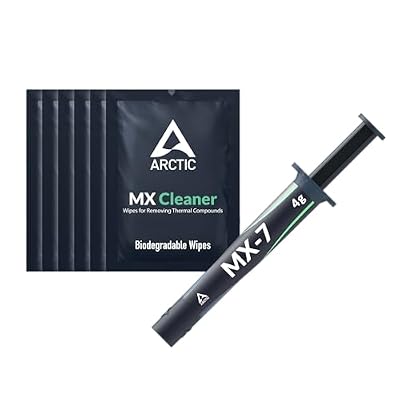
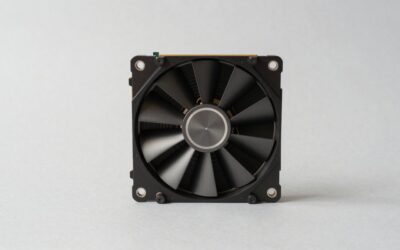
Thermal paste is the thin, unglamorous layer that carries heat from your processor to its cooler, and getting it right can shave several degrees off your temperatures. Noctua’s NT-H series has become a benchmark for reliability, but it is worth understanding how it compares to the wider field. This guide covers how to choose thermal paste for your build in 2026 and which compounds genuinely deliver.
As an Amazon Associate I earn from qualifying purchases.
As an Amazon Associate we earn from qualifying purchases at no extra cost to you.






🛒 Best Price Today on Amazon
Prime members get fast, free shipping on everything above, plus member-only deals. New members get a 30-day free trial — cancel anytime.
How to choose thermal paste for your build
Good thermal paste fills the microscopic gaps between a CPU and its cooler so heat transfers efficiently. The main choices are non-conductive ceramic compounds, which are safe and easy for beginners, and higher-performance metal or liquid-metal pastes that demand caution. For most builders, a proven ceramic paste like Noctua’s strikes the ideal balance of performance, safety, and longevity. Consider ease of application, cure time, and how long the paste lasts before it dries. Our CPU cooler installation guide pairs perfectly with this list.
| Product | Best For | Standout Feature | Rating |
|---|---|---|---|
| Noctua NT-H2 | All-round thermal paste | Long-life, non-conductive formula | 4.9/5 |
| Noctua NT-H1 | Beginner value | Forgiving, easy to spread | 4.8/5 |
| Arctic MX-6 | Budget performance | Excellent value per gram | 4.7/5 |
| Thermal Grizzly Kryonaut | High-end cooling | Top-tier heat transfer | 4.8/5 |
| Corsair XTM70 | Overclocking | High conductivity rating | 4.6/5 |
The best thermal paste picks for 2026
The thermal paste options below span from beginner-friendly ceramics to enthusiast-grade compounds. For most builders a reliable non-conductive paste is the smart choice, while overclockers chasing every last degree may look higher up the range.
Noctua NT-H2 — the refined all-rounder
An evolution of Noctua’s beloved formula, this thermal paste offers excellent heat transfer, a long service life, and a non-conductive makeup that forgives minor spills. It applies smoothly and includes cleaning wipes in some kits. It costs a little more than budget options, but its reliability and longevity make it a set-and-forget choice.
Noctua NT-H1 — the beginner’s friend
The original that built the brand’s reputation, this thermal paste remains a superb pick for first-timers thanks to its forgiving consistency and easy application. It is nearly impossible to get wrong. Performance trails the very best enthusiast pastes by a hair, but for the vast majority of builds that gap is invisible in real use.
Arctic MX-6 — the value workhorse
For builders who want strong thermal paste performance at a low price, this compound is a perennial favorite, offering great cooling and a non-conductive formula in generous quantities. It spreads easily and lasts for years. Its syringe lacks the premium extras of pricier kits, but the paste itself performs admirably for the money.
Thermal Grizzly Kryonaut — the enthusiast choice
When you are chasing the lowest possible temperatures, this thermal paste delivers class-leading heat transfer prized by overclockers and cooling enthusiasts. It performs superbly under heavy sustained loads. It can dry out faster than some rivals under extreme heat cycling, so plan to reapply periodically if you push your hardware hard, as our overclocking basics guide notes.
Corsair XTM70 — built for high loads
This high-conductivity thermal paste targets overclockers and high-wattage CPUs, holding temperatures down when the silicon is working its hardest. It comes with a handy applicator for even spreading. Its thicker consistency takes a touch more effort to apply cleanly, so take your time to avoid air gaps under the cooler.
Arctic MX-4 — the reliable classic
Rounding out the list, this long-standing thermal paste remains popular for its dependable performance, easy application, and modest price. It is non-conductive and lasts for years without drying out. Newer formulas edge it out on raw performance, but its proven track record and low cost keep it a safe, sensible pick.
Applying thermal paste the right way
Even the best thermal paste underperforms if applied poorly. Start by cleaning the old paste off the CPU and cooler with isopropyl alcohol and a lint-free cloth. Then apply a pea-sized dot to the center of the processor and let the cooler’s pressure spread it evenly; there is no need to spread it manually for most chips. Our CPU cooler installation guide and PC building tools checklist cover the full process and the gear you will need.
Less is more with thermal paste. Too much can ooze over the edges and, if you are using a conductive compound, risk contacting nearby components. A pea-sized amount is right for most mainstream CPUs, while larger heat-spreaders benefit from a slightly bigger dot. If you ever remove the cooler, always clean and reapply fresh paste rather than reusing the old, cured layer, as our maintenance guide explains.
Finally, avoid liquid-metal compounds unless you know exactly what you are doing. They offer the best performance but conduct electricity and can corrode aluminum coolers, making them risky for beginners. For nearly every build, a quality non-conductive thermal paste delivers excellent temperatures with none of the danger, which is why it remains the standard recommendation for first-time and experienced builders alike.
Frequently Asked Questions
How often should I replace thermal paste?
For most builds, quality thermal paste lasts three to five years before performance noticeably declines. You only need to reapply if you remove the cooler or your temperatures start climbing without another cause. High-end enthusiast pastes under heavy overclocking may benefit from more frequent replacement, but everyday users rarely need to worry.
Is Noctua thermal paste conductive?
No, Noctua’s NT-H1 and NT-H2 are non-conductive ceramic-based compounds, which makes them safe and forgiving for beginners. A minor spill onto surrounding components will not short anything out. This safety, combined with strong performance and long life, is a big reason the pastes are so widely recommended for first builds.
How much thermal paste should I apply?
A pea-sized dot in the center of the CPU is the standard amount for most mainstream processors. The cooler’s mounting pressure spreads it evenly across the surface. Applying too much can ooze over the edges, while too little leaves gaps, so this small central dot is the reliable sweet spot.
Can I use liquid metal instead of regular thermal paste?
Liquid metal offers the best cooling but conducts electricity and can corrode aluminum, so it is risky for beginners. It requires careful application and must never touch other components. For nearly every build a quality non-conductive paste delivers excellent temperatures safely, making liquid metal worthwhile only for experienced enthusiasts chasing extreme results.