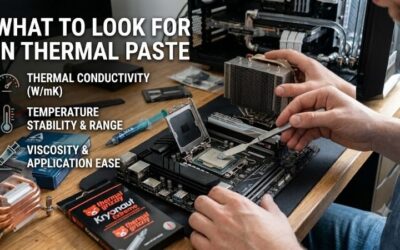
Best thermal paste for a high end build shopping gets confusing when conductivity claims promise more than a compound can deliver. An expensive CPU still needs correct cooler contact, suitable mounting pressure, and adequate airflow. This guide compares four nonconductive pastes for everyday operation, value, frequent assembly, and tuning.
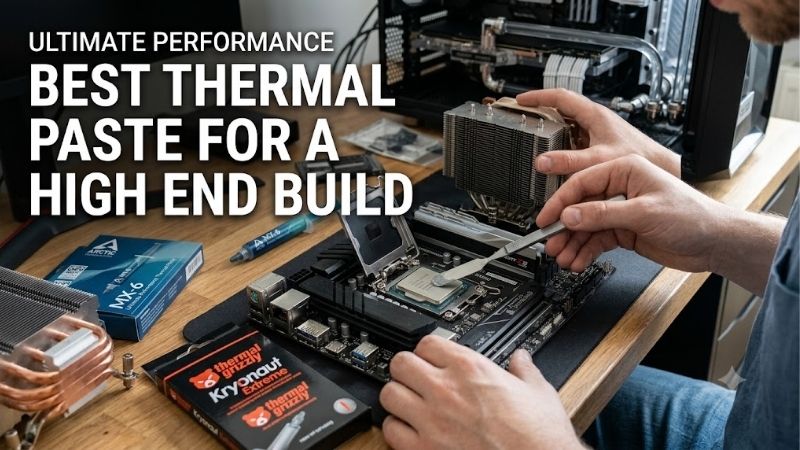
Quick answer: For most people in 2026, the best thermal paste for a high end build is the Noctua NT-H2 — our #1 rated choice. See the full ranked comparison, alternatives and buying advice below.
How to Choose Thermal Paste
This guide to the best thermal paste for a high end build focuses on practical differences: service guidance, application behavior, package quantity, and performance evidence. Four real products suit distinct buyers. Recommendations use documented features, while temperature advantages require controlled testing on relevant hardware.
Service Guidance
Service guidance matters when a powerful workstation must run reliably without scheduled cooler removal. Check recommended storage time separately from installed usage time; an unopened syringe and a working thermal interface face different conditions. Published longevity is useful purchasing information, but cannot predict every installation.
Noctua lists up to five years of recommended CPU usage for NT-H2, making its guidance useful for owners who rarely change hardware. Longer service recommendations do not eliminate monitoring, especially if temperatures change under comparable loads. Choose Noctua NT-H2 when documented maintenance expectations matter more than buying extra quantity.
Application Consistency
Application consistency influences how easily paste dispenses and spreads under mounting pressure. Thick formulations can require more deliberate handling, while easy dispensing alone does not establish better heat transfer. Follow instructions for your CPU and cooler rather than assuming one universal dot size provides adequate coverage.
For the best thermal paste for a high end build, handling should match your patience and installation method. ARCTIC describes MX-6 as a high-viscosity compound; that deserves attention if you prefer effortless manual spreading. Choose ARCTIC MX-6 when its application characteristics suit your workflow and its retail price justifies the purchase.
Package Quantity
Package quantity matters most when you assemble multiple systems or remove coolers for upgrades. Compare checkout cost per gram, while remembering that usage varies with processor surface area and application method. A larger syringe reduces repeat purchases, but becomes wasteful if most of its contents remain unused beyond recommended storage.
Plan quantity around foreseeable installations rather than theoretical lifetime savings. Large heat spreaders generally require more compound than smaller surfaces, making tiny packages less convenient for repeated work. Choose GELID GC-Extreme 10g for regular assembly when its larger supply offsets the upfront expense and storage requirements.
Relevant Performance Evidence
Performance evidence should compare the same processor, cooler, mounting procedure, power settings, and ambient temperature. Conductivity figures from separate manufacturers are not a standardized temperature ranking. A premium compound becomes easier to justify when relevant testing demonstrates a benefit within a competent cooling system.
Tuning enthusiasts should distinguish changing paste from changing the cooler mount, fan curve, or CPU power limit simultaneously. Otherwise, attributing improvements to one product becomes unreliable. Choose Thermal Grizzly Kryonaut for controlled tuning experiments when its enthusiast positioning and 1g package match the scope of your project.
Top Picks
The best thermal paste for a high end build depends on usage rather than processor price alone. NT-H2 receives my overall recommendation for documented service guidance and cleanup accessories. MX-6 targets value, GC-Extreme supplies repeated installations, and Kryonaut suits focused tuning; none receives an unsupported temperature-win claim.
| Product | Best For | Key Spec | Watch Out For |
|---|---|---|---|
| Noctua NT-H2 | Best Overall | 3.5g; three cleaning wipes; recommended CPU usage up to five years | Limited quantity for repeated large-CPU installations |
| ARCTIC MX-6 | Best Value | 4g option; electrically nonconductive and non-capacitive | Thick consistency; bundle contents vary |
| GELID GC-Extreme | Frequent Assembly | 10g option; electrically nonconductive; non-curing | More quantity and upfront spending than one build requires |
| Thermal Grizzly Kryonaut | Enthusiast Tuning | 1g option; included spatula; no curing requirement | Small supply for repeated mounting comparisons |
Noctua NT-H2: Best Overall
Noctua NT-H2 earns Best Overall for builders prioritizing documented service expectations and convenient maintenance. Its 3.5g package includes three NA-CW1 cleaning wipes, and Noctua recommends CPU usage up to five years. The compound is electrically nonconductive, giving mainstream desktop installations a practical alternative to liquid metal.
The limitation is quantity for larger processors: Noctua estimates around three applications on large CPUs from this package. Frequent cooler changes can therefore favor a larger syringe. Buy NT-H2 for the maintenance guidance and included cleaning supplies, while treating the five-year recommendation as guidance rather than a universal guarantee.
ARCTIC MX-6: Best Value
ARCTIC MX-6 earns Best Value when its 4g package costs meaningfully less than suitable premium alternatives. ARCTIC identifies it as neither electrically conductive nor capacitive and describes a high-viscosity formulation. Those practical properties support its inclusion without converting manufacturer claims into invented temperature gains.
Its thicker consistency is a handling tradeoff if you prefer very easy dispensing or manual spreading. Package contents also vary, so do not assume every listing includes cleaning wipes. For the best thermal paste for a high end build on a sensible budget, choose MX-6 when the specific bundle provides genuine savings without unwanted accessories.
GELID GC-Extreme: Best For Frequent Assembly
GELID GC-Extreme earns Best For Frequent Assembly through its available 10g package and electrically nonconductive formulation. The larger quantity suits repeated CPU installations and cooler changes where small syringes become inconvenient. GELID lists a non-curing compound, so its application does not depend on a special curing period.
The drawback is committing to more compound than a single completed build needs. Compare package pricing with smaller alternatives, and keep the syringe sealed according to product instructions. Choose the 10g version for a realistic installation workload, rather than assuming bulk purchasing is automatically worthwhile for occasional maintenance.
Thermal Grizzly Kryonaut: Best For Enthusiast Tuning
Thermal Grizzly Kryonaut earns Best For Enthusiast Tuning as a compound explicitly developed for demanding overclocking applications. The 1g package includes a spatula, and the manufacturer specifies no electrical conductivity and no curing requirement. That makes it a relevant candidate for a deliberate comparison within a capable cooling setup.
The small syringe is its practical drawback, especially for large heat spreaders or repeated mounting tests. A premium enthusiast label also does not establish a guaranteed lead over these alternatives. For the best thermal paste for a high end build aimed at tuning, buy Kryonaut when your research plan justifies its quantity and purchase premium.
Frequently Asked Questions
Questions about the best thermal paste for a high end build usually concern expensive-versus-basic compounds, application coverage, replacement timing, and liquid metal. These decisions affect installation quality as much as product selection. The answers below keep recommendations centered on conventional desktop CPUs with intact heat spreaders.
Is Premium Thermal Paste Worth Buying?
No, expensive thermal paste does not automatically produce a clear improvement over a suitable fresh compound. Results depend on contact quality, mounting pressure, cooler capability, and workload. Compare relevant controlled measurements before paying a premium, especially when the included cooler paste already performs adequately in your system.
An upgrade makes more sense when old paste needs replacement or you require a specific package size, handling behavior, or service recommendation. For the best thermal paste for a high end build, reserve money for a better cooler when cooling capacity is the real limitation; paste cannot compensate for inadequate heat dissipation.
How Much Thermal Paste Should You Apply?
Use the amount and pattern recommended for your specific processor and cooler, not a universal quantity copied from a different socket. CPU heat spreader dimensions vary, affecting required coverage. Thermal paste fills microscopic interface gaps rather than serving as a thick insulating layer, so extra compound is not automatically beneficial.
If removing a mounted cooler for inspection or adjustment, clean the mating surfaces and apply fresh compound before reinstalling. Follow the product’s cleanup instructions and allow cleaning fluid to evaporate. Keep paste away from socket contacts and surrounding components even when the selected compound is electrically nonconductive.
How Often Should You Replace Thermal Paste?
No fixed replacement interval suits every installation. Monitor temperature trends under comparable workloads and ambient conditions, and renew paste after cooler removal or suspected interface deterioration. Noctua’s published NT-H2 usage guidance provides a reference, but actual temperature trends remain more useful than annual repasting.
Before blaming aging paste, check airflow restrictions, dust, fan operation, and CPU power settings. Modern processors may pursue high boost behavior within their specified thermal limits. A warmer reading after a settings change does not prove the compound failed; compare equivalent operating conditions before deciding to disturb the mount.
Do High End Builds Need Liquid Metal?
No, liquid metal is not necessary for an ordinary high end desktop build. It introduces electrical conductivity and material-compatibility requirements that conventional compounds avoid. These four recommendations remain nonconductive pastes for intact CPU heat spreaders; processor modifications and direct-die cooling require separate evaluation.
GPU and laptop repasting also need separate guidance because exposed dies, interface thickness, and surrounding components change the installation requirements. Do not assume a desktop CPU recommendation settles those questions. For this purchase, prioritize the application instructions and a compatible cooler over pursuing more complex interfaces.
Final Thoughts
My best thermal paste for a high end build choice is Noctua NT-H2 for documented service guidance and included cleanup supplies. Choose MX-6 for verified value, GC-Extreme 10g for repeat assembly, or Kryonaut for deliberate tuning. Correct mounting and realistic cooling capacity matter more than paying for unsupported temperature promises.
Ready to decide? Our #1 pick for 2026 is the Noctua NT-H2.
Live price & availability on Amazon.