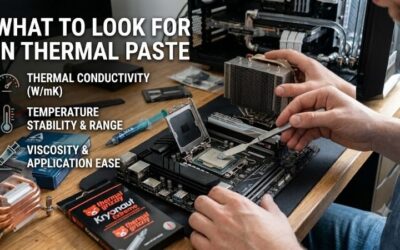
Best budget thermal paste should solve a simple problem: replacing old compound without spending cooler-upgrade money on a tiny syringe. Confusing conductivity claims, oversized packs, and different application methods make that harder. This guide focuses on four nonconductive options for ordinary desktop CPU cooler installations.

Quick answer: For most people in 2026, the best budget thermal paste is the ARCTIC MX-4 4g — our #1 rated choice. See the full ranked comparison, alternatives and buying advice below.
How to Choose Budget Thermal Paste
This guide compares the best budget thermal paste by purchase cost, syringe size, application behavior, and documented service guidance. ARCTIC MX-4 is the default recommendation, with alternatives for smaller purchases, maintenance work, and bundled cleaning supplies. Shut down and unplug the computer before servicing its cooler.
Delivered Cost and Included Supplies
Delivered cost deserves priority over advertised cost per gram. Larger syringes can appear economical while exceeding a single repair’s requirements once shipping is included. Compare package contents instead of product-family headline prices. Thermalright TF7 2g merits consideration when its smaller quantity reduces checkout expenditure.
For the best budget thermal paste, start by checking whether your new cooler already includes usable compound. Buying another tube immediately may provide little practical benefit. If you actually need replacement paste for several desktop installations, compare ARCTIC MX-4 4g against smaller packs before deciding which purchase saves money.
Syringe Size and Expected Use
Package weight specifies compound quantity without guaranteeing an installation count. Processor dimensions, manufacturer application guidance, and remounts affect consumption. Account for these differences when planning multiple builds. ARCTIC MX-4 4g supplies twice Thermalright TF7 2g’s nominal quantity without requiring bulk purchasing.
Occasional builders should consider unused compound between projects. Larger quantities improve value only when foreseeable installations justify the purchase within suitable storage conditions. Noctua provides explicit storage recommendations, making Noctua NT-H1 3.5g useful for infrequent maintenance that benefits from service documentation.
Consistency and Application Method
Viscosity influences dispensing and how compound behaves during mounting. ARCTIC lists 31,600 poise for MX-4 and 45,000 poise for MX-6, although handling should follow each product’s current instructions. A thicker formula is not automatically easier to spread. For buyers wanting the more straightforward starting point, consider ARCTIC MX-4 4g.
ARCTIC specifically advises using cooler contact pressure for MX-6 rather than spreading it with a spatula. That distinction matters if you normally flatten paste before mounting. Follow the processor and paste instructions for the correct deposit pattern. Choose ARCTIC MX-6 4g with MX Cleaner when that application method suits your installation.
Cleaning Bundles and Service Guidance
Maintenance purchases may require cleaning supplies as well as fresh compound. A tube-only listing is cheaper only if you already have suitable cleaning materials. Check the contents against the job you actually need to finish. ARCTIC MX-6 4g with MX Cleaner includes six cleaning wipes, making it a practical option for replacing old paste.
Service documentation also helps distinguish a useful purchase from an attractive package. Noctua recommends storage up to three years and CPU usage up to five years for NT-H1, subject to actual conditions. For the best budget thermal paste with explicit maintenance guidance, choose Noctua NT-H1 3.5g when its delivered price remains competitive.
Top Picks
These picks identify the best budget thermal paste for different spending patterns, rather than declaring a universal temperature winner. MX-4 balances quantity and handling, TF7 favors a small purchase, NT-H1 suits documented maintenance planning, and the MX-6 bundle supplies cleaning materials. Compare equivalent packages before checking out.
| Product | Best For | Key Spec | Watch Out For |
|---|---|---|---|
| ARCTIC MX-4 4g | Best Overall | 4g; electrically nonconductive | Plain package lacks cleaning wipes |
| Thermalright TF7 2g | Best Value when checkout cost is lower | 2g; electrically nonconductive | Less reserve for repeated installations |
| Noctua NT-H1 3.5g | Occasional maintenance | 3.5g; documented storage and usage guidance | Smaller quantity than the 4g alternatives |
| ARCTIC MX-6 4g with MX Cleaner | Repasting without cleaning supplies | 4g plus six cleaning wipes | Bundle cost and thicker application behavior |
ARCTIC MX-4 4g: Best Overall
ARCTIC MX-4 4g receives my overall recommendation for routine desktop CPU cooler installations. Its electrically nonconductive composition and resealable syringe accommodate initial builds and subsequent remounts. The 4g package supplies more material than a 2g alternative without requiring the upfront cost of bulk maintenance supplies.
Its limitation is the absence of cleaning wipes in the plain 4g package, which matters when servicing an older computer. Buyers specifically seeking ARCTIC’s lower-resistance formulation should also compare MX-6. Choose MX-4 for general desktop use when its package price is competitive and you already have appropriate cleaning supplies.
Thermalright TF7 2g: Best Value
Thermalright TF7 2g is the value candidate for a builder needing a small replacement supply. Thermalright specifies a nonconductive formula and advertises conductivity of 12.8 W/mK. That number describes the manufacturer’s specification; it does not prove TF7 beats every competing compound under the same processor and cooler.
The 2g quantity leaves less reserve for repeated remounts or larger processors than the other packages here. Treat TF7 as the best budget thermal paste for a small purchase only when its delivered cost actually undercuts the larger alternatives. An inexpensive 4g pack can be the better purchase if you expect another build soon.
Noctua NT-H1 3.5g: Best for Occasional Maintenance
Noctua NT-H1 3.5g suits owners who value documented storage and maintenance guidance. The compound is electrically nonconductive and noncorroding, with no burn-in required. Noctua estimates roughly three to twenty applications depending on processor size, which usefully illustrates why syringe weight cannot guarantee a fixed installation count.
Noctua recommends storage before use for up to three years, discouraging unnecessary stockpiling for distant projects. The standard 3.5g package supplies compound without cleaning wipes. Choose NT-H1 when documented service recommendations outweigh maximum package quantity, provided its delivered price fits your maintenance budget.
ARCTIC MX-6 4g with MX Cleaner: Best for Repasting Without Cleaning Supplies
ARCTIC MX-6 4g with MX Cleaner suits a desktop repaste when cleaning materials are missing. The package combines 4g of electrically nonconductive compound with six wipes. ARCTIC reports lower thermal resistance than MX-4 in its laboratory testing, but that statement does not establish a guaranteed temperature reduction in your computer.
Bundle pricing becomes less economical when suitable cleaner is already available, so compare the tube-only package before purchasing. Application behavior also differs from MX-4, as discussed above. Choose this maintenance bundle when its cleaning supplies replace another necessary purchase, rather than adding accessories you do not need.
Frequently Asked Questions
These questions address application quantity, graphics card suitability, maintenance intervals, and conductivity claims. The best budget thermal paste cannot compensate for inadequate airflow or incorrect cooler mounting. Investigate whether compound replacement is appropriate, particularly when a previously stable computer develops overheating.
How Much Thermal Paste Should I Apply to a CPU?
No, there is no universal paste quantity for every CPU. Heat-spreader size and the manufacturer’s deposit pattern determine the appropriate amount. Follow the instructions for your processor and chosen compound rather than assuming every socket needs an identical dot. The intended interface requires suitable coverage without unnecessary excess.
Larger processors require more compound per installation than smaller mainstream designs. Remounting consumes additional material, reducing the installations available from each syringe. Keep enough reserve for adjustments during assembly. Retailer application estimates deserve scrutiny because processor dimensions and technique affect consumption.
Can I Use CPU Thermal Paste on a Graphics Card?
Some CPU compounds also suit GPU dies, but suitability does not simplify every graphics card repair. ARCTIC explicitly describes MX-6 as appropriate for direct-die applications. Selecting the best budget thermal paste for desktop CPU maintenance therefore cannot establish the appropriate interface material for every graphics card configuration.
Graphics card maintenance can involve thermal pads with specific thicknesses alongside the paste interface. Substituting paste changes the intended gap-filling arrangement and can compromise component contact. Consult model-specific service requirements before disassembly, especially when original pad locations and dimensions cannot be established.
Should I Replace Thermal Paste Every Year?
No, a normally operating desktop does not automatically need fresh paste every year. Follow product guidance and investigate changes in temperature under comparable conditions. Noctua’s NT-H1 specification recommends CPU usage up to five years, which provides a planning reference without guaranteeing identical longevity across every installation.
Removing the cooler is a separate reason to renew the interface according to the installation instructions. For unexplained heat increases, check dust buildup, fan operation, and mounting before assuming the compound has failed. Compare readings at similar room temperatures and workloads so seasonal changes do not trigger unnecessary maintenance.
Does Higher Thermal Conductivity Mean Better Cooling?
The highest advertised W/mK specification does not automatically identify superior cooling in your computer. Manufacturer measurements may follow different procedures, while results depend on the complete interface. Prioritize comparisons using identical processors, coolers, mounting procedures, and workloads over isolated conductivity claims.
A possible thermal improvement deserves comparison against cooler condition and maintenance cost. These recommendations promise no fixed temperature reduction. Correctly installed mainstream compound provides a useful starting point before paying premiums for products whose marketing emphasizes conductivity figures over installation requirements.
Final Thoughts
ARCTIC MX-4 4g is my default best budget thermal paste recommendation for ordinary desktop maintenance. Choose Thermalright TF7 2g when it lowers the total purchase cost, Noctua NT-H1 3.5g for clear service guidance, or the ARCTIC MX-6 cleaning bundle when supplies are needed. Buy for the actual job, package contents, and delivered price.
Ready to decide? Our #1 pick for 2026 is the ARCTIC MX-4 4g.
Live price & availability on Amazon.