
Choosing the best monitors for tarkov requires balancing image clarity, refresh rate, pixel response, and performance consistency. Escape from Tarkov features detailed environments, challenging lighting, and demanding gameplay where recognizing distant movement can be just as important as reacting quickly during close-range fights. A 27-inch 1440p monitor with a 165Hz–240Hz refresh rate is an excellent starting point for many players, while OLED displays offer outstanding contrast and pixel response. This guide compares seven monitors across different performance categories, helping you find a display that matches your gaming PC, viewing environment, and competitive priorities.
- Quick verdict: Which Tarkov monitor should you choose?
- Quick comparison of the best monitors for Tarkov
- How we selected these Tarkov monitors
- Best monitors for Escape from Tarkov reviewed
- How to choose the right monitor for Tarkov
- Recommended monitor settings for Escape from Tarkov
- Frequently asked questions
- Final verdict
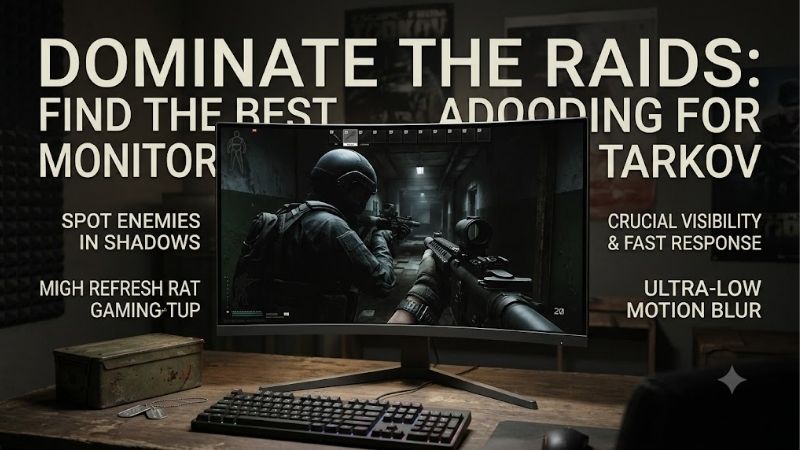
Quick answer: For most people in 2026, the best monitors for tarkov is the Monitor — our #1 rated choice. See the full ranked comparison, alternatives and buying advice below.
Quick verdict: Which Tarkov monitor should you choose?
The ASUS ROG Strix XG27ACS is our balanced recommendation for most Tarkov players. Its 27-inch 1440p Fast IPS panel, 180Hz maximum refresh rate, and adaptive synchronization provide a practical combination of detail and responsiveness.
For players who want additional refresh-rate headroom without switching to OLED, the GIGABYTE M27Q X Rev. 2.0 offers 1440p resolution at up to 240Hz.
The Dell Alienware AW2725DF is the premium option for enthusiasts interested in QD-OLED contrast and 360Hz operation. However, its highest refresh rate is more useful when playing multiple competitive shooters than when playing Tarkov alone.
A monitor cannot generate frames your computer has not rendered. Therefore, a stable gameplay experience on a well-configured 180Hz display can be more satisfying than inconsistent performance on a 360Hz model.
Quick comparison of the best monitors for Tarkov
| Monitor | Native resolution | Maximum refresh rate | Panel technology | Recommended use | Key drawback |
|---|---|---|---|---|---|
| ASUS ROG Strix XG27ACS | 2560 × 1440 | 180Hz | Fast IPS | Best overall balance | Limited native contrast |
| GIGABYTE M27Q X Rev. 2.0 | 2560 × 1440 | 240Hz | SS IPS | High-refresh IPS gaming | High FPS needed to fully benefit |
| Dell Alienware AW2725DF | 2560 × 1440 | 360Hz | QD-OLED | Premium competitive experience | OLED ownership considerations |
| LG UltraGear 27GS95QE-B | 2560 × 1440 | 240Hz | OLED | High-contrast gaming | Possible image retention |
| Samsung Odyssey OLED G6 G60SD | 2560 × 1440 | 360Hz | OLED | Matte OLED gaming | Expensive performance category |
| MSI MAG 274QRF QD E2 | 2560 × 1440 | 180Hz | Rapid IPS | Gaming and productivity | IPS black levels |
| BenQ ZOWIE XL2566K | 1920 × 1080 | 360Hz | TN | Specialized esports setups | Lower resolution; discontinued |
These specifications describe display capabilities rather than guaranteed Escape from Tarkov results. Refresh-rate modes also depend on the connection used.
How we selected these Tarkov monitors
The selection emphasizes display characteristics that matter in an extraction shooter: clear environmental detail, predictable motion, adjustable shadow presentation, and a refresh rate appropriate for realistic frame delivery.
The models were evaluated using manufacturer specifications and available independent testing rather than original hands-on benchmarks. Advertised response-time numbers are not treated as proof of consistently fast pixel behavior.
Most recommendations use 1440p because it offers a useful compromise between pixel density and GPU demand. A specialized 1080p option is included for players who prioritize competitive display characteristics above environmental detail.
Current pricing is intentionally excluded from the rankings because comparable US offers were not verified across every model.
Best monitors for Escape from Tarkov reviewed
ASUS ROG Strix XG27ACS – Best overall balance
The ASUS ROG Strix XG27ACS is an appealing choice for players who want to improve image detail and motion smoothness without investing primarily in premium OLED technology.
Its 27-inch Fast IPS panel has a native resolution of 2560 × 1440 and a maximum refresh rate of 180Hz. This combination provides a sharper image than a comparable 1080p monitor while maintaining a useful refresh-rate ceiling.
In Tarkov, environmental detail matters because players frequently observe movement against complex backgrounds. Higher pixel density can improve how fine edges, structures, and distant objects are presented.
The XG27ACS also includes ASUS Shadow Boost, which adjusts dark-region visibility. This is potentially useful when moving through shadowed environments, although excessive enhancement may flatten image contrast.
Adaptive-Sync support helps reduce tearing when frame rates fluctuate within the monitor’s supported range.
The monitor provides DisplayPort 1.4, HDMI 2.0, and USB-C video input. DisplayPort and supported USB-C connections can operate at up to 180Hz, while HDMI is limited to 144Hz at the native resolution.
Its ergonomic stand and anti-glare coating are additional advantages for extended desktop use.
The main limitation is native IPS contrast, rated at 1000:1. Dark scenes may look gray compared with OLED, particularly in dim rooms.
Buy If: You want 1440p clarity, practical gaming features, and a balanced display for multiple applications.
Skip If: You prioritize OLED black levels or consistently play games capable of exceeding 180 FPS.
GIGABYTE M27Q X Rev. 2.0 – Best high-refresh IPS option
The GIGABYTE M27Q X Rev. 2.0 targets players who want faster refresh rates while retaining familiar IPS panel characteristics.
Its 27-inch SuperSpeed IPS panel delivers native 1440p resolution at up to 240Hz. This creates additional display headroom compared with conventional 144Hz or 180Hz monitors.
At 240Hz, the display can update approximately every 4.17 milliseconds. That does not guarantee a new game frame on every refresh, but it establishes the available display interval when system performance is sufficiently high.
GIGABYTE includes Black Equalizer, allowing users to modify the appearance of darker image regions. The feature may be helpful for visibility, but settings should be adjusted carefully to avoid reducing overall contrast.
The monitor also provides KVM functionality, allowing users to share connected peripherals between compatible devices. That is useful for players operating both a gaming PC and a separate workstation.
Its DisplayPort 1.4 connection supports the monitor’s high-refresh capabilities, and adaptive synchronization helps accommodate changing frame delivery.
The exact product revision matters. Buyers should distinguish M27Q X Rev. 2.0 from Rev. 1.0 and unrelated M27Q variants when comparing specifications or independent reviews.
Its primary disadvantage is the limited benefit of 240Hz when Tarkov is heavily CPU-bound. Players running the game at substantially lower frame rates may be better served by a balanced 180Hz alternative.
Buy If: You want a 1440p IPS monitor with 240Hz capability and useful desktop connectivity.
Skip If: Your gaming PC cannot maintain sufficiently high frame rates to justify the extra refresh-rate headroom.
Dell Alienware AW2725DF – Best premium QD-OLED monitor
The Dell Alienware AW2725DF combines a 26.7-inch QD-OLED panel with 2560 × 1440 resolution and a maximum 360Hz refresh rate through DisplayPort.
Its most important strength is OLED pixel behavior. Unlike conventional LCD monitors, individual OLED pixels emit their own light and can produce extremely deep blacks.
OLED’s rapid pixel transitions can also minimize visible trailing during fast camera movements.
In Tarkov, this can make environmental movement appear exceptionally clean, especially when quickly scanning complicated scenes.
However, OLED contrast does not automatically make hidden enemies visible. Lighting, camouflage, rendering behavior, and display calibration continue to influence target recognition.
The AW2725DF supports the full 360Hz mode through DisplayPort 1.4. Dell specifies a maximum of 144Hz at 1440p through HDMI on this model, making input selection particularly important.
Its premium specifications are especially compelling for players who also enjoy faster competitive games capable of producing consistently high frame rates.
The potential drawback is OLED ownership. Static elements, prolonged desktop use, and panel aging require attention to protective features and applicable warranty terms.
Another consideration is performance efficiency. Tarkov may not approach 360 FPS in demanding scenarios, meaning the monitor’s maximum refresh capability will often remain underutilized.
Buy If: You prioritize OLED contrast, excellent pixel response, and exceptionally high refresh-rate capability.
Skip If: You primarily play Tarkov at moderate FPS or prefer the ownership characteristics of conventional IPS monitors.
LG UltraGear 27GS95QE-B – Best for immersive dark-scene gaming
The LG UltraGear 27GS95QE-B is a 27-inch-class OLED gaming monitor with 1440p resolution and a 240Hz maximum refresh rate.
Its strongest feature is native contrast. Because OLED pixels can turn off individually, dark areas appear substantially deeper than on most standard IPS panels.
This can produce an engaging visual experience when exploring Tarkov’s interiors, nighttime environments, and areas with complex lighting.
The display also offers fast pixel transitions that help reduce visible motion trails during quick viewpoint changes.
LG includes NVIDIA G-SYNC Compatible support and AMD FreeSync Premium Pro, allowing compatible systems to coordinate display refresh behavior with incoming frames.
Its HDMI 2.1 and DisplayPort connections offer flexibility for modern gaming computers. LG specifically documents 1440p at 240Hz over a compatible HDMI 2.1 connection.
A refresh rate of 240Hz is already substantial for Tarkov. Players should prioritize stable in-game performance rather than assuming that even higher refresh rates automatically improve their results.
The primary compromise is OLED image-retention risk, particularly when static interface elements remain visible for extended periods.
Brightness behavior and room lighting can also influence perceived image quality.
Buy If: You want high-contrast OLED visuals, fast pixel response, and a 240Hz gaming experience.
Skip If: You spend most of your day viewing static desktop applications or prefer IPS for everyday versatility.
Samsung Odyssey OLED G6 G60SD – Best matte OLED alternative
The Samsung Odyssey OLED G6 G60SD combines 1440p resolution, a 360Hz refresh rate, and a matte OLED display treatment.
Its Glare Free surface is intended to reduce reflections from nearby lights and windows. That makes it particularly interesting for players gaming in brighter rooms.
Reflections can become distracting when inspecting shadowed areas, so an anti-reflective surface may improve viewing comfort.
The OLED panel also offers rapid pixel transitions and strong native contrast. These characteristics help deliver clean motion and detailed-looking scenes.
Samsung includes AMD FreeSync Premium Pro along with gaming-oriented display controls.
Compared with the Dell AW2725DF, the G60SD presents a different approach to screen surface treatment. Preferences may depend on whether the player values reduced visible reflections or the perceived characteristics of alternative OLED coatings.
The monitor’s 360Hz capability is most relevant to powerful systems and games with very high frame rates.
Tarkov’s performance characteristics mean that the monitor may frequently operate below its full refresh-rate potential.
OLED image-retention precautions remain important, and the high-end display category may represent unnecessary spending for players using modest gaming hardware.
Buy If: You want a matte OLED screen with excellent pixel response and very high refresh capability.
Skip If: You prefer a simpler IPS display or do not require premium OLED gaming features.
MSI MAG 274QRF QD E2 – Best monitor for gaming and productivity
The MSI MAG 274QRF QD E2 offers a flexible combination of gaming performance and everyday desktop usability.
Its 27-inch Rapid IPS panel operates at 2560 × 1440 resolution with a maximum refresh rate of 180Hz.
MSI incorporates Quantum Dot technology for wide color-gamut coverage, making the monitor suitable for games, multimedia, and general productivity.
For Tarkov, 1440p resolution helps present complex environmental detail while 180Hz provides a useful balance between display smoothness and realistic PC performance.
The monitor supports AMD FreeSync, reducing the likelihood of visible tearing with compatible hardware and appropriate settings.
One distinguishing feature is USB-C connectivity with DisplayPort Alternate Mode and up to 65W Power Delivery. This is particularly useful when connecting a compatible laptop for work.
The adjustable stand, USB hub, and multiple inputs further improve its versatility.
According to MSI, DisplayPort and USB-C support up to 180Hz at 1440p, while HDMI supports up to 144Hz.
Its main limitation is IPS contrast. Although it supports DisplayHDR 400, buyers should not expect the deep black levels associated with OLED technology.
Buy If: You need one monitor for Tarkov, other games, desktop work, and occasional laptop connectivity.
Skip If: You want OLED contrast or require refresh rates above 180Hz.
BenQ ZOWIE XL2566K – Best specialized 1080p esports monitor
The BenQ ZOWIE XL2566K takes a fundamentally different approach from the 1440p models in this roundup.
Its 24.5-inch TN panel provides 1920 × 1080 resolution and a maximum 360Hz refresh rate.
The monitor focuses on competitive gaming characteristics rather than maximum pixel density.
BenQ includes DyAc+ motion-blur reduction, Black eQualizer, and Color Vibrance adjustments. These features allow players to customize motion presentation and dark-scene appearance.
The smaller screen may appeal to competitors who prefer keeping the entire game image within a compact viewing area.
Its 1080p resolution also requires fewer rendered pixels than 1440p, potentially reducing GPU workload in graphics-limited situations.
However, Tarkov can be constrained by CPU performance, so switching to 1080p does not guarantee dramatic FPS improvements.
The TN panel generally provides weaker viewing angles and contrast than modern IPS and OLED alternatives.
Furthermore, DyAc+ and variable refresh rate cannot operate simultaneously on this model.
BenQ identifies the XL2566K as discontinued in its regional documentation, making it a legacy recommendation rather than a confidently available new retail option.
Buy If: You specifically want compact 1080p esports hardware and can find the exact model at an acceptable price and condition.
Skip If: You value 1440p environmental detail, wider viewing angles, or current-generation retail availability.
How to choose the right monitor for Tarkov
Choose 1440p for a balance of detail and performance
For most players with capable gaming PCs, 1440p is an excellent resolution target.
A 2560 × 1440 monitor displays approximately 3.69 million pixels, compared with 2.07 million pixels at 1080p. This represents roughly 78% more pixels and can improve the representation of fine environmental details.
At 27 inches, 1440p also offers substantially greater pixel density than 1080p.
However, rendering additional pixels increases GPU workload. Players with limited graphics performance may benefit more from maintaining stable frame delivery at 1080p.
Monitor resolution should therefore be selected alongside the performance of the existing CPU and GPU.
Match refresh rate to realistic FPS
Higher refresh rates allow a monitor to display new images more frequently, but the practical benefits depend on game performance.
| Refresh rate | Refresh interval |
|---|---|
| 60Hz | 16.67 milliseconds |
| 144Hz | 6.94 milliseconds |
| 180Hz | 5.56 milliseconds |
| 240Hz | 4.17 milliseconds |
| 360Hz | 2.78 milliseconds |
The difference between 60Hz and 144Hz is much greater than the difference between 240Hz and 360Hz.
In Tarkov, frame rates can change significantly between locations, making stable frame delivery especially important.
A good 180Hz monitor is sufficient for many players. Higher refresh rates provide useful headroom when the connected PC and other games can take advantage of them.
Understand the differences between IPS, OLED, and TN
IPS panels provide a strong balance of viewing angles, color consistency, brightness, and gaming responsiveness. They are particularly suitable for mixed gaming and desktop use.
OLED panels provide exceptional native contrast and rapid pixel transitions. They can deliver excellent motion clarity but introduce image-retention considerations and different brightness behavior.
TN panels remain relevant in specialized competitive displays, although they generally sacrifice image quality and viewing angles.
The best technology depends on your priorities rather than a universal ranking.
For players combining Tarkov with productivity, IPS is particularly practical. OLED is appealing when premium motion presentation and contrast are priorities.
Pay attention to shadow visibility and contrast
Escape from Tarkov often involves observing movement in dark interiors or unevenly illuminated environments.
Increasing brightness can make some darker regions easier to see, but excessive adjustment may reduce overall contrast and obscure subtle distinctions.
Begin with a neutral picture preset and adjust brightness for the room.
Shadow enhancement should be introduced gradually, with attention to whether objects remain distinguishable across different lighting conditions.
Remember that monitor settings cannot reveal visual information that the game itself does not render.
Check connectivity before purchasing
Not every monitor supports its maximum refresh rate over every input.
For example, the ASUS XG27ACS supports 180Hz through DisplayPort and compatible USB-C video input, but its HDMI connection is limited to 144Hz.
The Dell AW2725DF similarly requires DisplayPort for its full 360Hz mode.
Before purchasing, confirm the graphics card’s available outputs, cable requirements, and the monitor’s supported resolution-refresh combinations.
Also check whether the display supports adaptive synchronization with your graphics card.
Recommended monitor settings for Escape from Tarkov
The following settings provide a reasonable starting point rather than a universal competitive configuration.
| Setting | Starting recommendation |
|---|---|
| Display resolution | Native resolution |
| Refresh rate | Highest supported stable setting |
| Adaptive synchronization | Enabled when compatible |
| Overdrive | Balanced or moderate |
| Brightness | Adjusted for room lighting |
| Contrast | Manufacturer default initially |
| Shadow enhancement | Conservative adjustment |
| Sharpness | Neutral or default |
| HDR | Compare with accurately configured SDR |
Start by confirming the selected refresh rate in Windows and the graphics driver.
Then examine motion during ordinary gameplay. Aggressive overdrive settings can create inverse ghosting, while excessive shadow enhancement may make the image look washed out.
If using OLED, keep appropriate panel-protection features enabled.
Frequently asked questions
Is 144Hz enough for Tarkov?
Yes. A quality 144Hz monitor can provide responsive gameplay when paired with consistent frame delivery.
Although 180Hz and 240Hz offer additional refresh-rate headroom, their benefits depend on achievable FPS and monitor response behavior.
Is 1080p or 1440p better for Tarkov?
1440p generally provides greater image detail, making it attractive for players observing distant environments.
1080p can reduce GPU rendering requirements and remains suitable for systems where maintaining frame rate is more important.
Does OLED help spot enemies in Tarkov?
OLED can produce excellent contrast and motion clarity, but it does not guarantee improved opponent detection.
Game lighting, rendering, calibration, camouflage, and viewing conditions all influence visibility.
Do you need a 240Hz monitor for Tarkov?
No. A 240Hz monitor is an optional upgrade, not a requirement.
Players should first consider whether their computer consistently produces enough frames to benefit from the higher refresh rate.
Can a gaming monitor increase Tarkov FPS?
A monitor cannot directly increase the number of frames rendered by the computer.
Changing resolution can alter GPU workload, while higher refresh rates affect how often available frames can be displayed.
CPU performance, GPU capability, memory configuration, and game settings remain the primary performance factors.
Final verdict
The ASUS ROG Strix XG27ACS is a strong all-around choice for Tarkov players seeking 1440p clarity and responsive gaming without premium OLED requirements.
The GIGABYTE M27Q X Rev. 2.0 offers additional refresh-rate headroom for capable systems, while the Dell Alienware AW2725DF provides premium QD-OLED contrast and exceptionally fast pixel transitions.
The LG UltraGear 27GS95QE-B and Samsung Odyssey OLED G6 G60SD suit players prioritizing OLED characteristics. The MSI MAG 274QRF QD E2 offers versatility for mixed gaming and work, while the discontinued BenQ ZOWIE XL2566K remains a specialized esports alternative.
For most players, the strongest purchasing strategy is to prioritize a good 1440p panel, clean motion across actual gameplay frame rates, reliable variable refresh support, and comfortable viewing conditions before pursuing extreme refresh-rate specifications.
Samsung Odyssey OLED G6 G60SD: The exact official model should receive a final region-specific specification and availability check before publication.
Verification limitations: Amazon US availability, comparable current prices, and model-specific warranty coverage were not verified for every monitor. No original Tarkov-specific frame-rate, response-time, or latency measurements were conducted. Independent testing of every exact model revision was not completed.
Editorial duplication warning: This keyword shares substantially the same search intent as the previously drafted “best tarkov monitor” and “best gaming monitor for escape from tarkov” articles. Publishing all three as separate roundups would create significant keyword cannibalization risk. The recommended publishing approach is to consolidate them into one primary URL and use the other phrases as natural secondary keywords, rather than publish three near-identical articles.
Ready to decide? Our #1 pick for 2026 is the Monitor.
Live price & availability on Amazon.









