
The best bezel less gaming monitor for a balanced PC setup is our shortlisted MSI G274QPF E2, which combines a frameless design with a 27-inch 1440p IPS panel and a 180Hz maximum refresh rate. However, the right choice changes if you prioritize competitive play, 4K detail, OLED contrast, or an ultrawide workspace. None of these screens eliminates every visible border. This guide compares useful gaming displays with slim-frame designs rather than treating marketing images as proof of a seamless picture.
- Quick verdict: The best bezel less gaming monitor for your setup
- Quick comparison table
- How we selected these monitors
- MSI G274QPF E2: Our balanced 1440p recommendation
- ViewSonic XG2431: A compact competitive option
- LG UltraGear 27GR83Q-B: For high-refresh 1440p IPS gaming
- LG UltraGear 32GR93U-B: A larger 4K alternative
- LG UltraGear 27GS95QE-B: For buyers who want OLED
- MSI MAG 342CQR E2: A curved ultrawide without a center seam
- Buying guide: Choosing the best bezel less gaming monitor
- Frequently asked questions
- Final verdict
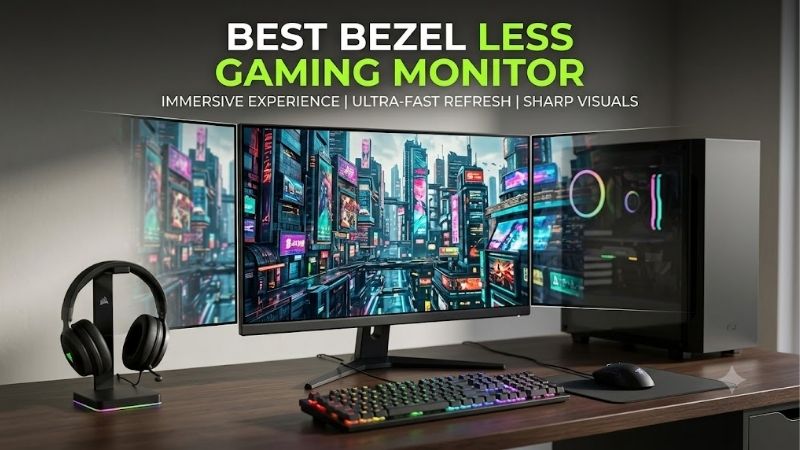
Quick answer: For most people in 2026, the best bezel less gaming monitor is the MSI G274QPF E2 — our #1 rated choice. See the full ranked comparison, alternatives and buying advice below.
Quick verdict: The best bezel less gaming monitor for your setup
Start with the MSI G274QPF E2 for mixed PC gaming and everyday desktop work. Its flat 27-inch 1440p format is a practical default, and MSI explicitly identifies the design as frameless.
Choose the ViewSonic XG2431 if you want a compact 1080p screen with a 240Hz ceiling. The LG UltraGear 27GR83Q-B is the alternative for higher-refresh gaming at 1440p while retaining IPS.
For a larger 4K display, consider the LG UltraGear 32GR93U-B. Choose the LG UltraGear 27GS95QE-B when OLED is a deliberate priority. The MSI MAG 342CQR E2 serves players seeking a curved ultrawide that removes the central seam of a two-screen layout.
These recommendations reflect different uses. They do not establish which monitor has the narrowest measured border, nor do they promise a particular frame rate.
Quick comparison table
Refresh figures describe maximum monitor capabilities with suitable hardware and settings. Frame delivery depends on the game and computer.
| Monitor | Recommended role | Panel and format | Native resolution | Maximum refresh | Thin-frame evidence | Main compromise |
|---|---|---|---|---|---|---|
| MSI G274QPF E2 | Balanced PC gaming | 27-inch flat Rapid IPS | 2560 × 1440 | 180Hz | Manufacturer specifies frameless design | HDMI tops out at 144Hz at native resolution |
| ViewSonic XG2431 | Compact competitive setup | 24-inch-class flat IPS | 1920 × 1080 | 240Hz | Manufacturer specifies thin bezels | Less detail and workspace than higher resolutions |
| LG UltraGear 27GR83Q-B | High-refresh 1440p IPS | 27-inch flat IPS | 2560 × 1440 | 240Hz | Three-side virtually borderless design | Extra refresh headroom requires sufficient performance |
| LG UltraGear 32GR93U-B | Large-screen 4K gaming | 32-inch-class flat IPS | 3840 × 2160 | 144Hz | Three-side virtually borderless design | Greater desk and rendering demands |
| LG UltraGear 27GS95QE-B | OLED gaming | 27-inch-class flat WOLED | 2560 × 1440 | 240Hz | Manufacturer describes virtually borderless design | OLED care considerations |
| MSI MAG 342CQR E2 | Curved ultrawide gaming | 34-inch curved VA, 21:9 | 3440 × 1440 | 180Hz over DisplayPort | Manufacturer specifications identify frameless design | HDMI is limited to 100Hz at native resolution |
How we selected these monitors
Each model qualifies through manufacturer documentation identifying thin bezels, a frameless design, or a virtually borderless appearance. We then assessed gaming-relevant specifications, including native resolution, refresh capability, panel technology, and connection requirements.
This is a research-based shortlist. We have not measured bezel widths, tested these screens side by side, or generated comparable motion-performance results. Recommendations therefore focus on documented capabilities and practical use-case fit.
The six selections cover distinct decisions: balanced 1440p, compact 1080p, faster 1440p IPS, larger 4K, OLED, and curved ultrawide. Including different formats helps readers decide whether the original goal requires two monitors or one wider display.
Comparable current US prices were not verified across the entire list. No model receives a best-budget or best-value award, and no guaranteed spending limit is claimed. Compare the exact variant, seller, condition, and final purchase cost.
MSI G274QPF E2: Our balanced 1440p recommendation
The MSI G274QPF E2 uses a 27-inch Rapid IPS panel with 2560 × 1440 resolution and a maximum 180Hz refresh rate. Its documented frameless design makes it relevant to buyers seeking a clean-looking main display or adjacent matching screens.
Its role is balance rather than a measured bezel-width victory. The flat 16:9 format avoids ultrawide compatibility questions, while 1440p provides a useful middle ground between 1080p and 4K pixel counts.
MSI’s manual lists native-resolution 180Hz through DisplayPort or USB-C, with HDMI reaching 144Hz. USB-C supports DisplayPort Alt Mode and up to 15W power delivery; it should not be assumed to replace a gaming laptop charger.
Buy if you want a versatile 1440p screen with verified slim-frame positioning. Skip if 240Hz, OLED, or native 4K is a defining requirement. The LG 27GR83Q-B is the higher-refresh IPS alternative.
If you plan to pair two units, prioritize alignment and consistent settings. Two visually similar monitors can still form a distracting joint when their heights, angles, or brightness differ. A matching model simplifies that setup, though it does not eliminate unit-to-unit variation.
ViewSonic XG2431: A compact competitive option
The ViewSonic XG2431 is a 24-inch-class IPS monitor with 1920 × 1080 resolution and a 240Hz refresh rate. ViewSonic explicitly describes thin bezels, making it a qualified option for a compact gaming desk.
Its practical appeal is keeping the display relatively small while offering high-refresh capability. A player who sits close to the screen may prefer this arrangement to a much larger display.
The adjustable stand supports height, swivel, tilt, and rotation. These controls also help align it with a secondary monitor, although thin bezels cannot compensate for mismatched panel sizes.
The compromise is resolution. A larger or higher-resolution screen can provide more room for desktop applications and finer detail. Choose 1080p deliberately rather than assuming it is ideal for every workload.
Buy if you want compact high-refresh gaming with documented thin bezels. Skip if you also need extensive workspace or are moving away from an existing 1080p limitation. The MSI G274QPF E2 is the 1440p alternative.
Do not compare the advertised MPRT response figure directly with another monitor’s gray-to-gray number. They describe different concepts and do not establish a complete, comparable assessment of visible motion or input delay.
LG UltraGear 27GR83Q-B: For high-refresh 1440p IPS gaming
The LG UltraGear 27GR83Q-B combines a 27-inch 2560 × 1440 IPS panel with a 240Hz refresh rate. LG identifies a three-side virtually borderless design, qualifying it for buyers who want slim edges without making OLED part of the purchase.
It suits players who regularly use lighter competitive settings and can take advantage of additional refresh headroom. It also retains the familiar flat 16:9 layout for desktop work and a broad range of games.
LG lists HDMI 2.1 and DisplayPort connectivity, with suitable graphics hardware required for maximum refresh operation. NVIDIA G-SYNC Compatible and AMD FreeSync Premium support are documented.
The stand supports height, tilt, and pivot adjustment. For a two-screen desk, check whether those adjustments produce the alignment you want before adding a monitor arm.
Buy if 1440p and 240Hz are explicit priorities. Skip if your regular workload cannot meaningfully use the extra refresh capability or if you primarily want OLED contrast. The MSI is the more general-purpose alternative; the LG 27GS95QE-B is the OLED choice.
Three-side borderless does not mean the bottom edge matches the others. Consider orientation when planning portrait use or vertically stacked screens, where the lower housing can become more noticeable.
LG UltraGear 32GR93U-B: A larger 4K alternative
The LG UltraGear 32GR93U-B provides a 32-inch-class IPS screen, 3840 × 2160 resolution, and a 144Hz refresh rate. LG documents a three-side virtually borderless design.
Its purpose is detailed gaming combined with a larger workspace. It can suit players who also manage reference material, edit content, or use several applications between sessions.
Native 4K contains four times the pixel count of 1080p. That does not predict an exact performance penalty, but it is a reason to assess your graphics workload before buying.
LG specifies HDMI 2.1 and supported adaptive-sync technologies. Verify the required connection and graphics output for your intended mode rather than treating the refresh figure as independent of the system.
Buy if you want a larger flat 4K screen and have room to position it comfortably. Skip if the desk is shallow or your main objective is maximum refresh at a lower resolution. The LG 27GR83Q-B is the 1440p alternative.
Two large screens require more than sufficient width. Consider their combined viewing angles, stand depth, and room for speakers. A clean-looking frame is less useful if the arrangement forces frequent head movement or crowds out normal mouse movement.
LG UltraGear 27GS95QE-B: For buyers who want OLED
The LG UltraGear 27GS95QE-B is a 27-inch-class WOLED display with 2560 × 1440 resolution and a 240Hz refresh rate. LG describes a virtually borderless design, while its self-emissive panel provides a different contrast experience from the LCD alternatives.
Its strongest justification is wanting OLED itself. Slim framing is part of the presentation, but it should not be the only reason to choose this model over an IPS screen.
LG documents 240Hz operation with suitable DisplayPort 1.4 DSC or HDMI 2.1 hardware. G-SYNC compatibility and FreeSync Premium Pro are listed. Confirm the signal requirements for your computer.
Persistent interface elements deserve consideration with OLED. Follow the manufacturer’s panel-care guidance and check the applicable US warranty terms, including the treatment of image retention and burn-in.
Buy if you want OLED for varied gaming and accept its maintenance considerations. Skip if your usage is dominated by static desktop content or you prefer IPS ownership. The LG 27GR83Q-B is the closest shortlisted IPS alternative.
An attractive outer frame does not remove OLED-specific concerns. Evaluate text presentation, room lighting, and everyday use alongside game visuals before committing.
MSI MAG 342CQR E2: A curved ultrawide without a center seam
The MSI MAG 342CQR E2 has a 34-inch VA panel, 3440 × 1440 resolution, a 21:9 aspect ratio, and a maximum 180Hz refresh rate. MSI’s specification table identifies a frameless design.
Its distinguishing benefit is one continuous active image across the middle. A single ultrawide removes the physical center joint that exists between two separate monitors, even when both have thin frames.
The curved format can appeal to players who want a wider presentation. However, the game must support the aspect ratio appropriately. Menus, cutscenes, and competitive titles may behave differently from the main gameplay view.
Use DisplayPort for the documented 180Hz native-resolution mode. MSI limits HDMI to 100Hz at 3440 × 1440, an important distinction for laptops and other HDMI-only devices.
Buy if you want one curved ultrawide for supported games and multitasking. Skip if your priority is a conventional console layout or independent screens for separate tasks. A flat 16:9 model is simpler in those situations.
Verify the E2 suffix when ordering. The original MAG342CQR and similarly named variants should not be assumed to share this model’s 180Hz specification.
Buying guide: Choosing the best bezel less gaming monitor
Understand the full visible border
The outer housing and the inactive panel border are separate things. A monitor can have very little plastic around the top and sides while retaining a visible dark strip between the housing and illuminated pixels.
That distinction matters most in a multi-monitor arrangement. The visible interruption includes both screens’ borders and any physical gap between them.
Look for photographs showing a bright desktop across the entire screen. Dark promotional scenes can make the edges difficult to evaluate. A rendered image is useful for understanding the general design, but it is not a reliable measurement.
Do not use a manufacturer’s frameless label to infer a specific millimeter width. Without a comparable measurement method, a numerical ranking would create more certainty than the evidence supports.
Decide between two screens and one ultrawide
Two monitors are useful when you want independent applications, separate input sources, or different orientations. You can keep a game centered on one screen and place chat, documentation, or streaming controls on the other.
Spanning a game across two screens introduces a joint directly through the combined image. Thin bezels reduce its visual weight, but they do not remove it.
An ultrawide avoids that center seam and provides a continuous workspace. Its trade-offs include physical width and software support for the wider aspect ratio.
Choose according to the task rather than the photograph. A productivity arrangement with two screens and an immersive gaming arrangement with one ultrawide can both look clean while solving different problems.
Check matching and mounting requirements
For adjacent monitors, compare active image height, pixel density, stand adjustment, and panel orientation. Matching diagonal size alone does not guarantee that text and application windows appear the same size.
Resolution and operating-system scaling also affect how windows move between screens. A mismatched pair can be usable, but it may require more configuration than two matching displays.
Before buying an arm, verify the VESA pattern, monitor weight without its stand, mounting clearance, and the arm’s supported range. Do not assume every gaming monitor uses the same mounting pattern.
Leave enough cable slack for the full adjustment range. Position the screens close without putting pressure on their frames or panels. Alignment should come from the stands or mounts rather than forcing the housings together.
Prioritize gaming capabilities alongside appearance
A slim frame does not make a panel faster. Evaluate native resolution, refresh capability, variable refresh support, and the connection required to reach the intended mode.
Higher refresh is useful when the computer supplies frames consistently. It cannot correct a game-engine stall, network delay, or insufficient rendering performance.
Advertised response times also need context. Gray-to-gray figures and MPRT figures should not be treated as interchangeable benchmarks. Overdrive settings can change visible artifacts, so the largest headline claim is not necessarily the most comfortable setting.
For graphics-heavy games, choose resolution around your actual system and preferred settings. For competitive play, consider consistency and supported refresh before paying extra for a more elaborate frame design.
Verify the connection before ordering
Read the model’s supported timing table, especially when using HDMI. The MSI G274QPF E2 illustrates why a monitor’s maximum refresh cannot simply be applied to every input.
Laptop owners should verify USB-C video support from the computer, monitor, and any dock. Power delivery is separate from video capability, and a low-wattage USB-C connection may still require the laptop’s normal power supply.
For consoles, check resolution, refresh, variable refresh support, and audio arrangements individually. A 21:9 panel does not mean a console game will fill the screen without compromise.
After installation, set the desired refresh rate in the operating system and confirm the game’s display mode. A high-refresh monitor may initially run at a lower setting.
Compare the complete ownership cost
Include tax, shipping, a suitable cable if needed, and any mounting hardware. Buying two monitors can multiply accessory costs as well as the purchase price.
Check seller condition, return terms, and regional warranty eligibility. A lower price on an imported or refurbished model may involve different support arrangements.
For OLED, factor in your willingness to follow maintenance guidance and your typical balance of static work and varied content. For LCD, do not infer strong HDR performance solely from an HDR badge.
Finally, inspect the screen during the return period. Verify the intended input modes, comfortable placement, and edge appearance under your normal lighting. The best arrangement is the one that works at your desk.
Frequently asked questions
Is any gaming monitor completely bezel-free?
None of the shortlisted models is claimed to have an active image extending without a visible border to every outer edge. Frameless and virtually borderless describe slim-frame designs. Evaluate the illuminated screen and housing together, particularly if you intend to place multiple displays side by side.
Do thin bezels improve frame rates or input lag?
No direct improvement follows from bezel size. Those outcomes depend on the computer, game, display electronics, and panel behavior. Thin framing mainly changes appearance and the interruption between adjacent displays. Choose gaming specifications independently rather than assuming a cleaner frame implies better performance.
Should I buy identical monitors for a dual-screen setup?
Matching models can simplify physical alignment, resolution, controls, and appearance. They do not guarantee identical color or brightness, so adjustment may still be necessary. A mixed pair can also work well when one screen handles gaming and the other serves a different purpose.
Is a four-side borderless design always better?
Its relevance depends on orientation. Smaller borders on all sides can be useful in stacked or portrait arrangements, but that advantage must be weighed against panel technology, connections, mounting, and cost. The label alone does not establish a smaller total seam than another specific monitor.
Final verdict
The MSI G274QPF E2 is our balanced recommendation for a flat 1440p gaming setup with documented frameless styling. Choose the ViewSonic XG2431 for compact 1080p competition or the LG 27GR83Q-B for higher-refresh 1440p IPS.
The LG 32GR93U-B serves larger 4K workspaces, the LG 27GS95QE-B provides an OLED option, and the MSI MAG 342CQR E2 offers a continuous ultrawide image without a central monitor joint.
Ready to decide? Our #1 pick for 2026 is the MSI G274QPF E2.
Live price & availability on Amazon.









