
Choosing the best gaming monitor for escape from tarkov involves more than looking for the highest refresh rate. Escape from Tarkov rewards careful observation, precise aiming, and the ability to distinguish environmental details under challenging lighting conditions. A quality 1440p monitor with fast pixel response, reliable variable refresh rate, and adjustable shadow visibility is a practical choice for most players. This roundup examines seven gaming displays, including versatile IPS monitors, premium OLED options, and specialized esports hardware, helping you select a screen that suits your PC’s performance and preferred playstyle.
- Quick verdict: The best monitors for Escape from Tarkov
- Quick comparison of the best Tarkov gaming monitors
- How we selected these gaming monitors
- Best gaming monitors for Escape from Tarkov reviewed
- How to choose a gaming monitor specifically for Escape from Tarkov
- Recommended monitor settings for Tarkov gameplay
- Frequently asked questions
- Final verdict
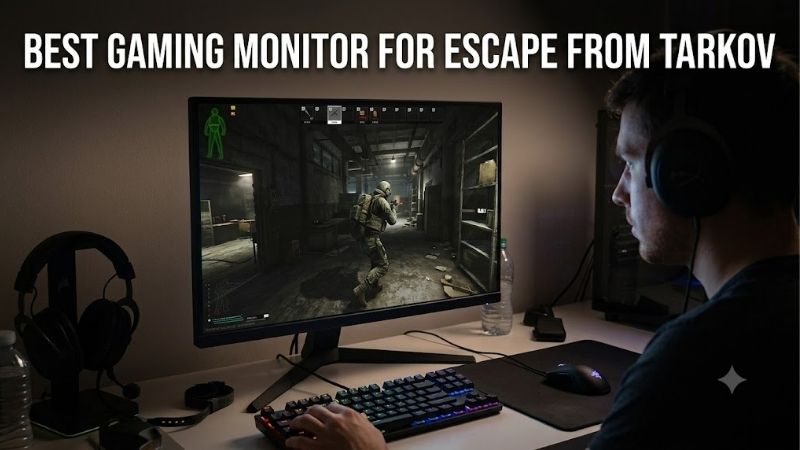
Quick answer: For most people in 2026, the best gaming monitor for escape from tarkov is the Monitor — our #1 rated choice. See the full ranked comparison, alternatives and buying advice below.
Quick verdict: The best monitors for Escape from Tarkov
The ASUS ROG Strix XG27ACS is a strong all-around recommendation for Tarkov players. Its 27-inch 1440p Fast IPS panel and 180Hz refresh rate provide an effective combination of detailed visuals and responsive gameplay.
Players who want faster refresh rates while retaining IPS technology should consider the GIGABYTE M27Q X Rev. 2.0. Its 240Hz capability provides additional headroom for powerful gaming computers and other competitive shooters.
For enthusiasts prioritizing exceptional pixel response and contrast, the Dell Alienware AW2725DF delivers a 360Hz QD-OLED experience. However, Tarkov’s demanding frame delivery means that paying for 360Hz will not necessarily produce a proportional improvement during actual raids.
The right choice depends on your sustained frame rates, gaming environment, and whether your monitor also needs to handle productivity tasks.
Quick comparison of the best Tarkov gaming monitors
| Monitor | Resolution | Refresh rate | Panel | Best suited for | Main limitation |
|---|---|---|---|---|---|
| ASUS ROG Strix XG27ACS | 1440p | 180Hz | Fast IPS | Balanced Tarkov gaming | Moderate IPS contrast |
| GIGABYTE M27Q X Rev. 2.0 | 1440p | 240Hz | SS IPS | High-refresh gaming | Needs strong PC performance |
| Dell Alienware AW2725DF | 1440p | 360Hz | QD-OLED | Premium competitive visuals | OLED maintenance considerations |
| LG UltraGear 27GS95QE-B | 1440p | 240Hz | OLED | Dark-room immersion | Image-retention considerations |
| Samsung Odyssey OLED G6 G60SD | 1440p | 360Hz | OLED | Bright-room OLED gaming | Premium hardware requirements |
| MSI MAG 274QRF QD E2 | 1440p | 180Hz | Rapid IPS | Gaming and desktop work | Lower contrast than OLED |
| BenQ ZOWIE XL2566K | 1080p | 360Hz | TN | Specialized esports setups | Lower resolution and limited availability |
These categories describe suitability rather than results from direct Tarkov testing. Actual performance depends on the connected computer, game workload, selected settings, and monitor configuration.
How we selected these gaming monitors
Selection focused on the characteristics most relevant to Escape from Tarkov: resolution, motion handling potential, refresh rate, contrast, connectivity, and practical ergonomics.
Manufacturer documentation was used to establish panel specifications and supported display modes. Independent testing was considered where applicable, without treating advertised response-time figures as measured performance.
The shortlist emphasizes 27-inch 1440p models because that combination provides useful pixel density at ordinary desktop viewing distances. One specialized 1080p option is included for competitive players who prioritize compact displays and high refresh rates.
No specific monitor is assumed to increase Tarkov FPS. Likewise, no product is labeled the cheapest without comparing verified US prices for the exact variants.
Best gaming monitors for Escape from Tarkov reviewed
ASUS ROG Strix XG27ACS – Best overall balance
The ASUS ROG Strix XG27ACS combines a 27-inch Fast IPS panel with 2560 × 1440 native resolution and a maximum 180Hz refresh rate.
That configuration is particularly attractive for Escape from Tarkov because it balances detailed image presentation with realistic performance expectations for a midrange-to-high-end gaming PC.
On large outdoor maps, higher pixel density can help present fine structures, vegetation, and distant environmental outlines more clearly than a similarly sized 1080p screen.
Its Shadow Boost feature also allows adjustments to darker image regions. This may help distinguish objects in shadowed interiors, although aggressive settings can reduce the natural separation between dark and bright areas.
ASUS supports Adaptive-Sync and provides DisplayPort 1.4, HDMI 2.0, and USB-C video connectivity. Importantly, the full 180Hz mode is available through DisplayPort or supported USB-C connections, while HDMI is limited to 144Hz.
The adjustable stand provides flexibility for positioning the screen at a comfortable height and angle during longer sessions.
The principal compromise is its IPS panel contrast. In dark rooms, black areas may appear gray compared with OLED alternatives.
Buy If: You want a practical 1440p monitor for Tarkov, other games, and everyday computer use.
Skip If: You specifically require OLED contrast or a refresh rate above 180Hz.
GIGABYTE M27Q X Rev. 2.0 – Best 240Hz IPS monitor
The GIGABYTE M27Q X Rev. 2.0 is designed for players who want greater refresh-rate headroom while retaining the familiarity of an IPS panel.
Its 27-inch SS IPS display operates at 2560 × 1440 resolution with a maximum 240Hz refresh rate. That provides the opportunity for smoother motion and more frequent screen updates when incoming frame rates are sufficiently high.
For Tarkov, the practical advantage is flexibility. Players can enjoy 1440p image detail during exploration while benefiting from higher refresh rates whenever the game and hardware allow.
GIGABYTE includes Black Equalizer, a feature intended to modify dark-region visibility. The monitor also supports Aim Stabilizer Sync, although motion-blur reduction settings should be evaluated alongside brightness and variable-refresh behavior.
A useful additional feature is the integrated KVM switch. Players using a gaming desktop and another computer can potentially share connected peripherals through the monitor.
Its DisplayPort 1.4 connection is appropriate for the maximum PC refresh-rate configuration. Buyers should confirm the exact Rev. 2.0 model, since different M27Q-family monitors have substantially different specifications.
The main drawback is that many Tarkov scenarios will not approach 240 FPS. This makes the monitor more appealing to players who also enjoy faster esports titles.
Buy If: You want 1440p resolution, 240Hz refresh capability, and a versatile IPS display.
Skip If: Your PC normally operates well below 144 FPS and you have little use for the additional refresh-rate headroom.
Dell Alienware AW2725DF – Best premium QD-OLED option
The Dell Alienware AW2725DF uses a 26.7-inch-class QD-OLED panel with 2560 × 1440 resolution and a maximum refresh rate of 360Hz through DisplayPort.
Its main strength is exceptionally fast OLED pixel transitions combined with excellent native contrast.
This combination can create crisp-looking motion during rapid viewpoint changes, particularly when tracking movement across complicated backgrounds.
OLED also produces deep blacks without depending on a conventional backlight. For Tarkov, this can make dark environments more visually convincing, although it does not guarantee that opponents become easier to identify.
The 360Hz specification is particularly useful for enthusiasts who also play titles that can consistently generate extremely high frame rates.
Tarkov may be limited by processor performance, map complexity, and inconsistent frame delivery. Consequently, a 360Hz panel may spend much of its Tarkov usage displaying substantially fewer unique frames.
Connectivity deserves attention. Dell specifies 1440p at 360Hz over DisplayPort, but only 1440p at 144Hz through the HDMI connection on this exact model.
Potential OLED image retention is another factor for users who leave static desktop elements visible for extended periods.
Buy If: You want premium QD-OLED contrast and extremely responsive pixel behavior.
Skip If: You prioritize low maintenance, mostly perform static office work, or cannot benefit from high-refresh gaming.
LG UltraGear 27GS95QE-B – Best for dark-room immersion
The LG UltraGear 27GS95QE-B combines a 27-inch-class OLED display with native 1440p resolution and a 240Hz refresh rate.
Unlike traditional IPS panels, OLED pixels can produce their own light and switch off individually. This enables strong contrast and convincing black levels.
Those characteristics make the LG attractive for Tarkov players who spend significant time exploring interiors, underground areas, and environments with difficult lighting.
The monitor also delivers rapid pixel transitions, helping reduce visible trailing during quick camera movements.
Its 240Hz capability is substantial even for competitive gaming. For players frequently operating below 200 FPS, good motion behavior across the actual frame-rate range matters more than the maximum supported number.
LG includes NVIDIA G-SYNC Compatible support and AMD FreeSync Premium Pro, helping improve display synchronization when paired with compatible hardware.
The adjustable stand supports comfortable positioning, while its gaming-oriented features make it suitable for other fast-paced titles.
Its OLED panel requires appropriate care, particularly when used for extended desktop sessions with persistent interface elements.
Also, visually darker blacks do not automatically improve target detection. The best results require sensible brightness and game-image settings.
Buy If: You play in a controlled-lighting environment and prioritize OLED contrast with a 240Hz refresh rate.
Skip If: You frequently display static applications or prefer the simpler ownership characteristics of IPS.
Samsung Odyssey OLED G6 G60SD – Best anti-glare OLED choice
The Samsung Odyssey OLED G6 G60SD offers a 27-inch QHD OLED panel with a 360Hz refresh rate.
Its distinctive feature is Samsung’s Glare Free matte display treatment, designed to reduce distracting reflections from nearby lighting.
That can be useful when playing Tarkov in a room with windows, ceiling lights, or other reflective sources. Reflections are particularly distracting when inspecting dark portions of the screen.
The monitor combines OLED pixel response with a high refresh-rate ceiling, making it suitable for enthusiasts who play several competitive games.
Samsung also includes AMD FreeSync Premium Pro and provides modern gaming connectivity.
Compared with the Dell AW2725DF, the Samsung offers a different surface treatment. The choice between them should consider viewing conditions as well as personal preferences concerning matte and anti-reflective screen finishes.
The monitor is not a guaranteed advantage in Tarkov firefights. Its 360Hz capabilities become most meaningful when the PC consistently generates high frame rates.
OLED maintenance and potential image retention remain relevant considerations, especially for users who combine gaming with long hours of productivity work.
Buy If: You want an OLED gaming monitor with a matte surface and very high refresh capability.
Skip If: You prefer an IPS panel or do not need premium OLED features.
MSI MAG 274QRF QD E2 – Best hybrid gaming and work monitor
The MSI MAG 274QRF QD E2 is an appealing option for players who want one monitor for Tarkov, general gaming, and productivity.
Its 27-inch Rapid IPS panel provides native 2560 × 1440 resolution at up to 180Hz. MSI also incorporates Quantum Dot technology for wide color-gamut reproduction.
For Tarkov, the resolution delivers useful environmental detail while the refresh rate provides a responsive experience without depending on exceptionally high frame rates.
The monitor supports AMD FreeSync, providing adaptive synchronization within the supported operating range.
A particularly practical feature is its USB-C connection with DisplayPort Alternate Mode and up to 65W Power Delivery. This allows compatible laptops to connect for video and charging through one cable.
Additional USB connectivity and an adjustable stand improve everyday usability.
MSI lists maximum 1440p refresh rates of 180Hz through DisplayPort and USB-C, with HDMI limited to 144Hz.
The main compromise is familiar IPS contrast performance. Although the monitor supports DisplayHDR 400, that certification should not be confused with OLED-level black reproduction.
Buy If: You want one versatile 1440p display for gaming, laptop connectivity, and desktop productivity.
Skip If: You mainly want premium HDR contrast or refresh rates exceeding 180Hz.
BenQ ZOWIE XL2566K – Best specialized 1080p esports monitor
The BenQ ZOWIE XL2566K differs substantially from the 1440p monitors above.
Its 24.5-inch TN panel provides 1920 × 1080 resolution and up to 360Hz refresh capability through DisplayPort.
This configuration is aimed primarily at competitive players who prefer smaller screens, rapid refresh rates, and dedicated motion-clarity features.
BenQ includes DyAc+ backlight strobing, Black eQualizer, and Color Vibrance controls. These features allow users to experiment with motion appearance and dark-scene visibility.
The smaller display can be comfortable for players who prefer to keep the entire game image within a compact viewing area.
However, 1080p provides less image detail than 1440p. That can matter when observing distant scenery and small targets.
Another limitation is that variable refresh rate and DyAc+ cannot operate simultaneously on this monitor. Players need to choose the mode that works best for their frame-rate consistency.
The XL2566K is also listed as discontinued on BenQ’s regional product page, so availability needs particular attention. It should not be assumed readily obtainable as a new US retail product.
Buy If: You specifically prefer compact 1080p esports hardware and can locate the exact model in suitable condition.
Skip If: You want stronger image quality, a broadly available current-generation monitor, or increased pixel density.
How to choose a gaming monitor specifically for Escape from Tarkov
Choose resolution according to target visibility and GPU performance
Resolution is one of the most important decisions because Tarkov frequently requires players to inspect detailed environments at considerable distances.
A 27-inch 1440p monitor contains approximately 109 pixels per inch, while a 27-inch 1080p display offers roughly 82 pixels per inch.
That difference can make fine image detail appear clearer at the same viewing distance.
However, 1440p requires the GPU to process about 78% more pixels than 1080p before considering other rendering factors.
If your current hardware struggles to maintain acceptable frame rates, upgrading to 1440p may introduce a performance compromise.
Players should first measure their existing GPU utilization and frame-rate behavior. When performance is limited primarily by the CPU, reducing resolution may produce little improvement.
Prioritize frame-time consistency over extreme refresh rates
Tarkov performance can vary considerably between locations and gameplay scenarios.
A display refreshing at 240Hz cannot create new gameplay frames when the PC only delivers 90 FPS.
Higher refresh rates reduce the interval between potential screen updates, but stable frame delivery remains essential.
For many players, a capable 180Hz 1440p monitor provides a sensible balance. Faster displays are most appealing when the hardware and other games can use the additional headroom.
A 360Hz display is therefore an optional enthusiast upgrade, not a fundamental requirement for successful Tarkov gameplay.
Understand dark-scene visibility before choosing OLED
Tarkov includes areas where shadows and uneven illumination make observing the environment difficult.
OLED panels offer excellent native contrast, but extremely dark image regions may still contain details that are hard to distinguish.
IPS monitors generally have lower contrast, yet adjustable gamma and shadow settings can influence perceived visibility.
Neither technology automatically guarantees better opponent detection.
Start with accurate picture settings and appropriate room lighting. Then adjust dark-scene enhancements carefully, checking whether changes preserve details instead of merely brightening the entire picture.
Players using OLED should also consider the effects of ambient lighting and reflections on perceived black levels.
Check real response behavior, not just advertised milliseconds
Gaming monitor specifications often include manufacturer response-time claims such as 1ms or 0.03ms.
These figures describe selected measurement conditions and should not be interpreted as guaranteed performance across every color transition.
Overdrive settings can influence actual motion presentation. Aggressive settings may create bright trails or inverse ghosting.
For variable-frame-rate games, a balanced response-time setting is usually preferable to an extreme configuration optimized only for maximum refresh.
Independent measurements of pixel transitions and overshoot can help identify the most appropriate setting.
Recommended monitor settings for Tarkov gameplay
A properly configured monitor can help players get the performance their hardware already supports.
| Setting | Recommended starting point | Reason |
|---|---|---|
| Resolution | Native display resolution | Preserves image detail |
| Refresh rate | Highest supported stable mode | Enables available motion smoothness |
| Adaptive synchronization | Enabled when compatible | Helps reduce visible tearing |
| Overdrive | Moderate or manufacturer-recommended | Limits excessive overshoot |
| Brightness | Adjusted to room lighting | Preserves usable image contrast |
| Shadow enhancement | Low or moderate initially | Avoids unnecessary washing out |
| Sharpness | Neutral/default | Prevents exaggerated edge artifacts |
| HDR | Test against SDR | Results depend on game and display behavior |
Avoid copying another player’s monitor settings without considering differences in panel technology, lighting, graphics settings, and individual preferences.
A configuration that looks excellent on one OLED monitor may produce crushed shadows or unnatural colors on an IPS display.
Monitor performance should also be evaluated during actual gameplay, not solely through static desktop test images.
Frequently asked questions
Is a 27-inch monitor good for Escape from Tarkov?
Yes. A 27-inch 1440p monitor provides a practical combination of screen size, pixel density, and desktop viewing comfort.
It is particularly suitable for users who want detailed environments without moving to the greater rendering demands of 4K.
Is 144Hz enough for Tarkov?
Yes. A good 144Hz monitor can provide smooth gameplay when supported by consistent frame delivery.
Upgrading to 180Hz or 240Hz may improve responsiveness, but the difference depends on actual FPS, pixel response behavior, and individual sensitivity.
Does OLED make enemies easier to see in Tarkov?
Not necessarily. OLED offers excellent contrast and fast pixel response, but enemy visibility also depends on game lighting, camouflage, rendering, display calibration, and viewing conditions.
A well-configured IPS monitor can remain highly effective.
Should I choose 1080p or 1440p for competitive Tarkov?
Choose 1440p when your computer can maintain satisfactory performance at that resolution. Its higher pixel density is useful for detailed environments.
Choose 1080p when lower GPU rendering demand is more important, especially on less powerful systems.
Is a 360Hz monitor worth buying specifically for Tarkov?
Usually, 360Hz should not be the primary purchasing requirement for Tarkov alone.
It becomes more appealing if you also play competitive shooters at extremely high frame rates.
A balanced 1440p 180Hz or 240Hz monitor is a more practical starting point for many systems.
Can monitor settings improve visibility without increasing FPS?
Yes. Appropriate brightness, gamma, contrast, and shadow adjustments can change how image details appear without materially changing the game’s rendering workload.
However, excessive enhancement may reduce overall image separation and introduce unnatural visual artifacts.
Final verdict
The ASUS ROG Strix XG27ACS is a sensible general recommendation for Escape from Tarkov players who want a capable 1440p display with responsive motion and practical features.
The GIGABYTE M27Q X Rev. 2.0 is a compelling step up for users who prefer 240Hz IPS gaming, while the Dell Alienware AW2725DF is attractive for enthusiasts seeking premium QD-OLED motion performance.
The LG UltraGear 27GS95QE-B and Samsung Odyssey OLED G6 G60SD offer alternative OLED experiences, particularly for users concerned with contrast or screen reflections.
For mixed gaming and work, the MSI MAG 274QRF QD E2 provides useful connectivity. The BenQ ZOWIE XL2566K remains a specialized legacy choice for dedicated 1080p esports players.
Ultimately, the most useful Tarkov monitor is the one that delivers clear image detail, comfortable viewing, clean motion, and appropriate synchronization at frame rates your PC can actually sustain. Prioritize those characteristics before spending extra on headline specifications.
Editorial Source Log — Not for publication
Research date: October 12, 2026.
| Monitor | Manufacturer verification |
|---|---|
| ASUS ROG Strix XG27ACS | ASUS official specifications
Republic of Gamers|ROG USA
|
| GIGABYTE M27Q X Rev. 2.0 | GIGABYTE official specifications
GIGABYTE Vietnam
|
| Alienware AW2725DF | Dell US technical specifications
Dell USA
|
| LG UltraGear 27GS95QE-B | LG US product specifications
LG USA
|
| Samsung Odyssey OLED G6 G60SD | Samsung US product specifications
Samsung US
|
| MSI MAG 274QRF QD E2 | MSI US technical specifications
MSI
|
| BenQ ZOWIE XL2566K | BenQ model specifications and lifecycle status
ZOWIE Vietnam
|
Independent review evidence: RTINGS GIGABYTE M27Q X review. Its tested sample was Rev. 1.0, so measured results should not be attributed directly to Rev. 2.0 without confirmation.
Verification limitations: No original Tarkov-specific display benchmarks were conducted. Exact Amazon US availability and comparable prices were not established for all seven models. The ZOWIE XL2566K has an identified discontinuation warning. Warranty terms for individual US OLED models require purchasing-date verification.
Editorial cannibalization warning: The keywords “best tarkov monitor” and “best gaming monitor for escape from tarkov” serve nearly identical commercial investigation intent. Publishing separate roundup articles targeting these terms risks keyword cannibalization. A single consolidated primary article with the other phrase used as a secondary keyword is the preferable editorial structure unless distinct search demand can be established. A complete sitewide duplication audit was not verified.
Ready to decide? Our #1 pick for 2026 is the Monitor.
Live price & availability on Amazon.









