
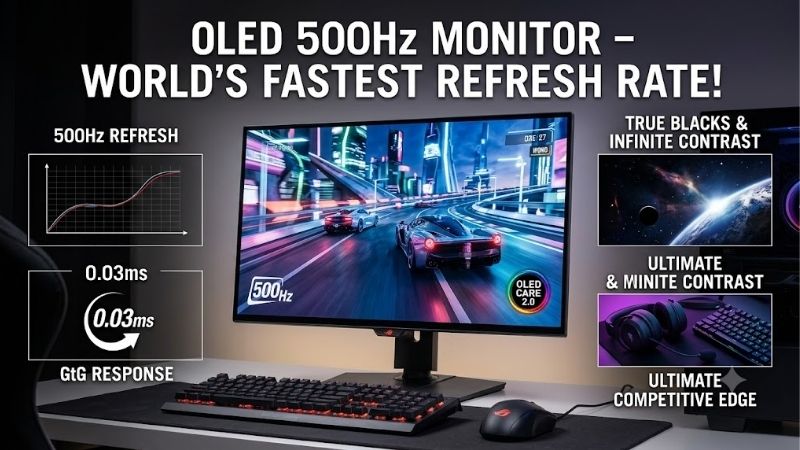
Finding a 500 hz oled monitor is less about choosing the highest number and more about checking the resolution attached to it. Native 500Hz at 1440p is more versatile than a 720Hz mode that drops to 720p. Your graphics card and games determine whether that extra speed justifies flagship pricing.
Resolution and Refresh Rate
Refresh rate measures how often the panel updates, while response time describes how quickly pixels transition. At 500Hz, a new refresh begins every two milliseconds, but your PC must render frames fast enough to benefit. This advantage matters most in competitive shooters, where tracking moving targets matters more than cinematic effects.
For everyday gaming, 2560 × 1440 provides sharper detail than 720p and more workspace than Full HD. The ASUS ROG Swift OLED PG27AQWP-W and LG UltraGear 27GX790B-B offer 540Hz at QHD and 720Hz at HD, letting esports players trade resolution for speed when a particular game rewards it.
OLED Panel Technology and Screen Finish
OLED pixels illuminate individually, producing deep blacks without the backlight halos found on many LCD panels. Samsung and MSI use QD-OLED, known for vivid colors, while ASUS and LG use newer Tandem WOLED panels designed to improve brightness and color performance over earlier generations. All four deliver rapid pixel transitions suited to high-refresh gameplay.
Screen finish matters in practice. Samsung’s Glare Free surface and LG’s matte coating help control reflections, whereas ASUS’s glossy TrueBlack finish can make images look particularly clear in a controlled room. If your desk faces a sunny window, LG is worth considering; if you game with controlled lighting, ASUS offers a compelling alternative.
Graphics Card and Connectivity
A monitor cannot manufacture frames your graphics card fails to render. Before choosing among these displays, check your GPU, game settings, and output bandwidth. MSI, ASUS, and LG offer DisplayPort 2.1-class connectivity, while Samsung uses DisplayPort 1.4 alongside HDMI 2.1. Supported modes and compression requirements vary, so check the exact connection specifications.
For a PC-first setup, DisplayPort is the sensible starting point for maximum refresh-rate support. The MSI adds USB-C with up to 98W power delivery and a KVM switch, while the ASUS and Samsung provide multiple HDMI inputs for attached devices. Consoles generally top out at 120Hz, so they cannot exploit a 500Hz panel’s full capability.
Price, Warranty, and OLED Care
These are premium displays, so compare actual checkout prices rather than assuming every 500Hz model costs the same. Samsung can be attractive during discounts, MSI combines speed with extensive connectivity, and the ASUS and LG command premium prices for their newer panels and dual-mode performance. A sale can change which monitor offers the strongest value.
OLED panels can suffer permanent image retention after prolonged exposure to static elements, although modern protection systems help manage that risk. MSI specifies a three-year burn-in warranty, and ASUS also lists three years of coverage including panel burn-in. Review the exact warranty terms, enable panel-care features, and avoid leaving static desktop content displayed unnecessarily.
Quick answer: Our top pick in 2026 is the MSI MPG 271QR QD-OLED X50 — our #1 rated choice. See the full ranked comparison, alternatives and buying advice below.
Top Picks
The best 500 hz oled monitor for your setup depends on whether you prioritize connectivity, sale pricing, maximum refresh rate, or reflection control. These four models are genuine OLED gaming displays rated at 500Hz or higher in their main high-speed modes. Their differences are meaningful, especially when the budget reaches flagship territory.
| Product | Best For | Key Spec | Watch Out For |
|---|---|---|---|
| MSI MPG 271QR QD-OLED X50 | Best Overall | 26.5-inch QD-OLED, 1440p, 500Hz | Premium price |
| Samsung Odyssey OLED G6 G60SF | Best Value | 27-inch QD-OLED, 1440p, 500Hz | Fewer connectivity extras |
| ASUS ROG Swift OLED PG27AQWP-W | Best For Elite Esports | 1440p at 540Hz; 720p at 720Hz | Expensive; glossy reflections |
| LG UltraGear 27GX790B-B | Best For Bright Rooms | 1440p at 540Hz; 720p at 720Hz | VRR flicker can occur |
MSI MPG 271QR QD-OLED X50 — Best Overall
MSI’s MPG 271QR QD-OLED X50 is the most balanced 500 hz oled monitor in this group, pairing native 2560 × 1440 resolution with 500Hz and a stated 0.03ms GtG response time. Its 26.5-inch QD-OLED panel also carries DisplayHDR True Black 500 certification, supporting deep contrast alongside exceptional motion performance.
Its biggest practical advantage is connectivity: DisplayPort 2.1a UHBR20, two HDMI 2.1 inputs, USB-C with up to 98W power delivery, and a KVM switch. The ergonomic stand and OLED-care features add flexibility, but the high price and potential OLED text fringing are worth considering if you spend more time working than gaming.
Samsung Odyssey OLED G6 G60SF — Best Value
The Samsung Odyssey OLED G6 G60SF is the value choice when discounted, delivering a 27-inch QHD QD-OLED panel at native 500Hz with a 0.03ms GtG specification. Its Glare Free finish and rich OLED contrast make it an attractive option for players seeking flagship speed without necessarily paying the highest price in this category.
Connectivity includes two HDMI 2.1 inputs and DisplayPort 1.4, along with FreeSync Premium Pro, G-SYNC compatibility, and DisplayHDR True Black 500. However, there is no USB-C or built-in audio, and MSI offers more desk-friendly extras. Compare current pricing before choosing Samsung over its better-connected rival.
ASUS ROG Swift OLED PG27AQWP-W — Best for Elite Esports
The ASUS ROG Swift OLED PG27AQWP-W is designed for esports enthusiasts who want more than 500Hz from a 500 hz oled monitor. Its 26.5-inch Tandem WOLED panel runs at 2560 × 1440 and 540Hz, with a dual mode that reaches 720Hz at 1280 × 720. The 0.02ms GtG rating emphasizes speed.
A glossy TrueBlack finish, DisplayPort 2.1, two HDMI 2.1 ports, and an adjustable stand round out this premium model. The limitation is its cost, while 720Hz requires accepting a substantial resolution drop. It makes the most sense for serious competitive players who can sustain very high frame rates, not casual gamers seeking the best value.
LG UltraGear 27GX790B-B — Best for Bright Rooms
The LG UltraGear 27GX790B-B is a strong pick for competitive players who game in rooms with noticeable reflections. Its 27-inch Tandem OLED panel supports QHD at 540Hz or HD at 720Hz, with a 0.02ms GtG response specification. The matte coating distinguishes it from ASUS’s glossy alternative.
LG includes DisplayPort 2.1, two HDMI 2.1 ports, G-SYNC compatibility, and AMD FreeSync Premium Pro. Independent testing has reported variable-refresh-rate flicker during abrupt frame-rate changes, while HDR handling can overbrighten some scenes. It also lacks a 4K mode. Consider it when glare control matters, but compare its price with ASUS before buying.
Frequently Asked Questions
Shopping for a 500 hz oled monitor raises practical questions beyond the headline refresh rate. GPU performance, console limits, OLED maintenance, and the difference between 500Hz and 540Hz all affect whether an expensive upgrade makes sense. The answers below focus on realistic performance rather than treating the biggest specification as an automatic win.
Can Any Gaming PC Run a 500Hz Monitor?
No. A monitor can accept a high-refresh signal, but your graphics card and game must generate enough frames to use it fully. Lightweight esports titles may reach very high frame rates on capable hardware, while graphically demanding games often run far below 500 frames per second even on powerful systems.
You can still benefit from OLED contrast and responsive pixels when your frame rate is lower. Check independent benchmarks for your favorite games, reduce settings if competitive speed is your priority, and verify the monitor’s supported resolution and refresh rate over your chosen connection. Buying the display before checking your PC can waste much of its advantage.
Is 500Hz Noticeably Better Than 360Hz?
It can be, particularly in competitive games, but the improvement from 360Hz to 500Hz is less dramatic than moving up from 60Hz. A 500Hz refresh interval is two milliseconds, compared with about 2.78 milliseconds at 360Hz. That is a measurable difference, although real-world gains depend on frame rate and player sensitivity.
For esports specialists with hardware that consistently exceeds 360 FPS, the extra headroom may help motion tracking. For single-player adventures, mixed work, or games that rarely approach either refresh rate, image quality and ergonomics may matter more. Consider the more expensive 540Hz and 720Hz modes a specialist advantage rather than a universal upgrade.
Can a PS5 or Xbox Use 500Hz?
No console can take full advantage of 500Hz output from these monitors. Current console gaming is generally limited to supported modes of up to 120Hz, depending on the title, resolution, and connection. These monitors remain compatible with console play, but their highest refresh rates are aimed primarily at PC gaming.
If you mainly use a console, prioritize HDMI 2.1 support, VRR compatibility, and picture quality instead. Samsung, MSI, ASUS, and LG all offer HDMI connectivity, but the available console modes differ from their headline PC specifications. You may be better served by a cheaper 120Hz or 240Hz OLED if console play is your only use case.
Can an OLED Gaming Monitor Get Burn-In?
Yes. OLED burn-in is possible when static image elements remain visible for extended periods, although modern panels include protective features to reduce the risk. Gaming with varied content is generally less concerning than displaying the same bright interface or desktop elements for long stretches every day.
Enable the manufacturer’s panel-care features, use reasonable brightness for desktop work, and check warranty exclusions before purchasing. Samsung, MSI, ASUS, and LG each use different protective approaches and warranty terms, so coverage should not be assumed identical. OLED remains a compelling gaming technology, but maintenance and warranty details are part of the buying decision.
Final Thoughts
The best 500 hz oled monitor is the one that matches your PC, room, and competitive goals. Choose MSI for connectivity, Samsung for discounted value, ASUS for extreme esports speed, or LG for matte-screen flexibility. Check prices and warranty terms carefully, because a 500Hz panel is only worth its premium when your setup can take advantage of it.
Ready to decide? Our #1 pick for 2026 is the MSI MPG 271QR QD-OLED X50.
Live price & availability on Amazon.









