
A 10-bit gaming monitor can display a broader range of color gradations than a conventional 8-bit display, making it attractive for HDR games, cinematic adventures, and color-rich creative work. However, bit depth alone does not guarantee excellent picture quality. When choosing the best 10 bit gaming monitor, you should also consider panel technology, HDR performance, resolution, refresh rate, connectivity, and the capabilities of your graphics card. The following seven monitors cover different priorities, from an affordable 1440p IPS alternative to premium 4K OLED displays.
- Best 10 bit gaming monitor picks by category
- How we selected the best 10 bit gaming monitor
- ASUS ROG Swift OLED PG27UCDM: Best overall
- Gigabyte M27Q X Rev. 1.0: Best IPS alternative
- Samsung Odyssey OLED G81SF: Best matte 4K OLED
- Dell Alienware AW3225QF: Best curved gaming experience
- LG UltraGear 32GS95UE-B: Best dual-mode gaming
- MSI MPG 321URX QD-OLED: Best for a connected workstation
- Gigabyte AORUS FO32U2P: Best DisplayPort connectivity
- What 10-bit color actually means for gaming
- How to choose the right 10-bit gaming monitor
- Frequently asked questions
- Final verdict
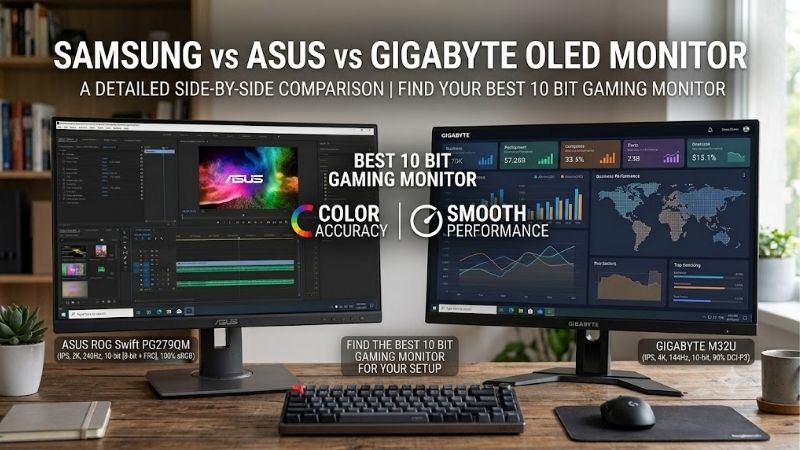
Quick answer: For most people in 2026, the best 10 bit gaming monitor is the Monitor — our #1 rated choice. See the full ranked comparison, alternatives and buying advice below.
Best 10 bit gaming monitor picks by category
For most buyers seeking premium image quality and fast gameplay, the ASUS ROG Swift OLED PG27UCDM is an excellent starting point. Its 27-inch 4K QD-OLED panel combines 240Hz refresh, true 10-bit color, and DisplayPort 2.1a connectivity. Players who prefer a matte screen, a larger curved display, or an exceptionally fast competitive monitor have strong alternatives from Samsung, Dell, LG, MSI, and Gigabyte.
| Monitor | Best use case | Resolution and refresh rate | Panel | Main drawback |
|---|---|---|---|---|
| ASUS ROG Swift OLED PG27UCDM | Best overall | 4K, 240Hz | Tandem QD-OLED | Premium price |
| Gigabyte M27Q X Rev. 1.0 | Best IPS alternative | 1440p, 240Hz | IPS, 8-bit + FRC | Older model; verify revision and availability |
| Samsung Odyssey OLED G81SF | Best matte 4K OLED | 4K, 240Hz | QD-OLED | Matte coating can look hazy |
| Dell Alienware AW3225QF | Best curved gaming experience | 4K, 240Hz | Curved QD-OLED | Large footprint and reflections can vary by room |
| LG UltraGear 32GS95UE-B | Best dual-mode gaming | 4K, 240Hz or 1080p, 480Hz | WOLED | Expensive; no USB-C docking |
| MSI MPG 321URX QD-OLED | Best for a connected workstation | 4K, 240Hz | QD-OLED | DisplayPort 1.4a rather than DP 2.1 |
| Gigabyte AORUS FO32U2P | Best DisplayPort connectivity | 4K, 240Hz | OLED | Premium feature set may be unnecessary for some PCs |
These recommendations prioritize documented 10-bit color support, gaming performance, useful distinguishing features, and credible product testing. The table does not imply that all monitors use the same native panel architecture or achieve identical color accuracy. The Gigabyte M27Q X Rev. 1.0, for example, explicitly uses 8-bit processing with frame rate control (FRC), whereas ASUS describes the PG27UCDM as supporting true 10-bit color.
How we selected the best 10 bit gaming monitor
The first requirement was documented color-depth support. Manufacturer specifications were checked for the exact model, resolution, refresh rate, panel technology, and relevant connections.
The second requirement was gaming suitability. A monitor should offer more than a large color count. Refresh rate, variable refresh rate support, pixel response behavior, and input lag help determine whether it is suitable for fast games. Resolution and HDR performance become especially important for immersive single-player titles.
Independent reviews from RTINGS and Tom’s Hardware provide additional context about real-world behavior. For example, RTINGS’ review of the LG 32GS95UE-B identifies strong motion handling and deep OLED blacks while noting visible VRR flicker under changing frame rates in dark scenes. Its review of the Samsung Odyssey OLED G81SF highlights sharp 4K images and crisp motion, alongside limitations involving brightness in strong glare and raised black levels in bright environments.
The seven recommendations are intended for different buyers rather than being a strict performance ranking. No single laboratory test was conducted specifically for this article, and advertised response times or peak-brightness figures should not be interpreted as independent measurements.
ASUS ROG Swift OLED PG27UCDM: Best overall
The ASUS ROG Swift OLED PG27UCDM is a strong choice for gamers who want high pixel density, fast motion, and advanced color reproduction without moving to a 32-inch display.
Its 26.5-inch viewable panel offers a native resolution of 3840 × 2160 and a refresh rate of 240Hz. ASUS specifies tandem QD-OLED technology, true 10-bit color, a peak HDR brightness of up to 1,000 nits, and 99% DCI-P3 coverage. These features make it attractive for games that combine detailed environments, saturated colors, bright highlights, and dark scenes.
The 4K resolution is particularly useful at this screen size because it produces a detailed image for both games and desktop applications. OLED’s pixel-level illumination also provides deep blacks without the backlight blooming associated with conventional LCD displays.
Connectivity is another strength. DisplayPort 2.1a with UHBR20 bandwidth provides a high-bandwidth connection, while USB-C power delivery, a USB hub, and a KVM switch make the monitor more practical for a shared gaming and productivity setup. The high-bandwidth DisplayPort connection is useful when you want to reduce dependence on Display Stream Compression, although the actual supported display mode depends on the complete signal chain.
There are trade-offs. A 4K image at 240Hz requires substantial graphics performance in demanding games, and the glossy screen finish can produce distracting reflections in poorly controlled lighting. The premium feature set can also be excessive for someone who mostly plays lighter esports titles.
Buy it if you want a compact 4K OLED display with true 10-bit color, advanced connectivity, and fast gaming performance. Skip it if you would rather prioritize maximum refresh rate at 1440p or avoid OLED-related long-term ownership considerations.
Gigabyte M27Q X Rev. 1.0: Best IPS alternative
Not every gamer needs an expensive OLED panel. The Gigabyte M27Q X Rev. 1.0 remains an interesting alternative for those who prefer IPS technology, want 1440p gaming, and need support for a 10-bit color signal.
This 27-inch monitor combines a native 2560 × 1440 resolution with a 240Hz refresh rate. Its manufacturer specification identifies the color capability as 10 bits through 8-bit processing plus FRC. That distinction matters: the display can provide 10-bit output gradation, but its implementation is not the same as a panel advertised as true native 10-bit.
The IPS panel provides wide viewing angles and a broader range of color than many basic gaming displays. Its matte surface is also useful in rooms where direct reflections would be distracting. For players with midrange or older graphics cards, 1440p is generally an easier resolution to drive at high frame rates than 4K.
Tom’s Hardware’s review praised the monitor’s smooth 240Hz gaming performance, broad color capability, and useful gaming features. It also noted that the HDR experience was limited compared with what the HDR label might suggest. This is an important reminder that 10-bit color support alone does not create a convincing HDR image.
The monitor includes a USB-C connection with up to 18W power delivery, a USB hub, and a KVM feature. Those extras can be useful, but the charging capability is limited compared with modern laptop-focused displays.
There is one purchasing caveat: this is an older product, and the exact hardware revision matters. Gigabyte specifies different color-depth details for the M27Q X Rev. 1.0 and other revisions. Confirm the revision, specifications, and current price before buying rather than assuming every listing describes an identical product.
Buy it if you find the correct revision at a sensible price and want a fast IPS monitor with 10-bit output support. Skip it if OLED contrast, more advanced HDR, or current-generation connectivity is your priority.
Samsung Odyssey OLED G81SF: Best matte 4K OLED
The Samsung Odyssey OLED G81SF is a compelling option for gamers who want a 27-inch 4K OLED monitor but prefer a matte screen finish.
The model S27FG810S uses a QD-OLED panel with a native resolution of 3840 × 2160 and a 240Hz refresh rate. Samsung’s US listing identifies its 4K QD-OLED display, 240Hz operation, and VESA DisplayHDR True Black 400 certification. The model is also listed with 1.07 billion color support.
Its main attraction is the combination of fine image detail, OLED contrast, and a matte coating. Dark scenes can look rich in a dim room, while the 4K resolution keeps text and detailed game environments sharp. The fast panel response and refresh rate make it suitable for competitive games as well as cinematic titles.
RTINGS’ review reports very low input lag and crisp motion, along with vivid colors and strong dark-room performance. It also notes that the matte coating handles reflections effectively, although it can introduce a slightly hazier appearance compared with less aggressive coatings. In bright rooms, OLED blacks can appear purple, and VRR flicker may become distracting when frame rates change in dark scenes.
The G81SF is worth considering if your desk receives daylight or contains lamps that would appear as strong reflections on a glossy panel. Nevertheless, the coating does not make it immune to ambient-light limitations.
The key trade-off is that you pay for a premium 4K OLED experience without getting every productivity feature found on competing monitors. If laptop docking and high-power USB-C charging are important, compare the ASUS PG27UCDM or MSI MPG 321URX instead.
Buy it if you favor matte OLED presentation and sharp 27-inch 4K gaming. Skip it if you strongly prefer glossy image clarity or need a monitor with extensive workstation connectivity.
Dell Alienware AW3225QF: Best curved gaming experience
The Alienware AW3225QF combines a large curved screen with 4K resolution and a 240Hz QD-OLED panel.
Dell specifies a 31.6-inch viewable screen, 3840 × 2160 resolution, 240Hz refresh rate, support for 1.07 billion colors, and a stated 0.03ms gray-to-gray response time. It also supports HDR and includes HDMI 2.1, DisplayPort 1.4, and USB connectivity.
The curved panel is the defining feature. On a large screen, a curve can make the display feel more enveloping when you sit directly in front of it. It can be especially appealing for racing games, expansive role-playing games, and other titles designed around immersion rather than purely competitive performance.
QD-OLED contributes high contrast, vivid colors, and fast pixel transitions. The combination is also suitable for HDR video and console gaming, provided the connected device supports the relevant signal modes.
There are limitations. A curved 32-inch-class display occupies considerable desk space and may not suit users who need straight geometry for certain creative applications. The glossy-style image presentation can also produce reflections, depending on the room. Unlike some workstation-oriented OLED monitors, the AW3225QF is not designed around high-wattage USB-C laptop charging.
Dell’s listed specifications confirm its 1.07 billion color capability, but this number should not be treated as a guarantee of superior color accuracy over the ASUS, MSI, or Gigabyte alternatives.
Buy it if you want a large curved OLED screen for immersive 4K gaming and multimedia. Skip it if you prefer a flat display, need high-power USB-C docking, or have limited desk depth.
LG UltraGear 32GS95UE-B: Best dual-mode gaming
The LG UltraGear 32GS95UE-B is unusually versatile because it provides two distinct gaming modes on the same 31.5-inch OLED display.
In its native 4K mode, the monitor supports a refresh rate of up to 240Hz. Switching to Full HD reduces the resolution to 1920 × 1080 while increasing the maximum refresh rate to 480Hz. LG specifies a color depth of 1.07 billion colors, a 98.5% DCI-P3 color gamut, and a 0.03ms gray-to-gray response time.
The advantage is flexibility. You can play visually demanding single-player games at 4K when image detail matters, then use the high-refresh-rate mode for compatible competitive titles. You do not need to purchase separate monitors just to move between these priorities.
Its WOLED panel offers deep blacks and strong pixel response. The display also includes HDMI 2.1 and built-in Pixel Sound technology, which uses the screen as part of its audio system. This can be useful for a relatively uncluttered desk, although dedicated speakers or a headset will usually provide a different listening experience.
RTINGS’ testing identifies excellent motion handling, responsive gameplay, and strong HDR picture quality. The trade-offs include possible VRR flicker in dark scenes and the typical OLED concern about permanent burn-in with long-term static content. The monitor also lacks USB-C laptop docking and a KVM switch.
Buy it if you frequently switch between competitive esports and visually rich games. Skip it if you will rarely use the 480Hz mode or would rather pay for a simpler 4K 240Hz display.
MSI MPG 321URX QD-OLED: Best for a connected workstation
The MSI MPG 321URX QD-OLED is a 31.5-inch flat OLED monitor designed for gamers who also use their display for productivity.
MSI specifies a 3840 × 2160 resolution, a 240Hz refresh rate, 1.07 billion colors, and a 10-bit color capability. Its QD-OLED panel offers high contrast and a wide advertised color gamut, making the display suitable for detailed gaming, HDR video, and a range of creative tasks.
Connectivity makes this model especially useful in a shared desktop and laptop environment. It includes DisplayPort 1.4a, two HDMI 2.1 ports, USB-C with up to 90W power delivery, and a USB hub. The Type-C connection supports video and laptop charging, while the KVM functionality available on the model can help manage multiple connected computers.
MSI lists a three-year warranty that includes panel burn-in. That is a meaningful ownership consideration for an OLED monitor, although the applicable warranty terms should always be reviewed before purchasing.
One limitation is that the DisplayPort connection is version 1.4a rather than the higher-bandwidth DisplayPort 2.1 interface found on some competing models. The monitor can still support its specified 4K 240Hz modes, but the complete signal chain and compression requirements matter when configuring a PC.
The 90W USB-C output is practical for many laptops, though it may not meet the full-power requirements of every workstation-class computer.
Buy it if you want a large, flat 4K OLED display that combines gaming capability with useful laptop connectivity. Skip it if you do not need USB-C charging or are specifically looking for native high-bandwidth DisplayPort 2.1 connectivity.
Gigabyte AORUS FO32U2P: Best DisplayPort connectivity
The Gigabyte AORUS FO32U2P is another 31.5-inch 4K OLED monitor, but its standout feature is its unusually capable DisplayPort connectivity.
Gigabyte specifies a 3840 × 2160 resolution, a refresh rate of 240Hz, 10-bit color, 99% DCI-P3 coverage, and VESA DisplayHDR True Black 400 certification. The panel also has a manufacturer-rated 0.03ms gray-to-gray response time.
The monitor includes DisplayPort 2.1 with UHBR20 bandwidth, a separate DisplayPort 1.4 output, two HDMI 2.1 connections, and USB-C with up to 65W power delivery. The high-bandwidth DisplayPort input is useful for a compatible PC when you want to support demanding resolution, refresh-rate, and color-depth combinations while minimizing reliance on display stream compression.
Its additional DisplayPort output can also appeal to people planning a multi-monitor arrangement, although the exact daisy-chain configuration and supported modes should be verified before assuming that every connected display can operate at its maximum settings.
QD-OLED-style contrast and 10-bit color support make the FO32U2P well suited to colorful games, dark environments, and HDR content. Gigabyte also specifies factory calibration with Delta E below 2, providing a useful starting point for color-conscious users. This does not eliminate the need for independent verification or calibration in critical creative workflows.
The downside is that the connectivity advantage matters primarily to users who can take advantage of it. A gamer using HDMI 2.1 or a lower-resolution setup may gain little from paying extra for high-bandwidth DisplayPort. USB-C power delivery is also lower than the 90W offered by MSI’s MPG 321URX.
Buy it if you need 4K 240Hz OLED gaming with DisplayPort 2.1 UHBR20 connectivity. Skip it if a more basic HDMI or DisplayPort setup already satisfies your requirements.
What 10-bit color actually means for gaming
A 10-bit signal provides 1,024 possible levels per red, green, and blue channel. Combined, this represents approximately 1.07 billion possible RGB color combinations before accounting for the display’s actual color gamut and other limitations.
An 8-bit signal provides 256 levels per channel, or approximately 16.7 million possible RGB combinations. The extra tonal precision of 10-bit can reduce visible banding in gradients, especially in HDR scenes with subtle changes in brightness and color.
However, a 10-bit specification does not automatically mean a monitor uses a native 10-bit panel. Some LCD monitors, including the Gigabyte M27Q X Rev. 1.0, use 8-bit processing plus FRC. This technique rapidly alternates between nearby shades to approximate intermediate levels. It can deliver useful 10-bit output without using a native 10-bit panel architecture.
It is also important to distinguish color depth from color gamut. A 10-bit display can offer smooth gradients while covering a relatively limited color range. A monitor with broad DCI-P3 coverage can reproduce more saturated colors, but that does not independently establish how accurately it reproduces them.
HDR performance requires additional consideration. Peak brightness, sustained brightness, tone mapping, black levels, and supported HDR formats all influence the result. A monitor advertised as 10-bit with an HDR label may still deliver a relatively limited HDR experience.
Finally, your computer must be configured appropriately. The graphics card, driver, cable, connection, operating system, game, and display settings all affect the delivered signal. Check that your chosen output supports the desired color depth at the selected resolution and refresh rate.
How to choose the right 10-bit gaming monitor
Start with your graphics card and target resolution. A 4K 240Hz monitor is best suited to a powerful gaming PC, particularly if you expect high frame rates in demanding AAA games. A 1440p monitor can be a more balanced option if smooth competitive gameplay matters more than 4K detail.
Next, consider panel technology. OLED provides deep blacks and fast pixel transitions but brings burn-in considerations. IPS can be more practical for static desktop applications and may cost less, although black levels and HDR performance are generally more limited than on OLED.
For HDR gaming, look beyond the number of colors. Read independent assessments of peak and sustained brightness, HDR tone mapping, color volume, and black-level behavior. These measurements explain the practical difference between a display that accepts an HDR signal and one that produces a convincing HDR image.
For connectivity, identify the ports your system actually needs. HDMI 2.1 can be suitable for modern consoles and compatible PCs, while DisplayPort 2.1 can provide additional bandwidth for demanding desktop configurations. USB-C with power delivery is useful if you want a single-cable laptop connection, and a KVM switch can simplify the use of multiple computers.
Also check ergonomics, screen coating, warranty coverage, and desk space. A matte finish may be preferable in a bright room, while a glossy OLED can appeal to users who want a clearer-looking image and can control reflections. If you work with static desktop content for many hours, account for OLED burn-in considerations instead of assuming that panel-care software eliminates the risk.
The final step is to compare current prices for the exact models you have shortlisted. Older IPS monitors can offer attractive specifications when discounted, but confirm their hardware revision and availability. A premium OLED is not necessarily the better purchase if its extra contrast, bandwidth, or refresh rate will make little difference to your actual use.
Frequently asked questions
Is a 10-bit gaming monitor worth it?
It is worthwhile if you play HDR games, value smooth color gradients, or also work with images and video. The benefit depends on the content, the display’s panel and color performance, and the complete signal chain. A 10-bit specification alone does not guarantee better contrast or HDR brightness.
Is native 10-bit better than 8-bit plus FRC?
Native 10-bit processing can provide the required tonal levels without relying on temporal dithering. However, a well-implemented 8-bit-plus-FRC monitor can still produce good results. Panel quality, color accuracy, and HDR performance matter alongside the bit-depth specification.
Do I need a powerful GPU for a 10-bit monitor?
Not simply because the display supports 10-bit color. GPU requirements are driven more directly by resolution, refresh rate, game settings, and the performance you expect. A 4K 240Hz display requires considerably more rendering capability to take full advantage of its maximum refresh rate than a 1440p monitor at a lower frame rate.
Does 10-bit color automatically mean HDR?
No. Color depth and HDR are separate characteristics. A convincing HDR display also needs suitable brightness, contrast, tone mapping, and supported HDR formats. Check the monitor’s actual HDR performance rather than treating a 10-bit label as proof of premium HDR quality.
Which is the best 10-bit gaming monitor for most people?
The ASUS ROG Swift OLED PG27UCDM is an excellent premium option because it combines true 10-bit color, 4K resolution, a 240Hz refresh rate, and modern DisplayPort connectivity. The Gigabyte M27Q X Rev. 1.0 is worth investigating if you prefer an IPS alternative, while the Samsung G81SF is a strong option if you want matte 4K OLED gaming.
Final verdict
The ASUS ROG Swift OLED PG27UCDM is the best overall starting point for gamers who want true 10-bit color, 4K resolution, high refresh rates, and premium connectivity. The Samsung Odyssey OLED G81SF makes sense for those who prefer matte OLED presentation, while the LG UltraGear 32GS95UE-B stands out for its dual-mode approach to 4K and competitive gaming.
The MSI MPG 321URX and Gigabyte AORUS FO32U2P are especially useful for buyers who value connectivity, while the Dell Alienware AW3225QF offers a curved, immersive alternative. If you want to avoid OLED, consider the Gigabyte M27Q X Rev. 1.0 only after confirming the correct revision and checking current availability.
Ultimately, choose a monitor based on the combination of color depth, color accuracy, contrast, HDR behavior, resolution, refresh rate, and cost. Ten-bit support is valuable, but the best gaming display is the one that performs well across the features you will actually use.
Ready to decide? Our #1 pick for 2026 is the Monitor.
Live price & availability on Amazon.









