
A smart monitor can replace the need for a separate streaming device while still working as a regular computer display. The best budget smart monitor gives you access to built-in streaming apps, wireless connectivity, and everyday productivity features without paying for a premium television or workstation display. Samsung’s Smart Monitor M5 and LG’s MyView range are sensible starting points, with inexpensive Full HD models for ordinary desks, a larger 32-inch option for casual viewing, and more expensive 4K and ultrawide models for buyers who want additional workspace.
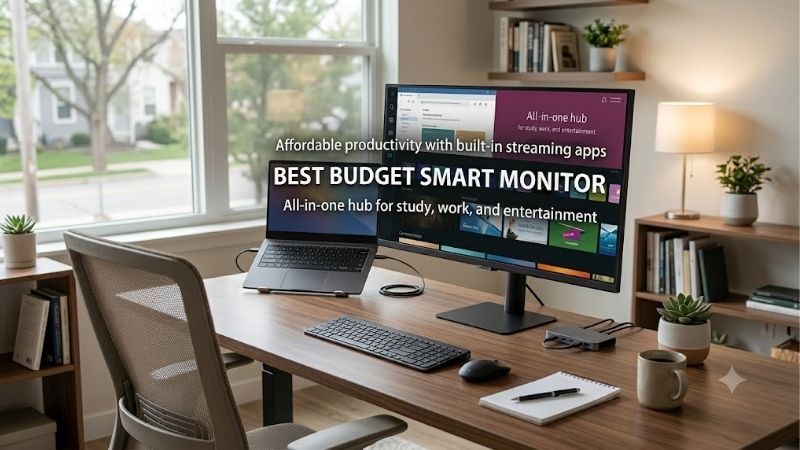
Quick verdict: the best budget smart monitor for most buyers
For a typical bedroom, apartment, or home office, start with the Samsung Smart Monitor M5 M50F in 27 inches or the LG MyView 27SR50F-W. Both combine Full HD resolution with built-in smart features, so you can stream entertainment without leaving a computer running.
The Samsung M5 uses Tizen, while the LG MyView uses webOS. Both platforms provide access to streaming services, but their interfaces, supported applications, and device integrations differ. Choose the platform that best matches the services and devices you already use.
The larger Samsung M5 M50F and LG MyView 32SR50F-G are worth considering when you want a screen that doubles as a small-room entertainment display. However, both are Full HD screens, so text will not look as sharp on a 32-inch panel as it does on a smaller display with the same resolution.
For more workspace, the LG MyView 34SR60QC-B offers an ultrawide 1440p panel, while the Samsung Smart Monitor M7 M70F adds 4K resolution and USB-C laptop charging. These last two are stretch options rather than strict low-budget purchases.
| Model | Best use | Resolution and refresh rate | Observed US listing price |
|---|---|---|---|
| Samsung Smart Monitor M5 M50F 27-inch | Best overall budget choice | 1920 × 1080, 60Hz | $229.99 |
| LG MyView 27SR50F-W | Best for AirPlay and webOS | 1920 × 1080, 60Hz | $219.99 |
| Samsung Smart Monitor M5 M50F 32-inch | Best larger budget screen | 1920 × 1080, 60Hz | $269.99 |
| LG MyView 32SR50F-G | Best for casual streaming in a bedroom | 1920 × 1080, 60Hz | $229.99–$279.99, depending on finish |
| LG MyView 34SR60QC-B | Best ultrawide upgrade | 3440 × 1440, 100Hz | About $299.99–$349.99 |
| Samsung Smart Monitor M7 M70F 32-inch | Best 4K upgrade | 3840 × 2160, 60Hz | $399.99 |
Prices are snapshots from US manufacturer listings accessed on October 14, 2026, before tax and shipping. Promotions, finishes, and availability can change. The prices do not establish current Amazon availability, and the two higher-priced models are included as upgrade options rather than budget leaders.
How we selected the best budget smart monitor options
A smart monitor should provide more than an ordinary display with an appealing product name. It needs a built-in operating system, internet connectivity, and access to compatible streaming or other smart applications without requiring a computer to remain connected.
The selection prioritizes the practical features that separate these monitors: display resolution, panel type, connectivity, wireless device support, integrated audio, screen size, and usefulness as a computer display. Manufacturer specifications establish the listed technical details, while independent coverage from PCWorld and WIRED helps explain the trade-offs involved in buying a smart monitor instead of a conventional monitor and a separate streaming device.
The recommendations are not based on personal detailed research. Independent test results were not established for every exact current variant, particularly the newer Samsung M50F and M70F models. Accordingly, their recommendations emphasize verified specifications rather than unsupported claims about measured picture quality or long-term reliability.
The shortlist also distinguishes between basic streaming monitors and more expensive displays designed for 4K productivity or ultrawide multitasking. A higher price is justified only when the extra resolution, connectivity, or workspace serves a real purpose.
The best smart monitors by use case
Samsung Smart Monitor M5 M50F 27-inch — best overall budget choice
The 27-inch Samsung Smart Monitor M5 M50F is the most straightforward starting point for a buyer who wants a desktop monitor and a streaming screen in one device. The exact black variant is LS27FM502ENXZA. It uses a 27-inch IPS panel with a native resolution of 1920 × 1080, a maximum refresh rate of 60Hz, and a typical brightness rating of 250 nits.
Its Tizen operating system provides access to Samsung’s smart-monitor features, including streaming applications, Samsung TV Plus, and wireless device functions. Wi-Fi and Bluetooth support help it operate independently of a computer, while the included remote makes navigating the smart interface easier than relying on the monitor’s physical controls.
Samsung lists two HDMI 1.4 inputs and two USB-A 2.0 downstream ports. The USB ports are useful for compatible accessories, but they do not turn this monitor into a USB-C docking display. There is no USB-C video input or USB-C laptop charging, so laptop users should plan to connect via HDMI and use a separate charger.
The Full HD resolution is suitable for ordinary productivity, browsing, and video. Its 60Hz refresh rate and modest resolution are less attractive for demanding gaming or detailed creative work. HDR10 support should not be mistaken for high-end HDR performance, especially on a panel with 250 nits of typical brightness.
Buy if: You want built-in streaming, a conventional 27-inch computer display, and a straightforward connection arrangement.
Skip if: You need USB-C laptop charging, high-refresh competitive gaming, or a sharper 1440p or 4K image.
LG MyView 27SR50F-W — best for webOS and Apple device sharing
The LG MyView 27SR50F-W is a close alternative to the Samsung M5, especially for buyers who prefer LG’s smart interface or frequently share content from Apple devices. Its 27-inch IPS panel has a 1920 × 1080 resolution, and the monitor runs webOS 23.
LG lists two HDMI inputs, two USB ports, integrated stereo speakers, Bluetooth, AirPlay 2, and screen-sharing functionality. AirPlay 2 can send compatible content from supported Apple devices on the same network, while screen sharing provides another route for compatible devices. These features are convenient when switching between a computer, phone, and streaming applications.
The monitor also includes LG’s ThinQ Home Dashboard and supports compatible smart-home functions. Its HDR10 and Reader Mode features are useful extras, but they do not change the panel’s underlying Full HD resolution or make it a high-end HDR display.
A 27-inch Full HD image provides reasonable desktop space, although small text is not as sharp as on a comparably sized 1440p display. The stand is relatively simple, so buyers who need extensive height or pivot adjustment should budget for a compatible VESA mounting solution if supported by their setup.
LG’s US product page listed the model at $219.99 across the displayed finishes during this research, although the page’s purchase options did not guarantee immediate availability for every color.
Buy if: You want webOS, AirPlay 2, built-in speakers, and a useful combination of streaming and computer connectivity.
Skip if: You require USB-C video, laptop charging, a high-refresh gaming display, or 4K resolution.
Samsung Smart Monitor M5 M50F 32-inch — best for a larger entertainment screen
The 32-inch Samsung Smart Monitor M5 M50F uses the same Tizen smart platform as its smaller counterpart, but it has a VA panel rather than the 27-inch version’s IPS panel. The exact black model is LS32FM502ENXZA. Samsung specifies a native resolution of 1920 × 1080, a maximum refresh rate of 60Hz, 250 nits of typical brightness, and a 3,000:1 static contrast ratio.
The bigger screen makes it easier to watch videos from farther away and works well in a bedroom or small apartment where space for a separate television is limited. The VA panel’s higher specified native contrast can also help dark scenes appear more distinct than on many basic IPS screens, although actual image quality depends on more than contrast ratio alone.
Like the 27-inch model, it includes Wi-Fi, Bluetooth, two HDMI inputs, two USB-A ports, integrated 10W audio output, and a remote. It does not offer USB-C video or USB-C laptop charging. Its 60Hz refresh rate is appropriate for everyday desktop use and entertainment but does not make it a competitive gaming monitor.
The important drawback is pixel density. A 32-inch screen with 1920 × 1080 resolution has visibly less detail per inch than the 27-inch Full HD M5. Text and interface elements can look less crisp when viewed close up, so this is a better fit for casual viewing than for dense spreadsheets or detailed creative applications.
Samsung’s US listing showed a price of $269.99 during research. That puts it above the smaller M5, and the extra screen size is the main benefit rather than a meaningful upgrade in resolution.
Buy if: You want streaming and casual computer use on a large screen in a bedroom or small living space.
Skip if: You sit close to the monitor for long writing sessions or need sharp text, high refresh rates, or USB-C docking.
LG MyView 32SR50F-G — best for casual streaming in a bedroom
The LG MyView 32SR50F-G is another 32-inch Full HD smart monitor, but it uses an IPS panel and LG’s webOS platform. Its main draw is the combination of a relatively large screen, integrated audio, and built-in streaming applications.
LG specifies a 1920 × 1080 IPS display, webOS 23, AirPlay 2, screen sharing, Bluetooth, HDMI connectivity, and USB ports. Like the 27-inch MyView, it can act as a regular monitor when a computer is connected and as a streaming display when it is not. An internet connection and supported applications are required for online services, and some content requires a separate subscription.
The IPS panel offers wide viewing angles, which may be helpful when the screen is viewed from a bed or from different spots in a small room. However, its 32-inch Full HD image has relatively low pixel density. It is suitable for watching shows and using large interface elements, but it is not the strongest choice for fine text or detailed design work.
There is also no USB-C video input or laptop charging. The LG page emphasizes HDMI and USB connectivity, so it should not be treated as a single-cable USB-C workstation. Its slim, simple stand provides less flexibility than an adjustable ergonomic monitor arm.
The manufacturer’s US listing showed prices between $229.99 and $279.99 depending on finish during research. Since the cheaper listed finish may not be the one a buyer wants or can obtain, compare the price of the exact color rather than assuming every version costs the same.
Buy if: You want a large smart screen for bedroom entertainment, casual browsing, and occasional computer use.
Skip if: You primarily work with small text, want 4K clarity, or need advanced ergonomics.
LG MyView 34SR60QC-B — best ultrawide smart monitor
The LG MyView 34SR60QC-B is a step up from basic budget smart monitors. Its 34-inch curved VA panel uses a 21:9 aspect ratio and a 3440 × 1440 resolution, with a maximum refresh rate of 100Hz. Unlike the Full HD options, it provides substantial horizontal workspace for side-by-side documents and wider timelines.
Its webOS smart interface, Wi-Fi, Bluetooth, AirPlay 2, screen sharing, and integrated speakers make it a more versatile entertainment and productivity screen. LG specifies HDR10 and up to 99% sRGB color gamut expression. The 100Hz refresh rate also gives it a smoother desktop experience than the 60Hz models in this roundup.
LG’s regional specification pages list two HDMI inputs and two USB-A ports, along with a tilt-adjustable stand and VESA mounting. There is no USB-C video input or USB-C power delivery, so laptop users should plan on HDMI or an appropriate video adapter rather than assuming it can function as a docking monitor.
The curved ultrawide format is particularly useful if you regularly keep two applications open side by side. However, it takes more desk width than a conventional 27- or 32-inch screen, and some applications or streaming videos will still display black bars depending on their aspect ratio. The VA panel can provide stronger native contrast than many IPS displays, but it is not equivalent to an OLED display or a full-featured HDR television.
The US product page showed prices around $299.99 to $349.99 depending on color and promotion during research. That makes it a stretch choice, but its ultrawide resolution provides a practical reason to spend more than on a basic smart screen.
Buy if: You want one monitor for streaming, multitasking, and a wider desktop workspace.
Skip if: You have a narrow desk, require USB-C charging, or simply need a screen for occasional video.
Samsung Smart Monitor M7 M70F 32-inch — best 4K upgrade
The 32-inch Samsung Smart Monitor M7 M70F is the most capable productivity-oriented option in this shortlist. The exact black variant is LS32FM702UNXZA. It combines a 32-inch VA panel with a native 3840 × 2160 resolution, 60Hz refresh rate, typical brightness of 300 nits, and a specified 3,000:1 static contrast ratio.
The extra pixels are useful for fine text, detailed spreadsheets, multiple windows, and creative applications. It also runs Samsung’s Tizen smart platform, includes Wi-Fi and Bluetooth, and provides integrated 10W speakers. Its smart features include Samsung TV Plus, gaming services in supported regions, screen mirroring, and Multi View functionality.
The M7’s important advantage over the less expensive M5 is connectivity. Samsung lists two HDMI 2.0 inputs, a USB hub, and one USB-C connection with up to 65W charging power. A compatible laptop can send video and receive power through one USB-C cable, reducing desk clutter. However, 65W may not be enough for some higher-powered laptops, especially during demanding work.
The 60Hz ceiling makes this a productivity and entertainment monitor rather than a high-refresh gaming display. Its VA panel can offer better native contrast than many basic IPS panels, but its HDR10 support does not guarantee high-impact HDR performance. You are paying for 4K resolution, USB-C convenience, and integrated smart features.
Samsung’s US listing showed $399.99 during research. That is considerably more than the entry-level smart monitors, so it makes sense only when the sharper image and USB-C connectivity matter to your daily routine.
Buy if: You want 4K detail, built-in smart apps, and USB-C laptop charging on one screen.
Skip if: Your budget is fixed below $300 or you do not need the higher resolution and docking features.
How to choose a smart monitor without overspending
Decide whether you need a smart operating system
The main benefit of a smart monitor is that it can run compatible streaming applications without a PC, streaming stick, or separate media box. This can simplify a bedroom or small apartment setup. But if you already own a streaming device and only need a computer display, an ordinary monitor may be cheaper and offer better resolution or refresh rate for the money.
Consider whether you actually need the built-in interface. Streaming directly from the monitor is useful for separating work from entertainment, but it still requires Wi-Fi and supported applications. Some services require subscriptions, and app availability can vary by operating system and region.
Choose the screen size and resolution together
A 27-inch Full HD screen is a good compromise between desk space and readability. A 32-inch Full HD screen makes sense if you plan to sit farther away, but it is less suitable for detailed desktop work. For close-up use, 27-inch 1440p or 32-inch 4K usually offers finer detail.
A 34-inch ultrawide is worthwhile when you need to keep multiple applications visible at once. It is not automatically a better value if most of your time is spent watching standard 16:9 video or using one full-screen application.
Check the ports and laptop requirements
HDMI is common on the models in this roundup, but the Samsung M7’s USB-C connection is a meaningful upgrade for compatible laptops. USB-C video and charging are separate capabilities, so verify both the laptop’s DisplayPort Alternate Mode or supported USB4 features and its charging requirements.
Also consider whether you want the monitor’s USB-A ports for peripherals. A smart monitor’s USB hub is not the same thing as a docking station, and not every USB port carries display signals or enough power to charge a laptop.
Understand the smart platform trade-offs
Samsung’s Tizen and LG’s webOS provide similar core benefits, but their interfaces and supported services differ. AirPlay 2 and screen sharing make the LG MyView models particularly convenient for supported Apple devices. Samsung’s ecosystem and Tizen-based features may be more appealing if you already use compatible Samsung devices.
Do not assume either platform supports every application you use on a computer. A streaming app may be available while a desktop productivity program is not. Before buying, confirm that the built-in apps cover the services you use most often.
Frequently asked questions
Can a smart monitor work without a computer?
Yes. A smart monitor with Wi-Fi and a built-in operating system can run compatible streaming applications without a connected PC. It still needs power and an internet connection for online content, and some applications require paid subscriptions.
Is a smart monitor better than a smart TV?
It depends on the use case. Smart monitors are designed to connect to computers and often make useful desktop displays, while smart TVs may offer larger screens and more living-room-oriented features. Neither category is universally better. Check resolution, refresh rate, ports, viewing distance, and whether you need a television tuner or other TV-specific connections.
Do budget smart monitors support gaming?
They can support casual gaming through a connected PC, console, or compatible cloud-gaming service. The 60Hz Full HD models are not ideal for competitive gaming, however. The LG 34SR60QC-B’s 100Hz refresh rate is more flexible for smoother PC use, but it is still important to confirm compatibility with the graphics output and game settings.
Can a smart monitor replace a laptop docking station?
Usually not completely. Some models, including the Samsung M7 M70F, support USB-C video and charging, but docking features vary. Check the number and type of ports, charging wattage, and whether the monitor supports the peripherals and display outputs you need.
Final verdict
For a genuinely budget-focused purchase, start with the Samsung Smart Monitor M5 M50F 27-inch or LG MyView 27SR50F-W. Both provide built-in streaming without requiring a separate media device. The larger 32-inch Full HD models are more appropriate for casual entertainment than close-up text work. Spend more on the LG MyView 34SR60QC-B if you need ultrawide multitasking, or the Samsung M7 M70F if 4K detail and USB-C laptop charging justify the higher cost. The best choice is the least expensive model that supports your required apps, fits your desk, and offers the resolution and connectivity you will actually use.









