
OLED 500 hz is no longer just a spec-sheet dream, but the fastest OLED screens are expensive and not identical. This roundup compares four genuine high-refresh options, explains which features matter beyond the headline number, and helps competitive players choose a display that matches their PC, desk, and budget before spending flagship-level money.
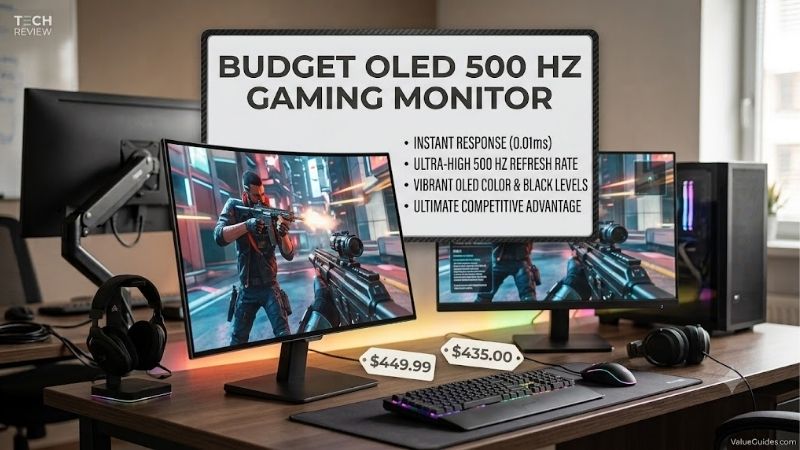
Quick answer: Our top pick in 2026 is the MSI MPG 271QR QD-OLED X50 — our #1 rated choice. See the full ranked comparison, alternatives and buying advice below.
How to Choose a 500Hz OLED Monitor
A 500Hz OLED combines near-instant pixel response, deep blacks, and exceptionally frequent updates, but the panel alone cannot guarantee a benefit. The best choice depends on your GPU, connection bandwidth, room lighting, and tolerance for premium pricing. These criteria separate meaningful performance advantages from impressive-looking marketing figures.
Refresh Rate and Real Frame Rates
At 500Hz, a new refresh arrives every 2 milliseconds, compared with approximately 2.08ms at 480Hz. That difference is small, and you need a PC capable of producing very high frame rates to exploit it. For esports, ASUS’s 540Hz mode pushes further, while 500Hz already provides exceptional responsiveness.
Do not spend solely for the largest number. Counter-Strike 2 or Valorant may benefit more than a cinematic single-player title, while a GPU struggling to exceed 200fps leaves much of the panel’s potential unused. The Samsung Odyssey OLED G6 G60SF and MSI MPG 271QR QD-OLED X50 both deliver true 500Hz at QHD resolution.
Resolution and OLED Panel Type
All four picks use roughly 27-inch-class OLED panels at 2560 × 1440, balancing sharper detail than 1080p with frame rates more attainable than 4K. Samsung, MSI, and GIGABYTE use QD-OLED, while ASUS uses Tandem WOLED. Panel technology and surface finish influence color presentation, brightness, and reflections.
OLED pixels illuminate individually, creating exceptionally deep blacks without LCD-style backlight zones. However, bright rooms, static desktop layouts, and text rendering can expose weaknesses that gaming clips hide. Choose Samsung, MSI, or GIGABYTE for QD-OLED color, or consider ASUS if its glossy WOLED surface suits your room lighting and viewing preferences.
Ports and Bandwidth
A high refresh rate is useful only when the cable and graphics output can deliver the required signal. DisplayPort 2.1 UHBR20 provides substantial bandwidth for QHD at 500Hz, while HDMI 2.1 serves compatible consoles and PCs. Older DisplayPort connections may require Display Stream Compression to accommodate high-refresh signals.
The MSI MPG 271QR QD-OLED X50 adds USB-C with up to 98W power delivery and KVM, useful for laptop-and-desktop setups. GIGABYTE AORUS FO27Q5P includes DisplayPort 2.1 UHBR20 and Mini DisplayPort 2.1, while Samsung uses DisplayPort 1.4 alongside two HDMI 2.1 inputs.
Burn-In Protection and Daily Use
OLED burn-in remains a consideration if you leave static taskbars, scoreboards, or editing panels onscreen for long sessions. Pixel-refresh routines, dimming, and automatic protection reduce risk but do not make a panel immune. Warranty terms deserve attention, particularly when comparing expensive monitors intended for several years of daily use.
MSI, GIGABYTE, and ASUS advertise three-year warranties that include burn-in coverage. The MSI adds a presence sensor and OLED Care tools, while GIGABYTE includes OLED protection and built-in 5W speakers. Keep the manufacturer’s protection features enabled and review the precise regional warranty terms before buying.
Top Picks
This comparison covers four current OLED monitors that reach at least 500Hz, including one 540Hz model. The best oled 500 hz setup depends on more than refresh rate: USB-C, panel finish, brightness, input selection, and warranty can matter just as much when the screen doubles as a daily work display.
| Product | Best For | Key Spec | Watch Out For |
|---|---|---|---|
| MSI MPG 271QR QD-OLED X50 | Best Overall | 26.5-inch QHD QD-OLED, 500Hz | Premium pricing |
| Samsung Odyssey OLED G6 G60SF | Best Value | 27-inch QHD QD-OLED, 500Hz | No USB-C; DisplayPort 1.4 |
| GIGABYTE AORUS FO27Q5P | Best for Competitive PC Gaming | QHD QD-OLED, 500Hz, DisplayPort 2.1 | Feature-rich design may cost more |
| ASUS ROG Swift OLED PG27AQWP-W | Best for Maximum Speed | QHD Tandem WOLED, 540Hz | Glossy reflections; no speakers |
MSI MPG 271QR QD-OLED X50 — Best Overall
The MSI MPG 271QR QD-OLED X50 is the best all-round choice for high-end PC players who also use laptops or switch between systems. Its 26.5-inch QD-OLED panel runs at 2560 × 1440 and 500Hz, with 0.03ms GtG response, DisplayHDR True Black 500, and DisplayPort 2.1a UHBR20.
Its adjustable stand, USB-C charging up to 98W, KVM, and USB connectivity simplify a multi-device desk. This is a compelling oled 500 hz option for users who value connectivity as much as speed. The downside is premium pricing, making it excessive for casual gaming or computers that cannot produce high frame rates.
Samsung Odyssey OLED G6 G60SF — Best Value
The Samsung Odyssey OLED G6 G60SF delivers true 500Hz QHD gaming through a 27-inch QD-OLED panel. It specifies 0.03ms GtG response, 300-nit typical brightness, a 1,000,000:1 contrast ratio, and VESA DisplayHDR True Black 500, alongside G-SYNC Compatible and FreeSync Premium Pro support.
Its glare-reducing finish, solid construction, and high refresh rate make it a strong oled 500 hz value when a current discount puts it below competing models. The compromises are DisplayPort 1.4 rather than 2.1 and no USB-C laptop charging. Compare actual checkout prices before assuming it is the cheapest choice.
GIGABYTE AORUS FO27Q5P — Best for Competitive PC Gaming
The GIGABYTE AORUS FO27Q5P targets competitive players who want native QHD gaming at 500Hz without compromising connection bandwidth. Its 27-inch QD-OLED panel pairs 0.03ms GtG response with 99% DCI-P3 coverage, DisplayHDR True Black 500, ClearMR 21000 certification, and DisplayPort 2.1 UHBR20.
Connectivity includes two HDMI 2.1 ports, DisplayPort 2.1, Mini DisplayPort 2.1, USB-C, and DisplayPort output. Two 5W speakers and an adjustable stand add practical value. For a connection-focused oled 500 hz system, it is especially appealing, although its extensive feature set and premium positioning may be unnecessary for simpler gaming desks.
ASUS ROG Swift OLED PG27AQWP-W — Best for Maximum Speed
The ASUS ROG Swift OLED PG27AQWP-W is aimed at players who want to exceed 500Hz. Its 26.5-inch, 2560 × 1440 Tandem WOLED panel reaches 540Hz and specifies 0.02ms GtG response, HDR10 support, and peak HDR brightness up to 1,500 nits under specified conditions.
DisplayPort 2.1, two HDMI 2.1 inputs, a three-port USB hub, an adjustable stand, and a three-year warranty including burn-in strengthen its appeal. This oled 500 hz alternative goes faster than the other picks, but its glossy surface can reflect lamps and windows. It also lacks built-in speakers.
Frequently Asked Questions
These displays are designed for enthusiasts, so a specification sheet cannot tell you whether your favorite games will approach 500 frames per second. Before selecting the best oled 500 hz monitor for your desk, check your GPU capability, available inputs, room lighting, and warranty coverage. The answers below address common buying and setup concerns.
Can a Gaming PC Actually Run Games at 500 FPS?
Yes, but mainly in well-optimized competitive games, often with reduced graphics settings and a powerful CPU-GPU combination. Modern AAA titles with ray tracing are unlikely to sustain 500fps at 1440p. A monitor can refresh at 500Hz when a game renders fewer frames, but unused refresh capacity cannot create additional frames.
Check benchmarks for your exact processor, graphics card, game, and resolution rather than relying on generic estimates. Adaptive sync helps smooth variable frame delivery, and a stable 250–350fps may already feel excellent. Upgrade your graphics hardware first if your system cannot approach the refresh rate you plan to purchase.
Is 500Hz OLED Better Than 480Hz OLED?
On paper, 500Hz is faster: each refresh takes 2.00ms versus approximately 2.08ms at 480Hz. That difference will be difficult to notice for many users, particularly outside competitive gaming. OLED’s rapid pixel transitions can matter more than a small gap between refresh-rate specifications during ordinary play.
Do not replace a good 480Hz display solely because a newer model advertises 500Hz. Compare resolution, motion processing, panel finish, connectivity, and price instead. In this roundup, the three standard picks reach 500Hz, while ASUS reaches 540Hz; the better purchase is the display whose advantages you will actually use.
Is OLED Burn-In Still Something to Worry About?
Yes, although it is a manageable risk rather than an inevitable failure. Repeatedly displaying identical bright interface elements for long periods can cause uneven pixel wear, particularly on work-heavy desktops with static toolbars. Pixel-refresh routines, logo dimming, and presence detection help reduce risk without eliminating it entirely.
Use the manufacturer’s protection features and allow scheduled maintenance to run. If your monitor will display the same dashboard throughout every workday, an IPS or Mini-LED alternative may be more appropriate. Read the written burn-in warranty carefully, because coverage conditions and exclusions matter as much as the advertised warranty duration.
What GPU and Cable Do You Need for 500Hz at 1440p?
You need a graphics card capable of rendering games at very high frame rates and a connection mode supporting the monitor’s full resolution and refresh rate. DisplayPort 2.1 UHBR20 on MSI and GIGABYTE models provides generous bandwidth, while Samsung’s DisplayPort 1.4 relies on supported signal compression for high-rate modes.
Check the manual for the exact port, cable, color depth, and compression combination required for maximum refresh. Use the included cable when possible, update graphics drivers, and select 500Hz or 540Hz in your display settings. Consoles will not exploit the full PC refresh rate, even when connected through HDMI 2.1.
Final Thoughts
For most enthusiasts, the MSI MPG 271QR QD-OLED X50 offers the strongest balance of 500Hz QHD OLED performance, modern bandwidth, and laptop-friendly USB-C. Choose Samsung for value on sale, GIGABYTE for connectivity, or ASUS for 540Hz. Compare current US pricing, burn-in coverage, and GPU benchmarks before spending flagship-monitor money on features your setup cannot fully exploit.
Ready to decide? Our #1 pick for 2026 is the MSI MPG 271QR QD-OLED X50.
Live price & availability on Amazon.









