
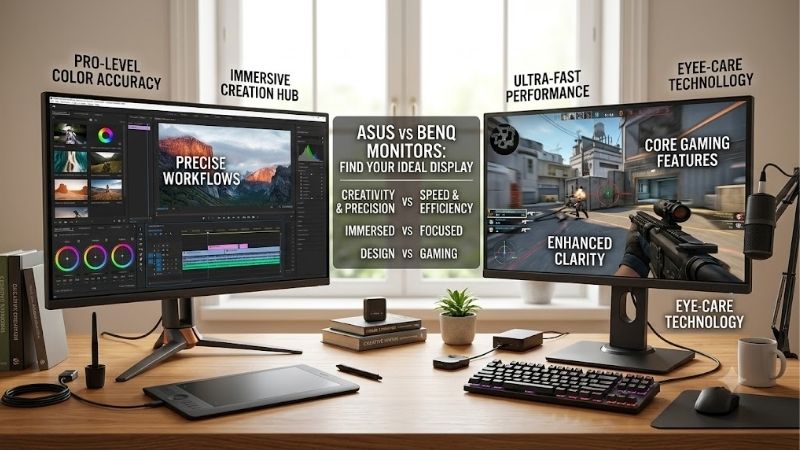
Choosing between ASUS vs BenQ monitors depends on what you do at your desk. ASUS offers a broad lineup of gaming displays and professional ProArt monitors, while BenQ covers competitive gaming, immersive MOBIUZ displays, color-focused creative monitors and everyday office screens. Neither brand is universally better. ASUS is a strong starting point for high-refresh gaming and a wide range of display configurations; BenQ deserves a close look for gaming-focused image controls, creator workflows and convenient workstation features. The best choice depends on the exact models, not the name on the bezel.
- ASUS vs BenQ monitors: the quick verdict
- ASUS vs BenQ monitors for gaming
- Refresh rate, response time and resolution
- Color accuracy and creative work
- Mac compatibility, USB-C and workstation integration
- Office productivity and everyday use
- Pricing and long-term value
- How to choose the right monitor
- Common buying mistakes to avoid
- FAQs
- Final verdict
Quick answer: Our top pick in 2026 is the Priority — our #1 rated choice. See the full ranked comparison, alternatives and buying advice below.
ASUS vs BenQ monitors: the quick verdict
Choose ASUS when you want a high-refresh gaming monitor, a broad selection of panel technologies, or a professional display with extensive color-space presets. TUF Gaming and ROG target different gaming budgets, while ProArt focuses on creative and productivity work.
Choose BenQ when its MOBIUZ gaming features or DesignVue and PD-series creative tools match your workflow. Selected BenQ displays include USB-C laptop connectivity, KVM switching, dedicated monitor controls and software for managing color modes. Its ZOWIE range also targets players who prioritize competitive motion clarity over cinematic image quality.
| Priority | ASUS model or range to consider | BenQ model or range to consider | Main deciding factor |
|---|---|---|---|
| High-refresh PC gaming | TUF Gaming | MOBIUZ | Refresh rate, motion handling and GPU performance |
| Competitive esports | ROG or TUF, depending on model | ZOWIE | Motion clarity, strobing options and tournament needs |
| 1440p gaming and everyday use | TUF Gaming VG27AQML1A | MOBIUZ EX271Q | Refresh-rate headroom versus workstation connectivity |
| 4K photo and video work | ProArt PA279CRV | DesignVue PD2706U | Color requirements, calibration and desk integration |
| Mac-centered workstation | ProArt models with suitable USB-C features | PD3225U | Laptop power delivery, KVM and display connections |
| OLED gaming | ROG Swift OLED | MOBIUZ OLED | Exact panel, resolution, refresh rate and price |
| Office productivity | ASUS ProArt or business displays | BenQ GW series or DesignVue | Text clarity, ergonomics and useful everyday features |
These are starting points, not a ranking of every monitor in either portfolio. Model specifications and features vary substantially, even within the same product family.
ASUS vs BenQ monitors for gaming
ASUS has a broad gaming-monitor lineup spanning mainstream TUF Gaming LCD displays, premium ROG Strix and ROG Swift models, and high-end OLED options. This makes it relatively easy to compare different resolutions and refresh-rate targets within a single brand.
BenQ approaches gaming through several distinct families. MOBIUZ emphasizes immersive visuals, color modes and gaming-oriented controls. ZOWIE focuses more narrowly on competitive play, where motion clarity, refresh rate and player-adjustable display behavior can take priority over 4K resolution or cinematic HDR.
The distinction matters because gaming is not one workload. A player competing in a fast esports shooter may prefer a 1080p display with extremely high refresh and strong motion handling. Someone playing visually demanding single-player games may prefer 1440p or 4K, stronger contrast and a larger color gamut.
Neither brand wins both categories automatically. ASUS has high-refresh IPS and OLED options, while BenQ offers both mainstream MOBIUZ gaming monitors and specialized ZOWIE esports displays.
ASUS TUF Gaming versus BenQ MOBIUZ
The ASUS TUF Gaming VG27AQML1A is a useful example of ASUS’s high-refresh IPS approach. It is a 27-inch, 2560 × 1440 Fast IPS monitor with a native refresh rate of 240Hz and an overclocked maximum of 260Hz. ASUS lists Adaptive-Sync, AMD FreeSync Premium, G-SYNC compatibility and ELMB Sync. It also includes a height-adjustable stand and a USB-A hub.
The BenQ MOBIUZ EX271Q takes a slightly different approach. It is a 27-inch 1440p IPS monitor with a maximum refresh rate of 180Hz over DisplayPort, 95% P3 color coverage, and USB-C connectivity with up to 65W power delivery. BenQ also lists KVM switching, HDRi modes, Light Tuner and Color Vibrance controls.
The ASUS offers more refresh-rate headroom on paper. That can matter in competitive games when your system consistently produces high frame rates. The BenQ, meanwhile, can make more sense if you share your desk between a desktop PC and a compatible laptop, or value its gaming presets and integrated workflow features.
The trade-off is straightforward: do not pay for a refresh rate your hardware cannot use, and do not treat a feature-rich monitor as automatically superior to a faster display.
When BenQ ZOWIE makes more sense
ZOWIE deserves separate consideration because it is designed around competitive esports rather than the broader gaming experience offered by MOBIUZ.
For example, the BenQ ZOWIE XL2566X+ is a 24.1-inch 1080p competitive gaming monitor with a 400Hz refresh rate and DyAc 2 motion-blur-reduction technology. That specification is aimed at a different player from someone shopping for a 27-inch 4K monitor.
For fast-paced competitive games, screen size, motion clarity and the ability to maintain high frame rates may matter more than resolution. A 1080p display can also reduce the rendering workload compared with 1440p or 4K, although actual performance depends on the game and hardware.
ASUS has its own specialist competitive displays, so the comparison should focus on the exact models’ motion handling, refresh rate, input lag and strobing behavior. Neither brand name proves that one monitor gives players better aim or reaction time.
Refresh rate, response time and resolution
Refresh rate is one of the easiest specifications to compare, but it is not enough to establish which monitor performs better in games.
A 180Hz monitor can refresh up to 180 times per second, while a 260Hz display can update more frequently. Higher refresh rates can improve motion presentation when the PC produces enough frames, but the benefit depends on the game, hardware and panel behavior.
Response time describes how quickly pixels change between colors or brightness levels. A manufacturer’s quoted 1ms figure is not a guarantee that every transition completes in 1ms without visible artifacts. Overdrive tuning, overshoot and backlight-strobing behavior all influence perceived clarity.
Resolution is equally important. At 27 inches, 1440p offers a practical balance between image detail and rendering demand. A 4K display can show finer details and more workspace, but it requires more GPU performance to maintain similar frame rates at comparable settings.
Consider the ASUS TUF VG27AQML1A and BenQ MOBIUZ EX271Q. Both use a 27-inch 1440p IPS panel, but their maximum refresh rates differ. The ASUS is more attractive if competitive performance is the priority; the BenQ’s USB-C, KVM and image controls may be more useful for a mixed gaming-and-work setup.
If you play games that rarely reach 180 FPS, the difference between these refresh-rate ceilings may matter less than contrast, ergonomics, connectivity or the price difference. Conversely, players who consistently achieve high frame rates in competitive titles have a stronger reason to prioritize the faster panel.
Variable refresh rate also deserves attention. Adaptive-Sync, FreeSync and compatible G-SYNC implementations help synchronize the display with changing frame rates, reducing tearing within their supported operating ranges. Check the exact monitor, graphics card, input and connection requirements before assuming every advertised feature works at maximum resolution and refresh rate.
Color accuracy and creative work
ASUS and BenQ both offer monitors intended for photo editing, graphic design, video editing and other color-sensitive work. The more meaningful comparison is between their professional display ranges rather than between the brands’ gaming models.
ASUS ProArt monitors emphasize factory calibration, color-space presets and workstation connectivity. BenQ’s PD-series DesignVue displays emphasize calibrated color, dedicated monitor controls and software features designed to make creative workflows easier to manage.
A monitor’s color gamut describes the range of colors it can reproduce. Adobe RGB coverage can matter for photographers working with print-oriented workflows, while sRGB is important for web content and general digital work. DCI-P3 and related wide-gamut standards are relevant to many video workflows. The correct target depends on what you produce and where the content will be displayed.
Factory calibration is useful because it can reduce the amount of adjustment required before work begins. However, a published Delta E figure does not guarantee perfect results in every mode, brightness setting or environment. Calibration results also depend on measurement methods and the specific sample.
For work requiring dependable color, look at the supported color spaces, factory calibration report, uniformity, available calibration tools and the workflow’s actual color-management requirements. A wide gamut is not automatically an advantage if applications and color profiles are configured incorrectly.
ASUS ProArt PA279CRV versus BenQ PD2706U
These two monitors provide a useful comparison because both are 27-inch 4K IPS displays designed for creative and professional use.
| Feature | ASUS ProArt PA279CRV | BenQ PD2706U |
|---|---|---|
| Screen size | 27 inches | 27 inches |
| Native resolution | 3840 × 2160 | 3840 × 2160 |
| Panel | IPS | IPS |
| Maximum refresh rate | 60Hz | 60Hz |
| Color coverage | 99% Adobe RGB, 99% DCI-P3, 100% sRGB | 95% P3, 100% sRGB and Rec.709 |
| Factory calibration | Calman Verified, Delta E under 2 | Factory calibration report, Delta E average up to 3 |
| USB-C power delivery | Up to 96W | Up to 90W |
| Additional features | ProArt color presets, daisy chaining, ergonomic stand | KVM, Hotkey Puck G2, ICCsync and creative modes |
The ASUS is attractive when wide color coverage, established calibration presets and laptop connectivity are central to the job. Its specification sheet lists 99% Adobe RGB and 99% DCI-P3 coverage, along with factory pre-calibration to Delta E below 2.
The BenQ is particularly interesting for a creator who switches between devices or wants physical controls for changing monitor settings. Its KVM can help share connected peripherals between compatible computers, and the included Hotkey Puck G2 offers a convenient way to access monitor functions.
Neither should be treated as a gaming-first display. Both are limited to 60Hz, which is adequate for many productivity tasks but less suited to fast competitive gaming. Their HDR support also should not be mistaken for premium HDR performance: the displays’ brightness, contrast and backlight behavior limit how effectively they present demanding HDR content.
The best choice is the one whose color performance, controls and connectivity match your workflow. A photographer using an Adobe RGB-oriented process may favor the ASUS’s specified coverage, while someone prioritizing KVM and BenQ’s workflow controls may prefer the PD2706U.
Mac compatibility, USB-C and workstation integration
For a laptop-centered setup, power delivery and connectivity can be more important than small differences in picture quality.
A compatible USB-C connection can carry video, data and power through one cable. That simplifies a desk shared by a laptop, keyboard, mouse, external storage and other peripherals. However, USB-C alone does not guarantee a specific charging rate, display resolution or refresh rate.
The ASUS ProArt PA279CRV supports USB-C with up to 96W power delivery, DisplayPort Alt Mode and a USB hub. It also supports DisplayPort daisy chaining for compatible multi-monitor arrangements. These features make it useful for a workstation where a laptop needs to drive the display and access connected peripherals.
The BenQ PD3225U takes a different route with a 32-inch 4K IPS Black panel, Thunderbolt 3 connectivity, a KVM switch and up to 85W power delivery. BenQ also includes a Hotkey Puck G2 and software features aimed at creative workflows.
The PD3225U is a larger, more expensive class of display than the 27-inch PA279CRV, so it is not a direct price-for-price rival. Its appeal is the larger workspace, Mac-oriented integration and convenient access to frequently used controls.
There are limitations. The PD3225U is a 60Hz monitor without VRR support, according to its tested specifications, and its HDR brightness does not make it a strong choice for demanding HDR gaming or video evaluation. RTINGS also notes that its motion handling is not suited to fast-paced gaming.
Before buying either brand for a laptop, check whether the monitor supplies enough power for your workload, whether your computer supports the desired video mode over USB-C or Thunderbolt, and how the monitor handles multiple connected systems.
Office productivity and everyday use
For ordinary office work, both brands offer suitable displays. Resolution, text clarity, stand adjustment, reflection handling and connectivity usually matter more than gaming-specific branding.
A 27-inch 4K screen provides sharp text and ample workspace for documents, code and spreadsheets. A 1440p display can be a more affordable option when high pixel density is less important or when the computer is not suited to driving 4K.
The ASUS ProArt PA279CRV has performed well in independent office and productivity testing. RTINGS reports sharp text, wide viewing angles, useful ergonomics and strong color accuracy in its sRGB mode. Its weaknesses include modest contrast and distracting reflections under certain lighting conditions.
BenQ’s professional models often bring dedicated controls and features such as KVM switching, which can be useful for people working across a desktop and laptop. Some office-focused BenQ displays also include automatic brightness features and eye-care settings. These features may improve convenience, but they do not guarantee reduced eye strain for every user.
Do not choose a monitor based only on a low-blue-light label. Comfortable viewing also depends on brightness, room lighting, text size, viewing distance and breaks. Adjust the display to your working environment instead of relying on one preset to solve every comfort issue.
A simpler model can be the better purchase if it already provides the resolution, ergonomic adjustment and connection options you need. Paying for professional calibration tools or a KVM is worthwhile only when those functions solve a real problem in your setup.
Pricing and long-term value
ASUS and BenQ both sell monitors across multiple price tiers, so a brand-level claim that one consistently costs less would be misleading. Their prices vary according to panel technology, resolution, refresh rate, connectivity and product generation.
For context, the ASUS US store listed the ProArt PA279CRV at $429 when checked on October 12, 2026. That is a retailer listing observation for one model, not a typical price for all ASUS monitors or proof that it is cheaper than a comparable BenQ. Prices, availability and promotions change over time.
Compare the exact display class before judging value. A 27-inch 4K creator monitor with factory calibration is not directly comparable to a 27-inch 1440p gaming monitor with a high refresh rate. A specialized esports screen may cost more despite offering less resolution because its design serves a different priority.
Also include the cost of the equipment around the screen. A 4K high-refresh monitor may require a more powerful GPU to deliver the performance you want. A workstation monitor may reduce cable clutter by charging a laptop and connecting peripherals, but only if your laptop supports the relevant features.
Warranty terms and support also deserve attention. Check the exact model’s dead-pixel policy, warranty length, panel-related coverage, return period and regional terms. Do not assume that all ASUS or BenQ models have identical warranty protection just because they share a brand.
How to choose the right monitor
Start with the primary job. If competitive gaming dominates your time, prioritize refresh rate, motion handling and the frame rates your system can sustain. If photo editing is the priority, evaluate color gamut, calibration, uniformity and color-management support. If the monitor primarily serves office work, focus on resolution, text clarity, stand adjustment and connectivity.
Next, shortlist displays in the same class. Compare models with similar resolutions and screen sizes, then identify meaningful differences in panel technology and features. This prevents a premium OLED monitor from appearing automatically superior to a much cheaper IPS monitor simply because it has deeper blacks.
Finally, verify the actual configuration. Check refresh-rate limits for each connection, USB-C power delivery, whether KVM is built in, the monitor’s stand adjustment range and the supported color modes. Independent test results can then help reveal strengths and weaknesses that specifications alone do not show.
For many gamers, a TUF display or MOBIUZ monitor will be the relevant comparison. For creative professionals, ProArt and the BenQ PD series are the more useful starting points. For competitive esports, include BenQ ZOWIE and ASUS’s specialist high-refresh options rather than relying on general brand positioning.
Common buying mistakes to avoid
The first mistake is assuming ASUS is always better for gaming or BenQ is always better for design. Both companies sell overlapping products, and exact specifications can change the decision.
The second is treating HDR certification or a wide color gamut as proof of superior image quality. Contrast, brightness, uniformity and measured performance still matter.
The third is ignoring connectivity. USB-C with 65W power delivery is not equivalent to a 96W connection, and a monitor with multiple ports may still lack the KVM or daisy-chaining behavior you need.
The final mistake is purchasing more performance than your system can use. A high-refresh display is most useful when your PC consistently produces suitable frame rates. For office work, a 60Hz 4K monitor may be perfectly appropriate, while a competitive gamer may benefit more from a high-refresh 1440p or 1080p screen.
FAQs
Is ASUS better than BenQ for gaming?
Neither brand wins universally. ASUS offers high-refresh TUF and ROG monitors, while BenQ offers MOBIUZ gaming models and ZOWIE esports displays. Compare the exact refresh rate, measured motion handling, input lag, resolution and price.
Is BenQ better than ASUS for photo editing?
BenQ’s PD series is worth considering for its calibrated color, KVM options and creative workflow controls. ASUS ProArt monitors also offer wide color gamuts and factory calibration. Choose according to your required color space and workflow.
Which brand is better for a MacBook?
Both can work well. Check USB-C or Thunderbolt support, power delivery, resolution, charging needs and display compatibility. Features differ between models, so the brand alone cannot determine which is the better MacBook companion.
Are ASUS TUF and BenQ MOBIUZ comparable?
Yes, when you compare models with similar screen sizes, resolutions and panel technologies. The TUF VG27AQML1A and MOBIUZ EX271Q, for example, are both 27-inch 1440p IPS gaming displays, but differ in maximum refresh rate and connectivity.
Does BenQ make OLED gaming monitors?
Yes. The MOBIUZ EX271UZ is a 27-inch 4K QD-OLED gaming monitor with a 240Hz refresh rate. ASUS also sells OLED monitors, so compare the exact panel, refresh rate, HDR behavior and warranty before deciding.
Final verdict
ASUS is a strong starting point for high-refresh gaming, broad monitor selection and creator-focused ProArt models. BenQ is particularly compelling when its gaming controls, ZOWIE esports specialization, color-focused PD monitors or workstation features fit your needs.
For competitive play, compare TUF or ROG with MOBIUZ or ZOWIE according to your resolution and motion priorities. For creative work, compare ProArt with the PD series using color coverage, calibration and connectivity. For office productivity, select the monitor that gives you the right text clarity, ergonomics and ports at a sensible price.
The primary keyword is included once in the introductory paragraph and in three H2 headings to meet the additional heading-keyword requirement. The brands are capitalized according to their official names in the article.
Ready to decide? Our #1 pick for 2026 is the Priority.
Live price & availability on Amazon.









