
Choosing between an MSI monitor vs ASUS monitor isn’t as simple as picking the brand with the highest refresh rate or most impressive specifications. Both companies manufacture gaming and productivity displays, including affordable IPS monitors, high-refresh-rate esports models, and premium OLED screens.
- MSI vs ASUS Monitors: Quick Comparison
- MSI vs ASUS Gaming Performance
- MSI vs ASUS Display Quality
- MSI vs ASUS for Office Work and Productivity
- MSI vs ASUS OLED Monitors
- MSI MPG 271QRX vs ASUS ROG Strix XG27ACDNG
- MSI vs ASUS for PS5 and Xbox Gaming
- MSI vs ASUS Build Quality and Ergonomics
- MSI vs ASUS Warranty and Reliability
- MSI vs ASUS Price and Value
- How to Choose Between MSI and ASUS Monitors
- Common Mistakes When Comparing MSI and ASUS
- Frequently Asked Questions
- Final Verdict: MSI or ASUS Monitor?
- Editorial Source Log
The better choice depends on your budget, gaming habits, workspace, and the exact models you’re considering.
MSI is worth considering when you want a gaming-focused monitor with useful connectivity, especially models offering USB-C charging and KVM functionality. ASUS is equally competitive in gaming and also offers its ProArt lineup for creative professionals who prioritize color accuracy and productivity features.
Neither brand consistently wins every category. For example, independent comparisons show that MSI can have an advantage in motion handling against one ASUS model, while another ASUS monitor can offer better brightness or a higher refresh rate.
This guide compares both brands using manufacturer specifications and published independent testing, helping you understand which differences actually matter before buying.
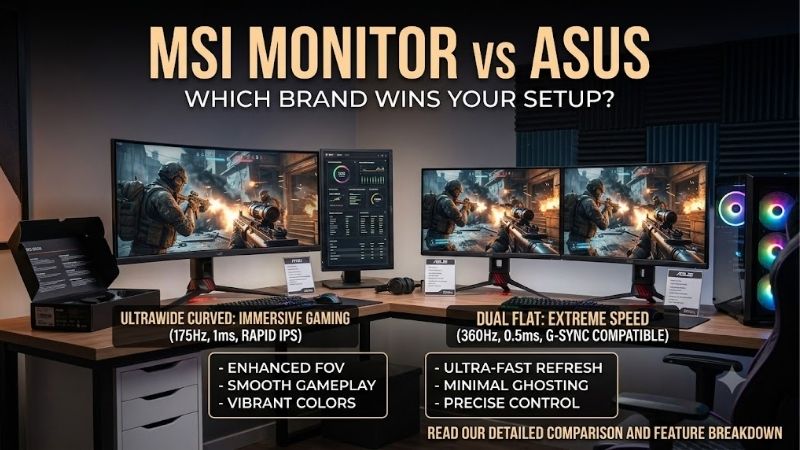
MSI vs ASUS Monitors: Quick Comparison
| Category | MSI Monitors | ASUS Monitors |
|---|---|---|
| Gaming product lines | MAG, MPG, and other gaming models | TUF Gaming, ROG Strix, ROG Swift |
| Office monitors | PRO business and productivity series | Business and other productivity displays |
| Professional displays | Selected creator-oriented and productivity models | Dedicated ProArt professional lineup |
| Panel technologies | IPS, VA, QD-OLED, depending on model | IPS, VA, WOLED, QD-OLED, depending on model |
| High-refresh-rate gaming | Competitive options, including 360Hz QD-OLED models | Competitive options, including 360Hz and 480Hz OLED models |
| Color-critical work | Depends on the exact model and calibration | ProArt models offer dedicated color-focused features |
| USB-C and KVM | Available on selected MPG models | Available on selected ROG and ProArt models |
| OLED protection | MSI OLED Care on supported models | ASUS OLED Care on supported models |
| Overall advantage | Attractive options for gaming and mixed-device setups | Broad choices for gaming and professional workflows |
These differences describe the product lineups rather than universal performance guarantees. An ASUS monitor with a lower-quality panel can perform worse than an MSI model, and the reverse is equally possible.
MSI vs ASUS Gaming Performance
Gaming performance is one of the most important considerations when comparing these brands.
A gaming monitor needs more than a high refresh rate. Motion clarity, pixel response behavior, input lag, variable refresh rate support, and the ability to maintain consistent performance at different frame rates all influence the experience.
Refresh Rate: Which Brand Offers Smoother Gaming?
Both MSI and ASUS offer high-refresh-rate monitors suitable for competitive gaming.
For reference, a refresh rate of 144Hz means the display can update its image 144 times per second. A 360Hz display can update 360 times per second, assuming the computer and display connection can deliver the required signal.
The time between refreshes illustrates the difference:
| Refresh rate | Time per refresh |
|---|---|
| 60Hz | 16.67 milliseconds |
| 144Hz | 6.94 milliseconds |
| 165Hz | 6.06 milliseconds |
| 240Hz | 4.17 milliseconds |
| 360Hz | 2.78 milliseconds |
| 480Hz | 2.08 milliseconds |
These figures describe refresh intervals, not total input lag or actual pixel response times.
The MSI MPG 271QRX QD-OLED is a 2560 × 1440 gaming monitor with a maximum 360Hz refresh rate.
The ASUS ROG Swift OLED PG27AQDP offers the same 1440p resolution but increases the refresh rate to 480Hz.
The ASUS therefore has a technical refresh-rate advantage in that particular comparison.
However, this does not mean ASUS monitors are universally faster. When comparing the MSI MPG 271QRX against the ASUS ROG Strix OLED XG27ACDNG, both monitors support 360Hz.
For many gamers, the difference between 144Hz and 240Hz may be more meaningful than the smaller improvement in refresh interval between 360Hz and 480Hz. Actual benefits depend on game performance, user sensitivity, and the display’s motion handling.
Choose MSI or ASUS based on the specific refresh rate and measured response performance rather than the logo.
Response Time and Motion Clarity
Response time describes how quickly a pixel transitions between states. Slow transitions can produce visible trails behind moving objects.
Both manufacturers advertise extremely low response-time figures on selected OLED models. The MSI MPG 271QRX and ASUS ROG Strix OLED XG27ACDNG, for example, each have a manufacturer-advertised 0.03ms gray-to-gray response time.
These figures should not be treated as complete measurements of real-world motion performance.
A useful evaluation considers:
-
Pixel transitions at the maximum refresh rate
-
Motion behavior at 120Hz and 60Hz
-
Overshoot and inverse ghosting
-
Input lag
-
Variable refresh rate operation
-
Motion clarity during fast camera movement
Independent testing provides a more meaningful comparison than advertised response-time figures alone.
RTINGS compared the MSI MPG 271QRX and ASUS ROG Strix OLED XG27ACDNG and found slightly better motion handling on the MSI, although the difference was difficult to notice.
That result applies to these particular monitors. It does not establish a brand-wide advantage.
Input Lag and Competitive Gaming
Input lag is the delay between a signal reaching the display and the resulting image appearing on the screen.
Low input lag matters most in games where players must react quickly, including competitive shooters, racing games, and fighting games.
RTINGS found that the MSI MPG 271QRX offered lower input lag and a higher refresh rate than the ASUS ROG Strix OLED XG27AQDMG.
However, the ASUS model in that comparison is a 240Hz WOLED display, while the MSI is a 360Hz QD-OLED monitor.
Because the products differ in refresh rate and panel technology, the results should not be generalized to every MSI and ASUS gaming monitor.
A competitive gamer should prioritize independently measured input lag, motion clarity, and consistent performance over brand reputation.
MSI vs ASUS Display Quality
Image quality depends primarily on the panel technology, brightness capabilities, contrast, color accuracy, screen coating, and display calibration.
Two monitors using similar panel technology can still behave differently because of their processing, firmware, coatings, and brightness settings.
IPS vs VA vs OLED
Both companies offer multiple panel technologies across their portfolios.
| Panel technology | Main strengths | Important limitations |
|---|---|---|
| IPS LCD | Good viewing angles, versatile for work and gaming | Limited native contrast on conventional IPS panels |
| VA LCD | Generally stronger native contrast than conventional IPS | Some models exhibit noticeable dark-level smearing |
| QD-OLED | Excellent contrast, vivid color, rapid pixel transitions | Burn-in risk and possible raised blacks under ambient light |
| WOLED | Excellent contrast and fast pixel transitions | Burn-in risk and model-dependent brightness or text-rendering limitations |
OLED displays can turn individual pixels off, producing exceptionally deep blacks and strong contrast.
Traditional IPS and VA LCDs depend on a backlight. Their black levels and HDR performance depend heavily on the backlight system, particularly whether effective local dimming is present.
Neither OLED technology is universally better. Panel generation, screen coating, ambient lighting, and individual monitor design can materially change the experience.
QD-OLED vs WOLED: MSI and ASUS Examples
The MSI MPG 271QRX uses QD-OLED technology.
ASUS offers both QD-OLED and WOLED monitors, including the QD-OLED ROG Strix XG27ACDNG and WOLED ROG Swift PG27AQDP.
In a published comparison of the MSI MPG 271QRX and ASUS ROG Swift PG27AQDP, RTINGS identified several meaningful differences.
The MSI delivered more vivid colors, while the ASUS achieved higher brightness and was better suited to well-lit rooms. The ASUS also offered the higher 480Hz refresh rate, whereas the MSI included productivity-oriented features such as USB-C connectivity and a KVM switch.
This demonstrates why panel selection should be based on your environment and usage rather than assumptions about the manufacturer.
If you primarily game in a controlled, darker room, QD-OLED can be attractive for its saturated colors and contrast.
If your room is brightly lit, pay close attention to measured black-level behavior, reflections, and sustained brightness. Some QD-OLED panels can exhibit visibly raised blacks under ambient light, although the severity varies by model.
Which Brand Has Better HDR?
Neither MSI nor ASUS automatically provides superior HDR.
High dynamic range performance depends on several factors:
-
Actual highlight brightness
-
Black-level performance
-
Local dimming capability on LCD models
-
Color gamut and color volume
-
HDR tone mapping
-
Performance across different scene brightness levels
A monitor advertised as HDR-compatible may simply accept an HDR signal without producing convincing HDR images.
For example, the MSI PRO MP275Q is an IPS office monitor described by its manufacturer as HDR Ready. Its specified 300 cd/m² brightness and conventional IPS panel should not be mistaken for the HDR capabilities of a premium OLED or sophisticated mini-LED monitor.
The MSI MPG 271QRX, by contrast, carries DisplayHDR True Black 400 certification and uses a QD-OLED panel.
When choosing between ASUS and MSI, investigate the actual HDR implementation instead of relying on the presence of an HDR label.
MSI vs ASUS for Office Work and Productivity
Gaming monitors receive much of the attention, but many buyers need a screen primarily for spreadsheets, web browsing, programming, remote work, and general productivity.
In these situations, resolution, text clarity, connectivity, ergonomics, and screen size may matter more than maximum refresh rate.
MSI PRO Monitors for Everyday Work
The MSI PRO MP275Q provides a useful example of a productivity-oriented display.
Its manufacturer specifications include:
-
27-inch IPS panel
-
2560 × 1440 resolution
-
100Hz refresh rate
-
Two HDMI 2.0b inputs
-
One DisplayPort 1.2a input
-
Integrated stereo speakers
-
100 × 100mm VESA mounting
-
Tilt adjustment
The 1440p resolution provides more workspace than 1080p at the same screen size. The 100Hz refresh rate can also make scrolling and everyday interface movement feel smoother than a conventional 60Hz screen.
However, the stand provides tilt adjustment rather than a full range of height, swivel, and pivot controls.
Users who want an ergonomic workstation may need a compatible monitor arm or a different model with a more adjustable stand.
ASUS ProArt for Professional Workflows
ASUS offers the ProArt series for users who prioritize color-focused professional work.
The ASUS ProArt Display PA279CRV illustrates this approach.
Its manufacturer specifications identify a 27-inch 4K display with color accuracy specified at Delta E below 2, USB-C connectivity with up to 96W power delivery, and a stand supporting height, tilt, swivel, and pivot adjustments.
The higher 3840 × 2160 resolution provides substantially greater pixel density than a 27-inch 1440p display.
This can improve the appearance of fine text, detailed graphics, and high-resolution image previews when used with appropriate operating-system scaling.
The PA279CRV also includes USB connectivity and DisplayPort daisy-chain support, although daisy chaining depends on the host computer and connection capabilities.
For photographers, designers, and video editors, these features may justify prioritizing an ASUS ProArt monitor over an entry-level business display.
That does not mean every ProArt screen is automatically accurate under all conditions. Display modes, calibration, aging, and the actual color requirements of the workflow still matter.
Which Brand Is Better for Programming?
Neither brand has a universal advantage for programmers.
Developers should consider:
-
Pixel density for sharp text
-
Screen space for multiple windows
-
Adjustable height and viewing position
-
Anti-reflection performance
-
USB-C connectivity for laptops
-
KVM support when switching between computers
-
Comfortable brightness and scaling options
A 27-inch 4K IPS monitor can be a practical choice for developers who spend long hours reading text.
A 1440p IPS monitor may offer sufficient workspace at a potentially lower total cost.
OLED can also be used for programming, but buyers should consider the effects of static interface elements, subpixel structure, and potential burn-in.
If coding and office work occupy most of your day, a good IPS monitor is often a sensible starting point, regardless of manufacturer.
MSI vs ASUS OLED Monitors
OLED has become an important technology in premium gaming displays because of its near-instantaneous pixel transitions, deep blacks, and strong contrast.
Both MSI and ASUS offer competitive OLED models, but buyers should evaluate several details before deciding.
MSI OLED Features
The MSI MPG 271QRX includes the company’s OLED Care 2.0 feature set, intended to reduce the risk of image retention and burn-in.
MSI also lists a three-year warranty that includes panel burn-in for this particular model.
Other notable capabilities include:
-
360Hz QD-OLED display
-
USB-C with up to 90W power delivery
-
KVM functionality
-
HDMI 2.1 connectivity
-
Adjustable stand
-
USB hub
These features make the model relevant for someone who uses a desktop gaming PC alongside a laptop.
The KVM function can simplify switching a keyboard and mouse between connected systems.
However, the presence of OLED Care does not eliminate the possibility of burn-in, and warranty coverage remains subject to the applicable terms and exclusions.
ASUS OLED Features
ASUS offers OLED displays across several ROG product families.
The ASUS ROG Strix OLED XG27ACDNG, for example, combines a 1440p 360Hz QD-OLED panel with USB-C power delivery rated up to 90W, KVM functionality, and an adjustable stand.
This is important because MSI does not have an exclusive advantage in these connectivity features.
The ASUS ROG Swift OLED PG27AQDP represents a different approach, emphasizing a 480Hz WOLED panel for high-refresh-rate gaming.
Buyers should also examine ASUS OLED Care features and the applicable US warranty documentation for the exact model.
Burn-in coverage should not be assumed to be identical across all ASUS OLED displays or regions.
Which OLED Brand Should You Buy?
Choose based on the exact monitor and use case.
For example:
| Situation | More suitable consideration |
|---|---|
| Competitive gaming at extremely high frame rates | ASUS PG27AQDP for its 480Hz capability |
| 1440p QD-OLED gaming with USB-C and KVM | MSI MPG 271QRX or ASUS XG27ACDNG |
| Bright-room use | Compare measured brightness and ambient-light black levels |
| Mixed PC and laptop workflow | A model with sufficient USB-C power delivery and KVM |
| Concern about OLED burn-in | Compare exact US warranty terms and OLED protection features |
The monitor’s characteristics should determine the decision, not loyalty to a particular manufacturer.
MSI MPG 271QRX vs ASUS ROG Strix XG27ACDNG
Comparing two similarly positioned monitors is more useful than making broad claims about which manufacturer is better.
The MSI MPG 271QRX and ASUS ROG Strix XG27ACDNG provide a particularly relevant comparison because both use 1440p QD-OLED panels with 360Hz maximum refresh rates.
Specifications Comparison
| Feature | MSI MPG 271QRX | ASUS ROG Strix XG27ACDNG |
|---|---|---|
| Screen class | 27-inch | 27-inch |
| Panel technology | QD-OLED | QD-OLED |
| Resolution | 2560 × 1440 | 2560 × 1440 |
| Maximum refresh rate | 360Hz | 360Hz |
| Advertised response time | 0.03ms GtG | 0.03ms GtG |
| HDMI | 2 × HDMI 2.1 | 2 × HDMI 2.1 |
| DisplayPort | 1 × DisplayPort 1.4a | 1 × DisplayPort 1.4 |
| USB-C video | Yes | Yes |
| USB-C power delivery | Up to 90W | Up to 90W |
| KVM switch | Yes | Yes |
| VESA mounting | 100 × 100mm | 100 × 100mm |
| Height adjustment | Up to 110mm | Up to 120mm |
Manufacturer specifications establish that these displays compete closely in core capabilities.
However, their real-world performance is not necessarily identical.
Gaming and Motion Performance
RTINGS compared these models using its monitor testing methodology.
The independent comparison found the MSI slightly ahead in motion handling, although the difference was difficult to perceive.
Both screens offer refresh rates suitable for high-performance competitive gaming.
Unless a player has a particular sensitivity to motion artifacts, differences in pricing, screen reflections, stand design, and connectivity may ultimately become more significant.
Brightness and Everyday Use
RTINGS found that the ASUS XG27ACDNG achieved higher SDR brightness, making it more attractive for use in a brightly lit room.
This is a practical advantage for someone gaming near a window or working during the day.
For darker gaming environments, the brightness difference may be less important than individual preferences for screen finish, color reproduction, and calibration.
Connectivity and Desk Setup
Both monitors support USB-C video input with up to 90W power delivery and include KVM functionality.
That makes either model useful for a desk shared between a gaming desktop and a laptop.
However, compatibility must still be checked.
A laptop must support video over its USB-C connection, and a gaming PC must provide the necessary signal through a compatible output.
The ASUS lists three USB 3.2 Gen 1 Type-A ports, while the MSI lists two USB 2.0 Type-A ports and a USB 2.0 Type-B upstream connection.
For users connecting higher-bandwidth peripherals to the monitor’s hub, that distinction may matter.
Which Model Wins?
The MSI MPG 271QRX is attractive if slightly better motion handling is important and the model is competitively priced.
The ASUS XG27ACDNG is attractive if brighter SDR output and its USB hub configuration better match your workspace.
Without comparable, verified current US selling prices, neither can fairly be declared the universal best value.
MSI vs ASUS for PS5 and Xbox Gaming
Console gaming introduces different priorities from high-end competitive PC gaming.
Current-generation PlayStation 5 and Xbox Series X consoles can output up to 120Hz in supported games and display modes.
A 360Hz or 480Hz monitor does not make console games run at those refresh rates.
Instead, buyers should prioritize:
-
HDMI connectivity that supports the desired resolution and refresh rate
-
Compatibility with console variable refresh rate features
-
Good response performance at 60Hz and 120Hz
-
Suitable HDR performance
-
Accurate resolution and scaling behavior
-
Low input lag
-
Appropriate audio output options
An MSI or ASUS 1440p monitor may work well for console gaming when its supported video modes match the console.
However, HDMI 2.1 branding alone does not guarantee that every resolution, refresh rate, or VRR configuration will operate as expected.
Check the manufacturer’s supported timing information and independent console-compatibility testing before purchasing.
For a primarily console-focused setup, a good 4K 120Hz or higher display may be more useful than a 1440p 360Hz esports monitor, particularly for players who prioritize image detail over extremely high PC refresh rates.
MSI vs ASUS Build Quality and Ergonomics
Build quality cannot be reliably ranked by brand alone.
Both manufacturers sell monitors across different price categories, and material quality, stand stability, assembly tolerances, and adjustment mechanisms vary between products.
A premium gaming monitor should be evaluated on practical characteristics rather than its appearance or RGB lighting.
Stand Adjustability
Check whether the monitor offers:
-
Height adjustment
-
Tilt
-
Swivel
-
Pivot
-
VESA compatibility
For example, the MSI MPG 271QRX includes height adjustment up to 110mm, while the ASUS ROG Strix XG27ACDNG offers up to 120mm.
The numerical difference may not matter unless one stand reaches the height needed for your seating position.
Buyers using a monitor arm should verify the VESA pattern, display weight without the stand, and available mounting clearance.
Desk Space and Cable Management
A monitor’s advertised diagonal size does not tell you how much desk space its stand requires.
Some gaming monitors use broad legs or deep bases that interfere with keyboards, speakers, or desk accessories.
Before purchasing, check the complete monitor dimensions with its stand.
Also consider whether the ports face downward or outward, particularly if the monitor will be placed close to a wall.
These physical differences may have a greater impact on daily comfort than minor differences in gaming specifications.
MSI vs ASUS Warranty and Reliability
Warranty coverage and long-term reliability are important, especially when purchasing an expensive OLED monitor.
However, there is no reliable basis for claiming that every MSI monitor lasts longer than every ASUS monitor, or vice versa.
Long-term reliability comparisons require representative failure data across specific models and usage conditions. Manufacturer specifications and isolated customer reports cannot establish brand-wide failure rates.
OLED Burn-In Coverage
The MSI MPG 271QRX officially lists a three-year warranty including panel burn-in.
This is a meaningful ownership consideration, but buyers must verify the applicable US terms, claim procedures, and exclusions.
ASUS also offers burn-in-related warranty coverage for eligible OLED displays, but coverage should be checked against the exact US model rather than assumed from a general product-family description.
For either brand, retain the purchase receipt and review the warranty conditions before buying.
How to Reduce OLED Burn-In Risk
Practical precautions include:
-
Using the monitor’s OLED protection functions
-
Allowing scheduled pixel-maintenance routines to complete
-
Avoiding unnecessarily high brightness during prolonged desktop use
-
Enabling screen sleep when inactive
-
Reducing extended display of static interface elements where practical
These actions can reduce risk, but they cannot guarantee that burn-in will never occur.
For users displaying spreadsheets, application toolbars, or fixed dashboards for many hours each day, an IPS LCD monitor may offer a more suitable risk profile.
MSI vs ASUS Price and Value
It is tempting to conclude that one brand is consistently cheaper, but that would require a current, like-for-like comparison across multiple US retailers.
Pricing can change because of promotions, panel generations, retailer inventory, and new product releases.
Instead of comparing brand averages, judge value according to the features that matter to you.
What Matters in a Budget Monitor?
A lower-cost monitor should still satisfy your core requirements.
For office work and general PC use, those requirements may include:
-
Adequate screen resolution
-
Comfortable text rendering
-
Reliable connectivity
-
Sufficient brightness
-
A suitable stand or VESA mounting
-
A refresh rate appropriate for your needs
A 1440p IPS monitor with a 100Hz refresh rate may provide a better experience for a typical office setup than spending considerably more on gaming features that will never be used.
When Is a Premium Monitor Worth It?
Premium pricing becomes easier to justify when the monitor offers a real improvement for your workload.
Examples include:
-
OLED contrast for immersive games
-
Higher refresh rates for competitive play
-
Better color accuracy and calibration capabilities for creative work
-
4K resolution for detailed graphics and multitasking
-
USB-C power delivery and KVM functionality for shared workstations
-
More effective HDR performance for supported content
Avoid paying extra for a feature simply because it appears impressive in a specification table.
The best value is the display that meets your actual needs at the most reasonable verified total cost.
How to Choose Between MSI and ASUS Monitors
The following decision process helps narrow the selection without relying on brand stereotypes.
Step 1: Identify Your Primary Use
Start with the application that matters most.
Competitive gaming prioritizes refresh rate, motion handling, and input lag.
Single-player gaming benefits from strong contrast, HDR quality, and immersion.
Office work prioritizes clarity, ergonomics, and connectivity.
Creative production may require color accuracy, appropriate gamut coverage, calibration, and high resolution.
If you use your monitor for several activities, identify which compromises you are willing to accept.
Step 2: Match Resolution to Screen Size
For many PC users, 27-inch 1440p is a balanced combination of screen size and resolution.
A 27-inch 4K display offers greater pixel density and can provide sharper fine detail, although it also increases GPU rendering demands in games.
At larger screen sizes, 4K can be especially attractive for productivity and detailed visual work.
Do not choose resolution without considering your graphics card, viewing distance, and intended software scaling.
Step 3: Choose the Right Refresh Rate
A 100Hz or 144Hz monitor can offer a noticeably smoother experience than 60Hz for many users.
A 240Hz model is worth considering for serious competitive gaming.
Refresh rates of 360Hz and above primarily benefit users seeking very high frame rates and minimal refresh intervals.
Make sure your PC can actually deliver sufficiently high frame rates in the games you play.
Step 4: Compare Independent Measurements
Manufacturer specifications are a starting point, not a substitute for performance testing.
Prioritize reviews that measure brightness, response times, input lag, color accuracy, contrast, and HDR behavior.
When comparing two monitors, use equivalent testing conditions wherever possible.
A 360Hz monitor tested at its maximum refresh rate should not be compared directly with an unrelated 60Hz result and treated as proof of universal superiority.
Step 5: Verify the Exact Model and Warranty
Monitor model names often differ by only a few letters.
Those differences can indicate changes in panel technology, refresh rate, connectivity, screen coating, or product generation.
Before purchasing, confirm the full model number, specifications, US warranty coverage, included cables, and supported display modes.
Common Mistakes When Comparing MSI and ASUS
Several mistakes can lead to buying the wrong display.
One is assuming that a higher refresh rate automatically produces better gaming performance. Motion clarity and input lag still matter, and the PC must generate enough frames.
Another is judging image quality entirely by panel technology. Two OLED monitors can have different brightness behavior, reflections, color accuracy, and firmware performance.
Buyers also frequently overlook connectivity limitations. A USB-C port does not necessarily support video input or laptop charging, and not every monitor includes a KVM switch.
It is also important not to confuse response-time marketing figures with independently measured pixel performance.
Finally, avoid paying for premium specifications unrelated to your intended use. A professional editor may benefit more from an accurate 4K display than an exceptionally high refresh rate, while a competitive gamer may prefer the reverse.
Frequently Asked Questions
Is MSI Better Than ASUS for Gaming Monitors?
Not universally. MSI competes strongly with ASUS in high-refresh-rate gaming displays, including QD-OLED models. ASUS also offers high-performance options such as the 480Hz ROG Swift OLED PG27AQDP. The better monitor depends on measured performance, features, and price.
Are ASUS Monitors More Reliable Than MSI?
There is insufficient comparable long-term failure-rate evidence to establish a universal reliability winner. Evaluate the exact model’s warranty, service terms, independent reviews, and documented issues instead of assuming one manufacturer is inherently more reliable.
Which Brand Is Better for Color Accuracy?
ASUS has a dedicated ProArt lineup designed around professional workflows, including models with factory-specified color accuracy. However, color performance must be evaluated per model. An accurately calibrated MSI monitor can outperform an ASUS model with poorer accuracy.
Is MSI or ASUS Better for a 1440p Gaming Setup?
Both are strong candidates. The MSI MPG 271QRX and ASUS ROG Strix XG27ACDNG are examples of 1440p 360Hz QD-OLED gaming monitors with closely matched specifications. Independent testing, brightness requirements, connectivity, and verified prices can help decide between them.
Which Brand Is Better for PS5?
Neither is automatically better. Choose a monitor with verified compatibility for the console’s supported resolution, refresh rate, VRR mode, and HDR requirements. Features such as 360Hz and 480Hz primarily benefit PC gaming rather than PS5 output.
Should I Buy an MSI or ASUS OLED Monitor?
Consider MSI and ASUS OLED monitors equally seriously. Compare panel technology, brightness, motion performance, connectivity, protection features, and warranty terms. An OLED monitor can be excellent for gaming, but a conventional IPS LCD may be more suitable for prolonged static desktop workloads.
Final Verdict: MSI or ASUS Monitor?
The MSI monitor vs ASUS decision should ultimately be based on individual products rather than brand reputation.
MSI is a compelling option for gamers seeking a high-refresh-rate display with practical connectivity features. The MPG 271QRX demonstrates that MSI can combine a fast QD-OLED panel with USB-C charging, KVM functionality, and OLED burn-in warranty coverage.
ASUS is equally competitive in gaming while offering a particularly relevant lineup for creative professionals through ProArt. Models such as the ROG Swift OLED PG27AQDP and ProArt PA279CRV demonstrate the company’s different approaches to competitive gaming and detailed professional work.
For competitive gaming, compare motion performance and refresh rates. For creative work, prioritize color accuracy and resolution. For everyday productivity, focus on ergonomics, text clarity, and connectivity.
When two models perform similarly, their actual US selling prices and warranty conditions can become the deciding factors.
The best monitor isn’t necessarily the one with the most advanced specifications. It’s the one whose strengths match the tasks you’ll use it for most.
Editorial Source Log
Editorial reference only — not part of the public article body. Sources reviewed October 11, 2026. The comparison is based on manufacturer specifications and published independent testing, not original detailed research. Retail pricing and Amazon US listings were not independently verified.
| Claim / Model | Supporting source | Verification and limitations |
|---|---|---|
| MSI MPG 271QRX QD-OLED | MSI US official specifications | 1440p, 360Hz, QD-OLED, USB-C 90W, warranty including burn-in; manufacturer claims |
| ASUS ROG Strix XG27ACDNG | ASUS official specifications | 1440p, 360Hz, QD-OLED, USB-C 90W, KVM and ergonomics |
| MSI vs ASUS 360Hz OLED performance | RTINGS comparative testing | Independent assessment of brightness and motion; no numerical measurements copied without accessible full test conditions
RTINGS.com
|
| MSI MPG 271QRX vs ASUS PG27AQDP | RTINGS comparative testing | 360Hz QD-OLED versus 480Hz WOLED; brightness, colors, KVM and USB-C observations
RTINGS.com
|
| MSI MPG 271QRX vs ASUS XG27AQDMG | RTINGS comparison | Independent comparison supporting the model-specific input lag and ambient-light conclusions
RTINGS.com
|
| MSI PRO MP275Q | MSI US official specifications | 27-inch IPS, 1440p, 100Hz, ports, speakers and tilt-only stand |
| ASUS ProArt PA279CRV | ASUS US official specifications | 4K display, color accuracy specification, USB-C 96W and ergonomic features |
Verification notes for publisher
-
Amazon US listings, current selling prices, seller conditions and availability remain unverified; no claims of Amazon availability or best pricing have been made.
-
ASUS OLED burn-in warranty specifics require confirmation against each exact model’s current US warranty terms before publication.
-
Quoted response-time specifications are manufacturer-advertised figures, not original measurements.
-
The MSI PRO MP275Q US specification page contains a pixel-pitch entry inconsistent with its stated screen size and resolution; pixel-pitch values were therefore excluded from the article.
-
A final retail-price comparison should use matching US models, conditions and verification dates before awarding any Best Budget or Best Value designation.









