
Finding a cheap 10 bit monitor starts with separating useful color support from marketing. A display advertised with 1.07 billion colors may use an 8-bit panel with frame rate control, and that can still be a sensible choice for photography, creative work, and everyday computing. The six models below cover straightforward 4K desktops, USB-C laptop setups, and a higher-refresh 1440p alternative. Choose by workflow, connection requirements, and the actual checkout price rather than assuming every “10-bit” label means native 10-bit hardware.
- Which cheap 10 bit monitor should you choose?
- Quick comparison of the six monitors
- How these monitors were selected
- ViewSonic VX2776-4K-MHD: Straightforward 4K desktop option
- Dell S2722QC: USB-C option for a laptop desk
- ASUS ProArt PA279CV: SDR-focused 4K creative option
- LG 27UP650-W: Wider-gamut 4K alternative
- BenQ PD2705U: Creative workflow option
- ASUS ProArt PA278QGV: 1440p option with higher refresh support
- How to evaluate a cheap 10 bit monitor before buying
- Setup checks after the monitor arrives
- Frequently asked questions
- Final verdict
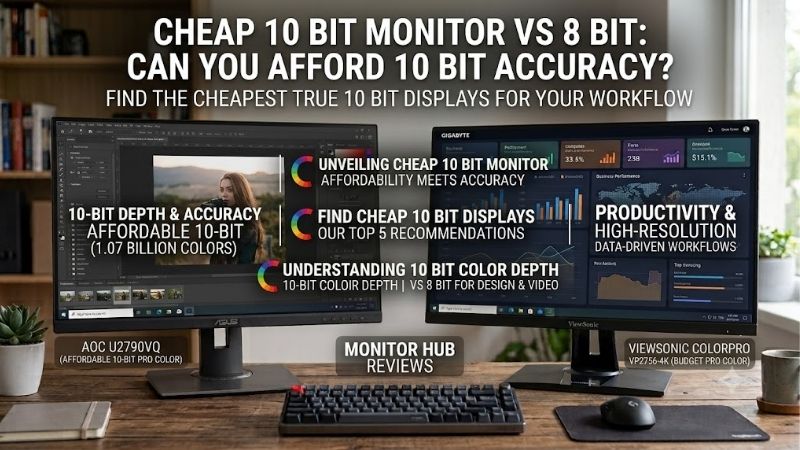
Quick answer: Our top pick in 2026 is the ViewSonic VX2776-4K-MHD — our #1 rated choice. See the full ranked comparison, alternatives and buying advice below.
Which cheap 10 bit monitor should you choose?
Start with the ViewSonic VX2776-4K-MHD if you want a straightforward 4K screen and can accept a basic stand. Consider the Dell S2722QC when USB-C connectivity and laptop charging matter. For an SDR creative workstation, compare the ASUS ProArt PA279CV with the BenQ PD2705U.
The LG 27UP650-W offers another direction: a 4K display with a manufacturer-specified wider color gamut. The ASUS ProArt PA278QGV trades 4K resolution for a 1440p workspace with DisplayPort refresh support up to 120Hz.
These are recommendations by feature fit, not a verified cheapest-to-most-expensive ranking. Current comparable US offers were not established for every model, so none is labeled the guaranteed cheapest or promised below a specific dollar amount.
Crucially, this shortlist includes documented 8-bit + FRC displays and models advertising approximately 1.07 billion colors without identifying native panel depth in the specifications consulted. It is not a list of six verified native 10-bit panels.
Quick comparison of the six monitors
| Exact model | Screen and resolution | Refresh support | Color-depth evidence | Main reason to consider it | Meaningful drawback |
|---|---|---|---|---|---|
| ViewSonic VX2776-4K-MHD | 27-inch IPS, 3840 × 2160 | 60Hz | Explicitly 8-bit + FRC | Simple 4K desktop setup | Tilt-only stand; no USB-C |
| Dell S2722QC | 27-inch IPS, 3840 × 2160 | 60Hz | 1.07 billion colors advertised | USB-C with up to 65W charging | No separate DisplayPort socket |
| ASUS ProArt PA279CV | 27-inch IPS, 3840 × 2160 | 60Hz | 10-bit/1.0737 billion colors advertised | SDR creative work and USB-C | USB bandwidth setting can reduce 4K to 30Hz |
| LG 27UP650-W | 27-inch IPS, 3840 × 2160 | 60Hz | Regional LG documentation identifies 8-bit + A-FRC | Wider-gamut 4K viewing | No USB-C; regional documentation needs care |
| BenQ PD2705U | 27-inch IPS, 3840 × 2160 | 60Hz | 1.07 billion colors advertised | Creative presets and USB-C | 60Hz; specified gamut centers on sRGB/Rec.709 |
| ASUS ProArt PA278QGV | 27-inch IPS, 2560 × 1440 | Up to 120Hz through DisplayPort | 10-bit/1.0737 billion colors advertised | Mixed creative and everyday use | Less pixel detail than 4K; HDMI range tops at 100Hz |
Manufacturer specifications establish the features summarized here. They do not establish identical color accuracy, response behavior, or usable 10-bit output across every input and refresh combination. ViewSonic Global
How these monitors were selected
Eligibility required manufacturer documentation of approximately 1.07 billion display colors or explicit 10-bit support. Each product also needed a distinct reason to consider it, such as connection simplicity, SDR-oriented creative controls, wider gamut, or a different resolution and refresh balance.
This is a specification-based buying guide. No detailed research, measured input lag, panel uniformity results, or side-by-side calibration data is claimed.
The affordability question remains offer-dependent. Older models can make sense when discounted, but scarce inventory can also make them poor purchases. Compare the exact model against newer alternatives before ordering.
Models advertising only 16.7 million colors were excluded. For example, the original ASUS PA278QV and PA278CV should not be substituted for the PA278QGV just because their names and creative positioning look similar. dlcdnets.asus.com
ViewSonic VX2776-4K-MHD: Straightforward 4K desktop option
The VX2776-4K-MHD is the clearest example here of an affordable-style design that states how its expanded color output works. ViewSonic identifies an IPS panel with 8-bit + FRC, 3840 × 2160 resolution, and 60Hz refresh.
Its DisplayPort input and two HDMI inputs suit a desktop workstation with more than one video source. Built-in speakers also cover basic system audio without requiring another device on the desk.
The main compromise is positioning. The supplied stand offers tilt, so getting the screen at a comfortable height may require a riser or compatible monitor arm. Include that expense when comparing it with a display that already has height adjustment. ViewSonic Global
Choose this model for its uncomplicated feature set rather than expecting professional calibration capabilities from the color-count claim. A useful purchase scenario is a desktop owner who already has an ergonomic mounting solution and wants a 4K editing workspace.
Buy if: You want 4K detail, have suitable video outputs, and do not need laptop charging.
Skip if: You want a single USB-C connection or an adjustable stand included.
Alternative: Compare the Dell S2722QC if replacing a dock or simplifying laptop cabling would justify the total cost.
Dell S2722QC: USB-C option for a laptop desk
Dell specifies a 27-inch 4K IPS display operating at 60Hz, support for 1.07 billion colors, and USB-C power delivery up to 65W. That combination makes the S2722QC worth considering for a home office that occasionally handles photos or video.
The important distinction is connection layout: USB-C carries DisplayPort video through alternate mode, but there is no separate full-size DisplayPort input. A desktop with only DisplayPort outputs needs a suitable connection solution; check compatibility rather than assuming a cable will work. Dell USA
For laptop buyers, determine whether 65W meets the machine’s requirements. A more demanding laptop may still need its original charger during heavy workloads. The USB-C connector on the computer must also support video output.
Dell’s advertised color count establishes eligibility for this broader shortlist, but it does not independently establish a native 10-bit panel. Do not treat the specification as a guarantee of professional color performance.
Buy if: You want one screen for office work and occasional creative projects, with useful laptop connectivity.
Skip if: You require a dedicated DisplayPort socket or substantially higher charging power.
Alternative: The PA279CV is worth comparing when creative presets and additional desktop-oriented connectivity matter more.
ASUS ProArt PA279CV: SDR-focused 4K creative option
The PA279CV combines a 27-inch 4K IPS panel, 60Hz refresh, manufacturer-specified 100% sRGB coverage, and advertised color accuracy below Delta E 2. USB-C provides video connectivity and up to 65W charging, alongside HDMI and DisplayPort inputs.
That makes it a logical candidate for web graphics, photography intended for standard-gamut delivery, and Rec.709-oriented video work. The manufacturer’s calibration claim is useful purchasing evidence, though it is not a measurement of the individual unit you receive.
One model-specific limitation deserves attention. ASUS states that selecting USB 3.2 transmission over USB-C limits maximum video resolution to 4K at 30Hz. For a laptop workflow, verify the monitor’s USB bandwidth setting and preferred video mode before assuming everything runs simultaneously at maximum capability. Tech Specs|Monitors|ASUS USA
Its advertised 10-bit color specification should likewise be read as a capability statement, not independent proof of native panel construction.
Buy if: You want an SDR creative workstation with 4K resolution and practical connection choices.
Skip if: You need high-refresh gaming or uncompromised high-speed USB data alongside every desired video mode.
Alternative: Compare the PD2705U for its different creative controls and connection arrangement, using actual offers to decide whether the differences justify paying more.
LG 27UP650-W: Wider-gamut 4K alternative
LG’s documentation specifies a 27-inch 4K IPS panel, 60Hz operation, approximately 95% DCI-P3 coverage, and DisplayHDR 400 support. Regional LG specifications explicitly describe the expanded color depth as 8-bit + A-FRC. LG Nederland
The wider gamut distinguishes it from displays centered on sRGB delivery. It is worth considering when you want to view wider-gamut material or work in applications that correctly manage color.
That does not mean every application will show more accurate colors automatically. Before judging photographs or preparing web assets, check the application’s color-management behavior and the monitor’s selected mode. A saturated-looking desktop is not evidence of accurate output.
The lack of USB-C makes this a more natural desktop candidate. Laptop users should account for separate charging and whatever adapter their computer requires.
Regional documentation was necessary to verify this exact older model, so confirm the suffix, local package, and seller’s support terms. Do not silently transfer these specifications to a similarly named UP650K or UP650P listing.
Buy if: You want a wider-gamut 4K option and already have suitable desktop connectivity.
Skip if: You need a laptop docking display or a verified native 10-bit panel.
Alternative: Consider the PA279CV when standard-gamut creative delivery is the primary task.
BenQ PD2705U: Creative workflow option
BenQ specifies a 27-inch 4K IPS screen at 60Hz, 1.07 billion display colors, and 99% coverage of both sRGB and Rec.709. Its published specifications include creative modes, USB-C with 65W power delivery, and an adjustable stand. BenQ US
These features make the PD2705U worth comparing for a desk used regularly for design or editing. Its appeal is the working environment around the panel rather than a claim that a larger color count automatically improves every image.
Think about which controls you will actually use. An editor who changes workflows frequently may appreciate dedicated presets, while someone who mostly browses and writes documents may gain little from paying for them.
The specified sRGB and Rec.709 coverage also defines its positioning. If your assignments require particular wider-gamut coverage, verify that requirement directly rather than assuming a creative-series monitor meets it.
BenQ’s 10-bit support documentation lists the PD2705U, but native panel depth is not established by the specification page consulted. BenQ US
Buy if: You want an SDR creative display with useful workflow controls and laptop connectivity.
Skip if: Your priority is high-refresh gaming or a particular wide-gamut requirement.
Alternative: Compare the PA279CV for a similar resolution and charging class, or the PA278QGV if smoother desktop motion matters more than 4K detail.
ASUS ProArt PA278QGV: 1440p option with higher refresh support
The PA278QGV, marketed as the PA278QV Gen2, is a different model from the original PA278QV. ASUS specifies a 27-inch 2560 × 1440 IPS display and 1.0737 billion colors labeled as 10-bit.
Its US specifications list a DisplayPort vertical frequency range extending to 120Hz, compared with 100Hz through HDMI. That makes connection choice relevant before purchase. The higher refresh ceiling does not by itself verify 10-bit RGB at every supported timing. Tech Specs|Monitors|ASUS USA
This option suits someone who prefers a less demanding gaming resolution while also using creative applications. Compared with a 4K screen of the same size, there is less pixel detail for inspecting photographs, but the resolution and refresh balance can be more useful for mixed workloads.
ASUS lists an adjustable stand, DisplayPort, HDMI, and a USB-A hub. The consulted specifications do not list USB-C video or laptop charging, so it should not be purchased as a docking substitute.
Buy if: You want a mixed-use 1440p screen and can connect through DisplayPort to use its higher refresh range.
Skip if: You need 4K pixel density or single-cable laptop charging.
Alternative: Choose a 4K model from this shortlist when detailed image inspection and text clarity outweigh refresh rate.
How to evaluate a cheap 10 bit monitor before buying
Separate native 10-bit hardware from FRC
An 8-bit RGB signal provides 256 levels per channel, producing approximately 16.7 million combinations. A 10-bit signal provides 1,024 levels per channel, or approximately 1.07 billion combinations.
Native 10-bit hardware and 8-bit + FRC are different implementations. FRC uses temporal dithering to represent intermediate shades with an underlying lower-bit-depth panel.
For many buyers, a well-implemented FRC display is a reasonable compromise. However, a specification listing 1.07 billion colors cannot settle the hardware question by itself. If native 10-bit is mandatory for your work, request explicit model-specific confirmation before paying.
Treat gamut, accuracy, and bit depth separately
Gamut describes the range of colors a display can represent. Accuracy describes how closely its output matches a target. Bit depth describes the available tonal steps.
A monitor can offer many tonal steps while showing the wrong white point or oversaturated colors. Conversely, a standard-gamut screen can suit web publishing very well when correctly configured.
Decide what you deliver first: sRGB web assets, Rec.709 video, print-oriented work, or wider-gamut content. Then choose coverage and calibration features that serve that output.
Check the complete video path
The computer, graphics driver, application, cable, adapter, monitor input, and selected timing all influence the result. A monitor’s headline specification cannot compensate for a connection that does not expose the desired mode.
For desktop work, prefer RGB or full chroma detail when available. A mode that trades chroma resolution for bandwidth can affect fine colored text and interface elements.
If 10-bit output is unavailable, try a direct connection and a lower refresh setting before replacing hardware. Consult the exact model’s supported timings rather than assuming every HDMI or DisplayPort version behaves identically.
Keep HDR expectations realistic
HDR input compatibility does not establish strong HDR performance. Evaluate brightness, black levels, tone mapping, and backlight control separately from bit depth.
These selections should primarily be approached as desktop and SDR creative candidates. The presence of HDR10 support or a DisplayHDR 400 label alone is not sufficient reason to buy one for demanding HDR grading.
If HDR is your main objective, build a separate shortlist around verified HDR performance. Spending extra on the wrong feature can leave the central requirement unmet.
Compare the total purchase cost
Use the final USD checkout total for the exact variant and condition. Include tax, shipping, a monitor arm, adapters, and any dock you still need.
For example, a bare desktop display may be the economical choice when you already own an arm. A USB-C model can make more sense when it removes the need to purchase another accessory.
For used or refurbished offers, inspect return terms and panel condition carefully. A low asking price loses its appeal if defects or missing accessories make the screen unsuitable for your work.
Setup checks after the monitor arrives
Connect the screen directly to the computer where possible, then select its native resolution and intended refresh rate. Check the graphics driver’s available output color depth and the operating system’s display information.
Next, use an appropriate monitor preset and the correct profile for your workflow. Avoid changing several enhancement settings at once, since that makes it harder to identify what improved or degraded the image.
Open a high-bit-depth gradient in a compatible editing application. Adobe notes that higher image bit depth provides more data for adjustments and reduces posterization risk. That is a property of the editing file; it does not independently prove native panel depth. Photoshop
Inspect ordinary work too: text, skin tones, neutral grays, and photographs you know well. Check multiple areas of the screen for distracting variation during the return period.
If a desired mode is missing, investigate the connection, settings, and supported timings before concluding that the panel is faulty.
Frequently asked questions
Will 10-bit support eliminate every visible gradient band?
No. Banding can originate in the source file, compression, editing adjustments, application output, or display configuration. Increasing monitor capability cannot restore tonal information that is already absent from the content.
Use a suitable high-bit-depth test file and application when investigating the display path.
Is 8-bit + FRC good enough for photography?
It can be a sensible option for an amateur or budget-conscious editing setup. Judge it alongside color accuracy, gamut, uniformity, and calibration needs.
For paid work with strict delivery requirements, determine those requirements first. Neither native depth nor FRC alone tells you whether the entire workstation is suitable.
Does 10-bit make games faster or sharper?
It does not increase frame rate or pixel resolution. Its potential benefit concerns tonal representation in compatible content.
For competitive gaming, refresh rate and independently measured response behavior deserve separate consideration. For visual detail, compare resolution and screen size.
Does a 10-bit display require a professional GPU?
Do not assume that from the monitor specification alone. Compatibility depends on the application, driver, output, and graphics hardware.
Also distinguish display color-depth controls from application-specific settings. AMD’s documentation explains that its “10-Bit Pixel Format” option for compatible OpenGL applications is separate from enabling 10-bit display capability. amd.com
Should you buy an older model because it is discounted?
Only when the exact offer makes sense against current alternatives. Check condition, seller support, included accessories, and whether its connections meet your requirements.
A newer screen may offer a more suitable feature combination at a similar total cost. Age alone establishes neither a bargain nor a bad purchase.
Final verdict
Choose the ViewSonic VX2776-4K-MHD for a straightforward desktop setup, the Dell S2722QC for laptop convenience, or the PA279CV and PD2705U for SDR creative workflows. Consider the LG 27UP650-W for its documented wider gamut and the PA278QGV for its 1440p refresh balance.
The right purchase is the exact model that meets your workflow at an acceptable verified price. Treat advertised 10-bit support, native panel construction, and actual configured output as separate questions, and resolve the ones your work depends on before ordering.
Editorial Source Log
Access date for all sources: October 13, 2026.
| Exact model or topic | Source | Evidence and limitations |
|---|---|---|
| ViewSonic VX2776-4K-MHD | Official specification sheet | Explicit 8-bit + FRC; resolution, refresh, inputs, speakers, and stand. US product-page retrieval redirected to another region. |
| Dell S2722QC | Dell US specifications | 4K/60Hz, advertised colors, USB-C power delivery, and connection layout. Native panel depth not established. |
| ASUS PA279CV | ASUS US specifications | Color claims, ports, charging, adjustment, and USB-C bandwidth limitation. Accuracy is manufacturer-advertised, not independently measured here. |
| LG 27UP650-W | LG Netherlands specifications and LG regional panel-depth specification | Resolution, gamut, connections, and explicit FRC identification. US page retrieval failed; regional calibration listings differ, so hardware-calibration capability is not claimed. |
| BenQ PD2705U | BenQ US specifications and 10-bit workflow guidance | Advertised colors, gamut, refresh, charging, and applicable-model support. Native panel construction not established. |
| ASUS PA278QGV | ASUS US specifications | Exact Gen2 identity, resolution, advertised colors, connections, and input-specific frequency ranges. Simultaneous 10-bit output at maximum refresh not verified. |
| Image bit depth | Adobe documentation | Editing-file bit depth and posterization; not evidence of monitor panel construction. |
| AMD terminology | AMD official release notes | Distinguishes application-specific 10-Bit Pixel Format from display capability. Historical documentation; no current driver menu path is asserted. |
Amazon US listings, ASINs, stock, and comparable current prices were not verified. Recommendations therefore remain conditional on exact-model offers, with no cheapest-product or guaranteed-budget claims.Monitors
A limited indexed-site search did not establish a directly competing Build-PC-Guide article. This was not a complete sitewide duplication audit.
Ready to decide? Our #1 pick for 2026 is the ViewSonic VX2776-4K-MHD.
Live price & availability on Amazon.









