
500Hz oled monitor buyers face a narrow choice: a 27-inch QHD OLED refreshes 500 times per second, but realizing that ceiling requires a powerful PC and competitive titles. This guide compares four real models by coating, connectivity, warranty, and real-world trade-offs, helping you avoid paying for speed your setup cannot use.
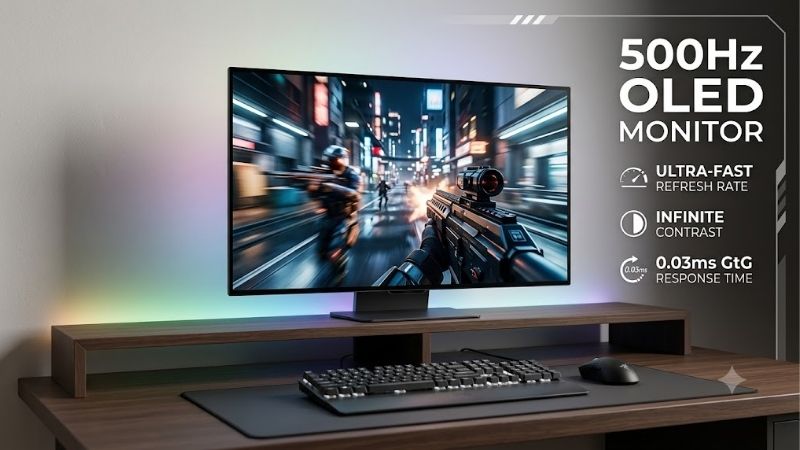
Quick answer: Our top pick in 2026 is the ASUS ROG Strix OLED XG27AQDPG — our #1 rated choice. See the full ranked comparison, alternatives and buying advice below.
How to Choose a 500Hz OLED Monitor
The search for this display centers on split-second tracking in esports, beyond headline-number marketing alone. These four picks deliver QHD-OLED at 500Hz, but panel finish, ports, and pricing change which one makes sense. The checks below help you match a 500hz oled monitor to your games and desk before any purchase.
1. Match Refresh Rate to Actual FPS
The 500Hz label is the panel’s ceiling, not your PC’s sustained FPS. Counter-Strike 2, Valorant, and lightweight esports are realistic targets for powerful systems; demanding AAA titles rarely approach 500 fps. All four picks use QHD, easier to drive than 4K—a crucial limitation for GPU-bound games, especially those with dense effects.
If your rig sustains 300–500 fps in favorite titles, prioritize response consistency and adaptive sync, which all four models support. ASUS ROG Strix OLED XG27AQDPG is the balanced starting point; compare MSI MAG 272QP QD-OLED X50 when discounted. This class pays off best with repeatable high-FPS output, not brief benchmark peaks.
2. Panel Finish and Room Lighting
Panel finish matters when a window or desk lamp sits behind you. Samsung Odyssey OLED G6 G60SF uses its Glare Free finish to cut reflections in brighter rooms; QD-OLED colors remain vivid, but ambient light can still lift perceived blacks. Choose it when glare control matters more than a glossy, dark-room presentation at home.
ASUS ROG Strix OLED XG27AQDPG and MSI MAG 272QP QD-OLED X50 use anti-reflection treatments, while GIGABYTE AORUS FO27Q5P also lists an anti-reflection surface. No finish defeats direct sunlight, so control room-lighting first; choose Samsung for glare management or Gigabyte if connectivity better fits your setup in bright rooms.
3. Connectivity and Display Bandwidth
Check video bandwidth before choosing cables or planning a multi-display desk. GIGABYTE AORUS FO27Q5P has DisplayPort 2.1 UHBR20 and Mini DisplayPort 2.1 UHBR20, while ASUS and Samsung use DisplayPort 1.4; ASUS relies on DSC. MSI adds USB-C video input with 15W power delivery, helpful for compact desks and simplifying cabling.
Port selection influences everyday desk convenience. AORUS offers USB-C up to 18W and DisplayPort output for daisy chaining; ASUS adds a USB-A hub, while MSI’s USB-C power is modest and its USB expansion limited. Match the ports to your peripherals and cable plan instead of buying the longest feature list before paying extra.
4. Burn-In Protection and Warranty
OLED care matters because fixed taskbars, status bars, and game HUDs can leave persistent image retention over time. ASUS includes OLED Care, MSI specifies a three-year warranty including burn-in, Samsung says normal-use burn-in is covered under warranty, and GIGABYTE advertises burn-in coverage under its regional warranty policy.
Warranty terms vary by region, so read the exact-model policy rather than assuming every OLED plan is identical. Pixel-care routines and screen-off settings help, but cannot make burn-in impossible. For mixed office-work and gaming, compare coverage alongside price before choosing among these four displays, especially for static desktop use.
Top Picks
This table condenses four 500Hz options by practical differences. The best 500hz oled monitor depends less on the shared refresh ceiling than on reflection control, connectivity, and price. Product notes explain which features justify a premium, who can save money, and where each model’s biggest compromise appears in everyday gaming.
| Product | Best For | Key Spec | Watch Out For |
|---|---|---|---|
| ASUS ROG Strix OLED XG27AQDPG | Best Overall | 26.5-inch QHD QD-OLED, 500Hz, 0.03ms GtG | DisplayPort 1.4 with DSC |
| MSI MAG 272QP QD-OLED X50 | Best Value | 26.5-inch QHD QD-OLED, 500Hz, USB-C 15W | No downstream USB-A hub |
| Samsung Odyssey OLED G6 G60SF | Best for Bright Rooms | QHD QD-OLED, 500Hz, Glare Free finish | No USB-C video input or KVM |
| GIGABYTE AORUS FO27Q5P | Best for Bandwidth | QHD QD-OLED, 500Hz, DisplayPort 2.1 UHBR20 | USB-C power limited to 18W |
Best Overall: ASUS ROG Strix OLED XG27AQDPG
ASUS ROG Strix OLED XG27AQDPG is the most balanced 500hz oled monitor for players who want speed with strong color and a useful feature set. Its 26.5-inch QD-OLED runs at 2560 × 1440, 500Hz, and 0.03ms GtG, with HDR peaks up to 1,000 nits in small highlights. FreeSync Premium Pro and G-SYNC Compatible support round out its gaming features.
The compromise is DisplayPort 1.4 with DSC rather than AORUS’s DP 2.1 UHBR20, so bandwidth-focused buyers should compare Gigabyte first. ASUS provides two HDMI 2.1 inputs, a USB-A hub, OLED Care, and a height-adjustable stand. It is the best overall fit for a premium competitive-gaming desk, with familiar on-screen controls.
Best Value: MSI MAG 272QP QD-OLED X50
MSI MAG 272QP QD-OLED X50 makes a compelling 500hz oled monitor value pick when priced below Samsung or ASUS, without giving up core display specifications. Its 26.5-inch QHD-OLED reaches 500Hz and 0.03ms GtG, with DisplayHDR True Black 500 for deep blacks and vivid game scenes during fast-paced matches, plus wide-gamut color.
The useful extra is USB-C DisplayPort Alt Mode with up to 15W power delivery, alongside two HDMI 2.1 ports and DisplayPort 1.4a. The catch is a bare-bones USB setup: there is no downstream USB-A hub, and 15W will not properly power most laptops. Check current street pricing before calling it the value winner for setup simplicity.
Best for Bright Rooms: Samsung Odyssey OLED G6 G60SF
For players in brighter rooms, Samsung Odyssey OLED G6 G60SF is the 500hz oled monitor to shortlist because its Glare Free treatment cuts distracting reflections while retaining QHD-OLED contrast. Its 27-inch-class panel delivers 2560 × 1440, 500Hz, 0.03ms GtG, and VESA DisplayHDR True Black 500, even with ambient light.
Samsung includes two HDMI 2.1 ports and DisplayPort 1.4, plus HDR10+ Gaming and variable-refresh support. Its clearest trade-off is limited desk flexibility: there is no USB-C video input or KVM, and reviewers note fewer fine picture-tuning controls than some rivals. Pick it for room-light management, not desk docking.
Best for Bandwidth: GIGABYTE AORUS FO27Q5P
GIGABYTE AORUS FO27Q5P is the 500hz oled monitor for enthusiasts who want 500Hz without making DisplayPort 1.4 DSC their main path. Its 27-inch QHD-OLED reaches 0.03ms GtG, 99% DCI-P3, and DisplayHDR True Black 500, delivering rich color for esports and HDR highlights. Its DisplayPort 2.1 link avoids DSC at native QHD 500Hz.
Connectivity separates it from the pack: one DisplayPort 2.1 UHBR20, a Mini DisplayPort 2.1 UHBR20, two HDMI 2.1 ports, USB-C with up to 18W PD, and DisplayPort output for daisy chaining. That is the most flexible port set here, but 18W is not laptop-charger power, and extra ports may not justify the premium for everyone.
Frequently Asked Questions
These questions matter because a 500hz oled monitor sits at the edge of gaming-display technology, where the fastest specification is not always the smartest purchase. The answers cover sustainable FPS, the jump from 240Hz, OLED care, and console limits, helping separate useful performance from expensive overkill today.
Can My PC Actually Run Games at 500Hz?
Yes, but only if your GPU, CPU, settings, and game deliver close to 500 frames per second. The monitor still refreshes at 500Hz when FPS is lower, but you will not get the full motion benefit. Esports games are more plausible than demanding single-player titles; check an FPS counter during a usual match before upgrading.
FPS varies by map, effects, and background tasks, so check more than a brief peak reading. Variable refresh can smooth fluctuations, but it cannot manufacture missing frames. If your PC rarely exceeds 200 fps, a faster GPU may be more useful than replacing a good 240Hz screen, particularly for competitive play in practice.
Is 500Hz Worth It Over 240Hz?
500Hz is worth it mainly for competitive players who consistently exceed 240 fps and notice small motion differences. If games usually run at 100–200 fps, a good 240Hz OLED already looks fluid; the extra refresh rate may matter less than image quality, ergonomics, or a stronger graphics card before purchase for most players.
The improvement is most visible in fast-tracking, flick shots, and rapid camera movement, though personal preference varies. Compare sustainable FPS rather than a game’s best-case benchmark before paying a premium. For mixed single-player/work use, a sharper 4K or affordable 240Hz OLED may be better balanced at your desk over time.
Can OLED Monitors Get Burn-In?
Yes, OLED can suffer permanent burn-in when the same bright interface elements remain on screen for long periods, although varied gaming is less concerning than a static desktop used all day. Pixel-shift, panel-care routines, and sleep timers help manage risk, but none makes the panel immune to wear during everyday gaming, with sensible routines.
Use practical desktop brightness, let the monitor finish its built-in care routine, and keep protection features enabled rather than suppressing reminders. Keep the receipt; verify burn-in coverage by region and seller. If spreadsheets stay static for hours daily, compare warranty coverage; an LCD may suit office-heavy tasks in business settings.
Can a Console Use 500Hz?
No current mainstream console can use the full 500Hz refresh rate; console-output modes in supported games currently top out at 120Hz. PlayStation and Xbox remain compatible over HDMI 2.1, allowing gameplay at each console’s supported resolution and refresh modes, but much of the monitor’s extra headroom remains unused.
Console owners should choose based on HDR, contrast, input lag, and supported resolution modes rather than the 500Hz headline. These monitors remain excellent PC displays, but if a console is your only gaming device, a less expensive 120Hz OLED or LCD is usually the more rational buy for console-first living-room setups.
Final Thoughts
The best 500hz oled monitor is an upgrade only when your PC can feed high-FPS output and you mainly play games that reward clear motion. Choose ASUS for balanced features, MSI for value when discounted, Samsung for glare control, or GIGABYTE for bandwidth and connectivity; otherwise, a 240Hz OLED may leave more money for your GPU.
Ready to decide? Our #1 pick for 2026 is the ASUS ROG Strix OLED XG27AQDPG.
Live price & availability on Amazon.









