
Best non oled monitors provide exceptional visual performance without forcing you to manage screen burn-in or subpixel font fringe issues. Static office apps, long coding sessions, and full-brightness spreadsheets often overwhelm organic panels over time. Premium LCD displays deliver vibrant colors, razor-sharp text clarity, and long-term endurance for demanding daily tasks.
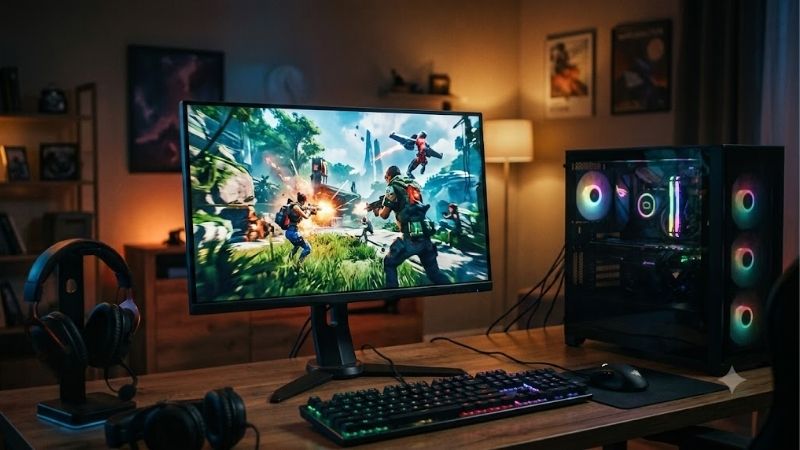
How to Choose Non OLED Monitors
Selecting the best non oled monitors requires evaluating panel technology, pixel density, motion clarity, and desktop connectivity. Modern liquid crystal displays range from high-speed IPS panels to specialized IPS Black variants. Understanding these key engineering choices ensures you invest in a screen that fits your workflow.
Panel Technology and Contrast
Panel type dictates color fidelity, viewing angles, and contrast levels in non-OLED displays. Traditional IPS panels offer superb color accuracy and wide viewing angles, though native contrast sits around 1000:1. Newer IPS Black technology doubles contrast to 2000:1, delivering noticeably deeper dark tones for productivity.
VA panels achieve higher contrast up to 3000:1 but often suffer from narrow viewing angles and minor color shifts off-center. Choosing between standard IPS and IPS Black depends on whether you prioritize dark-room immersion or high-speed gaming. The Dell UltraSharp U2723QE excels here by leveraging advanced IPS Black.
Resolution and Pixel Density
Screen resolution directly determines crisp text rendering and available desktop canvas area. A 27-inch screen with 4K resolution offers roughly 163 pixels per inch, rendering text with pin-sharp clarity without visible pixels. Lower resolutions like 1440p offer easier graphic card rendering while remaining sharp at 27 inches.
Stepping up to a 32-inch panel provides maximum screen real estate for multi-window workflows and video editing. However, 1440p on 32-inch screens reduces sharpness, making 4K resolution mandatory for larger physical panels. Creative professionals requiring massive sharp workspaces will appreciate the spacious BenQ PD3220U.
Refresh Rate and Motion Clarity
Refresh rate controls how fluidly cursor movements and fast action render on screen. Standard 60Hz displays satisfy standard office work, but high refresh rates like 144Hz or 180Hz significantly reduce motion blur and eye strain. Gamers and general users benefit from smoother scrolling and rapid pixel response times.
Finding the best non oled monitors with high refresh rates ensures smooth visuals during intense gaming sessions. Fast IPS tech maintains crisp response times around 1ms, eliminating ghosting without color degradation. Players seeking high motion responsiveness will benefit from the Gigabyte M27Q or the LG 27GP850-B.
Color Gamut and Hub Features
Color coverage and factory calibration determine how accurately a display reproduces photos, graphics, and video content. Full sRGB coverage serves routine tasks, whereas broad DCI-P3 coverage delivers richer, truer colors for content creation. Integrated USB-C connectivity simplifies messy desktop cables significantly.
Monitors equipped with USB Power Delivery stream video signals while charging laptops through a single cable connection. Built-in USB hubs and KVM switches allow effortless switching between multiple computers using one keyboard and mouse setup. Power users wanting comprehensive hub connectivity should look to the Dell UltraSharp U2723QE.
Top Picks
Our evaluation of the best non oled monitors focuses on panel performance, build quality, color precision, and practical desktop features. Each recommended model offers tailored advantages for office productivity, creative work, or competitive gaming. Review the snapshot table below to compare core specs before buying.
| Product | Best For | Key Spec | Watch Out For | | Dell UltraSharp U2723QE | Best Overall Productivity | 27″ 4K IPS Black, 2000:1 Contrast, 90W USB-C | 60Hz Refresh Rate | | Gigabyte M27Q | Best Value | 27″ 1440p 170Hz KVM IPS, 0.5ms Response | Stand Ergonomics | | LG 27GP850-B | Best Gaming Performance | 27″ 1440p 180Hz Nano IPS, G-Sync Compatible | Lower Native Contrast | | BenQ PD3220U | Best for Creative Pros | 32″ 4K IPS, Thunderbolt 3 Hub, Calman Verified | High Price Tag |
Dell UltraSharp U2723QE
Finding the best non oled monitors for daily office productivity leads directly to the Dell UltraSharp U2723QE. Featuring LG’s IPS Black panel, this display delivers double the contrast ratio of traditional IPS screens. Colors appear vivid, blacks look surprisingly deep, and text remains exceptionally crisp across 27 inches.
The back panel serves as a full-featured USB-C hub providing 90W laptop charging, Ethernet, and multiple peripheral ports. An integrated KVM switch lets you seamlessly control two connected PCs with one keyboard and mouse. The only trade-off is its standard 60Hz refresh rate, which limits high-frame-rate competitive gaming.
Gigabyte M27Q
The Gigabyte M27Q delivers exceptional value by pairing a fast 170Hz refresh rate with crisp 1440p resolution. Its 27-inch IPS panel offers vibrant color reproduction with 92% DCI-P3 coverage, serving both casual gaming and daily tasks. Built-in KVM functionality allows effortless switching between laptop and desktop setups.
Motion handling is sharp thanks to rapid pixel response times, minimizing motion blur in fast-paced shooter games. The display includes wide connectivity options like DisplayPort, HDMI, and USB-C video input with power delivery. The primary downside rests in its basic ergonomic stand, which lacks swivel adjustment controls.
LG 27GP850-B
Gamers needing top-tier speed without organic screen risks should consider the LG 27GP850-B display. Its 27-inch Nano IPS panel features a native 165Hz refresh rate overclockable to 180Hz alongside a fast 1ms response time. Visual motion remains crystal clear, virtually eliminating ghosting and artifacting in fast games.
NVIDIA G-Sync compatibility and AMD FreeSync Premium support eliminate screen tearing across fluctuating frame rates. Wide DCI-P3 color coverage guarantees rich hues whether you are gaming or editing digital media content. However, typical for standard IPS panels, native contrast sits near 1000:1, limiting deep dark room performance.
BenQ PD3220U
The BenQ PD3220U is tailored specifically for digital artists, designers, and professional video editors demanding precise colors. Its expansive 32-inch 4K IPS display delivers immaculate detail and factory-calibrated accuracy covering 95% DCI-P3. Calman verification guarantees trustworthy color reproduction right out of the shipping box.
Dual Thunderbolt 3 ports enable daisy-chaining multiple displays while delivering 85W power to connected laptops. The included Hotkey Puck shortcut controller speeds up quick color mode switching and menu navigation during edits. High premium pricing represents its main barrier, but build quality justifies the professional cost.
Frequently Asked Questions
Answering common user questions helps clarify practical benefits when selecting the best non oled monitors. Buyers often wonder about text clarity, panel lifespan, and image contrast differences compared to organic displays. Below are targeted expert answers to guide your purchasing decision before upgrading your workstation.
Do Non OLED Monitors Cause Text Fringing?
No, standard LCD screens use traditional RGB subpixel layouts that Windows and macOS render perfectly without text fringing. Text outlines appear clean and sharp, avoiding the fuzzy edges common on triangular subpixel structure OLEDs. This clarity makes LCD displays far superior for heavy reading, writing, and coding work.
If text appears blurry on an LCD display, it typically stems from incorrect display resolution settings or scaling choices. Verifying native panel resolution in your operating system settings resolves image clarity problems immediately. Adjusting ClearType text tuner tools in Windows further optimizes character edge sharpness.
Can IPS Monitors Match OLED Black Levels?
Standard IPS panels cannot match absolute OLED black levels because liquid crystal layers require active backlight illumination. However, modern IPS Black technology featured in the best non oled monitors dramatically closes that gap. Doubling native contrast to 2000:1 produces noticeably deeper shadows without backlight blooming.
Mini-LED backlighting with local dimming zones also enhances LCD contrast by turning off LED zones behind dark screen areas. While mini-LED achieves extreme peak brightness, minor halo effects can occur around bright isolated screen objects. For balanced daily desktop use, high-contrast IPS panels provide consistent image stability.
Why Choose LED Over OLED for Static Work?
Choosing the best non oled monitors completely eliminates image retention and permanent screen burn-in risks caused by static software interfaces. Taskbars, app header ribbons, window borders, and desktop icons can remain displayed for hours without harming the panel. Users work continuously at full screen brightness with zero anxiety.
LCD screens also maintain higher full-screen brightness levels without triggering aggressive Automatic Static Brightness Limiter dimming. Organic screens dim automatically during bright document editing, which disrupts workflow and strains human vision. Traditional LCD displays deliver steady brightness that keeps your eyes comfortable.
How Long Do LCD Panels Last Compared to OLED?
Quality LCD monitors reliably operate for 30,000 to 50,000 hours before backlight brightness noticeably degrades over years. This translates to over five to eight years of heavy daily usage without degradation in overall image quality. Non-organic materials do not suffer from differential blue pixel decay over extended operational time.
To maximize panel longevity, set monitor brightness levels to comfortable office ambient lighting between 120 and 150 nits. Enabling automated screen sleep modes during breaks preserves LED backlights and reduces power draw over time. Clean the glass screen gently using microfiber cloths without harsh chemical solvent sprays.
Final Thoughts
Choosing the best non oled monitors ensures long-term reliability, crisp text rendering, and zero burn-in anxiety for daily work and play. Whether you choose the Dell UltraSharp U2723QE for productivity or the Gigabyte M27Q for value gaming, liquid crystal technology remains the ultimate choice for continuous static desktop use.









