
Best non oled monitor shoppers face a trade-off: OLED contrast is appealing, but LCD screens can be practical for bright offices, static desktop use, and varied budgets. This guide compares four distinct IPS and VA options for productivity, color work, fast gaming, and ultrawide immersion, with the compromises made clear before you buy.
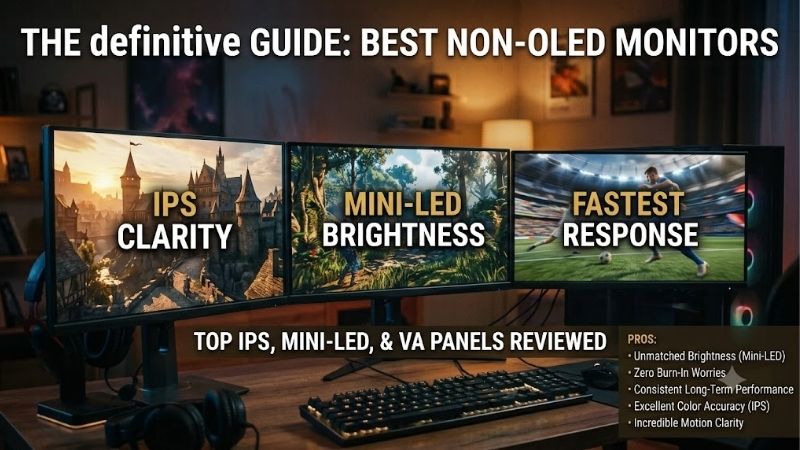
Quick answer: For most people in 2026, the best non oled monitor is the Dell UltraSharp U2725QE — our #1 rated choice. See the full ranked comparison, alternatives and buying advice below.
How to Choose a Non-OLED Monitor
A best non oled monitor depends on more than avoiding OLED: resolution, panel behavior, refresh rate, and ports shape daily use. Start with your main workload, then weigh text sharpness, motion, contrast, and laptop connectivity; the four picks below each solve a different problem rather than pretending one screen fits everyone.
Resolution and Screen Size
Your best non oled monitor choice starts with matching pixel density to viewing distance and workload. A 27-inch 4K panel makes small text and visual details noticeably finer, while 27-inch QHD keeps menus readable without asking your graphics card to push as many pixels; a 34-inch ultrawide adds horizontal room instead.
For spreadsheets, sharp type, and detailed editing, 27-inch 4K on the Dell UltraSharp U2725QE is the premium option. The ASUS ProArt PA278CV and LG UltraGear 27GP850-B deliver 2560 × 1440 at 27 inches, while the Dell S3422DWG spreads that resolution across a 34-inch 21:9 canvas for wider timelines and side-by-side windows.
Panel Type, Contrast, and Color
IPS panels usually preserve color and brightness better when viewed off-axis, which helps with shared work and creative tasks; VA panels typically deliver deeper native blacks but can show dark-motion smearing. Panel type alone does not guarantee accuracy, so check color coverage and calibration claims rather than trusting the label.
The U2725QE pairs enhanced IPS Black with a published 3000:1 contrast ratio and 99% DCI-P3 coverage. For standard web and video work, the PA278CV offers factory-calibrated color with 100% sRGB and Rec.709; the LG favors vivid wide-gamut gaming, while the S3422DWG’s VA panel suits viewers who value contrast in a dim room.
Refresh Rate and Motion
A 60–75Hz screen is fine for office documents, streaming, and everyday browsing, but fast games feel smoother at 144Hz or higher when your PC can consistently deliver the required frames. Check the connection used to reach the advertised maximum, since HDMI and DisplayPort can support different refresh-rate limits on the same monitor.
The LG 27GP850-B runs natively at 165Hz, with an optional 180Hz overclock; Dell’s S3422DWG reaches 144Hz over DisplayPort but is limited to 100Hz over HDMI. The U2725QE’s 120Hz is a useful work-and-play middle ground, while the PA278CV’s 75Hz favors office productivity over competitive gaming with compatible DisplayPort hardware.
Connectivity, Ergonomics, and Extras
USB-C video plus power delivery can turn a compatible laptop setup into a one-cable desk, while height, tilt, swivel, and pivot adjustments help position the screen comfortably. Treat HDR badges cautiously: without strong peak brightness and effective local dimming, an LCD monitor may accept HDR signals without producing dramatic highlight detail.
The Dell U2725QE is the most capable dock, with Thunderbolt 4 and up to 140W power delivery; the PA278CV supplies 65W USB-C and a height-adjustable pivot stand. The LG adds height adjustment and pivot, while the S3422DWG has an ultrawide curve and USB hub but lacks convenient laptop-charging USB-C for single-cable desks.
Top Picks
These best non oled monitor picks cover four distinct needs: premium 4K productivity, value-focused color work, responsive 1440p gaming, and an expansive curved display. Specs reflect manufacturer listings; prices and availability change, so compare the current offer with each model’s practical trade-offs before checkout.
| Product | Best For | Key Spec | Watch Out For |
|---|---|---|---|
| Dell UltraSharp U2725QE | Best Overall | 27-inch 4K, 120Hz IPS Black | Premium cost; no speakers |
| ASUS ProArt PA278CV | Best Value | 27-inch QHD, 75Hz, 65W USB-C | Not 4K; modest refresh rate |
| LG UltraGear 27GP850-B | Best For Fast Gaming | 27-inch QHD, 165Hz (180Hz OC) | Low contrast; limited HDR |
| Dell S3422DWG | Best For Ultrawide Immersion | 34-inch 3440 × 1440, 144Hz | VA smearing; no USB-C PD |
Best Overall: Dell UltraSharp U2725QE
For a best non oled monitor in a premium mixed-work setup, the Dell UltraSharp U2725QE combines 27-inch 3840 × 2160 resolution, enhanced IPS Black, and 120Hz refresh. Its 3000:1 contrast and 99% DCI-P3 coverage give fine text, spreadsheets, and creative previews a refined look beyond basic office screens, especially on dense interfaces.
Its standout advantage is a powerful multi-device docking system: Thunderbolt 4 supports up to 140W power delivery, alongside 2.5Gb Ethernet, USB ports, and a fully adjustable stand. The trade-off is premium pricing, and there are no built-in speakers, so it suits laptop-heavy desks that use this connectivity every day.
Best Value: ASUS ProArt PA278CV
The ASUS ProArt PA278CV is a smart pick for designers, students, and home-office users seeking dependable color without paying for 4K or a costly wide-gamut upgrade. Its 27-inch 2560 × 1440 IPS panel runs at 75Hz, covers 100% sRGB and Rec.709, and is factory calibrated to Delta E below 2 for consistent creative work.
USB-C carries video and up to 65W charging, and the stand adjusts for height, swivel, tilt, and portrait rotation; four USB-A ports make everyday accessory connections easier on the desk. Its compromise is resolution and speed: QHD is less detailed than 4K, and 75Hz is not ideal for high-frame-rate competitive play overall.
Best For Fast Gaming: LG UltraGear 27GP850-B
The LG UltraGear 27GP850-B suits PC players seeking responsive motion without the cost of 4K. Its 27-inch Nano IPS screen runs at 2560 × 1440 and 165Hz natively, with an overclock option up to 180Hz, a quoted 1ms GtG mode, AMD FreeSync Premium, and NVIDIA G-SYNC compatibility for frame-sensitive competitive shooters on a PC.
Fast pixel response and a wide 98% DCI-P3 gamut are clear strengths for action games, while the height-adjustable pivot stand is useful beyond play. The weakness is contrast: dark scenes can look gray in a dim room, and DisplayHDR 400 support does not create the deep blacks or bright highlights expected from premium HDR displays.
Best For Ultrawide Immersion: Dell S3422DWG
The Dell S3422DWG is a 34-inch curved VA monitor for gamers and multitaskers who want a broad 21:9 canvas. Its 3440 × 1440 resolution, 1800R curve, 3000:1 stated contrast, and 144Hz DisplayPort refresh rate make racing games, wide strategy views, and side-by-side windows feel more expansive than on a standard 16:9 screen.
It also includes AMD FreeSync Premium Pro, DisplayHDR 400 support, adjustable height, and a USB hub. The VA panel’s strong contrast is welcome for dark scenes, but fast transitions can show black smearing, HDMI is limited to 100Hz at native resolution, and there is no USB-C charging support for a laptop-first workstation.
Frequently Asked Questions
The best non oled monitor can be a practical choice for many workstations, but LCD panels still differ in contrast, response time, color, and connectivity. These answers cover static-content use, sensible resolution for common desk sizes, and what HDR branding can—and cannot—tell you before checkout, without overselling any panel type.
Is a Non-OLED Monitor Better for Office Work?
Often, yes: an LCD monitor is a strong office choice because it avoids OLED-style burn-in concerns with static interfaces and is available in many price ranges. For long spreadsheet sessions, prioritize text clarity, adjustable ergonomics, glare handling, and a USB-C connection if your laptop supports display and charging over one cable.
That does not mean every LCD screen suits every workstation or budget. The U2725QE is best for high-detail work and laptop docking, while the PA278CV offers calibrated color at a more affordable tier; for documents and browser tabs, ergonomic adjustability may matter more than extra refresh rate for routine office work.
Is 4K Worth It on a 27-Inch Monitor?
Yes, 4K on a 27-inch screen makes fine text and detailed images sharper than QHD at the same viewing distance, benefiting design, photo review, and dense spreadsheets. It adds desktop workspace and finer detail, though operating-system scaling may be necessary to keep interface elements comfortably readable at typical desk distances.
QHD remains sensible if upfront cost, gaming frame rates, or midrange graphics hardware matter more than maximum detail. The PA278CV and 27GP850-B both use 2560 × 1440, while the U2725QE targets buyers who value 4K sharpness and have a system capable of driving it smoothly at native resolution and preferred settings, too.
Can a Non-OLED Monitor Get Burn-In?
Traditional LED-backlit LCD monitors do not have the same permanent pixel-wear mechanism commonly associated with OLED burn-in, so they are well suited to static taskbars, spreadsheets, and dashboards. Image retention can still occur in some circumstances, but it is not the same typical long-term risk as uneven organic-pixel wear.
If your best non oled monitor will display the same interface all day, LCD is a sensible low-worry option, but routine panel care still matters. Use normal sleep settings, keep vents unobstructed, and avoid unnecessarily high brightness for extended periods; these habits help power efficiency and long-term reliability.
Is HDR on an LCD Monitor Actually Worth It?
Sometimes, but an HDR label alone does not guarantee an impressive picture. Peak brightness, contrast, local dimming, and tone mapping matter more than certification, and many entry-level HDR400 LCDs accept HDR content without producing bright highlights beside convincing blacks in actual viewing conditions during movie playback.
For games and movies in a dark room, a VA model such as the S3422DWG can make shadows feel richer through native contrast, but it lacks local dimming. The best non oled monitor for serious HDR may be a mini-LED LCD with many dimming zones, improving highlight separation, but that is a different technology tier and budget from these four picks.
Final Thoughts
The best non oled monitor is the one that matches your daily workload, not the one with the longest spec sheet. Choose the Dell U2725QE for premium 4K docking, the ASUS PA278CV for calibrated value, the LG 27GP850-B for fast 1440p gaming, or the Dell S3422DWG for contrast and ultrawide space, then verify current pricing before checkout.
Ready to decide? Our #1 pick for 2026 is the Dell UltraSharp U2725QE.
Live price & availability on Amazon.









