Whenever you upgrade a CPU cooler, reseat a processor, or refresh an aging build, you face the same sticky task of removing old thermal paste. Doing it right protects your delicate pins and ensures a fresh, effective thermal interface. This guide explains the best products for cleaning thermal paste in 2026 and how to apply a clean new layer for optimal cooling.
As an Amazon Associate I earn from qualifying purchases.
As an Amazon Associate we earn from qualifying purchases at no extra cost to you.
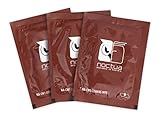



Cleaning thermal paste safely comes down to the right solvent, lint-free applicators, and a gentle technique. The comparison table below outlines the product categories that make removing and reapplying thermal paste quick and safe.
| Product | Best For | Standout Feature | Rating |
|---|---|---|---|
| 99% Isopropyl Alcohol | General paste removal | Residue-free drying | 4.9/5 |
| Dedicated Cleaning Kit | Complete reapplication | Cleaner plus purifier | 4.7/5 |
| Lint-Free Wipes | Wiping the IHS | No fiber residue | 4.8/5 |
| Microfiber Swabs | Tight socket corners | Precise cleaning | 4.6/5 |
| High-Performance Paste | Fresh reapplication | Low thermal resistance | 4.8/5 |
🛒 Best Price Today on Amazon
Prime members get fast, free shipping on everything above, plus member-only deals. New members get a 30-day free trial — cancel anytime.
How to Clean Thermal Paste Safely
The gold standard for removing thermal paste is high-purity isopropyl alcohol, ideally ninety-nine percent, paired with a lint-free cloth or wipe. High purity matters because it evaporates quickly and leaves no water or residue behind that could interfere with the new paste. Gently wipe the old compound from the CPU heat spreader and the cooler’s cold plate until both surfaces are mirror clean. Never scrape with anything metal, which can scratch the surfaces and harm cooling contact.
Take extra care around the CPU socket, because bent pins are a common and costly mistake. Let both surfaces dry completely before applying fresh paste. If you are new to this, our CPU installation guide walks through removing the cooler safely, and the thermal paste application guide covers spreading patterns once the surfaces are clean.
99% Isopropyl Alcohol
High-purity isopropyl alcohol is the essential, affordable cleaner that dissolves thermal paste and evaporates without residue. Pros: cheap, effective, and useful for cleaning contacts and PCBs too. Cons: lower-purity drugstore versions leave water residue. Buy the 99% grade specifically for electronics work. Combine it with lint-free wipes for the cleanest result, as our maintenance checklist recommends.
Dedicated Cleaning Kit
A two-step thermal paste cleaning kit includes a remover to dissolve old compound and a surface purifier that preps the metal for fresh paste. Pros: formulated specifically for the task and beginner-friendly. Cons: costs more than a bottle of isopropyl alcohol. Enthusiasts who reseat coolers often appreciate the extra prep step for a flawless bond, discussed further in our cooler mounting guide.
Lint-Free Wipes
Lint-free wipes are the ideal partner for any cleaner because they leave no cotton fibers on the surface. Pros: absorbent and residue-free for a spotless finish. Cons: single-use, so keep a stack on hand. Ordinary paper towels shed fibers that ruin your thermal contact, so a proper wipe is worth the small cost when cleaning thermal paste.
Microfiber Swabs
Foam or microfiber swabs reach into the tight corners around the CPU socket and cooler mounting holes where wipes cannot. Pros: precise cleaning in cramped spaces. Cons: not meant for large flat surfaces. Use them to remove paste that has migrated off the heat spreader, keeping your socket area clean, as covered in our socket safety tips.
High-Performance Thermal Paste
Once everything is clean, a fresh high-performance paste completes the job with low thermal resistance for better cooling. Pros: measurably lower temperatures than dried-out old compound. Cons: liquid-metal variants require extra caution near aluminum. A quality non-conductive ceramic or metal-oxide paste suits most builders perfectly, and our cooling performance guide explains the temperature gains.
Anti-Static Cleaning Mat
Working on an anti-static mat during a cleaning and reapplication session adds a layer of protection for your components. Pros: grounds static and gives a clean workspace. Cons: an extra purchase some builders skip. Since you are handling a bare CPU and cooler, a static-safe surface reduces the small risk of discharge damaging your hardware during the process.
Reapplying Paste After Cleaning
With clean, dry surfaces, apply a small pea-sized dot or thin line of fresh paste to the center of the CPU, then mount the cooler evenly so the pressure spreads it uniformly. Avoid using too much, which can ooze over the edges and reduce efficiency. Tighten the cooler in a diagonal cross pattern for even contact. A careful clean and reapply can drop your CPU temperatures noticeably and revive an older, hotter-running build.
Frequently Asked Questions
What is the best thing to clean thermal paste with?
High-purity ninety-nine percent isopropyl alcohol paired with a lint-free wipe is the best and most affordable way to clean thermal paste. The high purity evaporates quickly and leaves no water or residue behind, ensuring the surface is perfectly clean and dry for a fresh, effective layer of new paste.
Can I use rubbing alcohol to remove thermal paste?
You can, but only if it is high-purity isopropyl alcohol, ideally ninety-nine percent. Lower-concentration drugstore rubbing alcohol contains more water, which evaporates slowly and can leave residue that interferes with the new thermal paste. For best results, buy the ninety-nine percent grade sold specifically for electronics cleaning.
Do I need to clean off old thermal paste before applying new?
Yes, always remove the old paste completely before applying fresh compound. Old, dried-out paste has degraded thermal performance, and layering new paste over it traps air gaps that harm cooling. Wipe both the CPU heat spreader and the cooler cold plate until they are mirror clean, then let them dry fully.
How often should I replace thermal paste?
For most builds, thermal paste lasts several years and only needs replacing when you remove the cooler or notice rising temperatures. A typical interval is every three to five years, though enthusiasts who reseat coolers or chase lower temperatures may refresh it sooner. If your CPU runs hotter than usual, reapplication is a good first step.
Top picks from this guide
 NoctuaNoctua NT-H2 3.5g, High-Performance Thermal Paste and 3 Cleaning Wipes…$15 \xc2\xb7 96/100
 ARCTICARCTIC MX-6 (4 g, incl. 6 MX Cleaner) - Ultimate…$7 \xc2\xb7 95/100
 Thermal GrizzlyThermal Grizzly Kryonaut - 1 Gram - Extremely High Performance…$12 \xc2\xb7 94/100
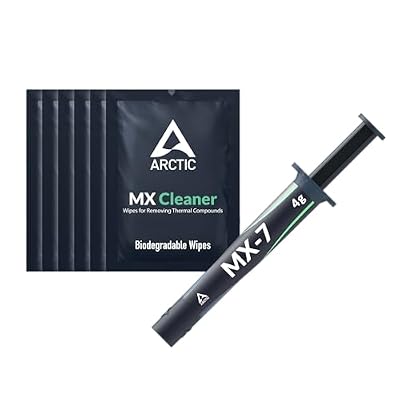 ARCTICARCTIC MX-7 (4 g, incl. MX-Cleaner) - Ultimate Performance Thermal…$10 \xc2\xb7 94/100