
A smart monitor for gaming combines a conventional computer display with built-in streaming apps, wireless connectivity, and, on some models, access to cloud-gaming services without a console or gaming PC. The challenge is finding one that does more than display a home screen: refresh rate, response time, input lag, resolution, and connection bandwidth still determine the gaming experience. Samsung’s Smart Monitor range suits casual play and cloud gaming, while its M9 and LG’s UltraGear GX9s models offer faster panels for more demanding games. These six options cover different budgets, screen sizes, and performance targets.
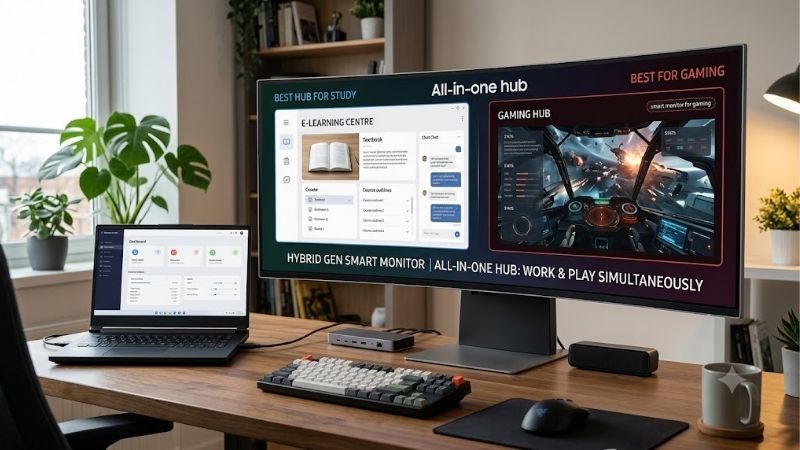
Quick answer: For most people in 2026, the best smart monitor for gaming is the Monitor — our #1 rated choice. See the full ranked comparison, alternatives and buying advice below.
Quick verdict: which smart monitor for gaming should you choose?
For casual gaming, streaming, and everyday computing, the Samsung Smart Monitor M5 M50F is the simplest starting point. Its Tizen interface and Gaming Hub provide smart entertainment features, but its 60Hz panel is not designed for competitive play. The Samsung Smart Monitor M7 M70F adds 4K resolution, USB-C connectivity, and laptop charging, making it a more useful hybrid work-and-entertainment display.
The LG MyView 34SR60QC-B is a better fit if you want a curved ultrawide screen for PC gaming and multitasking without paying for OLED. Its 100Hz refresh rate is a useful step above the basic Samsung models, although it does not offer the specialized cloud-gaming experience of LG’s newer UltraGear GX9s smart gaming monitors.
For high-performance gaming, consider the Samsung Smart Monitor M9 M90SF or LG UltraGear 34GX90SB-W. Both combine built-in smart features with substantially faster displays. The 32-inch Samsung uses a 4K OLED panel at 165Hz, while the LG uses a curved ultrawide OLED panel at 240Hz and includes webOS-based cloud gaming.
The LG UltraGear 45GX90SB-B is the large-format alternative for players who want an expansive curved screen. Its size is impressive, but it requires substantial desk space and a graphics card capable of driving its resolution and refresh rate.
The central trade-off is straightforward: affordable smart monitors often stop at 60Hz, while displays that combine advanced smart features with genuinely high-refresh gaming cost considerably more.
| Monitor | Best use | Resolution and refresh rate | Main compromise |
|---|---|---|---|
| Samsung Smart Monitor M5 M50F, 27-inch | Affordable casual gaming and streaming | 1920 × 1080, 60Hz | Limited motion performance |
| Samsung Smart Monitor M7 M70F, 32-inch | 4K gaming and laptop productivity | 3840 × 2160, 60Hz | Not intended for high-refresh gaming |
| LG MyView 34SR60QC-B | Ultrawide PC gaming and multitasking | 3440 × 1440, 100Hz | No USB-C video input |
| Samsung Smart Monitor M9 M90SF | Premium 4K OLED gaming | 3840 × 2160, 165Hz | Expensive and subject to OLED care considerations |
| LG UltraGear 34GX90SB-W | High-refresh ultrawide gaming and cloud gaming | 3440 × 1440, 240Hz | Premium price and aggressive screen curvature |
| LG UltraGear 45GX90SB-B | Large-format immersive gaming | 3440 × 1440, 240Hz | Very large footprint and lower pixel density than smaller 4K displays |
How we selected these smart gaming monitors
A smart monitor needs to satisfy two separate jobs. Its operating system should provide useful streaming or gaming services independently of a computer, while its display hardware should deliver an appropriate experience for the games you play.
The selection therefore separates casual smart displays from purpose-built smart gaming monitors. Manufacturer specifications establish exact resolutions, native refresh rates, supported connections, and smart-platform features. Independent testing from RTINGS and Tom’s Hardware provides additional evidence for the Samsung M9 and earlier Samsung Odyssey OLED G8, although results for those models are not automatically transferable to newer variants. LG’s published specifications are used for the newer GX9s models where independent testing of the exact current variants was not established.
No personal detailed research is claimed. Manufacturer response-time figures are treated as advertised specifications rather than universal real-world results, and no unsupported frame-rate benchmarks are included.
Price is another consideration, but it cannot be the only criterion. The Samsung M5 and M7 sit closer to mainstream smart-monitor budgets. The Samsung M9 and LG UltraGear OLED models are premium products included because they combine genuine smart features with stronger gaming hardware. They should not be treated as equivalent price alternatives to the entry-level monitors.
The best smart monitors for gaming by use case
Samsung Smart Monitor M5 M50F, 27-inch — best for casual gaming on a budget
The Samsung Smart Monitor M5 M50F is a practical choice for someone who wants streaming apps, a basic desktop display, and occasional gaming on one screen. The exact black model is LS27FM502ENXZA. It uses a 27-inch IPS panel with a native resolution of 1920 × 1080, a maximum refresh rate of 60Hz, and a typical brightness rating of 250 nits.
Its Tizen operating system includes Samsung Gaming Hub in supported regions, alongside smart TV applications and Samsung TV Plus. This allows compatible cloud-gaming services to be accessed without connecting a conventional gaming PC or console. Service availability, subscriptions, compatible controllers, and regional support can affect the experience.
The 60Hz limit remains important. It is fine for slower-paced games, turn-based titles, and general entertainment, but it cannot display the 120Hz output available from some modern consoles. Its 5ms gray-to-gray specification is also modest by gaming-monitor standards. HDR10 support does not transform the panel into a high-brightness HDR display.
Samsung lists two HDMI 1.4 inputs and two USB-A ports. The monitor also includes Wi-Fi, Bluetooth, a remote control, and integrated speakers. It has no USB-C video input or USB-C laptop charging, so laptop users should plan on HDMI and a separate power adapter.
Buy if: You want an affordable smart display for streaming, casual gaming, and everyday computer use.
Skip if: You play competitive shooters, need 120Hz console output, or want high-resolution gaming.
The M5 makes the most sense when the smart features matter more than raw gaming performance. If you already own a good gaming monitor, a separate streaming device may be a cheaper way to add smart entertainment instead.
Samsung Smart Monitor M7 M70F, 32-inch — best for 4K casual gaming
The Samsung Smart Monitor M7 M70F offers a larger, sharper display while retaining Samsung’s Tizen software and Gaming Hub. The exact black 32-inch variant is LS32FM702UNXZA. Its VA panel has a native resolution of 3840 × 2160, a maximum refresh rate of 60Hz, typical brightness of 300 nits, and a stated static contrast ratio of 3,000:1.
The extra pixels are useful for 4K gaming at 60Hz, compatible console output, and detailed desktop work. VA technology also provides higher native contrast than many basic IPS panels, which can help darker content look more distinct. However, panel type alone does not establish complete HDR performance, and its 300-nit typical brightness is not a substitute for the stronger HDR capabilities of premium OLED displays.
Connectivity is one of the M7’s strongest features. Samsung lists two HDMI 2.0 inputs, a USB hub, and USB-C with up to 65W power delivery. A compatible laptop can send video and receive power through a single USB-C cable. The power limit may be insufficient for some high-performance laptops, so check your computer’s charging requirements before relying on it.
Gaming Hub and the smart operating system make this monitor convenient when you want to switch between work, streaming, and games. But 60Hz is the ceiling for the panel. It is not the right choice for someone who prioritizes 120Hz console gaming or high-frame-rate PC esports.
Buy if: You want 4K resolution, smart apps, useful USB-C connectivity, and a large screen for casual gaming.
Skip if: High-refresh competitive gaming matters more than resolution or integrated smart features.
Compared with the less expensive M5, the M7 is worth considering when sharper text, 4K input, and laptop connectivity justify the additional cost.
LG MyView 34SR60QC-B — best for casual ultrawide gaming
The LG MyView 34SR60QC-B provides a broader desktop than a conventional 16:9 smart monitor. Its 34-inch curved VA panel has a native resolution of 3440 × 1440, a 21:9 aspect ratio, and a maximum refresh rate of 100Hz. LG combines this display with webOS, built-in smart applications, AirPlay 2, screen sharing, Bluetooth, and HDR10 support.
The ultrawide format is useful for racing games, supported simulation titles, and PC games that benefit from a wider field of view. It also provides room for a game on one side and communication or reference applications on the other. A 100Hz refresh rate is smoother than 60Hz when the game and connection support it, but it does not compete with a 165Hz or 240Hz gaming monitor.
This model’s webOS platform handles streaming independently, but it should not be confused with LG’s UltraGear GX9s cloud-gaming portal. For conventional gaming, plan to connect a compatible PC or console through the monitor’s video inputs. The monitor has no USB-C video input or laptop charging, so USB-C docking is not its intended use.
Its curved 21:9 panel also has limitations. Some console games and streaming videos are designed for 16:9, which can leave black bars or require scaling. VA panels typically offer strong native contrast, but dark motion can still show smearing depending on the panel response.
Buy if: You want an ultrawide screen for streaming, multitasking, and PC games that support the format.
Skip if: Your console needs 4K at 120Hz, you want USB-C docking, or you primarily play games that do not benefit from ultrawide viewing.
Samsung Smart Monitor M9 M90SF — best for premium 4K OLED gaming
The Samsung Smart Monitor M9 M90SF is designed for buyers who do not want to compromise heavily between gaming and smart entertainment. Its 32-inch QD-OLED panel has a native resolution of 3840 × 2160, a maximum refresh rate of 165Hz, and an advertised 0.03ms gray-to-gray response time. Samsung lists HDR10+ support, Gaming Hub, Tizen smart applications, and G-SYNC Compatible and AMD FreeSync Premium Pro technologies.
The pixel-level contrast of OLED helps dark scenes look genuinely dark, while its fast pixel transitions make it better suited to rapid motion than the 60Hz Smart Monitor M5 and M7. Tom’s Hardware’s independent review of the M9 found the 165Hz panel responsive for gaming, with effective adaptive sync and strong HDR image quality. That review is more relevant than transferring results from a different OLED model, although individual game performance still depends on the source device.
For connectivity, Samsung lists HDMI 2.1, DisplayPort 1.4, and USB-C with up to 90W charging, as well as USB-A ports and built-in speakers. This is a more capable arrangement than the entry-level smart monitors, especially for high-resolution PC gaming and laptop use.
The cost is substantial. The M9 is not a budget purchase in the ordinary sense, and OLED introduces care considerations when static interface elements remain visible for long periods. Use the built-in panel-protection functions and follow the manufacturer’s usage guidance. The native 4K resolution also demands considerable GPU power if you want to approach 165 frames per second in demanding games.
Buy if: You want one screen for premium PC gaming, smart TV applications, and 4K entertainment.
Skip if: You mainly use cloud gaming at 60Hz, have a modest GPU, or do not need OLED image quality.
LG UltraGear 34GX90SB-W — best smart monitor for gaming at high refresh rates
The LG UltraGear 34GX90SB-W is a more gaming-focused interpretation of the smart monitor. Its 34-inch curved OLED panel has a 3440 × 1440 WQHD resolution, a 21:9 aspect ratio, and a maximum 240Hz refresh rate. LG advertises a 0.03ms response time and lists G-SYNC compatibility and AMD FreeSync Premium Pro support.
Its defining feature is the combination of a high-speed OLED display with webOS smart applications and cloud-gaming services. LG identifies Xbox Cloud Gaming, GeForce NOW, and Luna through its Gaming Portal in supported configurations. That means the monitor can be used for compatible cloud games without a separate console or gaming PC, although a controller, subscription, account, and reliable network may be required for particular services.
The video connections also serve conventional PC gaming. LG lists HDMI 2.1, DisplayPort, and USB-C with up to 65W power delivery. A compatible laptop can use USB-C for video and charging, while a desktop PC can connect through DisplayPort or HDMI. Reaching the maximum refresh rate depends on graphics hardware and the connection’s supported bandwidth.
The 800R curve is aggressive. It can feel immersive when sitting centrally in front of the screen, but it is less suited to people who want a flat panel or frequently share the image with viewers spread around a room. OLED’s contrast and pixel response are considerable advantages for gaming, but static desktop elements and long sessions require sensible panel care.
Buy if: You want a true high-refresh gaming display with smart streaming and supported cloud gaming built in.
Skip if: You need a conventional flat productivity screen, have little desk depth, or would rather spend less on a non-OLED monitor.
LG UltraGear 45GX90SB-B — best for immersive, large-format gaming
The LG UltraGear 45GX90SB-B takes the same smart-gaming concept to a much larger screen. It uses a 45-inch curved OLED panel with a 21:9 WQHD resolution and a maximum refresh rate of 240Hz. LG lists webOS streaming, cloud-gaming support, HDMI 2.1, DisplayPort, USB-C with up to 65W power delivery, G-SYNC compatibility, and FreeSync Premium Pro.
The large curved screen can make supported racing, flight simulation, role-playing, and open-world games feel more enveloping. Its OLED panel brings deep blacks and fast pixel response, while the high refresh rate provides headroom for PCs that can render demanding games at high frame rates. The integrated smart platform makes it possible to switch between supported streaming apps and cloud games without treating the display as a conventional monitor only.
The size is the main trade-off. A 45-inch ultrawide occupies substantial desk width and depth, and the 800R curve works best when the viewer sits at a suitable distance near the center. Measure the desk before ordering; a large screen may push speakers, keyboard, or other peripherals into awkward positions.
The resolution also deserves attention. Although 3440 × 1440 is wide and useful for immersive play, it has fewer total pixels than 4K at 3840 × 2160. Text sharpness is therefore lower than that of a smaller 4K panel, especially when sitting close. HDR quality, reflections, and OLED maintenance also deserve consideration alongside the headline refresh rate.
Buy if: You want a huge curved OLED screen for immersive gaming and built-in smart entertainment.
Skip if: Your desk is compact, you need dense 4K text, or the price would force compromises in your graphics card or other hardware.
The 45GX90SB-B is a premium specialty display rather than a sensible default for most buyers. Its size and format should solve a specific gaming preference before the extra spending makes sense.
How to choose a smart monitor for gaming
Decide between cloud gaming and locally rendered games
Cloud gaming lets a supported service render a game remotely and stream the picture to your monitor. Samsung Gaming Hub and LG’s webOS gaming features can simplify this setup, but the experience depends on network quality, service availability, subscriptions, and controller support.
A 60Hz monitor such as the Samsung M5 or M7 can be perfectly usable for casual cloud gaming. However, streaming latency and network fluctuations may affect responsiveness, and these displays cannot show more than 60 refreshes per second. For competitive shooters or fighting games, a high-refresh monitor connected to a capable PC or console is generally a better starting point.
Locally rendered games also give you more control over graphics settings, performance, and supported display modes. Cloud gaming can reduce the need for expensive hardware, but it does not guarantee a better gaming experience.
Match refresh rate and resolution to your hardware
Refresh rate indicates how many times per second the monitor can update its image. A 60Hz display is adequate for casual gaming, while 100Hz, 165Hz, and 240Hz provide progressively higher refresh ceilings. The game must actually produce enough frames to make full use of those capabilities.
Resolution affects both detail and GPU workload. A 4K display offers more pixels than 1440p, but demanding games are generally harder to render at native 4K. A 3440 × 1440 ultrawide offers more horizontal space than standard 1440p, but support for the aspect ratio varies by game.
Also distinguish advertised response time from measured pixel transitions. A 0.03ms manufacturer rating should not be treated as proof that every transition finishes in that time under normal settings. Independent reviews can provide better context for motion clarity and input lag.
Check HDMI, DisplayPort, and USB-C carefully
Your monitor’s maximum refresh rate is useful only if the connected device and chosen port support the required signal. The Samsung M5 and M7 are limited to 60Hz, so neither is a substitute for a 120Hz HDMI 2.1 gaming display. The M9 provides HDMI 2.1 and DisplayPort 1.4, while the LG UltraGear GX9s models offer HDMI 2.1, DisplayPort, and USB-C.
USB-C video support and USB-C charging are different features. The LG UltraGear GX9s models provide up to 65W of power delivery, whereas Samsung’s M9 supports up to 90W. Those figures can be convenient for compatible laptops, but some gaming laptops need their own power adapters to maintain full performance.
For consoles, verify the required resolution, refresh rate, variable refresh rate support, and HDMI capabilities. A monitor advertising a high PC refresh rate does not necessarily support every console display mode.
Understand the drawbacks of OLED and ultrawide panels
OLED delivers deep blacks and rapid pixel response, making it attractive for cinematic and competitive games. The trade-off is the possibility of permanent burn-in after prolonged exposure to static content. Use panel-protection features and avoid leaving static desktop interfaces displayed unnecessarily for extended periods.
Ultrawide displays provide more horizontal space and can improve immersion in compatible games. However, some console titles and video services are designed for standard 16:9 screens. You may encounter black bars, scaling, or a less useful layout than you expected.
Finally, do not buy a smart gaming monitor only because it lists HDR support. Peak brightness, contrast, local dimming, and panel behavior all affect HDR results. A premium OLED can provide excellent contrast, but HDR performance still varies by model and viewing conditions.
Frequently asked questions
Can a smart monitor run games without a PC or console?
Yes, when it supports a compatible cloud-gaming service. Samsung Gaming Hub and LG’s webOS Gaming Portal offer access to supported services in eligible regions. You may still need an internet connection, an account, a subscription, and a compatible controller.
Is a 60Hz smart monitor good enough for gaming?
It is adequate for casual games, turn-based titles, and many cloud-gaming situations. For competitive games or fast-paced action, a higher-refresh display can deliver smoother motion and more opportunities to see updated frames. The right choice depends on your games and source hardware.
Is the Samsung M7 better than the M5 for gaming?
The M7 offers 4K resolution and USB-C laptop charging, while both models have a 60Hz refresh-rate ceiling and Samsung’s smart platform. Choose the M7 when 4K detail and laptop connectivity matter. The M5 is sufficient for casual streaming and gaming at Full HD.
Should you buy an OLED smart gaming monitor?
OLED is worth considering when contrast, response time, and visual immersion matter more than minimizing cost. However, OLED models cost considerably more than entry-level smart monitors and require sensible care around static content. A conventional smart display may be the better purchase if you mostly stream video or play casually.
Final verdict
The best choice depends on whether smart convenience or gaming performance comes first. The Samsung Smart Monitor M5 M50F is a sensible entry point for streaming and casual games, while the M7 M70F provides 4K detail and useful USB-C connectivity. The LG MyView 34SR60QC-B suits ultrawide multitasking and casual PC gaming. For faster play, the Samsung M9 M90SF offers 4K OLED at 165Hz, and the LG UltraGear 34GX90SB-W combines a 240Hz ultrawide OLED panel with cloud-gaming features. The 45GX90SB-B is the large-format alternative. Check the exact model, supported gaming services, connection limits, and current price before committing to a display.
Ready to decide? Our #1 pick for 2026 is the Monitor.
Live price & availability on Amazon.









