
OLED monitor with speakers shopping gets confusing when headphone connections masquerade as speaker confirmation. Some premium displays omit speakers entirely, while others combine genuinely different sound systems with similar panels. These four verified picks help you reduce desk clutter and avoid a display that does not fit.
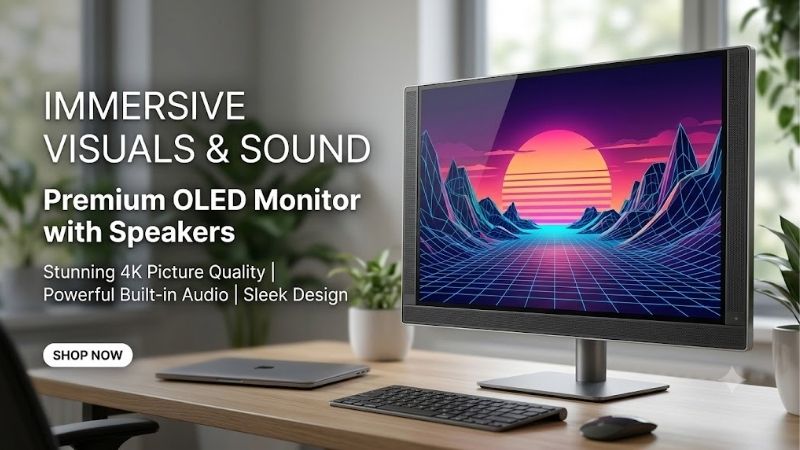
Quick answer: For most people in 2026, the best oled monitor with speakers is the LG UltraGear 32GS95UE-B — our #1 rated choice. See the full ranked comparison, alternatives and buying advice below.
How to Choose an OLED Monitor With Built-In Audio
This oled monitor with speakers guide compares actual audio hardware, screen dimensions, refresh capabilities, and connection needs. Recommendations follow published specifications rather than claimed listening tests. Each selection has a defined purpose, so your choice reflects both integrated audio and everyday display requirements.
Audio Hardware and Listening Priorities
Speaker wattage describes electrical output, not dialogue clarity, bass extension, or distortion at your preferred volume. Enclosure design and driver placement also influence results. A dedicated woofer is meaningful hardware, but its presence cannot establish better sound than every rival without comparable listening measurements.
For substantial integrated audio hardware, ASUS ROG Swift OLED PG42UQ provides two 10W speakers and a separate 15W woofer. LG UltraGear 32GS95UE-B takes a different approach with Pixel Sound and front-facing audio. Choose the ASUS for its dedicated woofer, or the LG for a regular desk where a huge screen would not fit.
Screen Size and Viewing Distance
A screen that dominates your field of view can enhance gaming immersion while complicating work when you sit close. Measure available width and depth before automatically prioritizing oversized alternatives. A 42-inch-class display requires different placement from a 27-inch screen, despite equivalent external-speaker convenience.
Choose Gigabyte AORUS FO27Q2 for a conventional 27-inch gaming desk, or ASUS ROG Swift OLED PG42UQ when your gaming desk has enough room. The ASUS measures about 36.7 inches wide with its stand. Its standard stand lacks height adjustment, making careful screen placement more important than with compact AORUS alternatives.
Resolution and Refresh Rate
Resolution establishes image detail and graphics workload, while refresh rate determines how often new frames can appear. A 4K display demands more graphics power than 1440p at comparable settings. OLED’s rapid pixel transitions do not remove that rendering burden, so match display capabilities with sustainable gameplay performance.
For accessible high-refresh 1440p gaming, choose Gigabyte AORUS FO27Q2 at 240Hz. For 4K detail with a separate 1080p 480Hz gaming mode, choose LG UltraGear 32GS95UE-B. Resolution decreases at maximum refresh, so decide which native picture you actually prefer instead of treating both modes as equivalent visual experiences.
Connections and Shared-Computer Use
Digital video connections and USB functions solve different problems. A USB hub connects peripherals, while a KVM lets two compatible computers share a keyboard and mouse. USB-C charging deserves separate attention: video compatibility cannot guarantee sufficient charging for demanding gaming laptops. Check power requirements.
Gigabyte AORUS FO32U2 offers KVM functionality and USB-C video with up to 18W power delivery. That combination suits a shared-computer desk, but the charging allowance is modest for laptops. Choose it for peripheral switching and 4K workspace, using a separate charger when needed rather than assuming it replaces a full docking station.
Top Picks
The oled monitor with speakers shortlist below separates balanced gaming, conditional value, large-screen entertainment, and shared-computer use. Every recommendation includes actual integrated speakers. Best Value depends on the current checkout price; the audio comparison identifies hardware differences without fabricated listening comparisons.
| Product | Best For | Key Spec | Watch Out For |
|---|---|---|---|
| LG UltraGear 32GS95UE-B | Best Overall | 32-inch; 4K 240Hz; Pixel Sound with woofer support | 480Hz mode reduces resolution to 1080p |
| Gigabyte AORUS FO27Q2 | Best Value | 27-inch; 1440p 240Hz; dual 5W speakers | Less workspace than 4K models; no dedicated woofer |
| ASUS ROG Swift OLED PG42UQ | Large-Screen Entertainment | 41.5-inch viewable; 4K; dual 10W speakers plus 15W woofer | Fixed-height stand; 138Hz maximum is overclocked |
| Gigabyte AORUS FO32U2 | Shared-Computer Desks | 31.5-inch; 4K 240Hz; dual 5W speakers; KVM | USB-C charging limited to 18W |
LG UltraGear 32GS95UE-B: Best Overall
LG UltraGear 32GS95UE-B earns Best Overall by combining a 32-inch 4K 240Hz OLED display with Pixel Sound. LG specifies integrated front-facing audio with woofer support, differentiating this oled monitor with speakers from silent alternatives. It suits gamers seeking everyday game audio without extra boxes on the desk.
Its display advantage involves dual-mode flexibility, including 1080p at 480Hz for compatible PCs. The compromise is less detail spread across a large screen. Pixel Sound also does not establish home-theater performance by itself. Buy for balanced screen features and integrated audio without unverified acoustic claims.
Gigabyte AORUS FO27Q2: Best Value
Gigabyte AORUS FO27Q2 is Best Value when substantially discounted against larger alternatives. This oled monitor with speakers combines a 27-inch 2560 x 1440 QD-OLED panel, 240Hz refresh, and two 5W speakers. It fits buyers who want compact OLED gaming and convenient audio without expensive 4K-oriented hardware upgrades.
Lower graphics demands are the practical benefit when prioritizing refresh performance over maximum desktop detail. Its limitation is reduced workspace and resolution versus the 32-inch 4K models. The dual 5W setup also lacks the ASUS’s separate woofer. With comparable checkout pricing, ask whether you still prefer the smaller screen.
ASUS ROG Swift OLED PG42UQ: Best for Large-Screen Entertainment
ASUS ROG Swift OLED PG42UQ is Best for Large-Screen Entertainment, combining a 41.5-inch viewable 4K WOLED panel with two 10W speakers and a 15W woofer. This oled monitor with speakers suits spacious desks and more distant seating. Its maximum 138Hz refresh is overclocked, distinguishing its priorities from compact 240Hz alternatives.
A dedicated woofer gives this model the clearest bass-focused hardware in this group, without proving superior sound universally. The real drawback is placement: its wide body and fixed-height stand can overwhelm ordinary workstations. Choose it when large-screen immersion takes priority over maximum refresh and compact workstation ergonomics.
Gigabyte AORUS FO32U2: Best for Shared-Computer Desks
Gigabyte AORUS FO32U2 is Best for Shared-Computer Desks, providing a 31.5-inch 3840 x 2160 QD-OLED panel at 240Hz with dual 5W speakers. This oled monitor with speakers adds a built-in KVM, simplifying peripheral sharing between compatible computers. It prioritizes detailed workspace and connection versatility over specialized audio hardware.
USB-C video and the USB hub support a more organized desk, but 18W power delivery is a substantial laptop-charging limitation. Its audio setup also omits a dedicated woofer, unlike ASUS. Confirm the exact model code: FO32U2P has a different set of connections, so its charging and DisplayPort claims are not interchangeable.
Frequently Asked Questions
Buying an oled monitor with speakers raises questions beyond simple audio playback. Audio expectations, signal routing, console support, and permanent image retention can all change the recommendation. These answers address everyday ownership, including when integrated speakers are sufficient and when a separate sound system still makes sense.
Are Built-In Speakers Good Enough for Gaming?
Built-in speakers can be enough for casual gaming, videos, and ordinary dialogue, but they are not automatically ideal for competitive positioning or bass-heavy entertainment. Small enclosures limit how much bass speakers can produce. Speaker power figures alone cannot predict stereo imaging, usable loudness, or clarity during complex gameplay.
Use the retailer’s return window to evaluate familiar dialogue and games at your normal seating position. Listen for distortion and whether speech stays clear at normal volume. If precise directional cues matter, headphones may still be preferable; buying integrated speakers does not preclude specialized listening equipment.
Can HDMI and DisplayPort Carry Speaker Audio?
Yes, HDMI and DisplayPort can carry audio alongside video to a compatible monitor. The computer must select the monitor as its sound output, and the monitor’s speaker volume must be enabled. A picture appearing correctly does not guarantee correct routing instead of previously selected headphones or alternative playback devices.
If sound is missing, choose the monitor in your system’s sound settings, check both system and monitor mute controls, and test another application. Adapters or docks may introduce additional compatibility limits. A USB data connection alone does not necessarily replace the HDMI or DisplayPort audio path on these recommendations.
Can You Use These Monitors With a Console?
Yes, these monitors can connect to modern consoles through HDMI, and the built-in speakers can play the incoming audio. HDMI 2.1 inputs on these selections provide modern-console connectivity flexibility. However, console output tops out at 120Hz in supported games, so the higher PC refresh rates cannot enable 240Hz console operation.
For native 4K console presentation, prioritize LG, FO32U2, or ASUS rather than 1440p FO27Q2. On PG42UQ, use an HDMI 2.1 input for higher-bandwidth modes rather than either HDMI 2.0 port. Verify your desired resolution, HDR, and variable-refresh combination; physical connectivity alone cannot guarantee comprehensive feature compatibility.
Does OLED Burn-In Matter for Everyday Desktop Use?
Yes, OLED burn-in matters when repeated static elements cause uneven pixel wear. Taskbars, dashboards, and persistent game interfaces deserve attention even with built-in protection features. Those tools reduce exposure without guaranteeing immunity. Built-in audio does not change the panel’s underlying maintenance requirements.
Leave panel-care functions enabled, follow scheduled maintenance instructions, and set the display to sleep when idle. Before buying, verify explicit US burn-in coverage and seller eligibility. For an all-day static dashboard, ask whether an LCD fits that workload better; varied games and video represent different exposure patterns.
Final Thoughts
An oled monitor with speakers should simplify your desk while fitting your normal viewing habits. Choose 32GS95UE-B for balanced 4K gaming, FO27Q2 for compact value, PG42UQ for large-screen audio hardware, or FO32U2 for shared-computer flexibility. Check the final price, physical fit, and audio performance from your usual seating before committing.
Ready to decide? Our #1 pick for 2026 is the LG UltraGear 32GS95UE-B.
Live price & availability on Amazon.









