In the lacie ssd vs samsung t7 comparison, pick the standard 2TB T7 if you want built-in password protection or cables for both USB-C and USB-A. Choose the 2TB LaCie Portable SSD if you prefer its lighter body and can confirm Rescue coverage. Both have the same advertised peak speeds, so compare features and price first.
LaCie SSD vs Samsung T7: The quick verdict
The standard Samsung T7 is the more practical choice for a drive that moves among computers with different ports, especially if you will use its optional password protection. The LaCie Portable SSD makes sense for a USB-C-first kit when you value a lighter enclosure and the option of an eligible data recovery service.
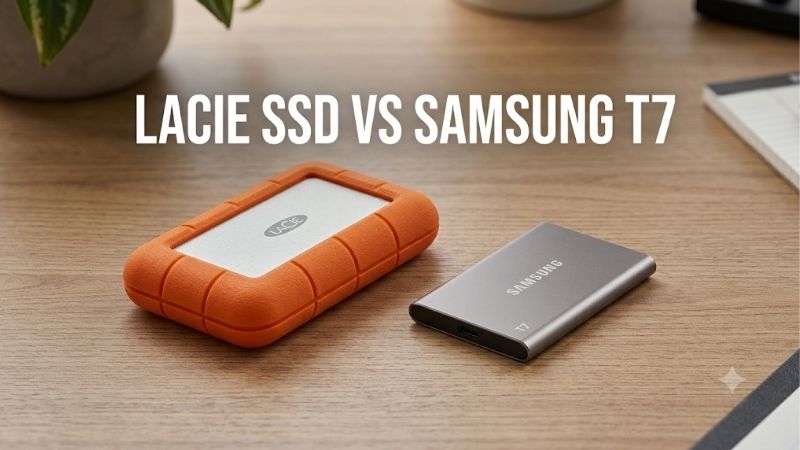
This comparison uses the silver LaCie Portable SSD 2TB STKS2000400 and the gray Samsung Portable SSD T7 2TB MU-PC2T0T/AM. The LaCie is the later 10Gbps Portable SSD. The Samsung is the standard T7. If the listing shows a T7 Shield, T7 Touch, LaCie Rugged drive, or another model number, use that product’s specifications before applying the verdict. In particular, an older LaCie drive sold under the same Portable SSD name belongs to a slower generation.
Side-by-side specifications
Both models use a USB-C connector and a 10Gbps USB interface. They ship formatted for Mac and Windows file exchange, and their manufacturers publish the same maximum sequential read and write speeds. The differences in the table matter when you need to plug into an older PC, protect data in transit, or recover files after a failure.
| Feature | LaCie Portable SSD 2TB | Samsung Portable SSD T7 2TB |
|---|---|---|
| Model | STKS2000400 | MU-PC2T0T/AM, gray US SKU |
| Interface | USB 3.2 Gen 2, 10Gbps | USB 3.2 Gen 2, 10Gbps |
| Advertised sequential read and write | Up to 1,050 MB/s read and 1,000 MB/s write | Up to 1,050 MB/s read and 1,000 MB/s write |
| Factory file system | exFAT | exFAT |
| Included data cables | USB-C to USB-C | USB-C to USB-C and USB-C to USB-A |
| Approximate enclosure weight | 45 g | 58 g |
| Published drop claim | Up to 2 meters | Up to 2 meters |
| Password protection | Consider OS-level encryption if your workflow supports it | Optional password protection with AES 256-bit hardware encryption |
| Warranty and recovery | Three-year limited warranty. Rescue listed subject to eligibility | Three-year limited warranty |
The weights exclude the cable and any pouch or adapter you carry. Drop claims are manufacturer figures and do not establish identical test conditions. Treat them as a guide to ordinary travel use, and look for a documented ingress rating if rain, splashes, or dust are part of the job.
Speed and sustained transfers
The shared peak figures describe favorable sequential workloads, such as moving a large contiguous file through a fast port. A real transfer also depends on the source drive, the destination, the cable, and how long the write runs. Those factors matter more than the badge on the enclosure when the two drives share a 10Gbps interface.
LaCie SSD vs Samsung T7 in everyday file copies
For a few video clips, a project export, or a folder of recent photos, either drive can handle the job. A 10Gbps USB connection gives both a chance to approach their published peak on favorable transfers. A slow source, a 5Gbps dock port, or many small files can make the same copy take longer on either drive.
Consider a photographer copying a card through a reader. The reader and card have to supply the data before the SSD can write it, so a faster destination may sit idle waiting for the source. When you copy from fast internal storage, the external connection and SSD become more important. A directory full of small sidecar files and previews also needs more individual file operations than one large video of the same total size. A peak sequential number says little about that difference.
Check the link from end to end. A USB-C cable may be rated only for charging and basic data. A USB-C port on a dock can also support a different speed from the port on your laptop. Start with the supplied cable and a documented 10Gbps or faster host port. If performance looks unusually low, repeat the same copy directly on the laptop. That tells you whether the dock is worth investigating before you decide the drive itself is slow.
Long writes are a separate test
Portable SSDs can write quickly at first using a fast cache, then slow down once a sustained copy exceeds it. That transition matters when you empty several memory cards, ingest a full shoot, or clone hundreds of gigabytes. A brief benchmark can miss what happens in the second half of a long job.
In its 2TB T7 test, Tom’s Hardware recorded a clear slowdown after the drive’s fast-write cache filled. Macworld also observed a lower sustained write rate in a long transfer on the 2TB 10Gbps LaCie Portable SSD. The publications used separate test setups, so these results demonstrate why both drives can slow during long writes. They do not establish which one will finish your workload first. If ingest time affects deadlines, compare drives using the same host, port, file set, and approximate free space.
Use the type of copy you actually perform. If you usually offload footage directly from a card reader, test with the card and reader. If you consolidate footage from internal storage onto a portable drive, copy a folder representative of that full job and time it through completion. Include time spent waiting for any backup or verification step you need before clearing the card.
Editing from either SSD depends on the project
For an editor choosing between these drives, the useful question is whether the disk can keep up with the total media bitrate and the application’s other reads and writes. One stream of compressed footage and several high-bitrate streams with cache files are different workloads, even if both projects use the same resolution.
If playback stutters, compare a short section of the timeline from your internal drive. If both locations stutter in the same way, investigate decoding, effects, or proxy settings. If the internal copy plays smoothly and the external one struggles, check the connection and try keeping previews or scratch files on the internal SSD. Either 10Gbps model can make sense as a portable media drive, but a project that pushes past this interface calls for a faster drive and a compatible host.
Compatibility, formatting, and cables
Both drives ship with exFAT, a practical default for handing the same files between Mac and Windows. Start by identifying where you need to write, read, and restore files. If that list includes a phone, tablet, or managed work computer, verify it with a sample copy before making the SSD part of your only backup routine.
Mac and Windows file sharing
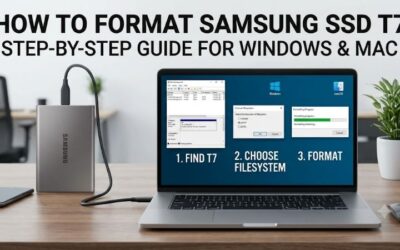
Leave the drive in exFAT if you frequently move folders between a Windows desktop and a Mac. There is no setup benefit in erasing a new drive that already uses the file system you need. Plug it in, copy a small folder, eject the drive, and open the folder from the other computer before putting a full project on it.
The T7 includes a USB-C to USB-A cable, which is useful if a desktop or office PC has a fast USB-A port but no free USB-C port. The LaCie includes a USB-C cable. If one of your machines only has USB-A, check the price and data rating of the extra cable or adapter. This can affect the real cost of the purchase and the speed you can expect.
For a dedicated Time Machine disk, follow Apple’s current setup guidance. Apple prefers APFS or APFS Encrypted for new Time Machine destinations. A drive prepared for that purpose serves a different workflow from an exFAT shuttle disk. Before changing any file system, make a separate copy of the files already on the SSD and verify that it opens.
iPhone and iPad use
For a phone or tablet, confirm three things before relying on either drive away from home. Check the device’s port, make sure the SSD gets enough power, and verify that the full storage volume appears in Files. A cable that works for charging can still be unsuitable for a large file transfer.
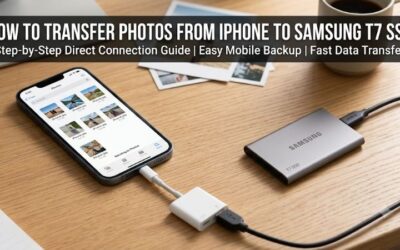
Apple documents external-drive access through Files on compatible devices. A USB-C connection is the straightforward starting point. On a Lightning iPhone such as the iPhone 14, a powered Lightning to USB 3 Camera Adapter is the relevant direct-storage route. For either drive, if the volume disappears or a large copy repeatedly stops, try a stable powered connection or transfer through a computer.
If you plan to use a T7 on a phone, test it in the exact security state you intend to use. The Samsung password workflow can require compatible software to unlock the storage. A phone seeing the drive in Files is useful only if the full data volume is accessible. For a mixed-device workflow, decide in advance whether you need direct access from the phone or prefer to keep the T7 locked and transfer through a computer.
Security, recovery, and travel
The T7 offers a way to limit access if you lose the drive. LaCie advertises a service that can attempt to retrieve data from an eligible drive after a failure. These address different problems. Choose based on which problem you are trying to solve and how the drive will be used by the people who receive it.
Choose the T7 when password protection fits the workflow
Samsung’s optional password mode is useful if the SSD carries personal records or client material and the computers that use it support the unlock process. Enable it before loading sensitive files, then disconnect the drive and confirm you can unlock it again on each machine that needs access.
Keep the password somewhere independent of the drive. If you forget it, Samsung’s reset route erases the data, so a password-protected T7 still needs a separate backup. A shared workstation may block installing utilities, and a collaborator may need to open the SSD under a different account. In either case, verify the exact workflow before counting on password mode during a handoff.
If you prefer the LaCie and need encryption, choose an operating-system or application-level option that all intended users can open. For instance, an encrypted Apple file system can fit a Mac-only archive. That same format can complicate an exchange with a Windows PC. Test restoration or unlocking on another compatible machine before treating the archive as complete.
Choose LaCie when verified Rescue coverage matters
LaCie’s published product material lists Rescue Data Recovery Services. If that benefit affects the purchase, confirm eligibility for the unit and the region, especially with used, refurbished, imported, or old-stock drives. The seller’s description is less useful here than the manufacturer’s confirmation for the exact device.
A limited warranty and data recovery serve separate purposes. A replacement drive can resolve a hardware claim, while recovery services evaluate whether files can be retrieved. An eligible claim may involve sending the SSD to a lab, and successful recovery is uncertain. If you need the files for tomorrow’s deadline, a second readable copy is what lets you continue working while the original drive is being evaluated.
Pick an enclosure for the environment you work in
The LaCie is about 13 grams lighter. That is a small difference in a laptop bag, but it can matter if the drive rides on a compact camera rig or lives in a very small pouch. For most people, a secure cable and a place to store the drive matter more than that weight difference.
The two-meter drop claims are useful context for normal handling. Neither product page establishes an ingress rating for the exact standard model compared here. If you need a documented rating for dusty sites or outdoor shoots, compare exact rugged models separately. Samsung sells the T7 Shield, and LaCie sells the Rugged SSD4 with a different interface and ingress protection. Their specifications should stay separate from the two drives in this comparison.
Price, capacity, and the final buying decision
Compare new US listings for the two exact 2TB models before ordering. Use the full delivered price, including any extra data cable, shipping, and tax. Then check the return policy and confirm any recovery benefit that matters to you. A comparable price is useful only if the capacity and purchase conditions also match.
Decide what is worth paying extra for
If you mainly move photos or project folders between computers, pick the lower delivered price once you know both drives fit your ports. If they are close in price, the T7’s included USB-A cable and optional password mode can save you a separate purchase or a more involved encryption setup.
Pay extra for the LaCie only if the lighter enclosure or confirmed recovery coverage has a concrete role in your workflow. For example, someone who already has a separate backup and travels with a compact USB-C editing kit may value both. If neither matters and the T7 costs less, the equal advertised speed gives you little reason to pay more for the LaCie.
Size the SSD for active work and a second copy
Estimate what the drive needs to hold at the busiest point of a project. Include source footage, the exports you need to deliver, and any scratch files or proxies that will live on the same disk. If a typical project barely fits, you can fill the drive again before the prior one is ready to archive.
If you already own a working 2TB T7 or the 10Gbps LaCie, keep it unless you can name a limitation you need to fix. A new drive with the same headline throughput may do little for copy times on the same host. Buying a second drive for independent copies can solve a more concrete problem. If time is the issue, check whether the computer, cable, and source drive can support a faster storage tier before paying for one.
Check the drive during the return window
A small trial can catch a bad cable, a blocked unlock utility, or a file-system choice that limits where you can use the drive. Start with the computers and adapters you actually travel with. Copy both a large video and a folder of small files, then eject and reconnect the SSD before checking the results.
Open the folder on the second computer and copy a file back to internal storage. If the drive is for client delivery, confirm that another user can read it with the access method you plan to provide. For a backup, restore at least one representative folder rather than checking only that its name appears in the file browser.
If a transfer fails on one connection, try a direct port and the supplied cable. If it fails across machines after that, retain the original files and use the seller’s return or exchange process while it is available. This exercise is more informative for your own setup than buying either drive based on its peak rating.
Final verdict
Choose the Samsung T7 2TB for mixed USB-C and USB-A use or if you need its optional password mode. Choose the LaCie Portable SSD 2TB if the lighter build and confirmed Rescue coverage matter to you. For ordinary copies, compare delivered prices and keep a second copy of important files, whichever drive you buy.