Is an external ssd worth it in 2026 if your laptop is full or transfers interrupt work? Yes, for active projects, portable storage, and frequent transfers. It offers less value for rarely accessed archives where capacity matters most. Buy for a specific workload, and maintain an independent backup of irreplaceable files.
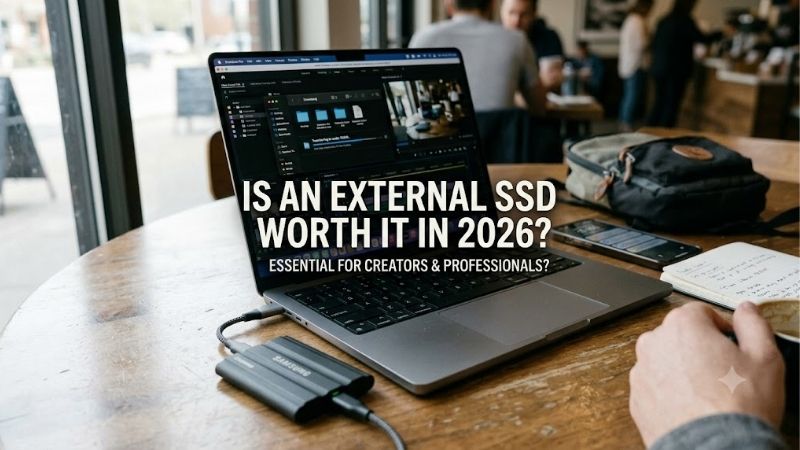
Quick answer: Our top pick in 2026 is the Samsung T7 Shield — our #1 rated choice. See the full ranked comparison, alternatives and buying advice below.
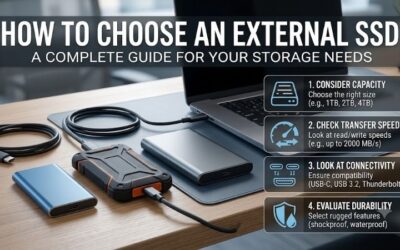
How to Choose an External SSD
This review answers “is an external ssd worth it in 2026” through four purchasing checks and four real models. It explains where faster portable storage saves time, where slower storage suffices, and which specifications match your computer. Recommendations reflect documented features rather than invented hands-on benchmarks.
Match Your Workload
An external SSD earns its price through frequent access, not simply ownership. Editing project files, moving camera footage, and carrying a working library expose its advantages more often than annual archiving. However, higher cost per terabyte can make spinning hard drives sensible for large infrequently accessed collections.
If your archive changes infrequently, compare capacity costs before purchasing. For daily document transfers and portable backups, a basic SSD tier is easier to justify than premium interface speed. Consider the Kingston XS1000 when pricing undercuts protected alternatives and your workload does not require outdoor durability.
Verify USB Compatibility
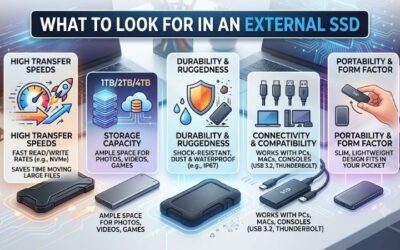
Connection specifications determine whether a faster purchase produces faster transfers. USB-C describes the connector, while the host controller and cable determine supported data rates. A 20Gbps drive attached to a slower port cannot deliver maximum interface performance, so verify your computer’s documentation before paying for headline speed.
Ask “is an external ssd worth it in 2026” after checking the host interface. A 10Gbps model is practical for everyday transfers, while Gen 2×2 makes higher-rated storage useful for demanding transfers. Choose the Samsung T7 Shield for the former, or the Samsung T9 when confirmed USB 3.2 Gen 2×2 compatibility supports the upgrade.
Budget for Capacity
Capacity should cover existing files and growth without exhausting your budget. Measure your intended folders before ordering, especially if video projects or game installations dominate. Extra capacity reduces housekeeping, but it cannot compensate for buying an unnecessary performance tier or leaving important files unprotected.
Start around 1TB for a moderate portable collection, then consider 2TB or more when current files approach capacity. Displayed usable space differs from advertised capacity because of formatting and measurement conventions. The Samsung T9 offers 1TB, 2TB, and 4TB choices for buyers needing capacity alongside faster-interface support.
Choose Appropriate Protection
Portable storage faces different hazards from stationary equipment. Dust-and-water resistance can justify additional enclosure cost during outdoor work or exposed transport. Ratings describe controlled testing rather than universal survival. A protected housing also adds bulk, so minimalist packing and environmental resistance involve tradeoffs.
For “is an external ssd worth it in 2026,” durability depends on transport conditions. The Samsung T7 Shield provides IP65 protection, while the Crucial X9 Pro combines IP55 protection with a smaller footprint. Neither permits underwater use. Choose the T7 Shield for stronger dust protection, or the X9 Pro for compact protected travel storage.
Top Picks
The answer to “is an external ssd worth it in 2026” becomes clearer when each model has a defined purpose. These picks cover balanced ownership, price-conscious indoor use, compact travel, and supported high-speed transfers. Advertised sequential speeds are ceilings under suitable conditions, rather than guarantees for every workload.
| Product | Best For | Key Spec | Watch Out For |
|---|---|---|---|
| Samsung T7 Shield | Best Overall | Up to 1,050 MB/s reads; IP65 | Heavier and bulkier than compact alternatives |
| Kingston XS1000 | Best Value | Up to 1,050 MB/s reads; 28.7 grams | No advertised IP dust-and-water rating |
| Crucial X9 Pro | Best For Compact Travel | Up to 1,050 MB/s reads and writes; IP55 | Limited to the 10Gbps interface tier |
| Samsung T9 | Best For Large Transfers | Up to 2,000 MB/s reads; USB 3.2 Gen 2×2 | Peak performance requires compatible 20Gbps hardware |
Samsung T7 Shield: Best Overall
The Samsung T7 Shield is the best overall recommendation for buyers combining transfers with travel. Samsung advertises sequential reads up to 1,050 MB/s and writes up to 1,000 MB/s through USB 3.2 Gen 2. IP65 protection supplies a practical ownership benefit without making a specialized 20Gbps host necessary for rated performance.
Its drawback is physical size against smaller alternatives: the housing weighs about 98 grams and occupies more pocket space than compact competitors. That tradeoff suits protection-focused buyers over minimalist travelers. Choose it for mixed home-and-travel duties, rather than expecting the highest interface performance available here.
Kingston XS1000: Best Value
The Kingston XS1000 takes the best value role when its same-capacity price undercuts protected alternatives. Kingston specifies reads up to 1,050 MB/s, writes up to 1,000 MB/s, and a weight of 28.7 grams. Its compact construction makes document transport and indoor backups convenient without requiring a large protective housing.
For buyers asking “is an external ssd worth it in 2026,” the XS1000 is compelling when portable storage meets requirements. Its downside is the absence of an advertised IP dust-and-water rating. Treat it as an indoor-first option and avoid assigning rugged duties to a model whose strengths include compactness and potential savings.
Crucial X9 Pro: Best for Travel
The Crucial X9 Pro is the best for compact travel storage, combining a 65-by-50 mm footprint with IP55 resistance. Crucial advertises sequential reads and writes up to 1,050 MB/s. Those specifications suit photographers and mobile workers seeking compact protected project storage, rather than buying a larger housing for ruggedness.
Its advantage is pocketable protection; its limitation is the 10Gbps interface tier. A supported 20Gbps computer can justify a faster alternative for repetitive large transfers. Choose the X9 Pro when packing space matters and ordinary USB performance is sufficient, especially when larger enclosures compromise everyday portability.
Samsung T9: Best for Large Transfers
The Samsung T9 is the best for large transfers on a verified USB 3.2 Gen 2×2 host. Samsung rates reads up to 2,000 MB/s. Advertised writes reach up to 1,950 MB/s for the 1TB and 2TB versions, or 2,000 MB/s for the 4TB model. That faster interface provides meaningful upgrade value when host compatibility and workload align.
Its weakness is purchasing efficiency on unsupported hardware: a slower connection prevents access to the full advertised interface performance. Establish compatibility before buying this tier. Choose the T9 for a verified transfer workflow, rather than expecting premium storage alone to accelerate inadequate source storage or routine backups.
Frequently Asked Questions
When evaluating “is an external ssd worth it in 2026,” check ownership questions before ordering. Gaming gains, filesystem support, performance variation, and backup arrangements can change the answer more than a higher speed rating. These answers separate useful upgrades from assumptions encouraging overspending or storage misunderstandings.
Will It Increase Gaming FPS?
No, an external SSD does not automatically increase gaming frame rates. Its main gaming benefit is storage access, including faster loading against mechanical storage when the connection and game permit. Frame rendering still depends mainly on the processor, graphics hardware, and game settings rather than maximum sequential specifications.
The answer to “is an external ssd worth it in 2026” can still be yes for gamers with crowded internal storage. It supports compatible PC game libraries without hardware disassembly. Console rules differ: verify whether individual games support USB storage or require copying back to approved internal or expansion storage before playing.
Can Windows and Mac Share It?
Yes, one external SSD can serve Windows and macOS when its filesystem supports both systems. ExFAT is a common option for shared documents and media. Dedicated backup applications may require a different format, so distinguish cross-platform file exchange from operating-system backup duties before deciding the intended configuration.
Changing the filesystem erases existing contents, so preserve important files elsewhere before formatting. Select the correct destination in a supported utility and verify intended usage. Separate drives can simplify mixed requirements when shared storage and dedicated backups require different configurations or retention schedules.
Why Are Transfers Slower Than Advertised?
No, results below the advertised ceiling do not automatically indicate defective storage. Transfer performance depends on the entire path, including source performance, connection, and workload. Thousands of small files produce a different workload from a sequential benchmark, so ordinary folder copies require assessment beyond peak specifications.
Evaluate consistent large-file transfers through a supported direct connection before comparing drives. If source throughput is inadequate, the destination cannot demonstrate maximum capability. Long transfers can also differ from brief tests, making sustained-workload evidence more useful than short benchmarks for demanding production workloads.
Does Moving Files Create a Backup?
No, moving files onto an external SSD does not create a backup after deleting originals without preserving redundancy. Portable storage can fail or suffer accidental deletion regardless of housing protection. Maintain independent recoverable copies of important files, treating the drive as storage rather than comprehensive recovery protection.
Use an established backup process and periodically test restoration to confirm recoverability. Safely eject the drive after transfers finish, and track current working-version locations. Hardware warranty coverage addresses qualifying device problems; it should not be interpreted as a guarantee of successful photograph or project recovery.
Final Thoughts
So, is an external ssd worth it in 2026? Yes, when frequent access or portability improves productivity. Choose T7 Shield for balanced use, XS1000 for indoor value, X9 Pro for compact travel, or T9 for verified 20Gbps transfers. For bulk archives, compare hard-drive costs first, and maintain independent backups regardless of storage format.
Ready to decide? Our #1 pick for 2026 is the Samsung T7 Shield.
Live price & availability on Amazon.