
A budget gaming monitor under 100 should give you a useful native resolution, a refresh mode your computer can actually drive, and a verified price that leaves room for necessary accessories. Our starting recommendation is the Acer KB242Y G0BI at its observed $79.99 US sale price, with a 23.8-inch Full HD IPS panel and 120Hz support through HDMI. The Philips 221V8LB3S and AOPEN 27SA2 EBI serve different preferences for compact VA or larger IPS gaming. All prices here exclude tax and shipping.
- Quick verdict: Which budget gaming monitor under 100 fits your games?
- Quick comparison table
- How we selected the shortlist
- Acer KB242Y G0BI: Our balanced recommendation
- Philips 221V8LB3S: For compact gaming with adaptive sync
- AOPEN 27SA2 EBI: For larger-screen casual gaming
- Match the recommendation to your playstyle
- Buying guide: Choosing a budget gaming monitor under 100
- Frequently asked questions
- Final verdict
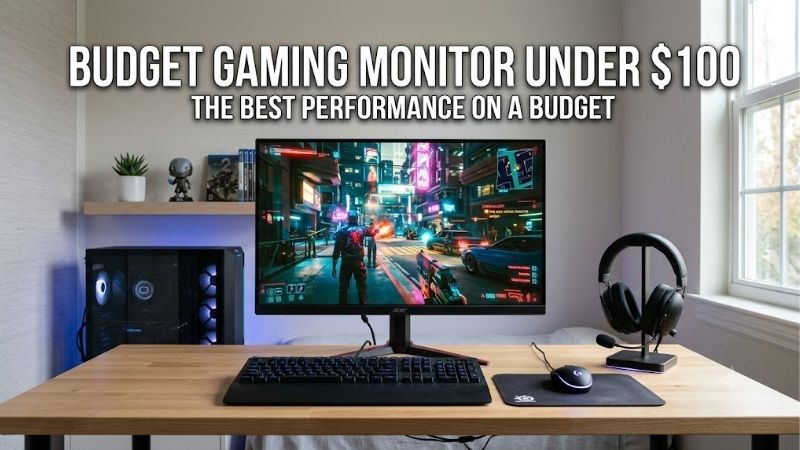
Quick answer: Our top pick in 2026 is the Acer KB242Y G0BI, UM.QK2AA.003 — our #1 rated choice. See the full ranked comparison, alternatives and buying advice below.
Quick verdict: Which budget gaming monitor under 100 fits your games?
Choose the Acer KB242Y G0BI for a mixed gaming and everyday desktop setup. It offers the most balanced combination in this shortlist: a conventional 23.8-inch screen, IPS, native 1080p, and documented 120Hz HDMI operation.
Choose the Philips 221V8LB3S when you want a smaller desktop display at a lower observed purchase price. Its 21.5-inch VA panel supports adaptive sync, with a maximum 120Hz mode that Philips identifies as an overclock.
The AOPEN 27SA2 EBI suits players who prefer a larger image for relaxed gaming. Its 27-inch IPS panel retains 1080p resolution and offers 100Hz plus documented FreeSync support.
These are practical lower-cost candidates, not tested esports champions. Their refresh specifications do not prove identical motion clarity, input latency, or performance in your favorite game.
Only three models are recommended because their exact specifications and qualifying offers could be established responsibly. Portable productivity screens and unresolved high-refresh listings were not added simply to lengthen the roundup.
Quick comparison table
Prices were observed on October 14, 2026, for new products from US sellers. Sale offers can expire. Confirm the exact model, stock, and delivered total before purchasing.
| Model | Observed product price | Screen and panel | Native resolution | Refresh specification | Sync evidence | Main trade-off |
|---|---|---|---|---|---|---|
| Acer KB242Y G0BI, UM.QK2AA.003 | $79.99 sale, Acer US Store | 23.8-inch IPS | 1920 × 1080 | 120Hz through HDMI; 75Hz through VGA | Not established from the retrieved exact-model listing | Simple stand and no DisplayPort or USB-C listed |
| Philips 221V8LB3S | $69.99, B&H Photo Video | 21.5-inch VA | 1920 × 1080 | Up to 120Hz over HDMI with overclock enabled | Manufacturer lists adaptive sync | Smaller screen; maximum refresh requires overclock mode |
| AOPEN 27SA2 EBI, UM.HS2AA.E07 | $89.99 sale, Acer US Store | 27-inch IPS | 1920 × 1080 | 100Hz | Manufacturer lists AMD FreeSync | Lower pixel density than smaller 1080p screens |
The price limit applies to the monitor itself. Tax, shipping, audio equipment, adapters, and optional mounts can raise the total above $100. Missing evidence of a feature is not treated as proof that the feature is absent.
How we selected the shortlist
A model needed an identifiable configuration, an observed new-product US offer below $100, and manufacturer documentation supporting its defining specifications. We prioritized native 1080p and refresh capability above basic 60Hz for this gaming-focused brief.
The recommendations separate a balanced compact IPS screen, a smaller VA option with adaptive sync, and a larger IPS display for relaxed play. They are based on documented capabilities and practical fit.
We did not conduct hands-on tests or measure response behavior. Consequently, no claims are made about which monitor has the lowest tested input lag, the cleanest overdrive, or the best motion handling.
Price eligibility was checked against specific offers rather than old deal articles. If a qualifying sale ends, reassess the model before treating it as an under-$100 purchase. A familiar name alone is not evidence that the current listing meets the budget.
Acer KB242Y G0BI: Our balanced recommendation
The Acer KB242Y G0BI, part number UM.QK2AA.003, provides a 23.8-inch IPS panel with native 1920 × 1080 resolution. Acer specifies 120Hz through HDMI and 75Hz through VGA.
Its appeal is combining a conventional desktop size with refresh headroom at an observed price below the limit. It is our starting candidate for someone who plays games but also needs a screen for schoolwork, browsing, and office applications.
HDMI is the relevant connection for 120Hz. Acer lists an HDMI cable in the package, plus tilt adjustment and 100 × 100mm VESA compatibility.
Buy if you want a general-purpose 1080p main screen and can use HDMI. Skip if verified variable refresh support is a nonnegotiable requirement; the retrieved exact-model listing did not establish it. The Philips and AOPEN provide documented sync alternatives.
Also skip if you need DisplayPort or USB-C from the monitor itself. Buying an adapter should be considered part of the budget, with its supported signal modes checked separately.
The listing’s response-time headline is not a measured gaming verdict. Set expectations around the documented screen format and refresh capability, then assess actual motion during the return period.
Philips 221V8LB3S: For compact gaming with adaptive sync
The Philips 221V8LB3S has a 21.5-inch VA panel and native Full HD resolution. Its model-specific manufacturer datasheet lists adaptive sync and a maximum 1920 × 1080 at 120Hz over HDMI using an overclock setting.
Its distinct role is offering a smaller desktop screen at the lowest observed product price in this shortlist. It can suit a compact setup where a physically larger panel is unnecessary.
Philips documents HDMI and VGA inputs, tilt adjustment, and 100 × 100mm VESA mounting. Use HDMI for the maximum specified mode rather than assuming VGA delivers the same capability.
Buy if small size, the lower price, and documented adaptive sync match your requirements. Skip if you specifically want IPS or do not want to rely on overclock mode for the highest refresh setting. The Acer is the larger compact IPS alternative.
If the image behaves abnormally after enabling overclock, Philips instructs users to disable that setting in the monitor menu. Evaluate it on the actual system instead of treating the maximum as an unconditional guarantee.
VA is a panel category, not a complete motion-performance result. No independently measured transition data was established here, so we do not rank this model as equal or superior to the IPS choices for every fast-moving scene.
AOPEN 27SA2 EBI: For larger-screen casual gaming
The AOPEN 27SA2 EBI, part number UM.HS2AA.E07, offers a 27-inch IPS panel, native 1920 × 1080 resolution, and a 100Hz refresh rate. Acer’s US Store also identifies AMD FreeSync support.
Choose it for the physical size rather than additional desktop pixels. A larger Full HD screen presents content across more area, which can be useful when viewing from farther away.
The trade-off is lower pixel density compared with smaller 1080p screens. At a close viewing distance, fine text and edges can appear less tightly defined.
Video inputs include HDMI and VGA. Verify the requirements for supported FreeSync operation with your graphics hardware and connection rather than extending the feature claim to every input.
Buy if a larger IPS image is the main priority for relaxed gaming. Skip if close-up desktop sharpness or the highest refresh ceiling in the shortlist matters more. The Acer KB242Y G0BI is the more compact alternative.
Measure the desk before ordering. The panel’s size, base, and normal seating position matter more than the attraction of a bigger number at a similar price. A display that crowds the keyboard or mouse is a poor fit even when it meets the product-price limit.
Match the recommendation to your playstyle
Fast multiplayer on a limited budget
For fast multiplayer, start by checking the frame rates your computer delivers consistently at 1080p. The Acer’s 120Hz HDMI capability offers additional updates beyond 60Hz without requiring a much larger screen.
However, refresh rate is only one part of a competitive display. Pixel transitions, overdrive artifacts, input delay, and frame pacing also affect the experience. Those characteristics were not measured in this guide.
If your main requirement is a verified high-performance esports screen, do not assume these specifications establish it. Keeping an existing monitor while saving for a better-documented option can be reasonable.
A higher refresh ceiling also cannot correct network problems or pauses from the game engine. Diagnose those before expecting the display purchase to resolve them.
Single-player, strategy, and relaxed sessions
For slower-paced games, physical screen size and readable interfaces may matter more than maximizing the refresh ceiling. The AOPEN can make sense when you want a larger presentation and have the desk space.
The Philips is an alternative when compact placement and its documented VA characteristics fit the room. Choose the panel based on actual priorities rather than a universal claim that one LCD category is better.
For detailed strategy interfaces, consider how comfortably you read text at the normal distance. All three have the same native pixel count, so a larger panel changes physical presentation rather than adding information.
Avoid increasing screen size solely because the price is close. The useful choice is the one that fits both the game interface and everyday desktop work.
Console gaming and shared devices
A PC-oriented 100Hz or 120Hz specification does not automatically establish every console’s supported mode. Check the exact console timing, game output, and monitor documentation.
A console game may run at a lower frame rate even when the display accepts a higher-refresh signal. Adaptive sync support also should not be assumed equivalent to every console VRR implementation.
Check audio separately. HDMI connectivity alone does not prove that the monitor has speakers or a convenient way to connect your preferred audio equipment.
If you share the monitor between a computer and console, plan how you will switch cables or inputs. These simple connection layouts may not provide the same convenience as displays with several digital video inputs.
Buying guide: Choosing a budget gaming monitor under 100
Separate the product limit from the checkout limit
This guide interprets the keyword as a monitor price below $100 before tax, shipping, and accessories. A strict all-in limit requires a separate checkout calculation.
For illustration, a $99.99 monitor with a hypothetical 8% sales tax would cost about $107.99 before any other charge. That is arithmetic, not a claim about your local rate.
Leave room for anything the setup lacks, including a cable, video adapter, or audio solution. An inexpensive monitor can become an over-budget system when those items are overlooked.
Do not rely on an unverified rebate or membership benefit to establish eligibility. The amount you are actually required to pay is the useful figure when the limit is firm.
Verify the exact model and condition
Monitor families can contain several revisions with different panels, refresh modes, connections, and stands. Match the complete suffix and manufacturer part number.
For the Acer and AOPEN selections, the part numbers in the comparison table identify the verified US offers. For Philips, confirm the 221V8LB3S designation rather than another similar V-series model.
Keep new, used, refurbished, and open-box prices in separate comparisons. The featured offers are new products; a lower used listing comes with different condition and support questions.
A generic image is insufficient evidence. Read the specification label and offer details before assuming a visually similar product is interchangeable.
Understand native resolution and physical size
All three choices use native 1920 × 1080 resolution. That is the resolution to start with for a clear desktop image.
A smaller panel has higher pixel density at the same resolution, while a larger one makes content physically bigger. Neither choice automatically improves the computer’s rendering performance relative to another native 1080p screen.
Choose the Acer for a conventional compact desk, the Philips for a smaller footprint preference, or the AOPEN for a larger picture.
If you mainly want extra workspace for applications, diagonal size alone will not deliver more native pixels. That requirement may justify waiting rather than buying a larger Full HD display that solves a different problem.
Check refresh modes and overclock labels
Acer documents 120Hz through HDMI and a lower maximum through VGA. Philips identifies its 120Hz ceiling as an overclock mode. AOPEN specifies 100Hz.
Those distinctions should survive the purchase process. A retailer headline that omits overclock wording does not change the manufacturer’s qualification.
After connecting, select the intended refresh rate in the operating system and verify the game’s display configuration. A supported screen can still remain at 60Hz if it is not configured.
If the highest mode is unstable, check the cable, adapter, output capability, and model instructions. Do not repeatedly force an unsupported timing simply because another monitor in the family accepts it.
Treat adaptive sync as a specific compatibility feature
Adaptive sync can coordinate display updates with frame delivery within a supported operating range. It can help reduce tearing, but it does not create frames or eliminate every stutter.
The Philips documentation lists adaptive sync, and the AOPEN documentation lists FreeSync. The retrieved exact Acer listing did not establish VRR, so this guide leaves that feature unconfirmed.
Check your GPU, connection, driver, and intended resolution. A broad product label is not enough to promise identical support on every graphics platform or console.
Do not infer G-SYNC certification from a FreeSync or adaptive-sync statement. Certifications and practical interoperability need their own evidence.
Do not rank monitors by one response-time number
Gray-to-gray measures pixel transitions, while MPRT concerns motion-picture persistence under particular conditions. The figures are not interchangeable.
A large refresh number and a small response-time claim can coexist with visible artifacts. Overdrive behavior can also change across refresh rates.
This shortlist therefore avoids invented claims of tested low latency or ghosting-free performance. Examine moving content during the return period and use the setting that looks best in your normal workload.
For gaming, compare clarity during camera movement rather than only how attractive a static image appears. Static brightness and color do not describe motion behavior.
Include stand, cables, and sound in the decision
At this spending level, simple ergonomics can be the practical limitation. Confirm whether the supplied stand positions the screen comfortably before budgeting for another mount.
If using an arm, verify the mounting pattern, weight range, and correct installation instructions. VESA compatibility does not mean an arm is included.
Check the actual package contents. The Acer lists an HDMI cable, but verify accessories for the exact offer and region on every selection.
Use existing headphones or speakers if they already meet your needs. Paying for missing audio hardware can consume the savings from a slightly cheaper display.
Evaluate the purchase during the return period
Test the native resolution, intended refresh, and normal game settings. If using supported variable refresh, confirm that it is enabled through the relevant controls.
Inspect text and image quality from your normal seating position. Check whether the size and stand work with the keyboard, mouse, and room lighting.
Review the seller’s return terms before ordering, including any shipping or restocking conditions. A low purchase price is less useful if correcting an unsuitable purchase becomes expensive.
Retain the packaging until the decision is settled. Assess the exact unit you received rather than assuming every sample matches promotional images or another owner’s experience.
Frequently asked questions
Is a 100Hz or 120Hz monitor worthwhile for casual gaming?
It can be when the system delivers enough frames and the display suits the desk. Additional refresh capability provides more update opportunities than 60Hz, but overall motion quality also depends on the panel and settings. A higher number alone does not prove a better experience.
Will these screens make my games run faster?
No. A monitor presents the output produced by the computer. Changing the game’s rendering resolution can affect workload, but replacing one native 1080p screen with another does not automatically improve FPS. Choose the display to match performance you can actually use.
Can I buy a 144Hz or 180Hz model below $100?
Such offers may exist, but the exact model, seller, condition, stock, and technical specifications need verification. This shortlist does not treat old deal posts or unresolved listings as current qualifying offers. Avoid choosing solely around an advertised refresh number.
Should I buy a used gaming monitor instead?
A used screen can provide different features within the same spending limit. Verify panel condition, working inputs, power supply, intended refresh, and return options. Compare it separately from these new-product offers rather than assuming the warranty and support are equivalent.
Is a 27-inch Full HD screen unsuitable for gaming?
No. It can suit players who prefer a larger image or sit farther away. Its lower pixel density is the trade-off, especially for close-up text. The appropriate size depends on the desk, viewing distance, and balance between games and desktop work.
Final verdict
At its verified promotional price, the Acer KB242Y G0BI is our first candidate for mixed 1080p gaming and everyday use. Its 23.8-inch IPS format and documented 120Hz HDMI mode make it a practical starting point.
Choose the Philips 221V8LB3S for a smaller VA screen with documented adaptive sync, or the AOPEN 27SA2 EBI when a larger IPS picture matters more. Confirm the current price and input mode before buying. Under a tight budget, a clearly specified screen that fits the system is more useful than an impressive headline with unresolved details.
Ready to decide? Our #1 pick for 2026 is the Acer KB242Y G0BI, UM.QK2AA.003.
Live price & availability on Amazon.









