
A slim bezel can make a gaming setup look cleaner, especially when two displays sit side by side, but appearance should not come at the expense of motion clarity or image quality. The best thin bezel gaming monitor combines narrow borders with a resolution that suits your desk, a refresh rate your PC can use, and a panel that matches your games. For most players, a 27-inch 1440p IPS monitor offers the strongest balance. Competitive gamers may prefer 240Hz or higher, while players who care about HDR and dark-scene contrast have compelling Mini LED and OLED options.
- Best thin bezel gaming monitor picks at a glance
- How we selected these gaming monitors
- Acer Nitro KGB271U: Best entry-level QHD option
- LG UltraGear 27GS60F-B: Best for Full HD gaming
- ASUS ROG Strix XG27ACS: Best overall balance
- Gigabyte M27Q X: Best for 240Hz competitive play
- AOC Q27G3XMN: Best for HDR and dark-scene contrast
- LG UltraGear 27GS95QE-B: Best premium OLED option
- How to choose the best thin bezel gaming monitor
- Frequently asked questions
- Final verdict
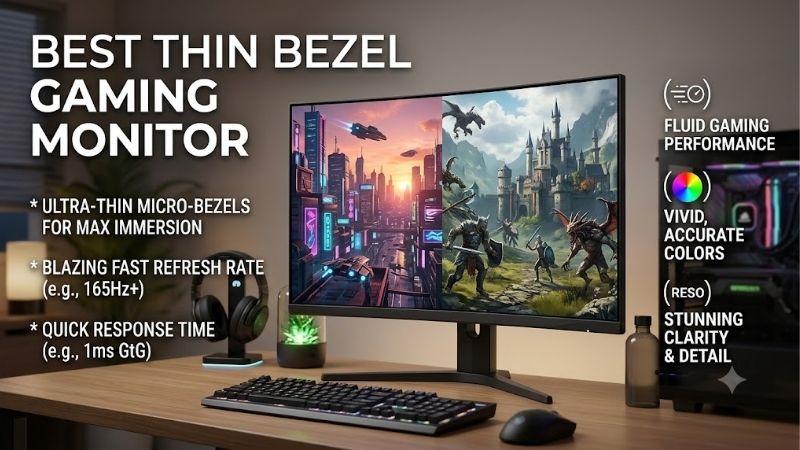
Quick answer: For most people in 2026, the best thin bezel gaming monitor is the Monitor — our #1 rated choice. See the full ranked comparison, alternatives and buying advice below.
Best thin bezel gaming monitor picks at a glance
The six recommendations below cover different gaming priorities rather than treating the highest refresh rate as an automatic winner. The Acer Nitro KGB271U is an appealing entry point for QHD gaming, the ASUS ROG Strix XG27ACS is a balanced everyday option, and the LG UltraGear 27GS95QE-B is designed for players who want OLED contrast alongside fast motion.
| Monitor | Best suited for | Resolution | Maximum refresh rate | Main trade-off |
|---|---|---|---|---|
| Acer Nitro KGB271U | Entry-level QHD gaming | 2560 × 1440 | 200Hz via DisplayPort | Basic stand and limited HDR |
| LG UltraGear 27GS60F-B | Full HD gaming | 1920 × 1080 | 180Hz | Lower sharpness at 27 inches |
| ASUS ROG Strix XG27ACS | Best overall balance | 2560 × 1440 | 180Hz | Modest native contrast |
| Gigabyte M27Q X | Competitive PC gaming | 2560 × 1440 | 240Hz | Weak HDR and ordinary IPS blacks |
| AOC Q27G3XMN | HDR and dark-scene contrast | 2560 × 1440 | 180Hz | Some dark motion smearing and VRR flicker |
| LG UltraGear 27GS95QE-B | Premium OLED gaming | 2560 × 1440 | 240Hz | Burn-in risk and text-clarity limitations |
These displays all suit gaming, but they offer different combinations of picture quality, performance, and physical design. Before purchasing, check the exact model code, input-specific refresh limits, stand dimensions, and current US price. Narrow bezels are a useful design feature, not a guarantee that the monitor is better in every other respect.
How we selected these gaming monitors
The shortlist considers four priorities: slim-bezel styling, gaming performance, image quality, and practical desk usability. Manufacturer specifications establish the resolution, panel type, maximum refresh rate, connectivity, and claimed design features. Independent reviews from RTINGS and other established publications help identify real limitations involving response time, input lag, contrast, and variable refresh rate.
This is a research-based buying guide, not a claim of detailed research. The performance comments below are based on published specifications and independent monitor evaluations where available. None of the recommendations is supported by fabricated gaming benchmarks or a claim that we compared all six displays side by side.
The comparison also distinguishes a manufacturer’s response-time claim from measured performance. A displayed “1ms” figure can use different measurement methods, such as gray-to-gray response time or motion-picture response time. Those figures are not directly interchangeable, and they do not guarantee that all motion will be perfectly clear.
Finally, bezel design is judged as part of the whole display. Some manufacturers use terms such as “virtually borderless,” “frameless,” or “ZeroFrame.” These describe a narrow frame around the active image, not a literally borderless screen. Actual measured bezel widths are not consistently published for every model, so this roundup does not invent precise millimeter comparisons.
Acer Nitro KGB271U: Best entry-level QHD option
The Acer Nitro KGB271U is a strong starting point for gamers who want sharp 1440p visuals without immediately stepping into premium monitor pricing. It uses a 27-inch IPS panel with a native resolution of 2560 × 1440 and supports refresh rates up to 200Hz over DisplayPort. HDMI is limited to 144Hz at the supported QHD signal, so the connection matters if you want to use its full refresh capability.
TechRadar’s coverage of the exact model highlighted its combination of QHD resolution, high refresh rate, and accessible US pricing. PC Gamer also listed it at $139.99 through Best Buy during its October 2026 gaming-monitor deal coverage. That price is a dated retailer snapshot rather than a guaranteed current offer.
The QHD resolution is the important advantage over inexpensive 1080p gaming monitors. At 27 inches, 1440p provides more workspace and sharper text and game details. The IPS panel also offers broad viewing angles, making it convenient when the display is used for work or shared viewing.
Acer lists AMD FreeSync Premium, HDR10 support, 350-nit brightness, and a 0.5ms GtG response-time claim. HDR10 compatibility alone, however, does not make this a high-performance HDR display. Its stated brightness and conventional IPS contrast limit the impact of HDR highlights compared with Mini LED and OLED models. The stand is tilt-adjustable rather than fully ergonomic, although VESA mounting provides another positioning option.
Buy it if you want high-refresh QHD gaming and a clean, modern monitor design without paying for advanced HDR. Skip it if you need extensive stand adjustment, high-end HDR, or 200Hz through HDMI. For many gaming desktops, it is more sensible to prioritize this resolution and refresh combination than to spend extra on an unnecessarily extreme panel.
LG UltraGear 27GS60F-B: Best for Full HD gaming
The LG UltraGear 27GS60F-B suits players whose graphics hardware is better matched to Full HD than QHD. It has a 27-inch IPS panel with a native resolution of 1920 × 1080 and a maximum refresh rate of 180Hz. LG describes the design as virtually borderless on three sides, making it a natural fit for a streamlined gaming desk.
The resolution is a deliberate trade-off. Full HD is easier to render than 1440p in many games, leaving more room to target higher frame rates with entry-level and midrange graphics cards. The 180Hz ceiling is substantially above the standard 60Hz display experience, provided the game and PC can supply enough frames to use it.
LG lists a 1ms gray-to-gray response-time claim, NVIDIA G-SYNC compatibility, and AMD FreeSync support. These features are useful for gaming, but advertised response times should not be confused with a guarantee of flawless pixel transitions at every refresh rate. Actual motion clarity depends on the panel, overdrive settings, and frame rate.
The central compromise is pixel density. At 27 inches, a Full HD image is less crisp than 1440p at the same size. Small text, fine details, and distant objects may appear less defined when you sit close to the screen. The monitor is therefore better suited to performance-oriented play than to buyers whose top priority is sharp text or detailed scenery.
Buy it if your PC benefits more from a high frame rate than from extra pixels, or if you prefer the visual style of LG’s three-sided borderless design. Skip it if you can comfortably drive 1440p and want a display that offers more desktop space. The Acer Nitro KGB271U is the more attractive direction when extra sharpness is worth the additional graphics workload.
ASUS ROG Strix XG27ACS: Best overall balance
The ASUS ROG Strix XG27ACS is the most balanced recommendation for someone who wants one thin-bezel-style monitor for several types of gaming. Its 27-inch Fast IPS panel runs at 2560 × 1440 and up to 180Hz, providing a useful combination of sharpness and smooth motion. ASUS lists an anti-glare coating, Adaptive-Sync, ELMB-Sync, and a stand with ergonomic adjustment.
QHD is a practical sweet spot for many gaming desks. It produces a sharper image than Full HD at 27 inches without requiring the same rendering workload as 4K. The 180Hz ceiling also provides enough headroom for a broad range of action games without forcing buyers to pay specifically for an esports-focused 300Hz or 360Hz panel.
RTINGS’ evaluation found low input lag, fast response, and support for common variable-refresh-rate formats. Those characteristics help make the display responsive across different types of games. However, the review also found limited contrast, weak HDR impact, and some inverse ghosting at lower refresh rates. Its ELMB-Sync strobing feature can introduce image duplication, so it is not necessarily the best setting for every player.
Connectivity is another reason to consider the ASUS. It includes USB-C with DisplayPort Alt Mode, allowing a compatible laptop to send video through USB-C. The limited power delivery means that this is not a replacement for a proper high-wattage laptop charger. For desktop users, DisplayPort is the preferred connection to reach 1440p at 180Hz; HDMI is limited to 144Hz at QHD according to the supported signal specifications.
ASUS listed the XG27ACS at $229 on its US store during research on October 14, 2026. Prices and stock can change, so confirm the live offer before buying.
Buy it if you want a balanced monitor for competitive games, single-player titles, browsing, and everyday work. Skip it if deep blacks and impactful HDR matter more than versatility. For most users, a well-rounded QHD IPS display is more useful than paying for an extreme refresh rate that their gaming system rarely reaches.
Gigabyte M27Q X: Best for 240Hz competitive play
The Gigabyte M27Q X is aimed at gamers who want a higher refresh rate while keeping the sharper image of QHD. Its 27-inch SS IPS panel has a native resolution of 2560 × 1440 and a maximum refresh rate of 240Hz. Gigabyte also includes a USB-C connection, a KVM switch, and a USB hub, giving the monitor some practical appeal beyond gaming.
At 240Hz, the display can refresh more frequently than a 180Hz monitor. That matters most when the game and graphics card are capable of delivering high frame rates. In competitive shooters and other quick-response games, a capable high-refresh setup can make moving targets appear more continuously updated and reduce the interval between displayed frames.
RTINGS tested Revision 1.0 of the M27Q X and found low input lag and fast response at high refresh rates. It also noted more blur at lower refresh rates and limited contrast. Gigabyte has released Revision 2.0, and although the revisions share the headline resolution and refresh rate, buyers should not assume every measurement from Revision 1.0 applies exactly to the later hardware.
The monitor’s HDR400 capability is not a major reason to buy it. It does not offer effective local dimming, so dark scenes lack the depth and bright highlights lack the punch available on better HDR implementations. Its two HDMI 2.0 ports also lack HDMI 2.1 bandwidth, which limits its appeal if full modern console signal support is a priority.
The stand offers useful positioning options, but the monitor’s main advantage remains its PC gaming performance. USB-C can simplify connecting compatible equipment, while the KVM lets you share a keyboard and mouse between two systems when both are appropriately connected.
Buy it if you regularly play high-frame-rate games and want 240Hz at 1440p. Skip it if your PC rarely goes much beyond 100–120 FPS or you mostly play cinematic games in a dark room. In the latter case, improved contrast or a less expensive 180Hz model will usually be a more meaningful purchase.
AOC Q27G3XMN: Best for HDR and dark-scene contrast
The AOC Q27G3XMN is a useful contrast-focused alternative to conventional IPS gaming monitors. It uses a 27-inch 1440p Fast VA panel with a maximum refresh rate of 180Hz and Mini LED backlighting. AOC lists 336 local-dimming zones and VESA DisplayHDR 1000 certification.
Local dimming allows groups of backlights to change brightness independently. This helps the monitor produce dark areas while keeping nearby highlights brighter, making it more compelling for games with nighttime scenes, dramatic lighting, and HDR effects. Its listed static contrast ratio is 4000:1, considerably higher than the typical 1000:1 figure commonly associated with IPS panels.
AOC’s US page listed the model from $218.49 during research, although the price shown may depend on the seller and can change. The monitor also provides a height-adjustable stand, swivel, pivot, tilt, and VESA 100 × 100 mm support. These ergonomic features help make it easier to fit the display into a multi-monitor desk layout.
The main limitation is VA motion behavior. RTINGS found strong contrast and effective local dimming but also noted dark smearing and variable-refresh-rate flicker. Dark smearing can make moving objects look less distinct in shadowy scenes, while VRR flicker can become noticeable when frame rates fluctuate. That is why a high contrast ratio does not automatically make the AOC best for competitive play.
Its HDR label should also be interpreted carefully. Local dimming and high brightness give this model a more credible HDR implementation than basic HDR-compatible IPS monitors, but blooming around bright objects and behavior in specific scenes still depend on the content and settings.
Buy it if contrast and HDR make a meaningful difference to the games you play. Skip it if you are highly sensitive to dark-motion smearing or VRR flicker. For players who mostly compete in fast action games, the ASUS or Gigabyte may provide a better balance of motion handling and responsiveness.
LG UltraGear 27GS95QE-B: Best premium OLED option
The LG UltraGear 27GS95QE-B is for players who want high refresh rates and the image quality associated with OLED. LG lists a 27-inch-class OLED panel with 2560 × 1440 resolution, a 240Hz refresh rate, and a 0.03ms response-time claim. It also supports NVIDIA G-SYNC compatibility, AMD FreeSync Premium Pro, and DisplayHDR True Black 400.
The core advantage is pixel-level lighting. Unlike an ordinary LCD that uses a backlight, OLED pixels can switch off individually to display black. This gives the LG extremely deep blacks without the backlight blooming that can affect LCD displays. Fast pixel transitions also help keep motion exceptionally crisp.
RTINGS’ review found near-instantaneous response, low input lag, excellent contrast, and strong HDR picture quality. It also reported noticeable VRR flicker when frame rates change. As with other OLED monitors, permanent image retention or burn-in is a consideration when static elements remain on screen for extended periods.
The 1440p resolution is a good fit for high-refresh gaming because it is less demanding than 4K. The monitor also supports HDMI 2.1 bandwidth and DisplayPort 1.4, making it suitable for modern PC gaming and compatible consoles. The 240Hz ceiling is available through its supported connections, although the final usable mode still depends on the input, settings, graphics hardware, and signal configuration.
OLED does involve some everyday trade-offs. The panel’s subpixel layout can make small text less clear than on a comparable IPS monitor, and intense direct glare can still be problematic. LG’s built-in screen-care functions help manage the panel, but they do not make burn-in risk disappear.
Buy it if you want high-refresh OLED for competitive games and visually rich single-player titles alike. Skip it if your monitor spends most of its time displaying static productivity interfaces or if a lower-cost IPS panel already meets your needs. Its image quality is a premium upgrade, not a prerequisite for enjoying modern games.
How to choose the best thin bezel gaming monitor
Look beyond the bezel design
A narrow border helps a setup feel visually connected, particularly when two monitors sit alongside one another. However, the frame is only one part of the physical design. Check whether the lower bezel is substantially thicker than the top and sides, whether the stand creates enough clearance between screens, and whether the base fits your desk.
Three-sided borderless designs usually create a cleaner multi-monitor setup than displays with thick frames on every edge. Nevertheless, the separation between active pixels remains visible. Bezel thickness does not eliminate that seam, and different manufacturers do not always measure or advertise their bezels in comparable ways.
Choose resolution based on screen size
For a 24-inch gaming monitor, 1080p remains sensible for buyers who prioritize affordability or have an entry-level graphics card. At 27 inches, 1440p generally provides a better balance between sharpness and rendering workload. Text, interface elements, and fine environmental details appear more defined than on a Full HD panel of the same physical size.
A higher resolution does not automatically make every game run better. Rendering more pixels places additional demands on the GPU, especially when demanding graphics settings are enabled. If your system struggles at 1440p, lowering the graphics settings or choosing a Full HD display may be more practical than chasing a resolution that it cannot consistently support.
Match refresh rate to your games
A 165Hz or 180Hz display is already fast enough for many players. Moving to 240Hz or higher makes more sense when you play competitive games and your system can deliver the required frame rates.
Refresh rate is not the same as response time. A 240Hz display can refresh frequently while still showing some blur or overshoot in particular transitions. Independent testing is especially useful when motion clarity is more important to you than general picture quality.
Decide between IPS, VA, Mini LED, and OLED
IPS is the safest all-round option for viewing angles, color consistency, and everyday gaming. VA provides higher native contrast in many implementations, although dark motion can look less clean. Mini LED improves LCD contrast through local dimming, while OLED offers per-pixel blacks and very fast response.
Neither technology is perfect for every player. IPS can look gray in dark rooms, VA can smear in shadowy motion, Mini LED can show blooming, and OLED requires attention to burn-in prevention. Choose according to the games and lighting conditions you actually experience rather than buying based on a single specification.
Check ports, mounting, and the full setup
Before ordering, confirm the exact maximum resolution and refresh rate supported by each input. DisplayPort is often the simplest route to a monitor’s highest PC refresh rate, but HDMI capability depends on the monitor’s implementation and signal requirements.
An adjustable stand is valuable when you use the display for long periods. If you prefer a monitor arm, confirm VESA compatibility and the required mounting pattern. For a multi-monitor setup, check the combined width of the displays, desk depth, and cable routing. A visually seamless setup is only useful if it remains comfortable to use.
Frequently asked questions
Are thin-bezel monitors better for gaming?
Not necessarily. Thin bezels improve the appearance of a desk and reduce the visible frame between side-by-side monitors, but they do not directly increase FPS or reduce input lag. Panel response, refresh rate, resolution, and image quality have a greater effect on the gaming experience.
Is 1440p worth it for a 27-inch gaming monitor?
For many gaming PCs, yes. QHD gives a 27-inch display sharper text and more image detail than Full HD. However, the GPU has to render more pixels, so Full HD can be a sensible choice for a lower-powered system or a player who prioritizes frame rate.
Is a 240Hz monitor worth buying?
It is worthwhile when your PC can supply high frame rates and you play games where smooth motion and responsiveness matter. If you mostly play single-player games at moderate frame rates, a good 165Hz or 180Hz monitor may be a better use of your budget.
Can I use two thin-bezel gaming monitors together?
Yes. Your graphics card must have enough compatible video outputs, and your desk must accommodate the combined width. Similar screen sizes and resolutions make a dual-monitor setup easier to align, but even two narrow-bezel displays retain a visible seam between their active images.
Final verdict
For most PC gamers, the ASUS ROG Strix XG27ACS delivers the best balance of 1440p sharpness, 180Hz motion, ergonomic adjustment, and useful connectivity. The Acer Nitro KGB271U is an appealing entry-level QHD alternative, while the Gigabyte M27Q X targets competitive players who can take advantage of 240Hz. Choose the AOC Q27G3XMN for stronger HDR contrast or the LG UltraGear 27GS95QE-B for premium OLED imagery. The right monitor is the one that combines a clean bezel design with performance and resolution your PC can genuinely use.
Ready to decide? Our #1 pick for 2026 is the Monitor.
Live price & availability on Amazon.









