
Best oled portable monitor shopping becomes frustrating when a beautiful second screen requires unavailable laptop outputs. Size also creates a tradeoff: extra workspace helps at a hotel desk but adds bulk inside your travel bag. These four OLED choices separate everyday laptop expansion, compact travel, budget value, and high-resolution detail.
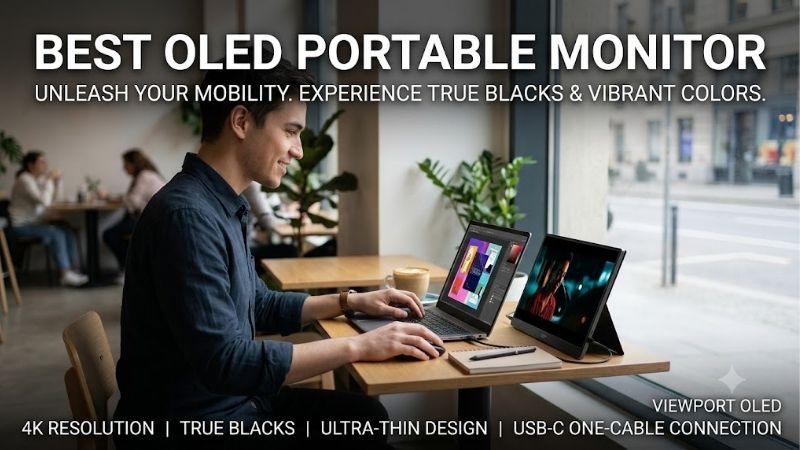
Quick answer: For most people in 2026, the best oled portable monitor is the ASUS ZenScreen OLED MQ16AH — our #1 rated choice. See the full ranked comparison, alternatives and buying advice below.
How to Choose an OLED Portable Monitor
This best oled portable monitor guide compares verified specifications, physical size, supported inputs, and practical ownership limits. Recommendations follow manufacturer information rather than claimed detailed research. Each selection targets a specific traveling setup, helping you avoid paying for features your laptop cannot use.
Screen Size and Travel Weight
Panel diagonal tells only part of the portability story. A larger screen occupies more bag space, while the cover, power adapter, and spare cables increase actual travel weight. Compare the complete packed setup rather than the panel alone. Also check whether your usual workspace accommodates the screen beside your laptop without overhang.
ASUS ZenScreen OLED MQ13AH provides a 13.3-inch screen and a stated 0.55kg panel weight without its stand. ASUS ZenScreen OLED MQ16AH expands the image to 15.6 inches for expanded side-by-side workspace. Choose MQ13AH when compact packing matters most, or MQ16AH when additional daily workspace outweighs packing efficiency.
Resolution and Everyday Scaling
Resolution determines pixel detail, but a small 4K display normally requires operating-system scaling for comfortable reading. Increasing pixel count does not give you four times as much usable workspace. Application behavior and font size matter, particularly when moving windows between displays with different scaling settings.
ViewSonic VX1655-4K-OLED offers 3840 x 2160 across 15.6 inches, making fine detail its main appeal. The ASUS alternatives and INNOCN 13K1F use 1920 x 1080, reducing scaling complexity for ordinary secondary-screen tasks. Choose the ViewSonic for detailed visual inspection, or MQ16AH when straightforward 1080p operation suits your workflow.
Video Inputs and Power Requirements
USB-C describes a connector without guaranteeing video compatibility. Your laptop needs a compatible video output, such as DisplayPort Alt Mode, and sufficient power for the display. HDMI supplies video separately from the monitor’s power requirement. Verify both signal and power paths before planning to travel with just one cable.
ASUS ZenScreen OLED MQ16AH includes USB-C DisplayPort Alt Mode inputs and mini HDMI, accommodating compatible modern laptops and older HDMI-equipped machines. ViewSonic VX1655-4K-OLED adds USB-C power-delivery flexibility. Choose MQ16AH for flexible video connections, or ViewSonic when the charging setup fits your travel equipment.
Setup Flexibility and Purchasing Value
A travel screen needs stable support on unfamiliar desks, not just a slim panel. Integrated stands, folding covers, and tripod sockets provide distinct positioning options. Consider portrait reading and workspace depth alongside packing dimensions. A screen that requires improvised support can slow down setup during brief work sessions.
ViewSonic VX1655-4K-OLED has an integrated stand supporting landscape and portrait use, while ASUS ZenScreen OLED MQ13AH includes a tripod socket. INNOCN 13K1F deserves consideration when substantially discounted, if condition is clear. Choose ViewSonic for integrated positioning, MQ13AH for flexible mounting, or INNOCN for value.
Top Picks
The best oled portable monitor shortlist assigns distinct priorities beyond the appeal of OLED alone. Best Overall favors conventional laptop expansion, while Best Value depends on inventory and seller terms. These recommendations prioritize portability, contrast, and workspace expansion over dedicated high-refresh esports capabilities.
| Product | Best For | Key Spec | Watch Out For |
|---|---|---|---|
| ASUS ZenScreen OLED MQ16AH | Best Overall | 15.6-inch OLED; 1080p 60Hz; USB-C and mini HDMI | Glossy reflections; no speakers |
| INNOCN 13K1F | Best Value | 13.3-inch OLED; 1080p 60Hz; USB-C and mini HDMI | Limited availability; verify condition and warranty |
| ViewSonic VX1655-4K-OLED | 4K Detail | 15.6-inch OLED; 4K 60Hz; integrated rotating stand | Scaling adjustments; charging requires suitable external power |
| ASUS ZenScreen OLED MQ13AH | Compact Travel | 13.3-inch OLED; 1080p 60Hz; 0.55kg panel weight | Smaller viewing area; accessories add travel weight |
ASUS ZenScreen OLED MQ16AH: Best Overall
ASUS ZenScreen OLED MQ16AH is Best Overall for travelers seeking a conventional 15.6-inch companion screen. Its 1920 x 1080 OLED panel runs at 60Hz, with USB-C video and mini HDMI inputs. It is the best oled portable monitor here for balancing familiar screen dimensions with laptop expansion and everyday movie viewing.
ASUS specifies 100% DCI-P3 coverage and a color difference below Delta E 2, useful specifications when color accuracy matters in your daily work. The limitations are its glossy surface, which reflects room lighting, and 60Hz ceiling. It also has no speakers, so use laptop sound or headphones for videos and other media.
INNOCN 13K1F: Best Value
INNOCN 13K1F earns Best Value when remaining stock has a clear discount and warranty terms. Its 13.3-inch 1920 x 1080 OLED panel offers a compact secondary workspace with USB-C and mini HDMI connectivity. It is the best oled portable monitor candidate here for buyers who favor low cost over maximum native-resolution detail.
The meaningful advantage is a small OLED screen without paying for a premium 4K screen. The drawback is purchasing uncertainty: INNOCN’s US new-product listing currently shows sold out, and refurbished listings require separate condition checks. Its smaller panel also offers less multitasking space than the 15.6-inch recommendations.
ViewSonic VX1655-4K-OLED: Best for 4K Detail
ViewSonic VX1655-4K-OLED is Best for 4K Detail, placing 3840 x 2160 resolution in a 15.6-inch OLED display at 60Hz. Its integrated stand supports portrait and landscape positioning. It is the best oled portable monitor for travelers prioritizing fine-detail presentation and flexible reading orientation over simpler native 1080p.
ViewSonic advertises USB-C charging up to 60W, which depends on a suitable external power source rather than power produced by the panel. The tradeoff is scaling: small interface elements can require adjustment, and 4K rendering adds graphics workload. Confirm the full OLED suffix to distinguish it from non-OLED VX1655-4K.
ASUS ZenScreen OLED MQ13AH: Best for Compact Travel
ASUS ZenScreen OLED MQ13AH is Best for Compact Travel, combining a 13.3-inch 1920 x 1080 OLED panel with 60Hz refresh and manufacturer-specified 0.55kg panel weight. It is the best oled portable monitor here for compact luggage and restricted workspaces. A quarter-inch tripod socket adds positioning flexibility beyond a conventional folding cover.
The advantage is a smaller screen to carry while retaining OLED contrast and USB-C or mini HDMI video options. The drawback is reduced viewing area for spreadsheets and side-by-side windows. Like MQ16AH, it has no speakers, and its quoted panel weight excludes accessories; compare complete accessory-inclusive travel weights.
Frequently Asked Questions
Questions about the best oled portable monitor often concern one-cable operation, 4K scaling, gaming expectations, and permanent image retention. These issues can change the recommendation even after selecting a size. The answers below distinguish convenient travel features from assumptions that must be checked against your own laptop.
Can One USB-C Cable Power a Portable OLED Monitor?
Yes, one USB-C cable can carry video and power with appropriately video-compatible devices and cabling. A USB-C socket alone cannot establish compatibility. Some laptops supply insufficient power for a stable display, particularly with demanding brightness, making external power necessary despite compatible video output.
Before leaving home, test the complete setup at intended brightness and resolution using the exact travel cable. Keep a suitable external power supply available if the screen flickers or disconnects. Do not assume a charging-only cable transports video, or that every USB-C port on a laptop works the same way. Test both ports.
Is 4K Worth It on a Portable Monitor?
4K is worthwhile for fine-detail work when your applications scale correctly, but remains optional for secondary-screen productivity. The ViewSonic’s dense pixels can benefit visual inspection and sharp text. Smaller interface elements and additional rendering demands remain relevant, particularly on older laptops or compact gaming devices.
Try normal fonts and application windows at comfortable scaling rather than just looking at impressive photographs. Mixed scaling between displays can make some older applications awkward. A 1080p ASUS or INNOCN may be the more convenient choice when email, reference documents for business trips, and videos are your main tasks.
Are These OLED Monitors Good for Competitive Gaming?
No, these four 60Hz screens cannot satisfy competitive high-refresh gaming requirements. Fast OLED pixel transitions cannot make a panel display 120 or 240 distinct frames when its refresh ceiling remains 60Hz. They fit casual games and portable entertainment better than dedicated competitive esports practice or high-speed tracking.
If gaming is secondary to work, assess your preferred titles at the monitor’s native resolution before purchasing. A 4K panel can demand additional rendering power from a handheld or laptop, while 1080p is easier to drive. Choose around the intended workload instead of assuming universal desktop gaming-monitor performance.
Can Portable OLED Monitors Develop Burn-In?
Yes, portable OLED screens can develop burn-in from uneven aging under repetitive static content. Mobility does not remove that risk, and protection features cannot guarantee immunity. Persistent taskbars, dashboards, and application toolbars deserve attention when the screen shows similar content throughout long work sessions.
Keep panel-protection functions enabled, follow maintenance instructions, and let the screen sleep during inactivity. Confirm explicit US burn-in coverage and seller eligibility before purchasing. For persistent static-dashboard workloads, weigh an LCD alternative against OLED contrast rather than assuming travel itself prevents panel wear.
Final Thoughts
The best oled portable monitor matches your travel routine: MQ16AH for a familiar 15.6-inch workspace, MQ13AH for compact packing, or VX1655-4K-OLED for fine 4K detail. Consider 13K1F when the price is attractive and seller protection is clear. Verify laptop video support, power requirements, and comfortable scaling before committing.
Ready to decide? Our #1 pick for 2026 is the ASUS ZenScreen OLED MQ16AH.
Live price & availability on Amazon.









