
The best monitor for minecraft for most PC players is a 27-inch 1440p IPS display with a high refresh rate, and the ASUS ROG Strix XG27ACS is our leading recommendation for that combination. However, competitive multiplayer, elaborate building projects, and shader-heavy exploration call for different priorities. These six monitors cover compact 1080p setups, balanced 1440p gaming, detailed 4K displays, and a premium OLED option without assuming every player needs the most demanding screen.
- Quick verdict: Which monitor should you choose?
- Quick comparison table
- How we selected these monitors
- ASUS ROG Strix XG27ACS: Our pick for balanced Minecraft use
- AOC 24G4: A compact option for 1080p players
- LG UltraGear 27GR83Q-B: A 240Hz IPS option for multiplayer
- Gigabyte M27U: A compact 4K choice for detailed builds
- Gigabyte M32U: A larger 4K screen for builders
- Alienware AW2725DF: A specialist OLED choice
- Buying guide: How to choose the best monitor for Minecraft
- Frequently asked questions
- Final verdict
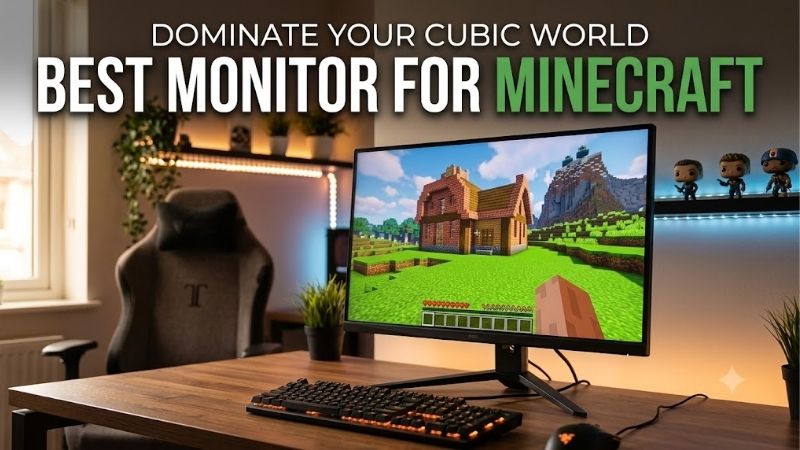
Quick answer: For most people in 2026, the best monitor for minecraft is the ASUS ROG Strix XG27ACS — our #1 rated choice. See the full ranked comparison, alternatives and buying advice below.
Quick verdict: Which monitor should you choose?
Choose the ASUS ROG Strix XG27ACS if you want one display for survival worlds, multiplayer servers, building, and everyday desktop use. Its 1440p resolution and 180Hz maximum refresh rate provide a sensible balance between detail and display speed.
The AOC 24G4 suits players who want a smaller 1080p screen and less resolution-related graphics load. The LG UltraGear 27GR83Q-B is the alternative for players who prioritize 240Hz while retaining an IPS panel and 1440p resolution.
For detailed builds, consider the Gigabyte M27U if you prefer a compact 27-inch 4K display, or the Gigabyte M32U if you want a larger workspace. The Alienware AW2725DF is the specialist choice for players seeking OLED contrast and a 360Hz ceiling.
These are recommendations by use case, rather than a universal performance ranking. No monitor guarantees a particular Minecraft frame rate, and none can correct server lag or an overloaded PC.
Quick comparison table
The refresh rates below describe monitor capabilities, not expected Minecraft performance. Maximum modes require the appropriate connection, supported graphics output, and correct display settings.
| Monitor | Best suited to | Screen and panel | Resolution | Maximum refresh rate | Main trade-off |
|---|---|---|---|---|---|
| ASUS ROG Strix XG27ACS | Balanced Minecraft and desktop use | 27-inch Fast IPS | 2560 × 1440 | 180Hz | HDMI is limited to 144Hz |
| AOC 24G4 | Compact 1080p gaming setups | 23.8-inch IPS | 1920 × 1080 | 180Hz | Less detail than the higher-resolution options |
| LG UltraGear 27GR83Q-B | High-frame-rate multiplayer on IPS | 27-inch IPS | 2560 × 1440 | 240Hz | Extra refresh headroom needs sufficient game performance |
| Gigabyte M27U | Detailed builds on a compact 4K screen | 27-inch SS IPS | 3840 × 2160 | 160Hz maximum advertised | Higher rendering demand at native resolution |
| Gigabyte M32U | Large-screen building and multitasking | 31.5-inch SS IPS | 3840 × 2160 | 144Hz | Requires more desk space |
| Alienware AW2725DF | OLED contrast and high-refresh PC gaming | 26.7-inch viewable QD-OLED | 2560 × 1440 | 360Hz through DisplayPort | OLED care requirements and 144Hz HDMI limit |
How we selected these monitors
This shortlist uses manufacturer specifications and documentation, with recommendations based on the practical relationship between screen size, resolution, refresh rate, connection limits, and Minecraft playstyles. It does not represent detailed research or a measured Minecraft monitor benchmark.
Each selection fills a distinct role. The two 4K monitors offer different physical sizes; the three 1440p choices separate balanced IPS gaming, higher-refresh IPS gaming, and OLED. The 1080p option serves smaller desks and systems where limiting rendering demand matters.
No comparable set of current US prices was established across all six models. Consequently, this guide avoids “best budget” and “best value” awards, guaranteed price ceilings, and claims that every model is currently available from Amazon.
The central buying question is what you want to improve. Sharper text and building detail favor higher resolution. More frequent visual updates favor higher refresh rates. A larger display changes viewing comfort and workspace size. Those benefits should match your actual sessions.
ASUS ROG Strix XG27ACS: Our pick for balanced Minecraft use
The ASUS ROG Strix XG27ACS combines a 27-inch Fast IPS panel, 2560 × 1440 resolution, and a maximum 180Hz refresh rate. It is our first recommendation because those specifications address several common Minecraft needs without committing to either 4K rendering demands or OLED ownership considerations.
For survival and building, 1440p provides room for a clear game interface and detailed scenery. For multiplayer, the refresh ceiling leaves headroom beyond a conventional 60Hz screen. That balance also makes sense when the monitor must handle schoolwork, browsing, or a second game library.
Its connection limits matter. ASUS specifies up to 180Hz over DisplayPort and compatible USB-C video, while HDMI tops out at 144Hz. USB-C supports DisplayPort Alt Mode, but its 7.5W power delivery should not be treated as a laptop charging solution.
Buy if you want a versatile main display and can connect through a suitable video output. Skip if your main objective is a large 4K workspace or OLED contrast. The LG 27GR83Q-B is the more appropriate shortlisted alternative when 240Hz is a priority.
Before paying extra for refresh rate, check how your existing world behaves. If performance collapses around a busy base, investigate the game configuration first. A faster display improves the presentation of delivered frames; it does not create them.
AOC 24G4: A compact option for 1080p players
The AOC 24G4 offers a 23.8-inch IPS screen, 1920 × 1080 resolution, and a maximum 180Hz refresh rate. Its role here is straightforward: a compact display that keeps the native pixel count below the 1440p and 4K alternatives.
A smaller monitor can be useful when you sit close to the screen or have limited room beside a keyboard and mouse. At this size, 1080p is a reasonable starting point for players who prioritize a manageable setup over additional desktop space.
Rendering fewer pixels can reduce graphics workload when that workload is the limiting factor. However, changing resolution will not necessarily solve problems caused by simulation, chunk generation, background applications, or multiplayer connectivity.
The compromise is detail. Higher-resolution screens can present finer edges and more desktop content, which matters when editing textures, reading documentation beside the game, or examining elaborate builds.
Buy if you want a small 1080p display with refresh headroom. Skip if you already find 1080p text or workspace restrictive. The ASUS XG27ACS is the more suitable alternative for a move to 1440p.
Check the exact regional model before ordering. AOC uses similar names and suffixes across markets, so do not assume that stand adjustments, speakers, or included accessories match another region’s listing.
LG UltraGear 27GR83Q-B: A 240Hz IPS option for multiplayer
The LG UltraGear 27GR83Q-B combines a 27-inch 2560 × 1440 IPS panel with a 240Hz refresh rate. It suits players who spend substantial time on competitive servers and want more refresh headroom without switching to OLED.
Its appeal depends on your workload. A player using relatively light visual settings and consistently high frame rates has a clearer reason to consider 240Hz than someone exploring a demanding shader world. You can also use that capability in other fast-paced games.
LG specifies HDMI 2.1 and DisplayPort connectivity, with suitable graphics hardware required to reach the maximum refresh rate. It also lists NVIDIA G-SYNC Compatible and AMD FreeSync Premium support. Confirm the requirements for your GPU and chosen connection.
The adjustable stand supports height, tilt, and pivot. That is useful when positioning the screen for long sessions, although comfortable placement still depends on your chair, desk, and viewing distance.
Buy if high-frame-rate gaming is a regular priority and you prefer IPS. Skip if your Minecraft sessions rarely approach the refresh capability of a less demanding monitor. The ASUS XG27ACS is the more balanced alternative; the Alienware offers an OLED route.
Avoid treating the advertised response-time figure as a complete motion-performance assessment. A headline specification does not describe every pixel transition, overdrive setting, or visible artifact.
Gigabyte M27U: A compact 4K choice for detailed builds
The Gigabyte M27U uses a 27-inch SS IPS panel with 3840 × 2160 resolution. Gigabyte advertises a maximum 160Hz refresh rate, making it a candidate for players who want fine detail without giving up high-refresh capability.
Its strongest use case is building combined with desktop work. A compact 4K screen can make small interface elements and fine edges easier to distinguish, provided you configure scaling and Minecraft’s interface size appropriately.
The additional resolution is also a rendering commitment. Native 4K contains four times as many pixels as 1080p. That does not translate into a fixed performance penalty, but it gives a clear reason to assess your shader configuration before buying.
Gigabyte specifies DisplayPort 1.4 with Display Stream Compression and HDMI connections with documented mode limitations. Treat 160Hz as the maximum advertised mode and check the manual rather than assuming every input supports it. USB-C power delivery is rated up to 18W.
Buy if compact 4K sharpness matters more than minimizing graphics demand. Skip if you need larger interface elements without relying heavily on scaling, or if your current system already struggles with your chosen visuals.
The M32U is the larger-screen alternative. The ASUS XG27ACS is the simpler choice when you want to preserve more resolution-related performance headroom.
Gigabyte M32U: A larger 4K screen for builders
The Gigabyte M32U provides a 31.5-inch SS IPS panel, 3840 × 2160 resolution, and a maximum 144Hz refresh rate. It suits players who want a larger physical canvas for building, exploration, and work around the game.
Compared with a 27-inch 4K monitor, it spreads the same pixel count over a larger area. This changes the physical size of content and the viewing experience; it does not increase the amount of game world rendered simply because the screen is bigger.
Gigabyte lists a KVM feature, allowing a suitably connected setup to share peripherals between computers. That can be useful when one desk serves both a gaming PC and another machine. The monitor also includes two 3W speakers.
Its width is approximately 28.2 inches, so measure available space before ordering. Consider both the screen and stand footprint, especially if you use speakers or keep the keyboard far from the desk edge.
Buy if a larger 4K workspace matches your desk and viewing distance. Skip if you sit very close to the display or need a compact setup. The M27U is the smaller alternative.
The M32U supports documented high-refresh console input modes, but that capability is separate from a particular Minecraft edition’s output. Do not interpret a monitor’s supported 120Hz console signal as a promise of 120fps gameplay.
Alienware AW2725DF: A specialist OLED choice
The Alienware AW2725DF uses a 26.7-inch viewable QD-OLED panel with 2560 × 1440 resolution and a 360Hz refresh rate through DisplayPort. It is the specialist selection for players who want both OLED’s display characteristics and unusually high refresh headroom.
Its self-emissive pixels can produce deep blacks without a conventional LCD backlight. That makes it worth considering for visually varied gaming, although a monitor cannot add lighting effects absent from the game or shader configuration.
Connection choice is especially important: Dell specifies a 144Hz maximum through HDMI for this model. The USB-C connection is a downstream USB port, rather than a USB-C video input.
OLED also deserves consideration when your sessions include persistent interface elements. Follow Dell’s maintenance guidance and allow the recommended panel-care processes to run. Dell’s US documentation lists three-year coverage that includes OLED burn-in, subject to the applicable service terms.
Buy if you specifically want QD-OLED and can use DisplayPort for high-refresh PC gaming. Skip if your main device only offers HDMI or you prefer a display without OLED care considerations. The LG is the IPS alternative.
A 360Hz specification is not a reason by itself to upgrade. Consider how much time you spend in workloads capable of using that headroom, rather than choosing it solely because it has the largest number.
Buying guide: How to choose the best monitor for Minecraft
Match resolution to your actual world
Start with the worlds you already play. A lightweight survival session and a heavily modified world with demanding visual effects can place very different demands on the same computer.
1080p is a practical option for a smaller screen and lower pixel count. A 27-inch 1440p display is our default recommendation for mixed gaming and desktop use. Choose 4K when fine detail and workspace clarity matter enough to accept the additional rendering requirement.
Before upgrading, compare performance in a quiet area, a busy base, and the settings you normally use. Changing only resolution can help reveal whether graphics workload is a major constraint. Keep other settings consistent so the comparison remains useful.
Do not assume that a block-based art style means every Minecraft configuration is easy to run. Likewise, do not assume every shader pack requires the same hardware.
Choose refresh rate after checking frame delivery
Refresh rate describes how often the screen can update. Frame rate describes how many frames the computer produces. They are related, but they are not interchangeable.
A 180Hz monitor can display higher-frame-rate output than a 60Hz monitor, but it cannot turn an uneven 70fps workload into a steady 180fps experience. Variable refresh rate can help coordinate supported display updates with frame delivery within its operating range.
For general play, a high-refresh 1440p screen provides useful flexibility. Consider 240Hz or 360Hz when fast multiplayer is a central use case and your system produces sufficiently high, consistent frame rates.
Pay attention to stutters as well as averages. A world that periodically pauses can remain distracting even when its average FPS looks impressive.
The best monitor for Minecraft shaders depends on your priorities
For shaders, decide whether you value sharper rendering, contrast, or smoother delivery most. A 4K screen emphasizes fine detail; OLED offers different contrast characteristics; a less demanding resolution may leave more graphics headroom.
These are buying priorities, not promises about a particular shader’s appearance. Effects depend on the game edition, rendering configuration, shader support, and settings.
Separate shader lighting from HDR output. Attractive lighting effects do not automatically mean the game is delivering a correctly configured HDR signal, and an HDR badge alone does not establish excellent HDR performance.
Avoid upgrading resolution and increasing visual settings simultaneously without checking the result. Otherwise, it becomes difficult to identify which change caused a performance drop.
Check ports, scaling, and desk fit
Read the supported timing information for the exact model. HDMI version labels alone do not establish every resolution and refresh combination, as the ASUS and Alienware connection limits illustrate.
A laptop’s USB-C port must support video output to drive a compatible monitor. Charging capability is another separate question. A USB-C socket on either device does not guarantee both functions.
After connecting, set the intended resolution and refresh rate in the operating system. Check Minecraft’s fullscreen configuration and interface scale as well. A new screen may initially run at a lower refresh rate than expected.
Measure desk space before selecting a larger display. Leave enough room to move the mouse comfortably and position the screen without leaning forward. Include any audio equipment in that space calculation.
Frequently asked questions
Does Minecraft need a gaming monitor?
No. A conventional monitor can be sufficient for relaxed building or survival. Upgrade when you have a specific limitation, such as restricted workspace, visible tearing, or a refresh ceiling that prevents you from displaying the frames your computer already produces.
If your existing screen meets your needs, keeping it is a valid choice.
Will a new monitor fix Minecraft lag?
Only some display-related problems. It can change refresh capability or presentation, but it will not repair server delays, slow world simulation, or a computer struggling with its workload.
Microsoft distinguishes render distance from simulation distance in Bedrock Edition, with simulation affecting active world behavior. Diagnose the source of the slowdown before assuming a display purchase will solve it.
Should I choose a curved or flat screen?
Choose according to viewing preference and desk layout. All six selections here are flat screens. Curvature is not a requirement for Minecraft, and it does not inherently improve game performance.
For these sizes, prioritize the resolution, connection modes, physical fit, and panel characteristics you actually need before treating curvature as a deciding feature.
Can I use these monitors with a console?
Potentially, but check the exact console, Minecraft edition, resolution, and supported output mode. A screen accepting a high-refresh input does not guarantee that every game produces that frame rate.
Also check audio arrangements. Some monitors include speakers, while others require an external solution. Verify the exact model rather than assuming all gaming displays provide sound.
Final verdict
The ASUS ROG Strix XG27ACS is our first choice for mixed Minecraft play because its 27-inch 1440p format and 180Hz ceiling offer a balanced starting point.
Choose the AOC 24G4 for a compact 1080p setup, or the LG 27GR83Q-B when higher-refresh IPS gaming is your priority. The Gigabyte M27U and M32U serve different preferences for 4K screen size, while the Alienware AW2725DF suits buyers specifically seeking QD-OLED and DisplayPort-based 360Hz capability.
Make the final decision around your existing performance, preferred visuals, connection options, and desk. The most useful upgrade is the one that addresses a limitation you can identify.
Ready to decide? Our #1 pick for 2026 is the ASUS ROG Strix XG27ACS.
Live price & availability on Amazon.









