
When shopping for a gaming display, ASUS and Sceptre appeal to different kinds of buyers, but neither brand is automatically the better choice. An asus vs sceptre monitor decision usually comes down to the exact model, the final US selling price, performance evidence, and how much you value adjustment options and support. ASUS has a broader range that spans entry-level TUF Gaming products through premium ROG displays, while Sceptre concentrates heavily on accessible gaming and everyday monitors. A close model-to-model comparison is more useful than assuming a higher price or a familiar brand name guarantees a better screen.
- The verdict: ASUS for more gaming controls, Sceptre when the price makes sense
- A fair comparison: ASUS TUF VG27AQ3A vs Sceptre E275B-QPD168
- Gaming performance: 180Hz versus 165Hz is not the whole story
- Picture quality and HDR: verify the experience behind the labels
- Ports, stand design, and desk setup
- Warranty and support: a real reason to compare beyond the panel
- Price and value: do not assume Sceptre automatically costs less
- Which brand should different buyers choose?
- A quick checklist before buying
- Final verdict
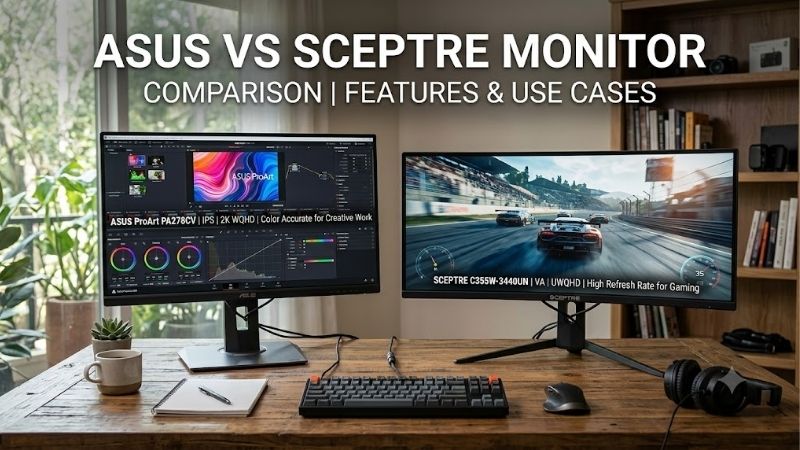
The verdict: ASUS for more gaming controls, Sceptre when the price makes sense
For a buyer who wants a gaming monitor with a clearly documented feature set, ASUS is the safer starting point. The TUF Gaming VG27AQ3A, for example, combines a 27-inch 1440p Fast IPS panel with a 180Hz refresh rate, adaptive sync support, and several software-based gaming adjustments. Sceptre’s E275B-QPD168 is also a 27-inch 1440p IPS monitor, with a 165Hz maximum refresh rate, AMD FreeSync Premium, and a stand with height adjustment.
The ASUS model has the stronger published gaming feature set, including ELMB Sync, Variable Overdrive, and listed G-SYNC compatibility. Sceptre’s appeal depends more on its actual street price and the value of its practical specifications. Its official page currently displays a price that does not establish a normal market transaction, so it would be irresponsible to call it the cheaper choice based on brand reputation alone.
Use this quick guide:
-
Choose ASUS if you want a higher maximum refresh rate, more documented gaming controls, and compatibility features that suit a mixed AMD or NVIDIA gaming PC.
-
Consider Sceptre if the exact model is substantially cheaper from a trustworthy US seller and its resolution, refresh rate, ports, and stand satisfy your needs.
-
Compare warranty terms, return windows, and support options before deciding. Those details can matter more than a small refresh-rate difference.
-
If both monitors cost nearly the same, do not buy the Sceptre just because it is associated with budget monitors. Recheck measured performance and the included features instead.
The distinction is not that every ASUS monitor beats every Sceptre model. It is that a specific ASUS model currently provides more documented gaming features, while Sceptre needs to justify the purchase through its actual offer and the buyer’s priorities.
A fair comparison: ASUS TUF VG27AQ3A vs Sceptre E275B-QPD168
Brand ranges are too broad for a meaningful one-line comparison, so the following table matches two 27-inch, 2560 × 1440 IPS gaming monitors. These are examples for comparison, not claims that either is the best monitor in the entire market.
| Feature | ASUS TUF Gaming VG27AQ3A | Sceptre E275B-QPD168 (2025 product page) |
|---|---|---|
| Screen size and resolution | 27 inches, 2560 × 1440 | 27 inches, 2560 × 1440 |
| Panel | Fast IPS | IPS |
| Maximum refresh rate | 180Hz | 165Hz |
| Advertised response time | 1ms GTG | 1ms GTG |
| Variable refresh rate | AMD FreeSync Premium, G-SYNC compatible, VESA AdaptiveSync | AMD FreeSync Premium |
| Blur-reduction feature | ELMB Sync and Variable Overdrive | Overdrive listed |
| HDR specification | HDR10 support | VESA DisplayHDR 400 listed |
| Video inputs | 1 × DisplayPort 1.4, 2 × HDMI 2.0 | 2 × DisplayPort 1.2, 2 × HDMI 2.0 |
| Maximum published input mode | DisplayPort up to 1440p/180Hz; HDMI up to 1440p/144Hz | DisplayPort up to 1440p/165Hz; HDMI up to 1440p/144Hz |
| Stand adjustment | Tilt and swivel; no height adjustment | Tilt, swivel, and 95mm height adjustment |
| VESA mounting pattern | 100 × 100mm | 75 × 75mm |
| Built-in speakers | 2 × 2W | 2 × 2W |
| Published warranty | Confirm the US terms for the exact SKU before purchase | One year limited parts and labor on the product specification page |
The table uses published manufacturer specifications. It is not a controlled side-by-side test, and the 1ms response-time figures are advertised specifications rather than proof that both screens produce equally clear motion in every overdrive mode. The manufacturers also describe color gamut and HDR capabilities differently, so their headline claims should not be treated as interchangeable measurements.
The product revisions matter. Sceptre’s cited product page labels the E275B-QPD168 as a 2025 listing, while older reviews and retail listings may describe earlier production or different bundles. Make sure the model code on the box and listing matches the monitor you intend to buy.
Gaming performance: 180Hz versus 165Hz is not the whole story
The ASUS VG27AQ3A has a 180Hz maximum refresh rate, compared with 165Hz for the Sceptre E275B-QPD168. That is a measurable specification difference, but it is not a guarantee that every player will notice a large improvement. At 180Hz, the display refreshes about once every 5.56 milliseconds; at 165Hz, about once every 6.06 milliseconds. The interval difference is roughly half a millisecond.
That small gap should not dominate the decision. Motion clarity also depends on pixel transitions, overdrive tuning, overshoot, input lag, frame-rate stability, and the content being played. A monitor can advertise 1ms GTG and still show visible smearing or overshoot in particular settings. Independent response-time tests are more useful than a single manufacturer’s claim, and no current matched laboratory test was found for these exact two models during this research.
ASUS provides a more extensive documented set of gaming tools. ELMB Sync is intended to combine blur reduction with variable refresh rate, and Variable Overdrive adjusts the overdrive behavior as frame rates change. These tools can be useful in fast games, though blur-reduction modes can introduce trade-offs such as reduced brightness, flicker, or compatibility restrictions. Results depend on settings and game frame rate, so they should be tested rather than assumed to be universally beneficial.
Sceptre lists overdrive and FreeSync Premium. FreeSync Premium can help synchronize the monitor refresh rate with a compatible GPU’s output and reduce tearing within its supported operating range. The E275B-QPD168’s published specification does not list ASUS’s equivalent ELMB Sync package or G-SYNC compatibility, which gives ASUS the more detailed compatibility story on paper. That does not by itself prove that the ASUS panel has lower input lag or better pixel response.
Pick refresh rate based on your PC and games
Competitive players who regularly run esports titles at high frame rates can reasonably favor the ASUS model’s 180Hz limit and its additional motion controls. But it makes little sense to pay significantly more just to move from 165Hz to 180Hz if your graphics card cannot sustain high frame rates in your main games.
For demanding single-player games, you may spend more time appreciating resolution, contrast, HDR implementation, and the quality of the game’s image than the refresh-rate difference. Both compared monitors use 1440p resolution, which is a useful balance between sharpness and rendering load for many midrange gaming PCs.
Also verify that you are connecting the display correctly. According to both manufacturers’ specifications, HDMI 2.0 is limited to 1440p at up to 144Hz on these models; reaching the ASUS’s maximum 180Hz or the Sceptre’s maximum 165Hz requires DisplayPort. Use a suitable cable and confirm the refresh rate in Windows and the GPU control panel after setup.
Picture quality and HDR: verify the experience behind the labels
Both products use IPS-family panels, a common choice for gaming monitors because it generally delivers wide viewing angles and versatile color performance. A 27-inch 1440p display has enough pixel density for a sharp desktop image at a typical viewing distance while leaving more GPU headroom than 4K.
ASUS lists the VG27AQ3A at a typical 250 cd/m² brightness and a 1000:1 typical contrast ratio. The specification page lists a color-space figure of 130% sRGB, which describes gamut volume rather than a simple guarantee of calibrated accuracy. A gamut percentage above 100% does not mean that every color is more accurate; oversaturation may be visible in applications that are not color managed.
Sceptre’s E275B-QPD168 page lists 450 cd/m² typical brightness and a 3000:1 contrast ratio, alongside 100% sRGB and 92% DCI-P3. These are manufacturer-reported numbers, not independent test results. The contrast claim is notably higher than the typical figure shown for the ASUS and should be treated cautiously until independent measurements confirm it for the exact production version. Panel measurements can also vary with settings and sample.
HDR labels need the same scrutiny. ASUS lists HDR10 support; Sceptre lists VESA DisplayHDR 400 certification. Certification is more specific than merely accepting an HDR signal, but a DisplayHDR 400 badge does not make a conventional edge-lit LCD behave like an OLED or a monitor with effective full-array local dimming. Neither product should be purchased on the expectation of high-end HDR impact alone. Peak brightness, local dimming, black levels, tone mapping, and highlight behavior matter when interpreting HDR performance.
For everyday use, both panels may be satisfactory, but independent calibration and uniformity testing would be needed to identify which exact unit has more accurate colors, better gray uniformity, or less backlight bleed. Do not treat vendor claims as measured head-to-head results.
Ports, stand design, and desk setup
Connectivity is one area where the two specifications offer different practical benefits. The ASUS VG27AQ3A has one DisplayPort 1.4 input and two HDMI 2.0 inputs. Sceptre lists two DisplayPort 1.2 inputs and two HDMI 2.0 inputs. The extra DisplayPort on Sceptre may be useful if several devices use DisplayPort, although it does not provide a higher maximum refresh rate than the ASUS model’s newer DisplayPort version. Neither comparison model lists USB-C video input, USB hub functions, or a KVM switch.
Both include two 2W speakers. These are convenient for system sounds, video calls, or basic playback, but small monitor speakers are not a substitute for dedicated desktop speakers or a headset when sound quality and positional cues matter.
The stand difference may matter more than the ports. ASUS lists tilt and swivel adjustment but no height adjustment on the VG27AQ3A. Its 100 × 100mm VESA pattern provides a standard mounting option for a compatible arm. Sceptre lists 95mm of height adjustment and a 75 × 75mm VESA pattern. That built-in adjustment can help users position the display without buying a monitor arm, although the smaller VESA pattern means you must check the arm’s supported mounting dimensions.
Do not assume one stand is objectively stronger or more stable from the adjustment list alone. Check real desk space, base depth, panel wobble reports, and whether the stand reaches a comfortable eye level. A good monitor arm can solve height limitations, but it adds cost and must support the screen’s weight and VESA pattern.
For a PC and console setup, count the number of HDMI inputs you need and confirm the required console resolution and refresh rate. For a desktop-only setup, a single DisplayPort connection may be enough. Cable management, port location, and easy access can influence day-to-day convenience even when they do not appear in headline specifications.
Warranty and support: a real reason to compare beyond the panel
Warranty details are worth checking before choosing between brands. Sceptre’s specification page for the E275B-QPD168 lists one year of limited parts-and-labor coverage. The ASUS US support page provides model-specific warranty and registration resources for the VG27AQ3A, but warranty conditions can differ by market and sale channel. Confirm the applicable US terms from ASUS or the authorized seller before purchase rather than assuming that every ASUS monitor has the same period.
A warranty is only part of the ownership experience. Review the return window, how a defective unit is handled, who pays return shipping, whether the retailer exchanges a monitor with dead pixels, and what documentation is required for a claim. A generous manufacturer term may be less convenient than an easy local exchange during the first few weeks, depending on the issue.
Pixel policies also deserve attention. Do not assume a single defective pixel automatically qualifies for replacement. Read the exact terms for the panel and region, and inspect the display promptly after delivery using solid-color screens and normal work or games. Keep the box and packaging during the return period in case a return or replacement becomes necessary.
Independent reliability conclusions are hard to draw from isolated customer reviews. Review comments can identify recurring symptoms worth investigating, but they are not a controlled failure-rate study. It would be inaccurate to claim that ASUS is inherently more reliable or that Sceptre fails more often without comparable, representative evidence.
Price and value: do not assume Sceptre automatically costs less
Sceptre is commonly associated with budget-friendly displays, but that reputation is not a substitute for a verified checkout price. The official Sceptre page consulted for the E275B-QPD168 displays $599.99. That figure is not enough to establish a representative street price, and I could not verify a comparable current US retail offer for the same SKU. For that reason, this article does not use the displayed manufacturer-page figure to declare the Sceptre either cheap or overpriced.
The ASUS US product page search result displayed an ASUS Store price of $209, but that is not a matched retailer comparison with the Sceptre unit and should not be treated as a guaranteed same-day offer. Use the same date, condition, seller standard, shipping, and return terms when comparing two listings. Do not compare a sale price for one monitor with another model’s original list price.
A practical value calculation has four parts: image quality and performance, included features, warranty and returns, and final delivered cost. If a Sceptre model costs much less and you only need 1440p gaming at 165Hz, it may be a sensible value. If the price difference is small, ASUS’s broader documented gaming controls and G-SYNC compatibility can justify choosing the ASUS for a PC gaming setup. If the Sceptre is actually priced above the ASUS, there is no reason to pay the premium without a clearly identified benefit.
This decision also depends on your other hardware. Spending extra on a monitor should not force you to compromise a GPU that cannot run your games at the target resolution and frame rate. On a budget build, a capable 1440p screen and a balanced graphics card usually make more sense than paying for features you will not use.
Which brand should different buyers choose?
For competitive PC gamers
Start with ASUS if the price is competitive. The VG27AQ3A combines 180Hz, Fast IPS, FreeSync Premium, G-SYNC compatibility, ELMB Sync, and Variable Overdrive. These features give the player several options to tune the display, although actual motion quality still needs independent validation. Confirm that the game and graphics card can take advantage of the refresh rate.
For budget-conscious 1440p gaming
Consider Sceptre only after checking the real retail price. Its E275B-QPD168 has the core ingredients many buyers want: a 27-inch QHD IPS panel, 165Hz, FreeSync Premium, and height adjustment. If it is meaningfully cheaper, the stand alone may save the cost of a basic monitor arm. If it is not cheaper, there is less reason to overlook ASUS’s additional documented gaming features.
For mixed work and gaming
Compare both products’ text clarity, brightness, stand fit, and color behavior rather than choosing on gaming specifications alone. Sceptre’s height-adjustable stand is helpful for office use, while ASUS includes a software-based control suite. Neither has USB-C docking on the compared model, so users who switch between a laptop and desktop should consider whether a monitor with USB-C and KVM would be more useful than either option.
For HDR and cinematic games
Neither of these IPS monitors should be a default choice for someone whose top priority is dramatic HDR or near-perfect blacks in a dark room. Sceptre’s DisplayHDR 400 certification is a useful specification, but real HDR impact depends on implementation. If cinematic contrast matters more than budget, compare tested VA, mini-LED, or OLED alternatives instead of deciding based on the brand.
A quick checklist before buying
Before ordering either model, confirm the exact model code and revision, the price from a reputable US seller, and the return policy. Check that DisplayPort is available if you need the display’s maximum refresh rate. Verify that the stand or a compatible VESA arm can place the screen at a comfortable height. Read independent testing for response time, input lag, contrast, brightness, and uniformity where available, and treat advertised 1ms response time as a specification rather than a guaranteed real-world result.
Finally, make sure the listing’s warranty matches the region where you are buying. Save your receipt and inspect the screen during the return window. These steps reduce the chance of choosing a display based on an impressive spec sheet that does not fit your actual setup.
Final verdict
ASUS is the better starting point for buyers who value a more extensively documented gaming feature set. The TUF Gaming VG27AQ3A offers 180Hz refresh, Fast IPS, adaptive sync support for AMD and compatible NVIDIA systems, ELMB Sync, and Variable Overdrive. Sceptre’s E275B-QPD168 remains a credible specification-level alternative with 165Hz QHD IPS, FreeSync Premium, DisplayHDR 400 certification, and a height-adjustable stand.
The deciding factor should be the exact unit and the final price, not brand assumptions. Sceptre makes sense when an equivalent model is genuinely cheaper and its features cover your needs. ASUS makes more sense when costs are close and you value its gaming controls and compatibility options. Because a matched independent laboratory comparison and a verified same-day US retail offer for the exact Sceptre variant were not established here, the fairest recommendation is conditional: compare actual listings and warranty terms, then let your use case and the measured evidence decide.









